هل لديك فئات موجودة في ووردبريس ترغب في استخدامها كشرائح داخل PushEngage لإرسال إشعارات مستهدفة وسياقية؟ في PushEngage، يمكنك بسهولة ربط فئاتك الحالية بالشرائح في لوحة التحكم الخاصة بك. في هذا الدليل، سنشرح كيفية استخدام تقسيم الفئات في ووردبريس.
ملاحظة: هذه الميزة متاحة في خطط الأعمال وما فوق.
لماذا يعتبر تقسيم الفئات مهمًا؟
يُستخدم تقسيم الفئات لإضافة الزائر الذي هو مشترك في إشعارات الويب إلى شريحة PushEngage أيضًا عند زيارته لفئة منشور معينة. على سبيل المثال، عند إضافة منشور بفئة - 'أخبار'، وزيارة شخص ما للمنشور الذي يحمل تلك الفئة. سيزداد عدد المشتركين لديك في شريحة الأخبار بواحد.
كيفية تمكينه؟
يمكن تمكين هذه الميزة من لوحة تحكم ووردبريس. لاستخدام فئة لإضافتها كشريحة، ستحتاج إلى منشور واحد على الأقل بتلك الفئة.
فيما يلي الخطوات التي يجب اتباعها لاستخدام تقسيم الفئات:
الخطوة 1: انقر على إضافة PushEngage المثبتة
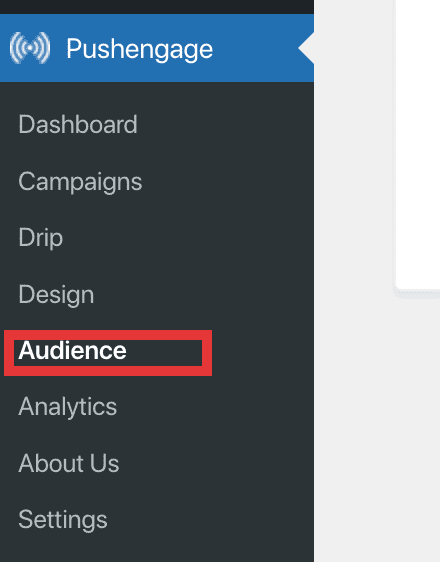
الخطوة 2: انتقل إلى علامة التبويب الجمهور ثم انقر على قسم الشرائح.
الخطوة 3: انقر على 'إنشاء شريحة جديدة'
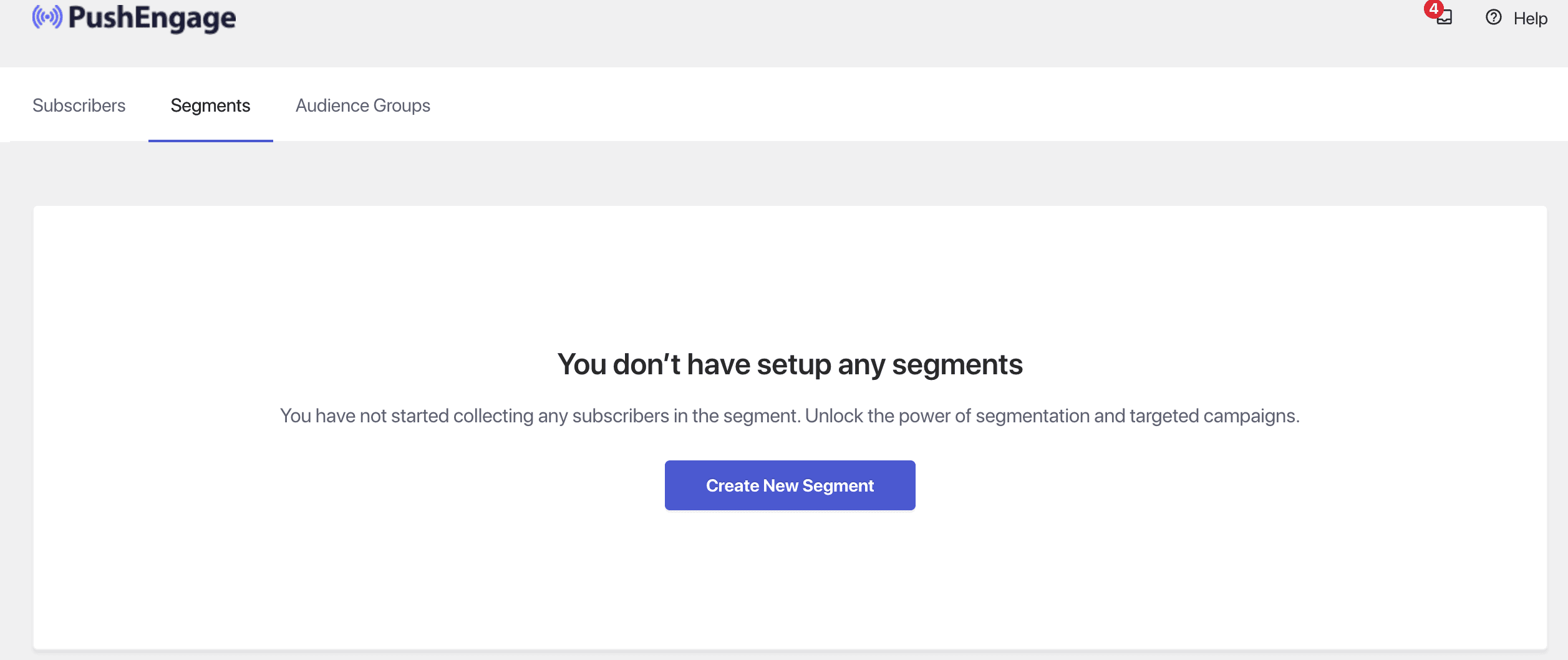
الخطوة 4: اختر إما فئة موجودة أو إذا كنت ترغب في ذلك، يمكنك أيضًا إنشاء فئة جديدة. ثم ضمن اسم شريحة PushEngage، اختر من القائمة المنسدلة اسم شريحة لتعيينها.
الخطوة 5: حدد مربعات الاختيار التي تريدها ضمن قسم التمكين للشرائح التي يجب أن تجمع المشتركين.
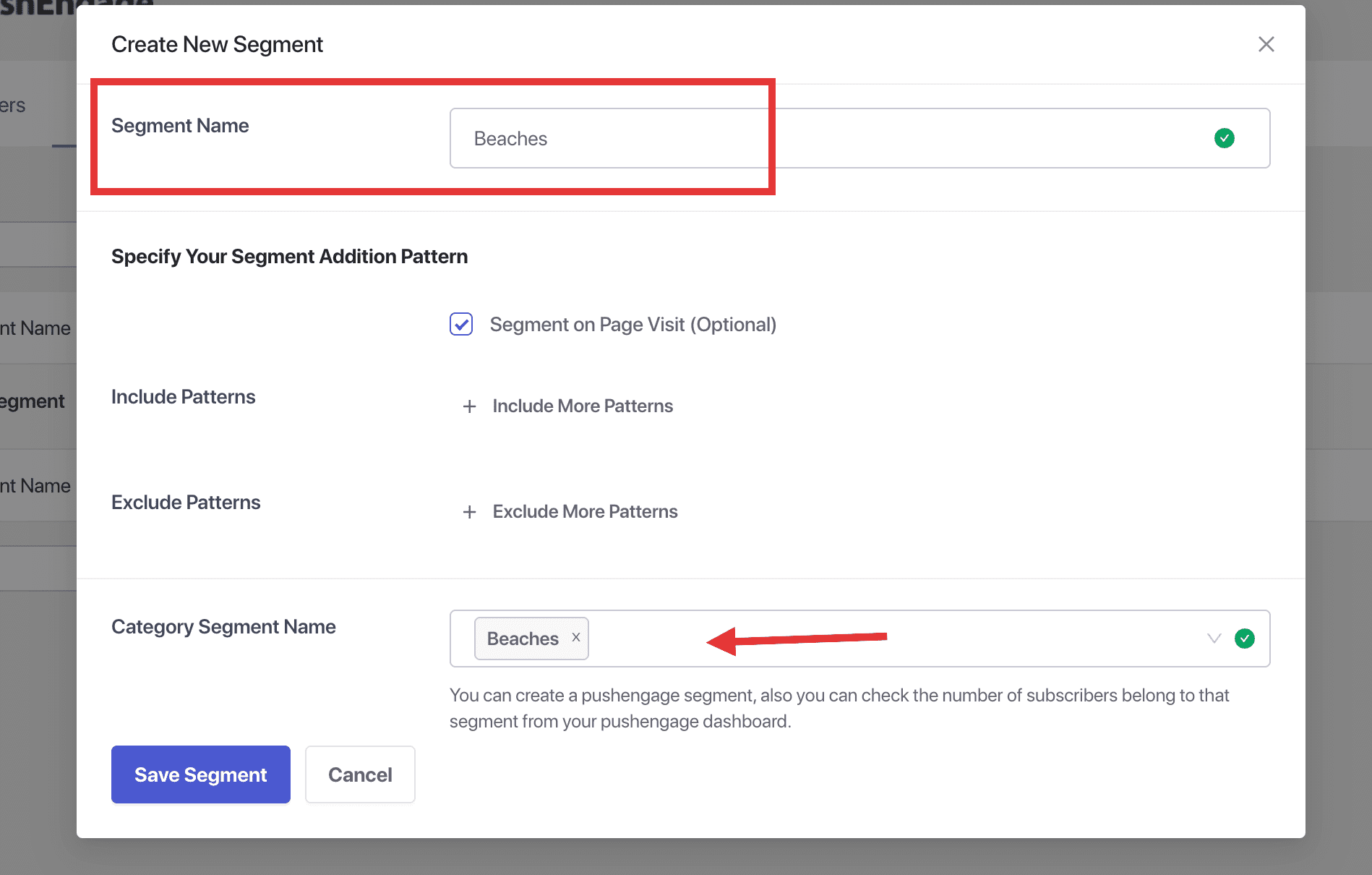
هذا كل شيء، يمكنك الآن البدء في استخدام الفئات لتحديد الشرائح داخل PushEngage. سيتم إضافة مشتركيك إلى الشرائح بناءً على الفئة التي يزورونها.
في حال واجهت أي مشاكل، فلا تتردد في الاتصال بنا بالنقر هنا. سيكون فريق الدعم لدينا قادرًا على مساعدتك.