يتيح لك مكون PushEngage الإضافي لـ WordPress إرسال حملات دون أي عناء لإنشاء حملات دفع يدوية. لذلك يمكنك تمكين إرسال دفعة تلقائية بمجرد أن يضغط المحررون على زر النشر.
دعنا نفهم في دليل أدناه كيفية تمكين هذا -
حدد المكون الإضافي PushEngage من لوحة تحكم WordPress الخاصة بك وانتقل إلى الإعدادات > إعدادات الدفع التلقائي
قم بتنشيط زر التبديل لإرسال إشعار دفع تلقائيًا إلى المشتركين لديك في كل مرة تنشر فيها منشورًا جديدًا وحدد نوع صورة الإشعار التي تريدها لحملاتك
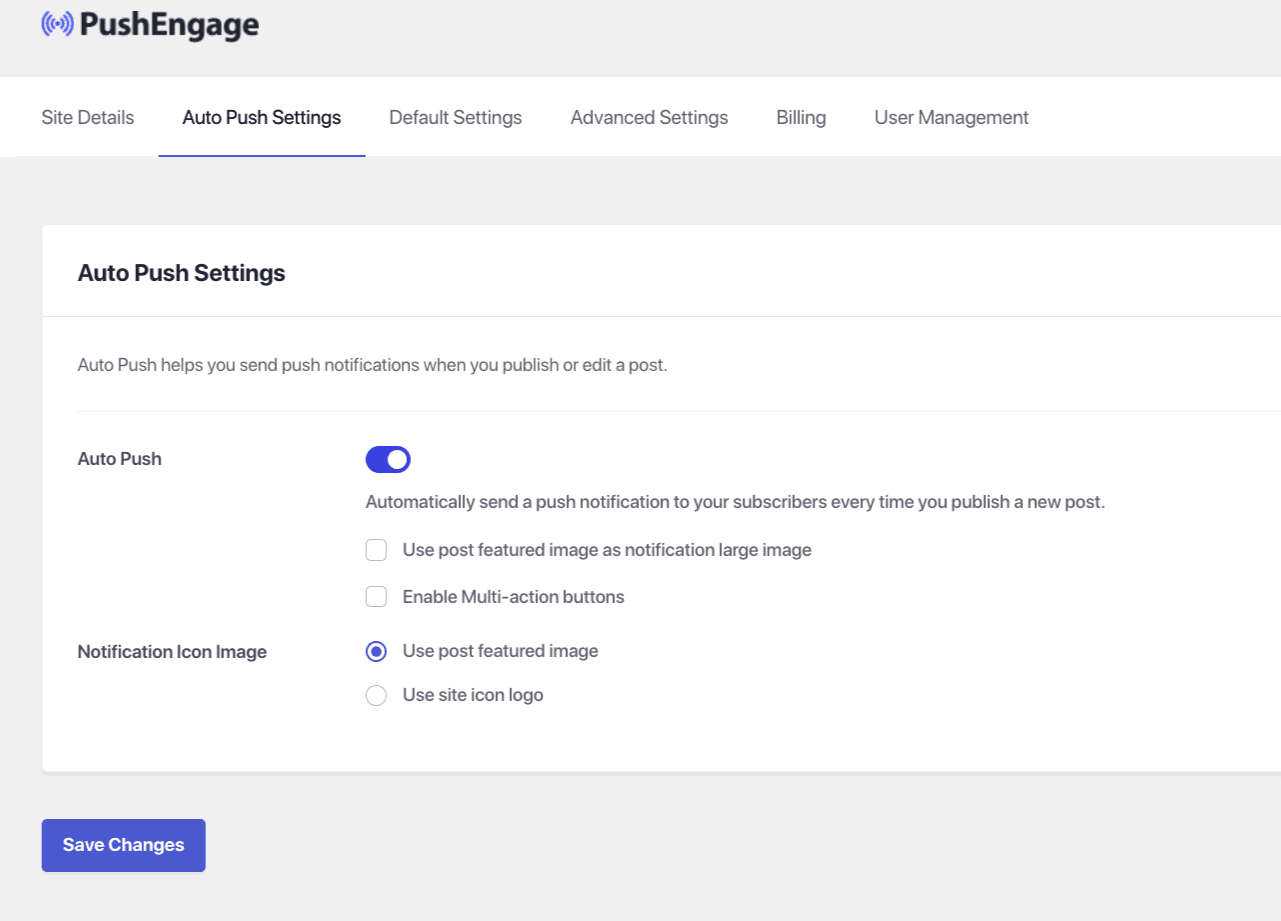
بمجرد الانتهاء من ذلك، حدد حفظ التغييرات
في حال واجهت أي مشاكل، فلا تتردد في الاتصال بنا بالنقر هنا. سيكون فريق الدعم لدينا قادرًا على مساعدتك.