إذًا، لقد استكشفت إمكانيات PushEngage وأنت الآن مستعد لترقية حسابك للاستفادة من الميزات المتقدمة. سيساعدك هذا على زيادة حركة المرور المتكررة والمشاركة.
في هذه المقالة، ستتعرف على كيفية ترقية حسابك.
قبل البدء
إليك بعض الأشياء التي يجب معرفتها قبل البدء:
- لا يمكنك تخفيض حسابك دون الاتصال بالدعم.
- سيتم احتساب ترقية حساب PushEngage الخاص بك بشكل نسبي عند تحديث حسابك.
جميع التفاصيل في حساب PushEngage المتعلقة بخطة الاشتراك موجودة في لوحة التحكم ضمن الفوترة. يمكنك ترقية خطتك عن طريق التحقق من حد المشترك، وإضافة موقع، وميزات الأتمتة، ووضع الفوترة، وما إلى ذلك.
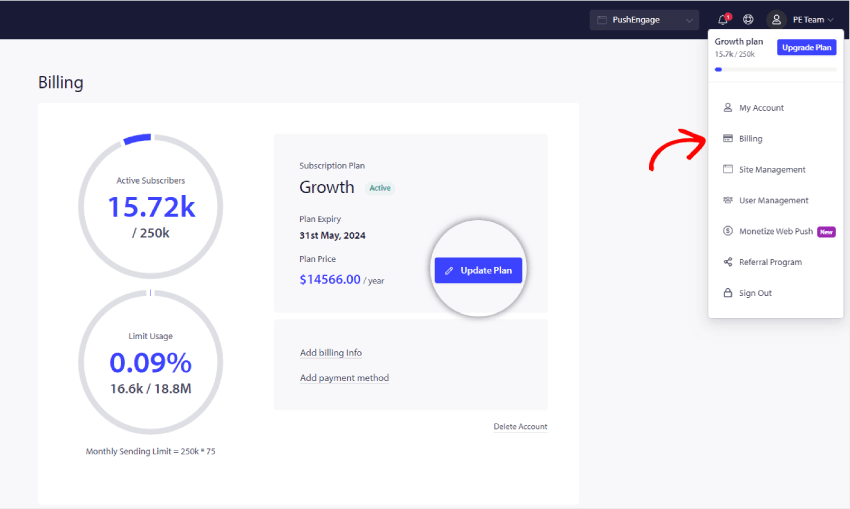
يرجى الانتقال إلى أيقونة الملف الشخصي في الزاوية العلوية اليمنى والنقر على الفوترة
ثم في صفحة تفاصيل الفوترة، انقر على تحديث الخطة، كما هو موضح في لقطة الشاشة أدناه:
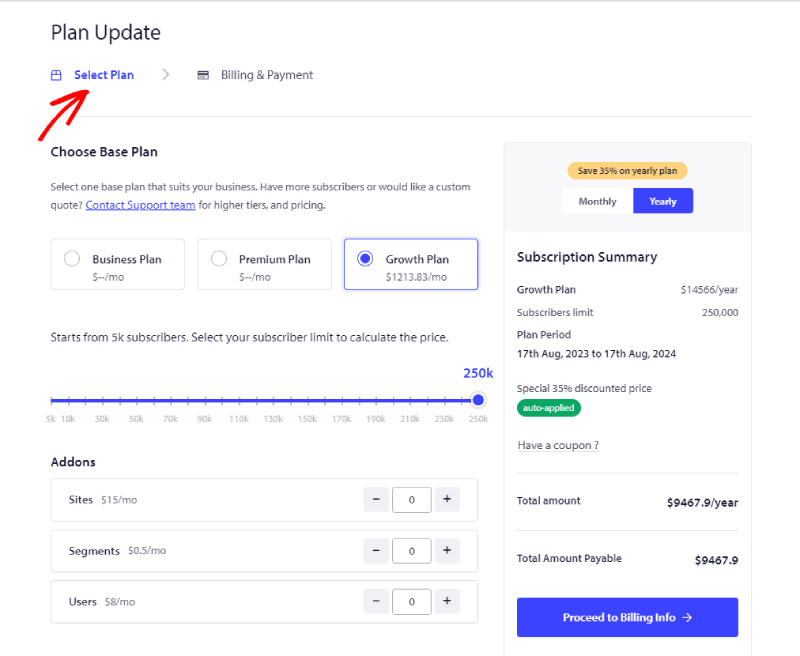
حدد الخطة المناسبة وفقًا لمتطلبات عملك. وحدد شريحة المشتركين والخطة التي تريد الترقية إليها. الآن يمكنك النقر على المتابعة إلى معلومات الفوترة
الآن يمكنك المتابعة إلى صفحة معلومات الفوترة.
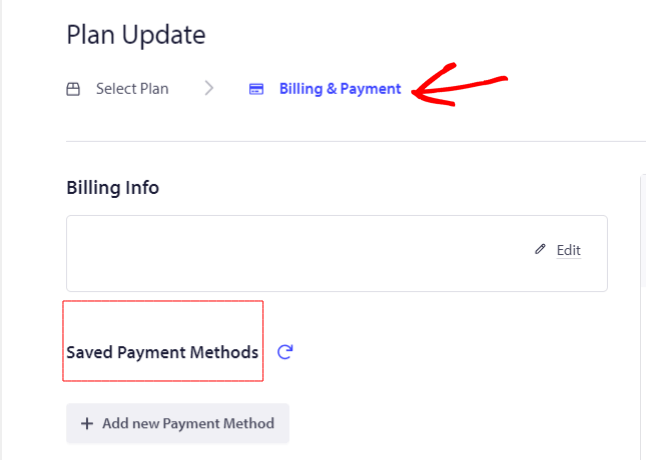
يمكنك إضافة تفاصيل الفوترة وإضافة تفاصيل البطاقة للمتابعة مع عملية الدفع.
هذا كل شيء؛ تمت ترقية حسابك الآن.
إذا واجهت أي مشاكل، فلا تتردد في الاتصال بنا بالنقر هنا. سيكون فريق الدعم لدينا قادرًا على مساعدتك.