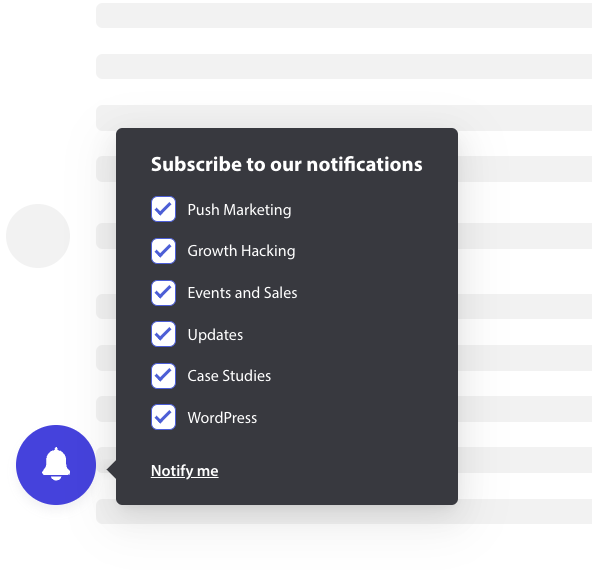
يمكن الآن تخصيص مربع الاشتراك المنبثق أو مربع الحوار المنبثق ليشمل أيضًا مربع اختيار للشريحة حتى يتمكن زائر موقع الويب من الحصول على فرصة للمضي قدمًا وتحديد ما إذا كان يريد تلقي إشعارات لجميع الحملات أو للشرائح المحددة فقط.
أنماط مختلفة لنافذة الاشتراك
هناك أنماط مختلفة في النافذة المنبثقة للاشتراك يمكنها تحويل زوارك إلى مشتركين وعملاء في إشعارات الويب.
صندوق اشتراك أنيق: هذا النمط له تصميم أنيق وزر واحد بدلاً من زرين.
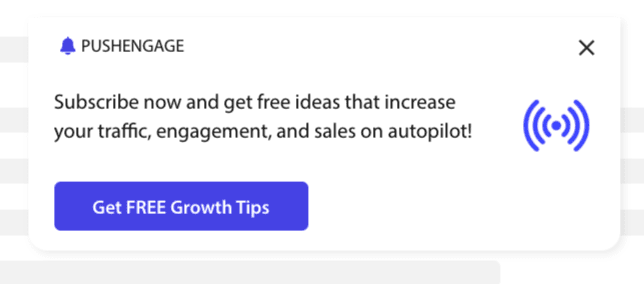
صندوق نمط سفاري: هذا اشتراك كلاسيكي من خطوتين مع زرين للنقر على السماح أو الرفض، والذي يمكن تخصيصه.
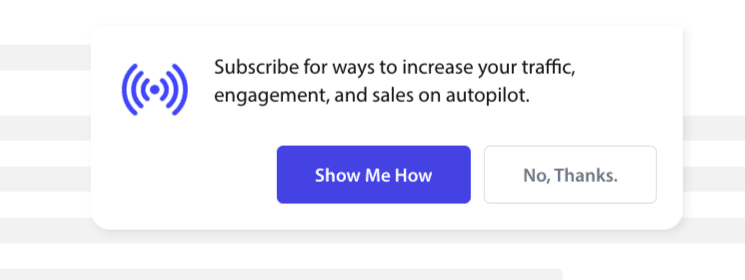
شريط الجرس الموضوع: هذا الجرس الصغير يخبرك بالاشتراك أو الحظر. يمكن تخصيص أيقونة الجرس الصغيرة في الزاوية السفلية ولكنها تشغل مساحة شاشة أقل، مما يسمح للأشخاص بالاشتراك في إشعارات الدفع.
الشريط العائم: ينتشر نمط النافذة المنبثقة هذا عبر الشاشة وسيتم وضعه في الأسفل. يمكنك إضافة نص أطول إلى تصميم النافذة المنبثقة.

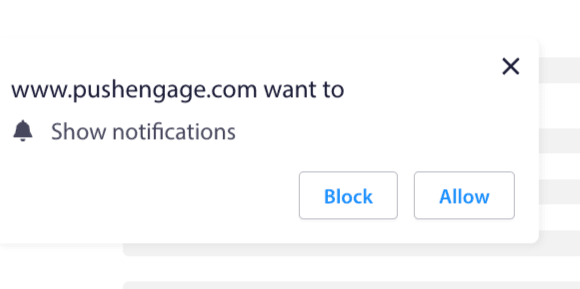
اشتراك الدفع بخطوة واحدة: مربع إذن بخطوة واحدة، لا يسمح لك بتخصيص أو إضافة أي رسالة شخصية.
صندوق نمط سفاري كبير: صندوق يظهر في منتصف الشاشة ويسمح لك بإضافة شرائح.
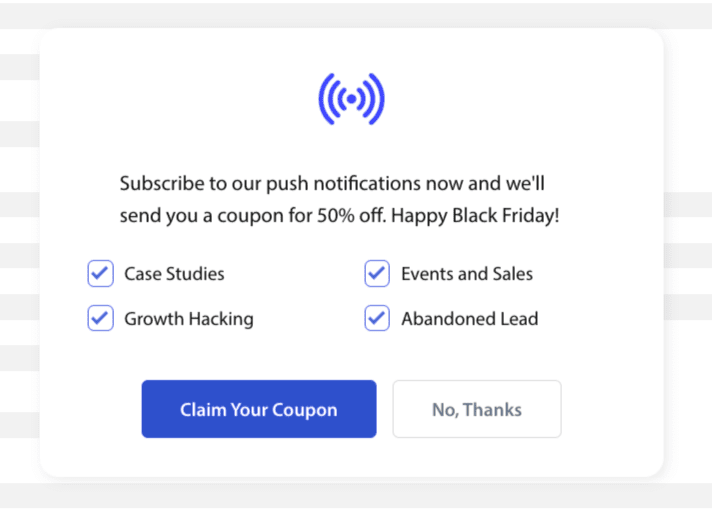
ملاحظة: يمكن تحرير أو تخصيص جميع أنماط النوافذ المنبثقة للاشتراك باستثناء الاشتراك بخطوة واحدة. الاشتراك بخطوة واحدة هو النمط الافتراضي للمتصفح ولا يمكن تحريره أو تخصيصه.
إضافة شرائح إلى اشتراك الاشتراك
يمكنك اختيار النمط الذي تريد الاشتراك فيه والنقر فوق تحرير. ضمن تصميم النافذة المنبثقة، يجب عليك تمكين جميع الشرائح.
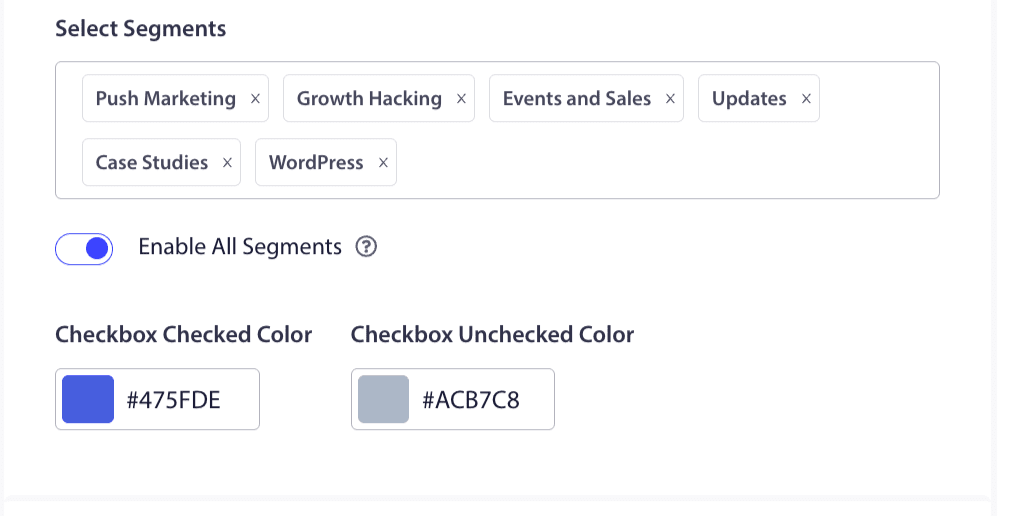
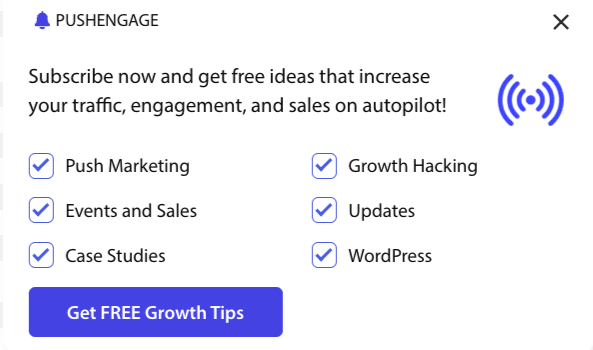
يمكنك اختيار الشرائح من القائمة المنسدلة والتحقق مما إذا كانت المعاينة هي ما تريد أن تبدو عليه. لديك أيضًا خيار تخصيص لون مربعات الاختيار حتى تتمكن من مواءمتها مع ألوان علامتك التجارية. هذا ما ستبدو عليه معاينتك -
فهم الخيارات لتعزيز الوظائف
تمكين اشتراك الاشتراك رولس
سيتم عرض مربع الحوار المنبثق هذا عبر جميع الصفحات التي تسمح بها قاعدة الاستهداف العامة. ومع ذلك، يمكنك إضافة هذه النوافذ المنبثقة على صفحات ويب محددة إذا كنت ترغب في ذلك.
تمكين تراكب الاشتراك
التراكب هو خيار يبرز الأشخاص للنقر على السماح، مما يشير للمستخدمين للنقر على زر السماح لتلقي إشعارات الدفع.
تمكين موجه التذكير:
تعتمد المتصفحات مثل Chrome و Edge على السلوك السابق لزوار موقع الويب إذا نقروا على حظر كثيرًا. إنها تمكن واجهة مستخدم أكثر هدوءًا، أيقونة جرس في شريط العناوين. إنها نسخة محسنة من النافذة المنبثقة للاشتراك للأشخاص الذين يرفضون الإشعارات عادةً. يمكن عرض هذا التذكير على سطح المكتب فقط. إنه لتثقيف الأشخاص للاشتراك في حملات دفع الويب.
النافذة المنبثقة للاشتراك:
هذا هو زر التبديل لتعطيل أو تمكين عرض الاشتراك على الصفحات المثبت عليها الرمز. إذا قمت بإيقاف تشغيل هذا المفتاح، فستتوقف عن جمع المشتركين.
فهم خيارات العرض
ستساعدك هذه الشاشة على تحسين كيفية عرض النافذة المنبثقة للاشتراك.
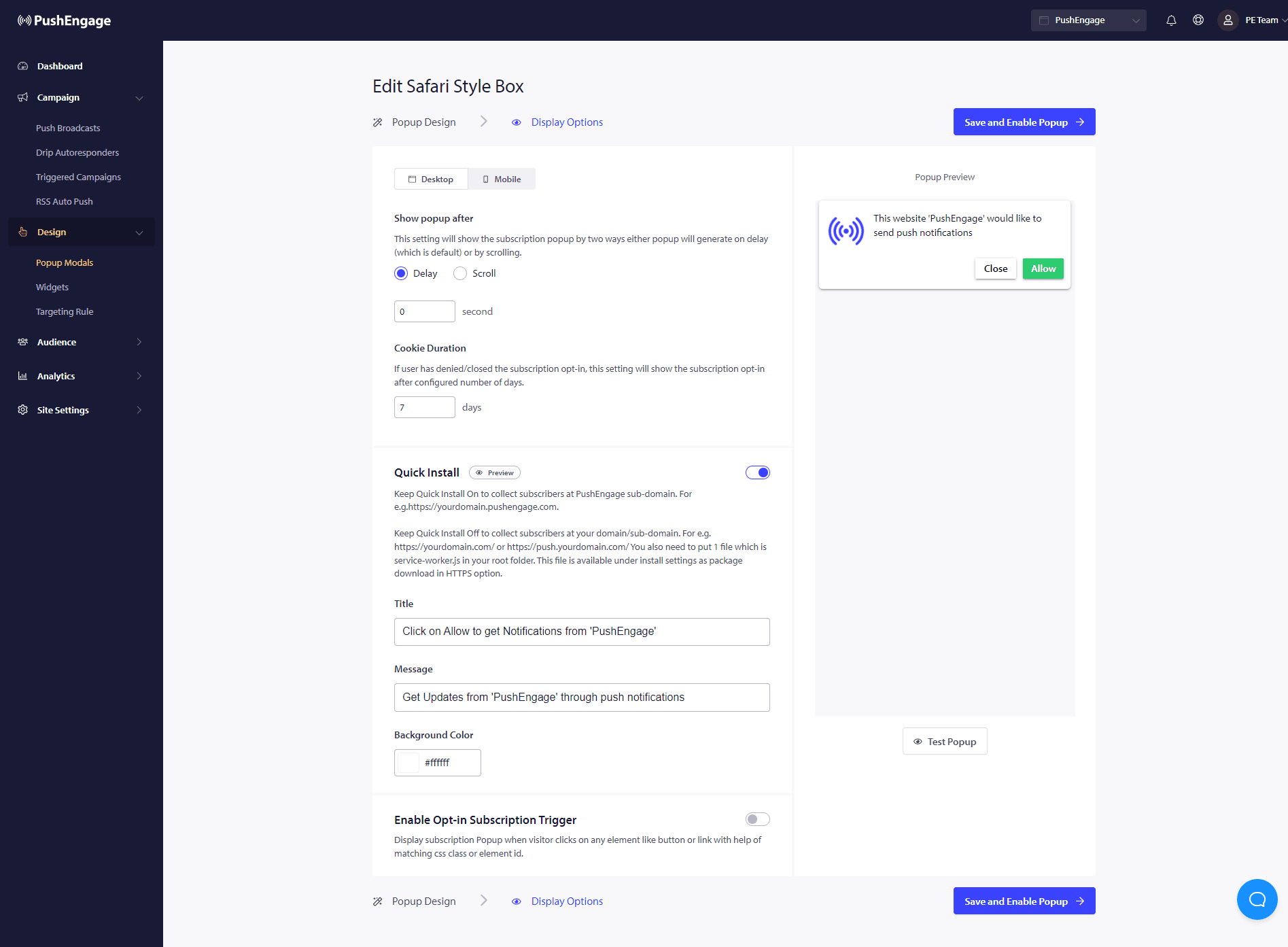
التثبيت السريع :
نوصي بإبقاء هذا الخيار مغلقًا دائمًا. لذلك يتم جمع المشتركين على نطاقك. هذا الخيار مخصص فقط للأشخاص غير القادرين على إضافة عمال الخدمة إلى موقع الويب الخاص بهم وجمع الاشتراكات على نطاقهم.
تمكين مشغل اشتراك الاشتراك:
بصرف النظر عن تحميل الصفحة، يمكن تشغيل النافذة المنبثقة عند أي حدث آخر مثل عندما ينقر الزائر على أي زر أو رابط بمساعدة فئة CSS مطابقة أو معرف عنصر. يمكن تشغيل النافذة المنبثقة دون إجراء تغييرات على قاعدة التعليمات البرمجية.
إظهار الموافقة:
هنا يمكنك تعيين القاعدة لإظهار الموافقة بعد تأخير أو بعد تمرير نسبة مئوية معينة من الصفحة.
- التأخير - بعد كم من الوقت يجب أن تظهر النافذة المنبثقة للاشتراك؟ نوصي بأن أفضل ممارسة هي أن تكون أقل من 5 ثوانٍ أو بحد أقصى 10 ثوانٍ.
- التمرير - يمكنك تحديد أن نموذج الاشتراك يمكن تشغيله إذا قام الزائر بتمرير X بالمائة من الشاشة.
- مدة ملف تعريف الارتباط – إذا ألغى شخص ما وقرر عدم السماح/حظر نافذة الاشتراك المنبثقة، يمكنك تحديد مدة إعادة تعيين ملف تعريف الارتباط. بعد هذه الأيام العديدة، يمكن للزائر رؤية النافذة المنبثقة مرة أخرى.
هذا كل شيء. بمجرد تخصيص نموذج الاشتراك حسب حاجتك، يمكنك حفظ التغييرات.
أنت الآن جاهز لرؤية زوار موقعك يتحولون إلى مشتركين في الإشعارات الفورية للويب.
في حال واجهت أي مشاكل، فلا تتردد في الاتصال بنا بالنقر هنا. سيكون فريق الدعم لدينا قادرًا على مساعدتك.