Drip-kampanjer eller Drip Autoresponders är ett nytt koncept inom Web Push Notifications. Vi kommer att försöka göra uppgiften enklare och beskriva specifika steg för att köra dessa i PushEngage.
Du kan aktivera en Web Push Notification Autoresponder-kampanj och skicka den till alla prenumererande användare eller till en lista/ett segment av användare i PushEngage. Segmentera dina användare i specifika listor, vilket kan ske på specifika sidor eller när användaren prenumererar på en serie aviseringar.
Innan du börjar
- Du behöver ett WordPress-konto och åtkomst till PushEngage-pluginet.
- Drip Autoresponders finns tillgängliga i Premium Plans & högre i PushEngage.
Skapa Drip Autoresponders
Steg 1 – Logga in på din WordPress-instrumentpanel och navigera till PushEngage Plugin > Drip. Du kan redigera den befintliga Välkomst-dripen eller skapa en ny serie enligt ditt affärsfall.
Steg 2 – Skapa nu Auto Responder-serien genom att lägga till en eller så många aviseringar som du vill ha i serien.
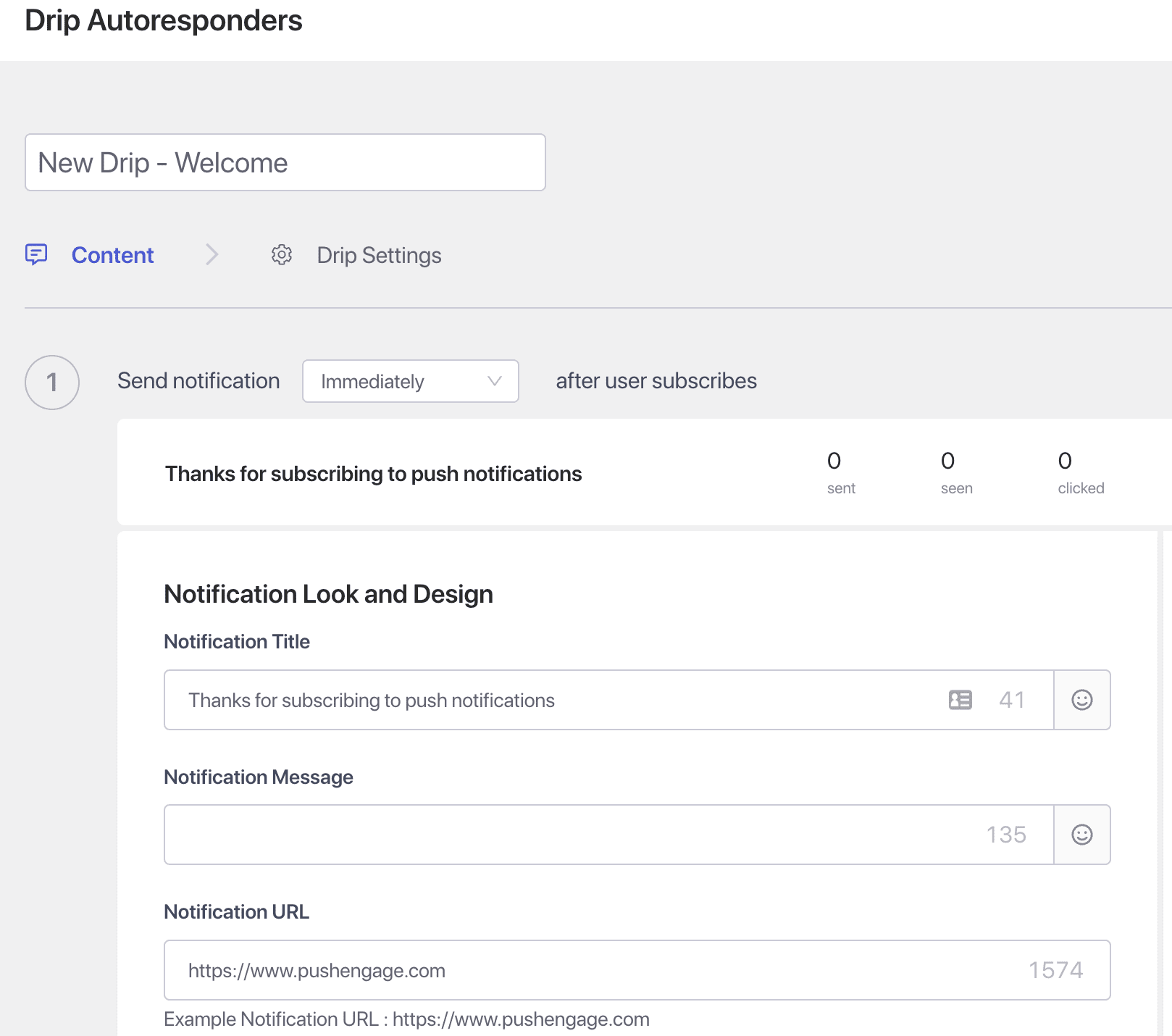
Steg 3 – Ställ in fördröjningen – Skapa nu serier av aviseringar som ska skickas efter 10 minuter eller 1 timme och efter 1 dag som ett exempel.
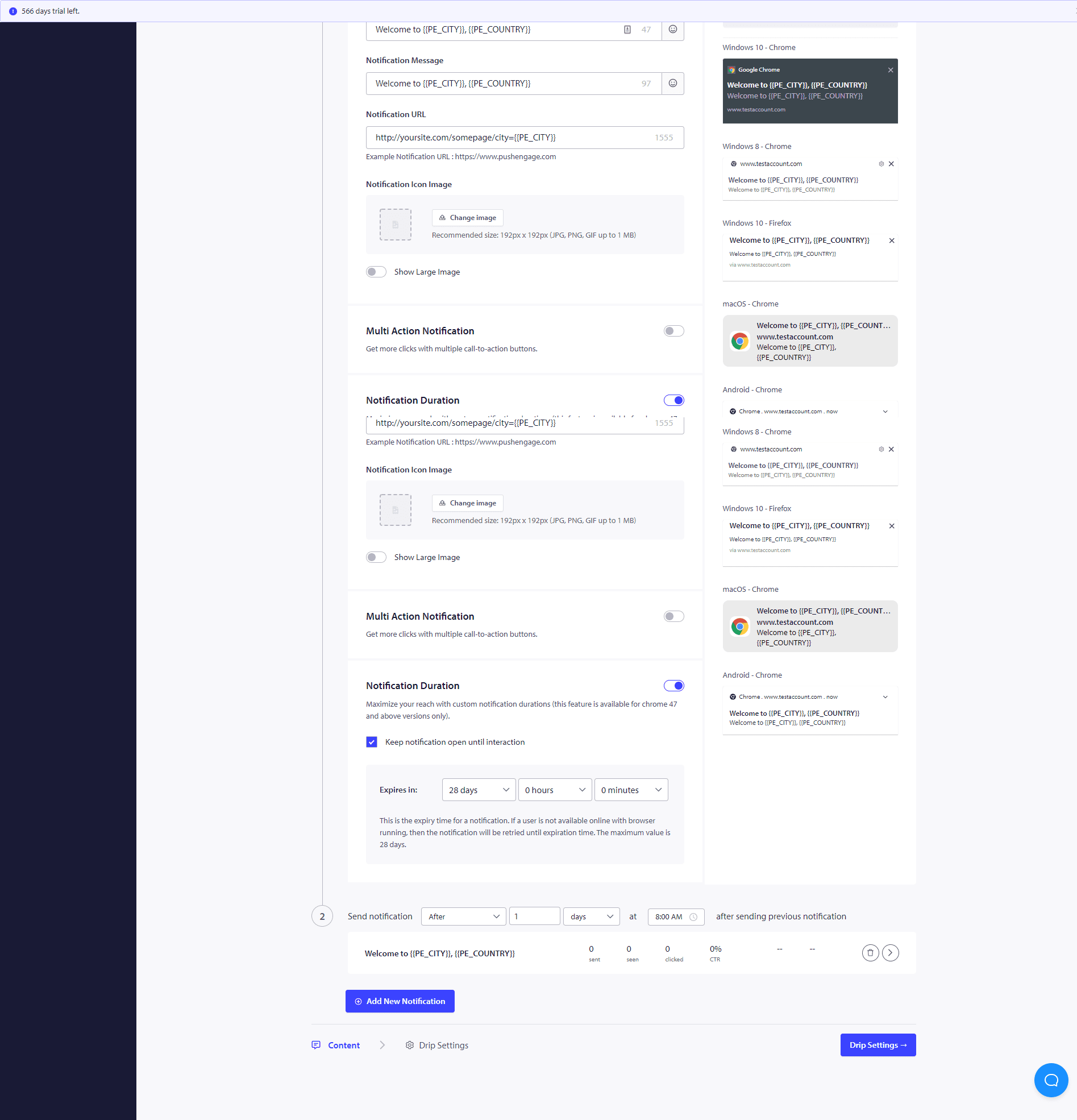
När du har slutfört dessa Drip-kampanjer, skulle du vara intresserad av att se hur varje aviseringstadium presterar. För det, besök Autoresponder Analytics och klicka på den nyskapade Drip-kampanjen.
Din drip autoresponder är nu helt inställd. Det är allt, luta dig tillbaka och se trafiken öka och besökare engagera sig och återvända till din webbplats med Drip-kampanjerna.
Hur man personanpassar Drip-kampanjen?
För att anpassa dripen eller om du vill skicka den till en viss grupp människor/segment eller till geolokalisering, kan du välja relevant segmentnamn eller geolokalisering du vill meddela från rullgardinsmenyn.
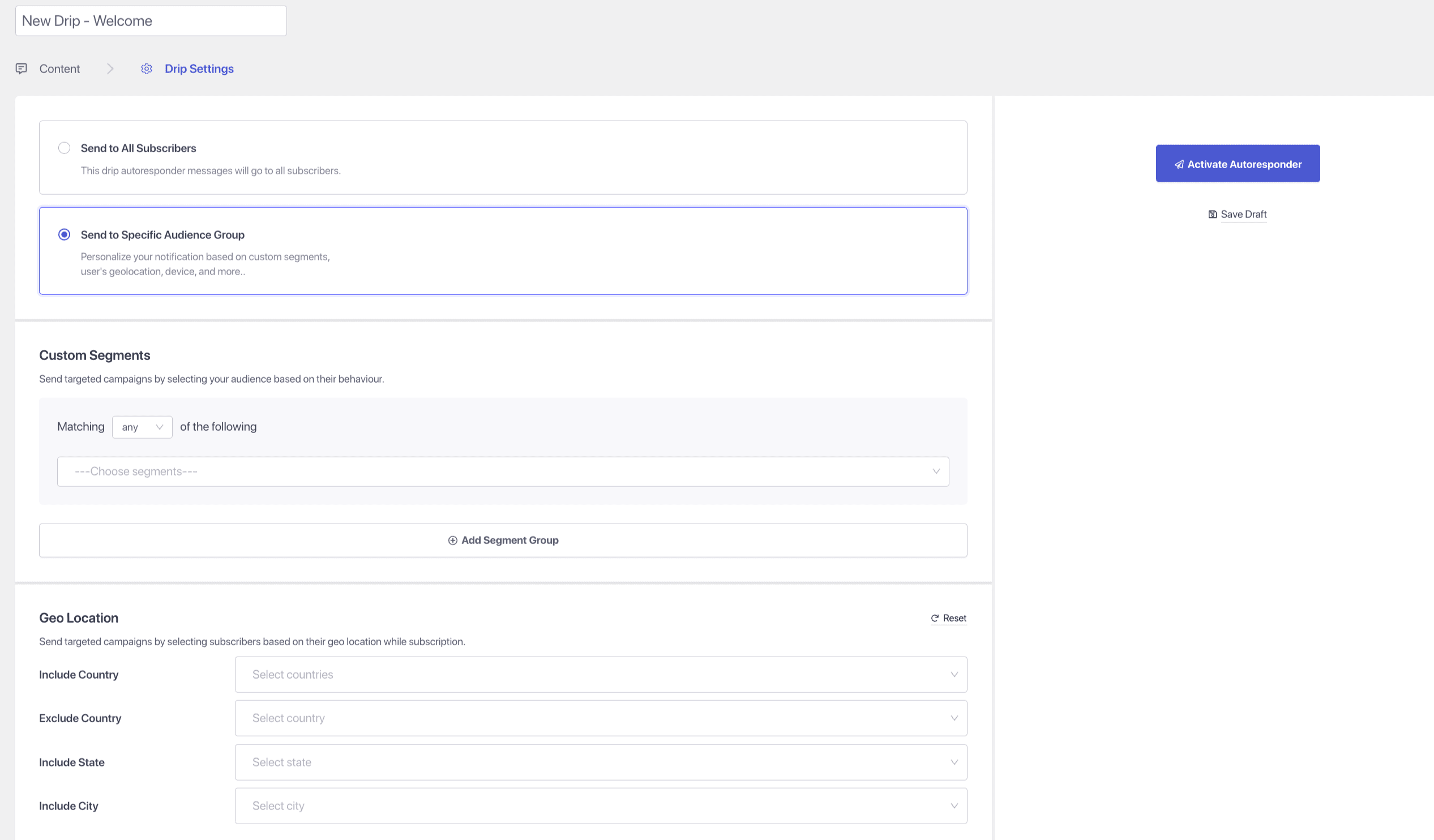
Dessutom kan Drip-kampanjer användas för att bygga formulärövergivenhet, välkomstserier och korsförsäljningskampanjer, kokboksserier.
Om du stöter på några problem, tveka inte att kontakta oss genom att klicka här. Vårt supportteam kan hjälpa dig.