Web Sitenizde Web Anlık Bildirim Yapılandırdınız. Anlık Bildirim için bir abonelik kutusu da yayında. Web Sitenizi ziyaret edenler, “İzin Ver”e tıklayarak anlık bildirimlerinize abone oluyorlar.
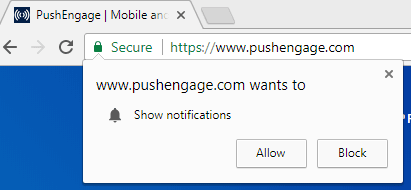
İzin Ver'e tıkladıktan sonra anlık bildiriminize abone olurlar. Ancak, “Reddet” veya “Engelle”ye tıklayan çok insan var. Peki bu ziyaretçilere ne olur? Anlık Bildiriminizi alacaklar mı?
Cevap Hayır, anlık bildiriminizi almayacaklar. Ve anlık bildirim abonelik seçeneğini de görmeyecekler. “Engelle”ye tıkladıkları için, bir sonraki ziyaretlerinde abonelik kutusunu görmeyecekler.
Kullanıcılar daha önce “Engelle”ye tıklamış olabilir, ancak şimdi anlık bildirim hizmetinize abone olmak istiyorlar. Ürünleriniz, yeni blog yazılarınız, web sitenizle ilgili güncellemeler hakkında bildirim almak istiyorlar. Ancak, tarayıcılarında seçenek görünmeyeceği için bunu yapamazlar.
Ancak, PushEngage ile bu tür ziyaretçilerin Anlık Bildirim hizmetinize abone olmalarını sağlayabilirsiniz. Anlık bildirim abonelik oranlarını optimize etmenin yollarından biri “Bildirim Al Widget'ı” kullanmaktır.
Bildirim Al Widget'ı Nedir?
Bildirim Al Widget'ı, kullanıcının Tarayıcısında Abonelik Seçeneğini yeniden görünmesini sağlar. Bu, Web Anlık Bildiriminize abone olmalarına olanak tanır. Bir kullanıcı “Reddet”e tıkladığında, anlık bildirim aboneliği, kullanıcı web sitenizi tekrar ziyaret ettiğinde görünmez. Kullanıcının Anlık Bildiriminize abone olmasını sağlamak için “Bildirim Al Widget'ını Etkinleştir”i etkinleştirin.
Bildirim Al Widget'ı Nasıl Çalışır?
Bildirim Al Widget'ını hesabınızdan etkinleştirdiniz. Şimdi bir ziyaretçi web sitenize geldiğinde ve “Reddet” veya “Hayır”a tıkladığında, Bildirim Al Widget'ı Aktif hale gelir. Daha fazla netlik için aşağıdaki adımlara bakın:
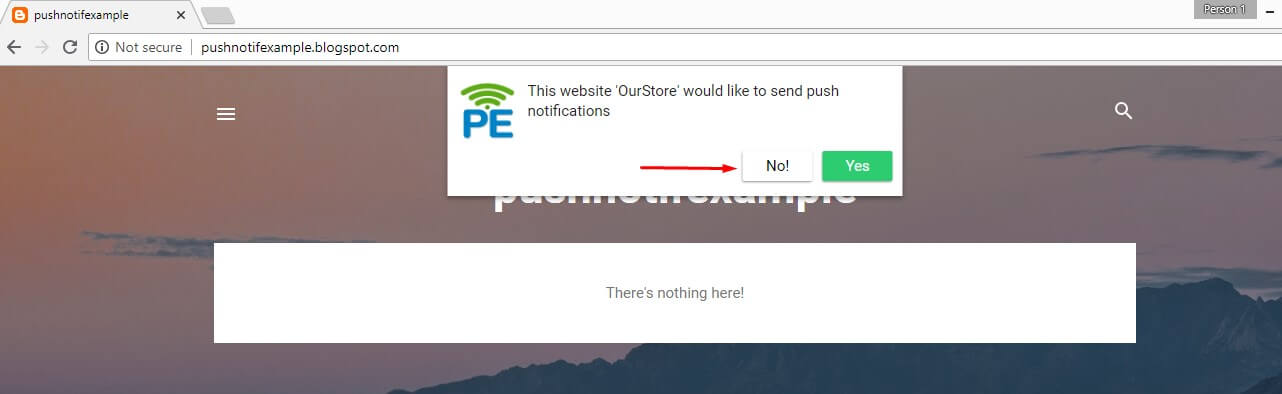
- Aşağıdaki ekran görüntüsünde, anlık bildirim seçeneği göründü ve kullanıcı “Hayır”a tıkladı.
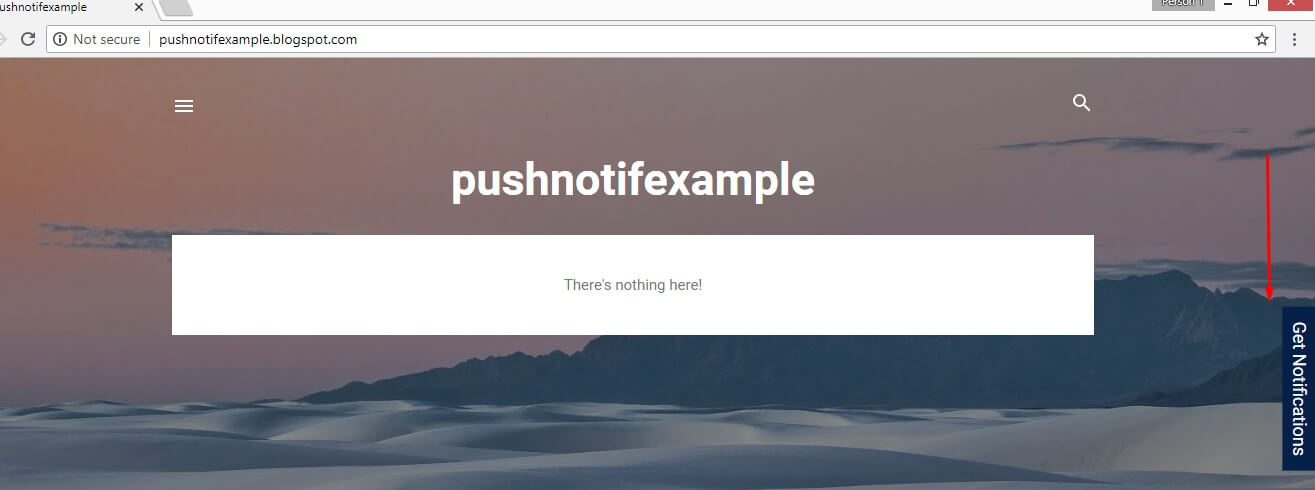
- Şimdi Tıklandığında, Bildirim Al Widget'ı aktif hale gelir. Web sitesinde görünecektir.
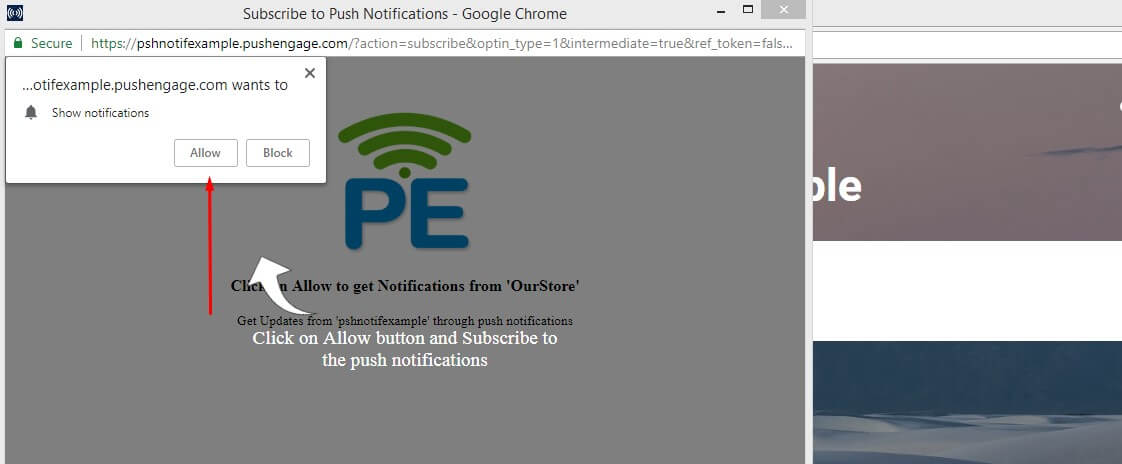
- Bildirim Al Widget'ına Tıklayın ve Abonelik Seçeneğini gösterecektir. Kullanıcı artık Anlık Bildirime abone olmak için “İzin Ver”e tıklayabilir.
Bildirim Al Widget'ı Nasıl Etkinleştirilir?
Bildirim Al Widget'ını etkinleştirmek için aşağıdaki adımları izleyin:
PushEngage Kontrol Panelinden Ayarlar -> Abonelik Ayarları -> Seçenek Yönetimi'ne gidin. “Bildirim Al Widget'ı”nı göreceksiniz. Etkinleştirmek için düğmeyi işaretleyin.
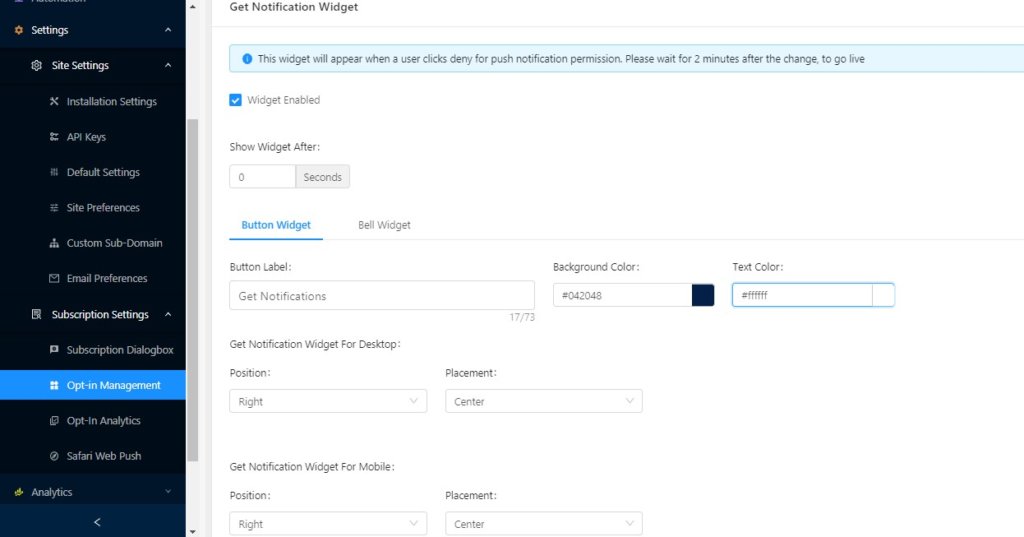
Bildirim Al Widget'ı Nasıl Yapılandırılır?
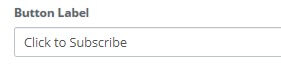
Metni değiştirin: Widget'ın metnini değiştirebilirsiniz. “Bildirim Al” yerine, “Abone Olmak İçin Tıkla” yazabilirsiniz

Farklı Arka Plan Rengi ve Metin Rengi: Widget'ın arka plan rengini renk paletinize uyacak şekilde de değiştirebilirsiniz. Metin rengini bile değiştirebilirsiniz. Varsayılan Mavi Arka Plan ve Beyaz metin rengidir. Siyah arka plan ve Kırmızı Renkli Metin gibi başka herhangi bir kombinasyona değiştirebilirsiniz.

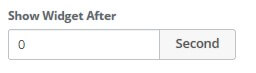
Gecikme Ekleme: Bildirim Widget'ına gecikme ekleyebilirsiniz. Yani 10 saniye gecikme eklerseniz, Bildirim Widget'ı kullanıcının “Engelle” veya “Hayır” düğmesine tıkladıktan 10 saniye sonra görünecektir.
Görüntü Ayarları: “Bildirim Widget'ı Al” için iki görüntü ayarı vardır.
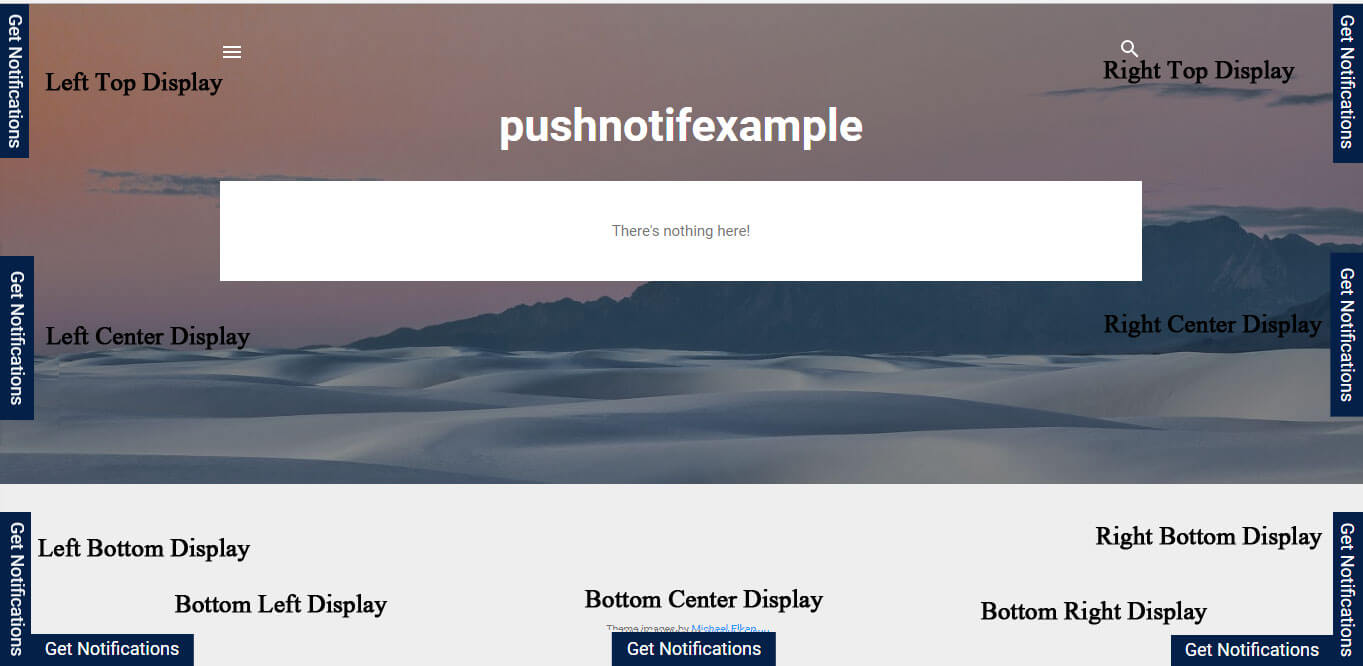
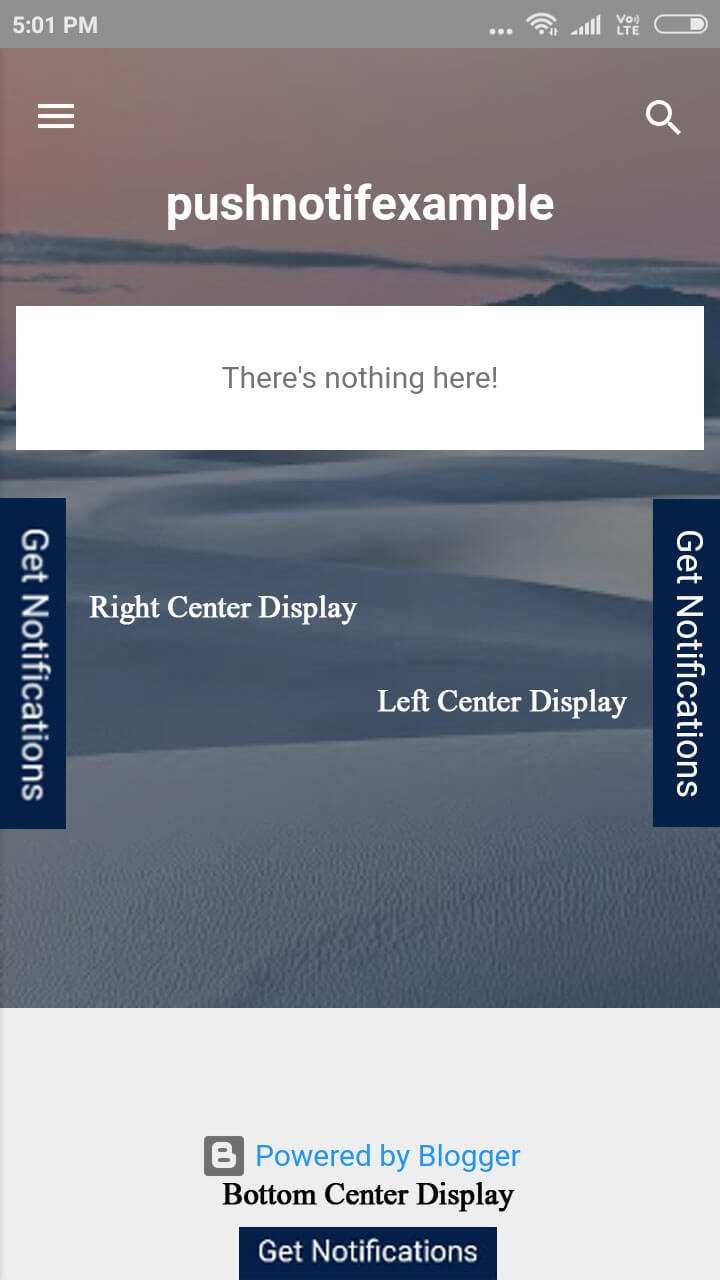
- Konum: Widget'ı tarayıcınızın hangi tarafında göstermek istediğiniz: Sol, Sağ veya Alt
- Yerleşim: Widget'ınızı nereye yerleştirmek istediğiniz: Orta, Üst veya Alt.
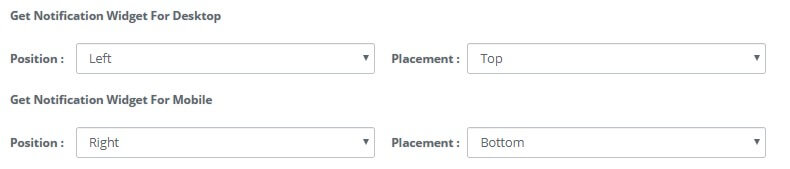
Masaüstü ve Mobil için Görüntü ayarlarını ayrı ayrı ayarlayabilirsiniz.
Aşağıda ayarların farklı kombinasyonları ve nasıl görüneceği yer almaktadır:
Masaüstünde:
Mobil'de:
Bildirim Widget'ı Al'ı kullanmaya başlayın ve ziyaretçinize Anlık Bildiriminize abone olma şansı verin.
Herhangi bir satıcıyla anlaşmadan önce her zaman hizmet sağlayıcının farklı özelliklerini ve ayrıca üst inceleme sitelerindeki yorumları kontrol edin. Her zaman deneme sürümü isteyebilir ve memnun kaldığınızda ücretli plana geçebilirsiniz. Hizmet sağlayıcının her zaman anlık abone kullanıcılarınızı diğer satıcılardan geçirebildiğinden emin olun.


İyi iş