Vad är pushmeddelanden?
Pushmeddelanden är korta, klickbara meddelanden som levereras till en prenumerants enhet även när de är offline. Du kan enkelt skicka ut en länk för att marknadsföra vilken del av din verksamhet som helst med pushmeddelanden från en enkel, lättanvänd instrumentpanel.
Det mest fantastiska är: Pushmeddelanden är ett superenkelt sätt att få återkommande besökare till din webbplats automatiskt, även om...
- Du precis har börjat och din fanskara fortfarande är liten
- Även om... du driver en e-handelsbutik med hundratals kampanjer varje månad
- Även om… du har en megablogg som redan genererar massor av SEO-trafik
I den här artikeln kommer vi att visa dig hur du får återkommande besökare direkt varje gång du publicerar:

Du kan komma igång gratis just nu. När du börjar få resultat från en gratis pushmeddelandeprogramvara kan du byta eller uppgradera för att få fler funktioner som hjälper dig att växa snabbare.
Men först, låt oss förstå lite mer om pushmeddelanden och hur de fungerar.
Vad är pushmeddelanden?
Ett pushmeddelande är ett kort, klickbart popup-fönster som du kan skicka till en prenumerant för att marknadsföra erbjudanden och annat innehåll:
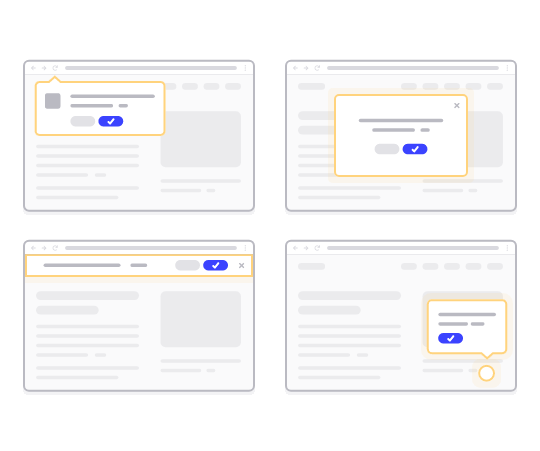
Det bästa är att meddelandena levereras även om din prenumerant inte använder en webbläsare. Det är som ett e-postutskick, men med ett webbpushmeddelande behöver dina prenumeranter inte använda en app för att se ditt meddelande. Och till skillnad från sociala medier-webbplatser finns det ingen algoritm som minskar din räckvidd för att få dig att betala för annonser.
Det coolaste med webbpushmeddelanden är att du kan använda dem för att komplettera dina lead magnets och e-postanmälningsformulär.
Vi rekommenderar att använda PushEngage för att komma igång med pushmeddelanden gratis. Det enklaste pushmeddelandet du kan skicka gratis är ett RSS-pushmeddelande. I ett RSS-push skickar PushEngage automatiskt ett sändningsmeddelande till alla dina prenumeranter varje gång du publicerar ett blogginlägg.
Hur man lägger till pushmeddelanden på din webbplats
Innan du börjar med pushmeddelandekampanjer måste du skaffa en tjänst för att skicka pushmeddelanden.
Vi rekommenderar att du börjar med PushEngage. PushEngage är ett av de bästa plugin-programmen för push-aviseringar för WordPress. Du når omedelbart upp till 200 prenumeranter med bara gratisnivån. Om din webbplats växer till mer än 200 prenumeranter kan du snabbt skala upp genom att uppgradera din plan.
Låt oss titta på hur du kan använda gratisversionen av PushEngage för att börja skicka push-meddelanden.
Steg #1: Skapa ett gratis PushEngage-konto
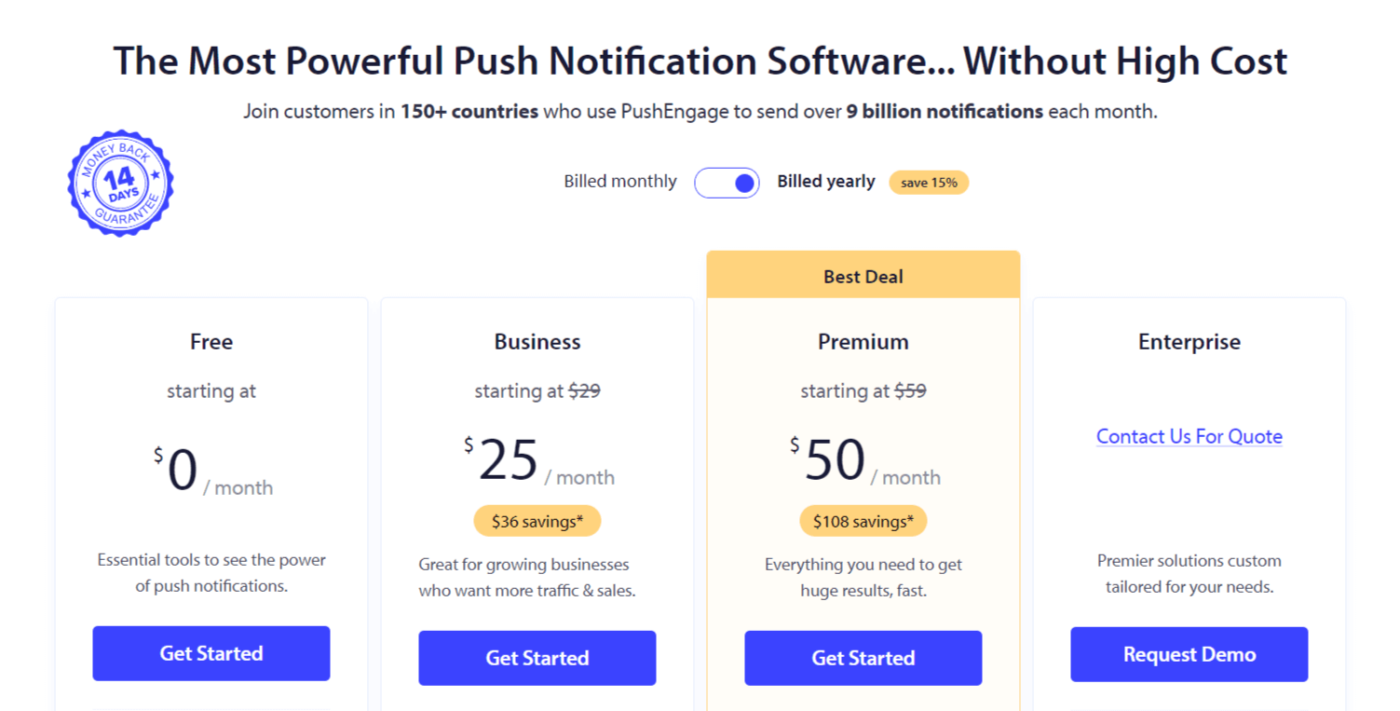
Gå till PushEngage och klicka på Kom igång:

Välj sedan planen för ditt PushEngage-konto. Du kan komma igång gratis, men om du menar allvar med att växa ditt företag rekommenderar vi att du skaffar en betald plan för att låsa upp mer avancerade kampanjer.
Steg #2: Registrera dig för PushEngage
Registrera dig för pluginet med dina användaruppgifter eller ditt Gmail-ID eller din e-postadress och lösenord:
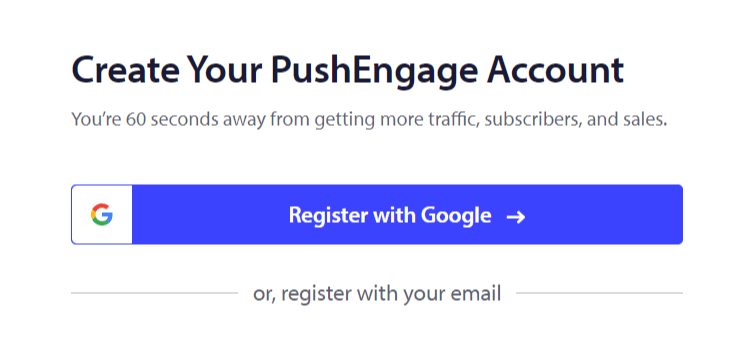
Och följ bara instruktionerna och slutför inställningen av ditt konto.
Steg 3: Installera PushEngage på din webbplats
När du har registrerat dig kommer du till PushEngage-instrumentpanelen:
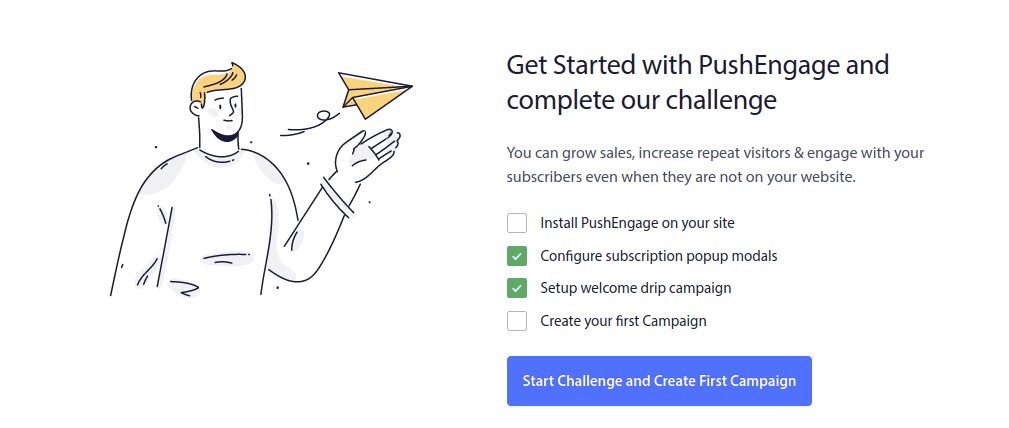
Processen för att lägga till pushmeddelanden på din webbplats är olika för olika plattformar. Därför har vi skapat detaljerade, steg-för-steg-guider för de mest populära plattformarna åt dig:
- Installera push-notiser på WordPress
- Installera push-notiser på WordPress (utan plugin)
- Installera push-notiser på WooCommerce
- Installera push-notiser på Wix
- Installera push-notiser på Blogger
- Installera push-notiser på Zoho
- Installera push-notiser på Volusion
- Installera push-notiser på Weebly
- Installera push-notiser på ClickFunnels
- Installera push-notiser på PrestaShop
- Installera push-notiser på OpenCart
- Installera push-meddelanden på CS-Cart
- Installera push-meddelanden på Drupal
- Installera push-meddelanden på Squarespace
- Installera push-meddelanden på X-Cart
- Installera push-meddelanden på BigCommerce
- Installera push-meddelanden på Jimdo
Steg 4: Konfigurera PushEngage-anmälan
När du är klar med att installera PushEngage på din webbplats, gå tillbaka till PushEngage-instrumentpanelen och gå till Design » Popup-modaler och välj en anmälan för att samla in prenumeranter:
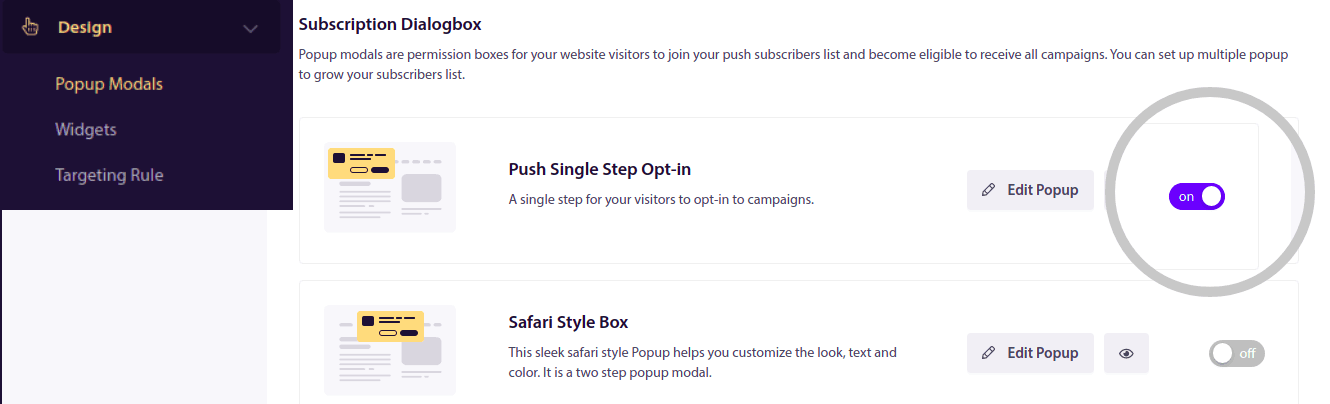
Härifrån kan du anpassa ditt godkännande för push-notiser. Om du behöver hjälp med det bör du kolla in den här artikeln om hur man skapar ett anpassat godkännande för push-notiser.
Om du behöver inspiration kan du kolla in den här artikeln om högkonverterande pushmeddelande-anmälningar.
Kom ihåg: Du måste installera ett SSL-certifikat på din webbplats för att kunna använda enkelanmälningar. Men du kan installera tvåstegsanmälningar även utan en säker webbplats. Så, om du har ett SSL-certifikat installerat, använd enkelanmälningar. Om inte, kolla in den här artikeln om hur man installerar ett SSL-certifikat på WordPress-webbplatser.
Och det är allt!
Du har framgångsrikt konfigurerat pushmeddelanden på din webbplats.
Hur fungerar pushmeddelanden?
Låt oss titta på hur pushmeddelanden fungerar.
Den korta versionen är att varje gång en ny besökare kommer till din webbplats, uppmanas de att bli en prenumerant på pushmeddelanden.
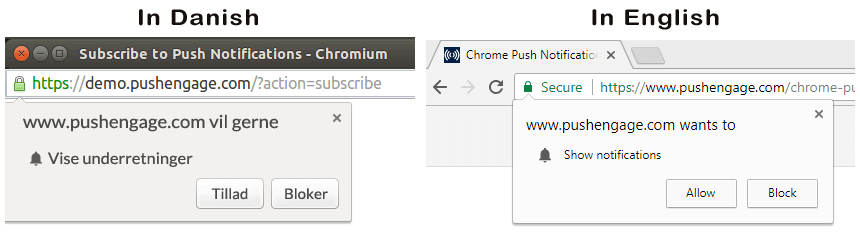
Därefter använder du en webbpushmeddelandetjänst som PushEngage för att skapa och schemalägga de meddelanden du vill skicka ut till dina prenumeranter. Du kan antingen skicka ut ett enskilt pushmeddelande manuellt eller ställa in en automatiserad sekvens av pushmeddelanden:
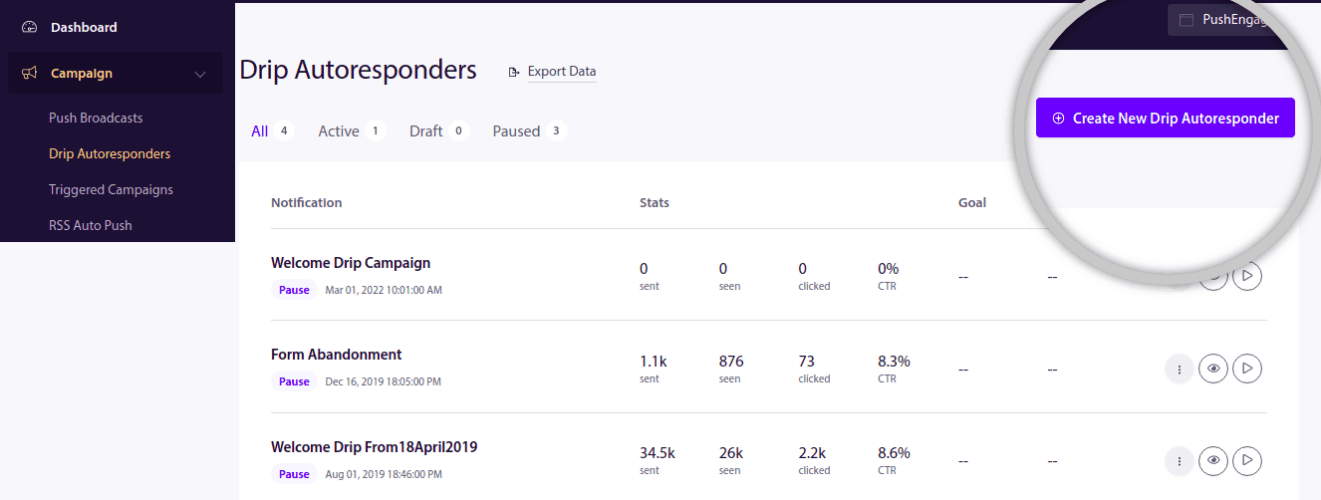
Dessutom kan du välja att antingen skicka det till alla prenumeranter på din lista eller till specifika segment av dina prenumeranter. Slutligen får dina prenumeranter dina meddelanden när deras enhet ansluts online och vidtar den föreslagna åtgärden.
För PushEngage och våra servrar är dina prenumeranter ett unikt hashnummer som genereras baserat på dina prenumeranters enhet och webbläsare. Dessutom kan servern också lagra dina prenumeranters geolokalisering. Ingen personlig eller identifierande data lagras för någon av dina prenumeranter.
Det fina med det hela är att du inte behöver kunna något om kodning eller hur man underhåller de ursprungliga servrarna. Vi tar hand om allt det åt dig. Allt du behöver oroa dig för är att ställa in dina kampanjer och göra en vinst!
Nu undrar du förmodligen hur personliga pushmeddelanden fungerar om servrarna bara lagrar ett hashnummer och inga personliga detaljer. Det är här tjänsteleverantörens API kommer in i bilden. För dig skulle det vara PushEngage Javascript API. Du kan använda detta API och ansluta det till vilken annan CRM eller databas du än kan ha.
Detta gör att du kan använda dina prenumeranters personliga uppgifter för att skicka dem personliga pushmeddelanden som detta:

Du kan också skicka avancerade e-handelskampanjer som kampanjer för övergivna varukorgar utan att använda PushEngage API.

Vad händer härnäst?
Det var allt för den här gången.
Om du precis har börjat med push-meddelanden, kolla in hur du skapar ditt första välkomstmeddelande med PushEngage. Ett välkomstmeddelande är utmärkt för återengagemang och för att få återkommande besökare till din webbplats.
Tycker du att det är svårt att komma på kampanjidéer? Kolla in dessa fantastiska resurser:
- 75 episka pushmeddelandeexempel du kan stjäla just nu
- Hur man använder push-meddelanden om formulärabstinens för att återhämta förlorade leads
- Hur du skickar personliga push-notiser med Drip-attribut
- 10 exempel på e-handelsbutiker som använder push-notiser väl
- 8 personliga push-notiser som fungerar [stöds av data]
Och om du inte redan har gjort det, kom igång med PushEngage idag!


