ClickFunnels är en plattform som låter dig designa och skapa sälj- och landningssidor. Det låter dig hantera hela din säljtratt. Om du är villig att integrera webb push-notiser för din landningssida är det möjligt.
I den här artikeln får du lära dig hur du slutför installationen och samlar in prenumeranter för att skicka dem webb push-notiser på ClickFunnels.
Innan du börjar
Du måste konfigurera ClickFunnel-landningssidan/tratten för att lägga till PushEngage-installationskoden när din landningssida är klar.
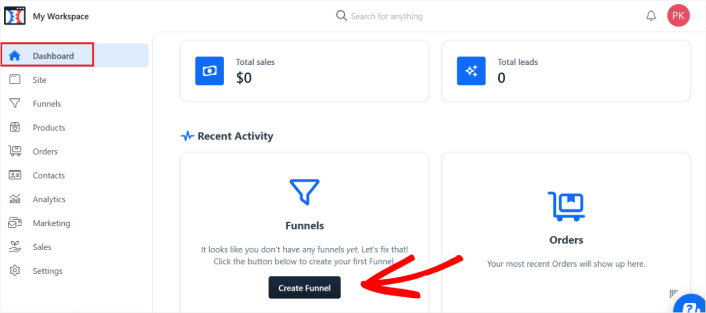
1. Logga in på ditt ClickFunnels-konto och navigera sedan till instrumentpanelen. När du är på instrumentpanelen klickar du på Skapa tratt om du inte redan har en tratt skapad.
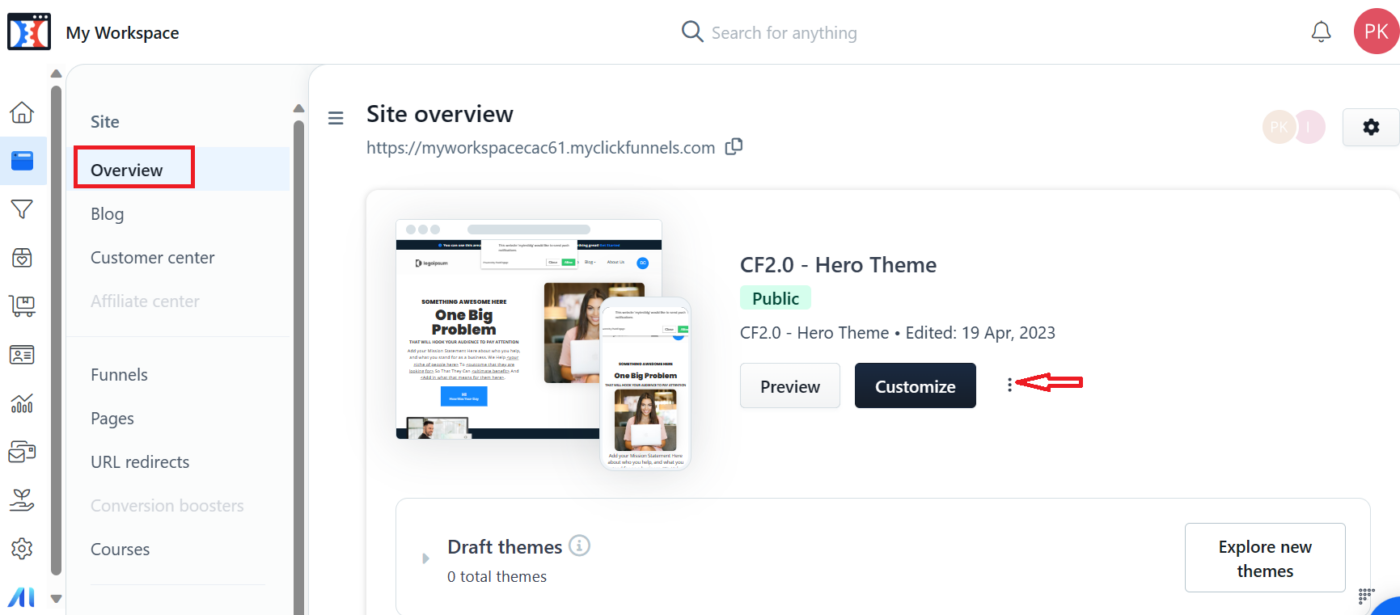
2. När du har skapat tratten kan du gå till avsnittet Webbplatser. I webbplatsavsnittet klickar du på Översikt » Anpassa
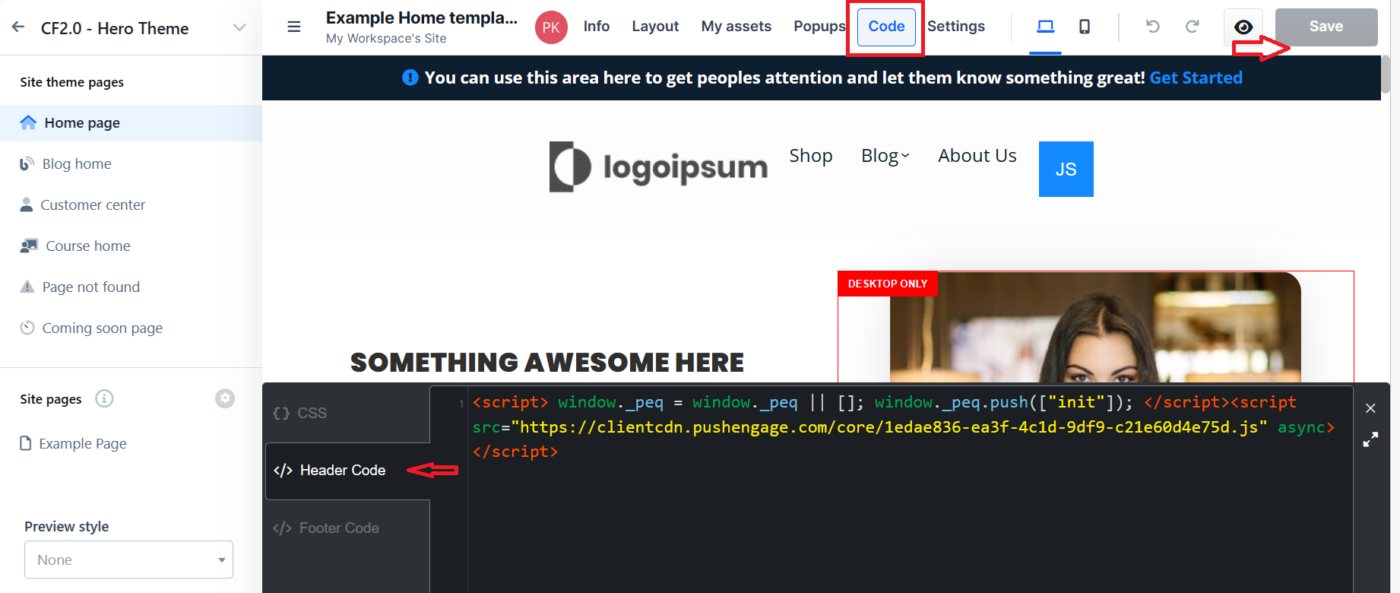
3. Nu måste du flytta till det övre navigeringsfältet och klicka på avsnittet Koden. Detta gör att du kan lägga till installationskoden i avsnittet Header/Footer.
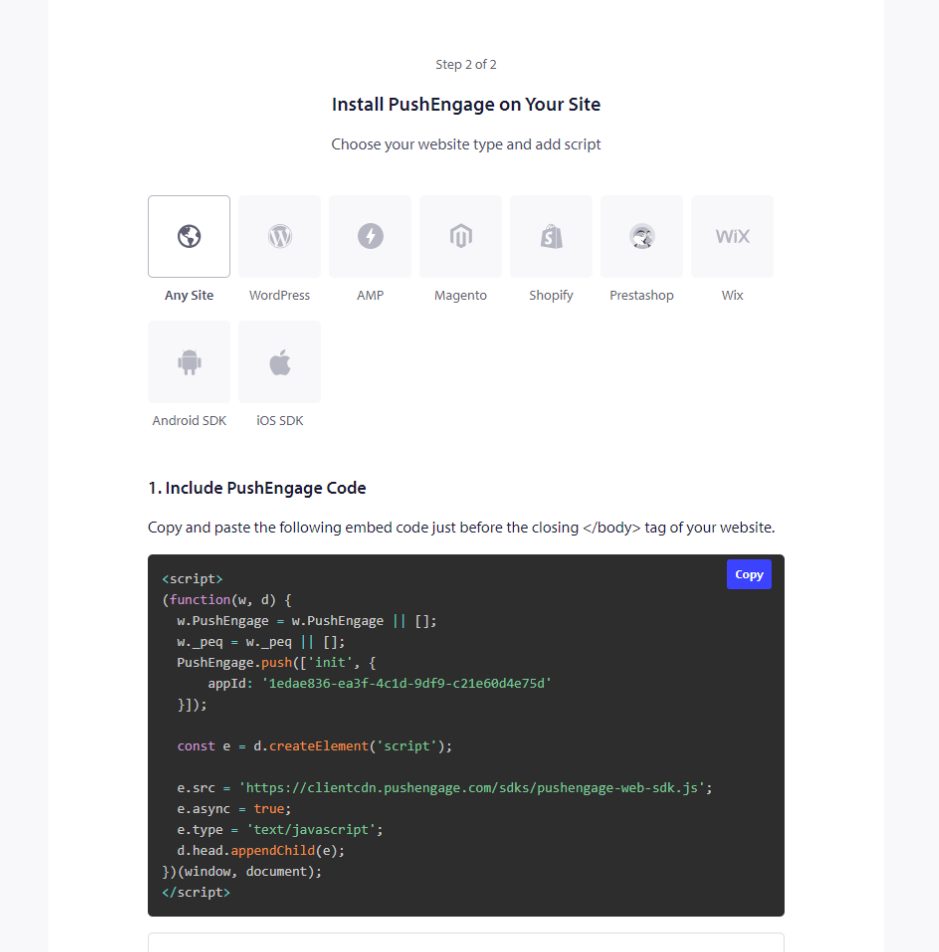
4. För att hämta koden måste du logga in på din PushEngage-instrumentpanel och navigera till Webbplatsinställningar » Installation. Välj här fliken Vilken webbplats som helst och kopiera installationskoden som nämns här.
5. När du har klistrat in koden i avsnittet Header/Footer kan du klicka på knappen Spara på ClickFunnel-instrumentpanelen.
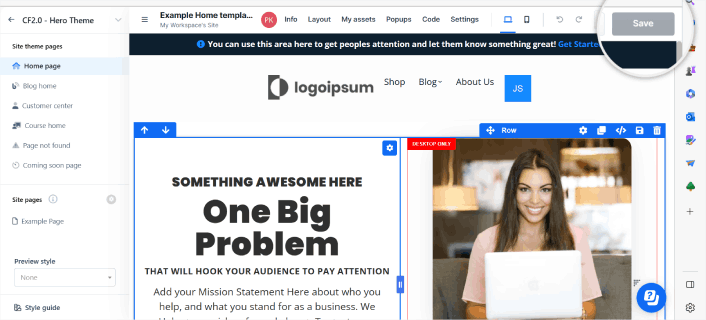
Konfigurera popup-fönstret
När koden har lagts till är det viktigt att ha rätt inställningar i popup-fönstret eftersom det hjälper till att samla in prenumeranter. Du kan inte välja Push Single Step Opt-in, eftersom ClickFunnels inte tillåter dig att lägga till tjänstearbetaren i rotmappen.
Gå till Design Inställningar » Popup-fönster »
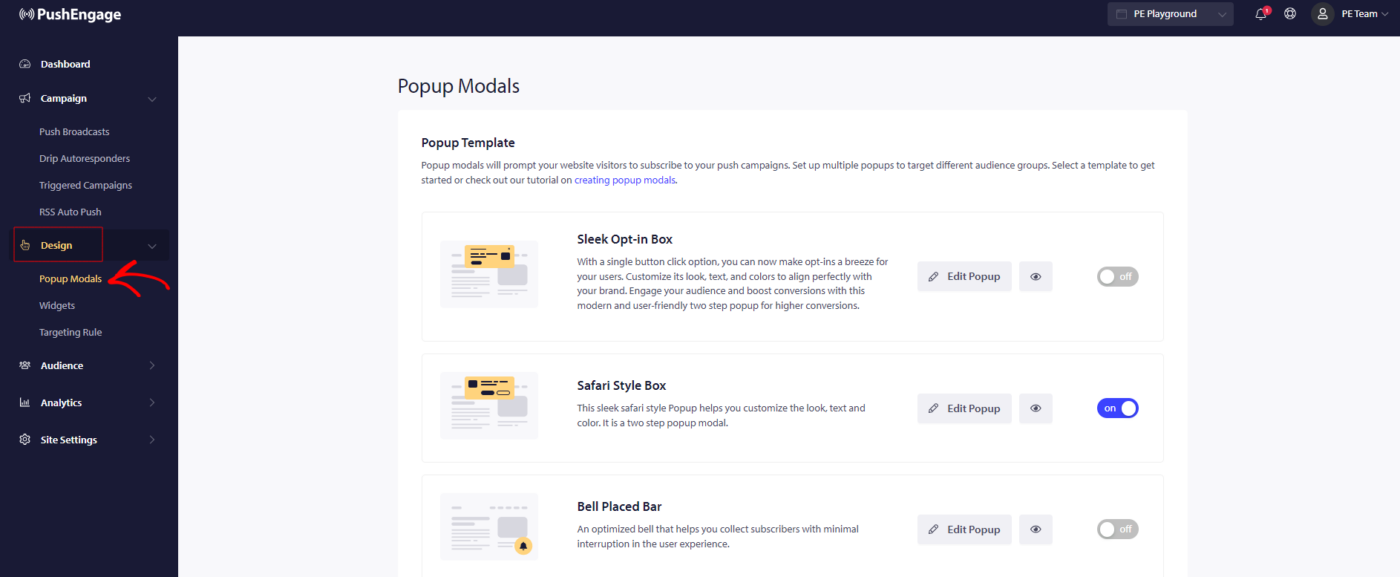
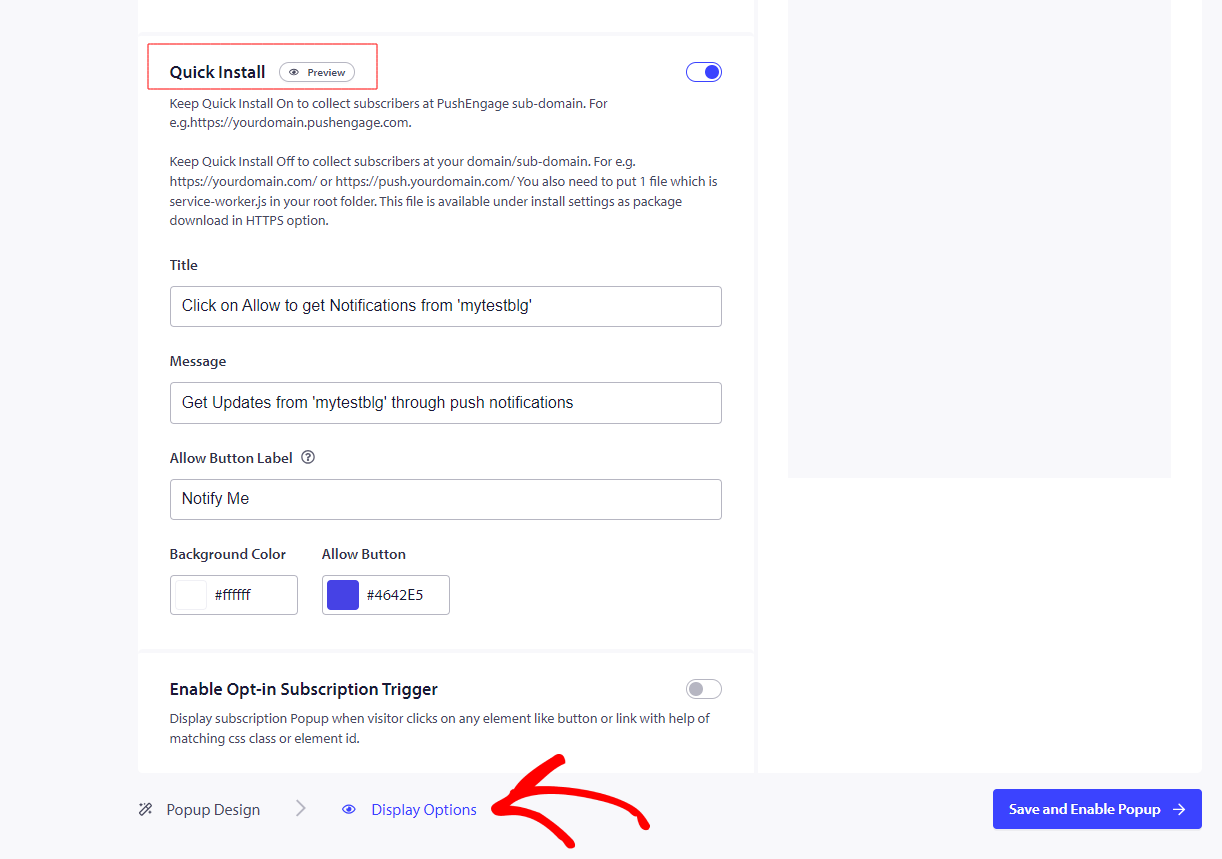
Välj en av opt-in-stilarna förutom Push Single step opt-in. Så du måste slå på snabbinstallationen. Här är hur du gör det –
Gå till Design Inställningar » Redigera popup-fönster » Visningsalternativ
Så här kommer opt-in att se ut på din webbplats när den är konfigurerad.
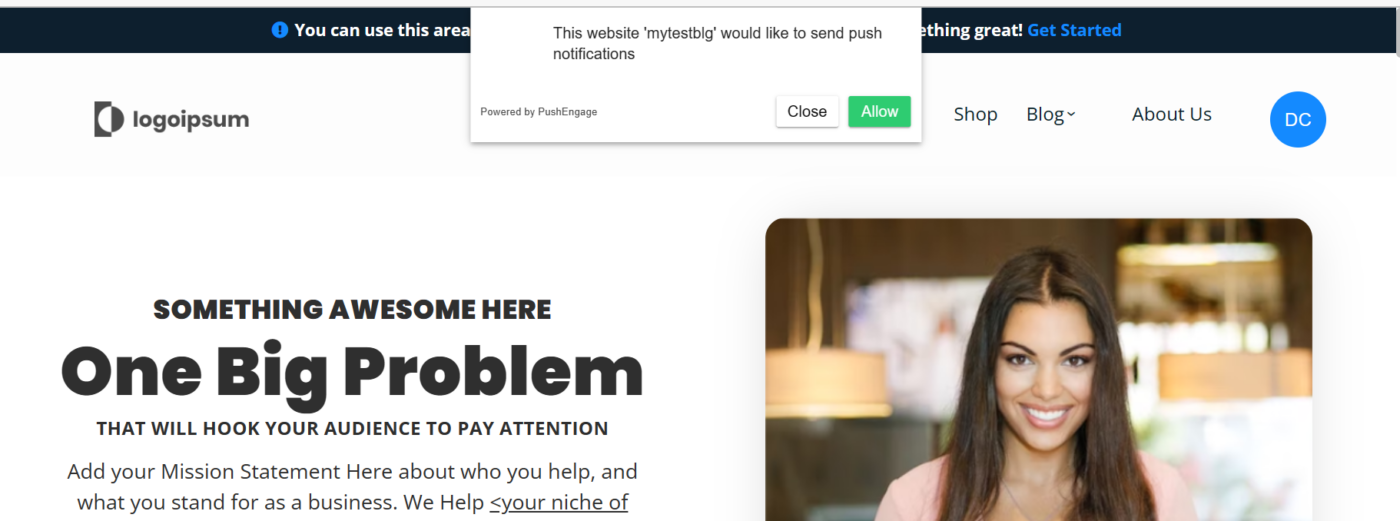
Det är allt, och din installation är klar. Du kommer att få en anmälan för prenumerationen när du besöker din webbplats.
Notera: Med ClickFunnels är du begränsad till att ha en prenumeration på PushEngage-underdomänen eftersom vi inte kan lägga till en tjänstearbetarfil i ClickFunnels.
Om du stöter på några problem, tveka inte att kontakta oss genom att klicka här. Vårt supportteam kommer att kunna hjälpa dig.