Observera: Det finns ingen äldre dokumentation tillgänglig för det här objektet, så du ser den aktuella dokumentationen.
Squarespace är den allt-i-ett-lösning för alla som vill skapa en vacker webbplats. PushEngage stöder webbplatser baserade på Squarespace-plattformen. Om du vill skicka webb push-meddelanden från Squarespace kan du installera PushEngage på mindre än tio minuter.
Här är stegen du behöver följa –
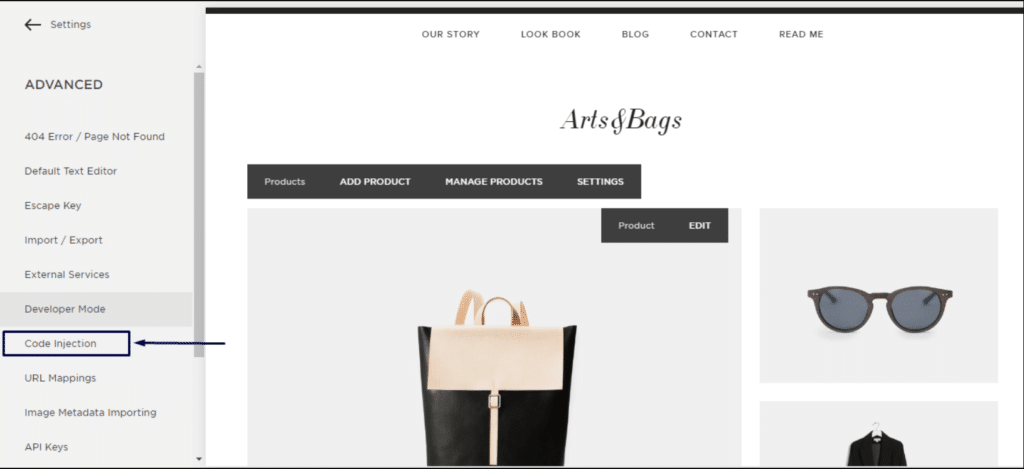
1. Logga in på ditt Squarespace-konto. Gå till inställningar » Avancerat » utvecklarläge » Kodinfogning.
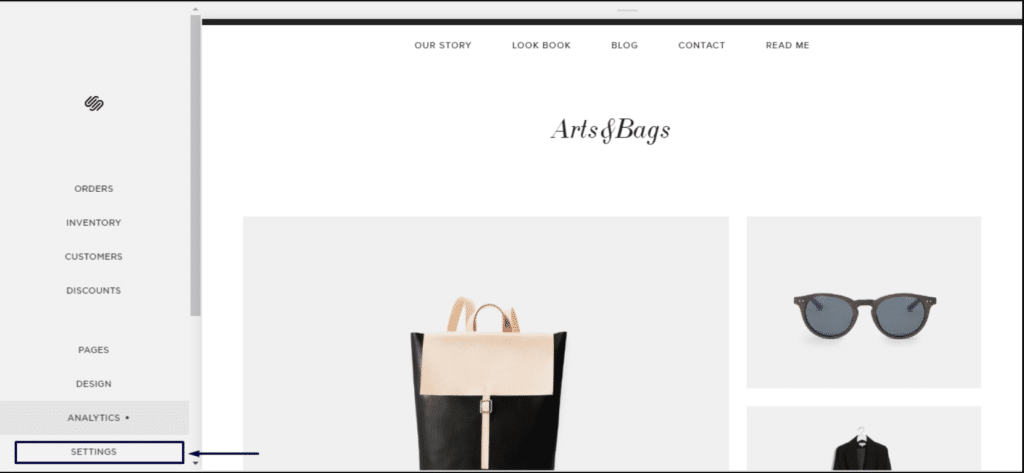
2. Klicka på Avancerade inställningar.
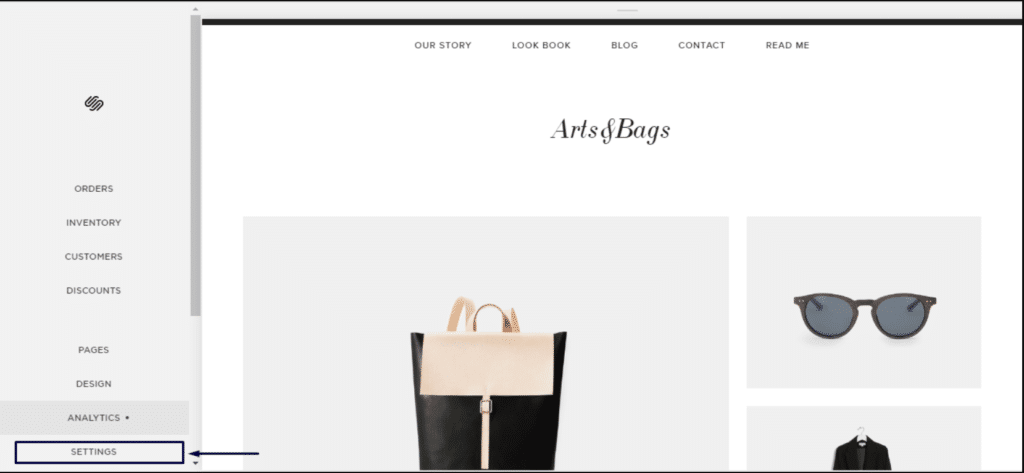
3. Klicka på Kodinfogning.
4. Logga sedan in på din PushEngage-instrumentpanel och navigera till Webbplatsinställningar » Installation
Välj valfri webbplats
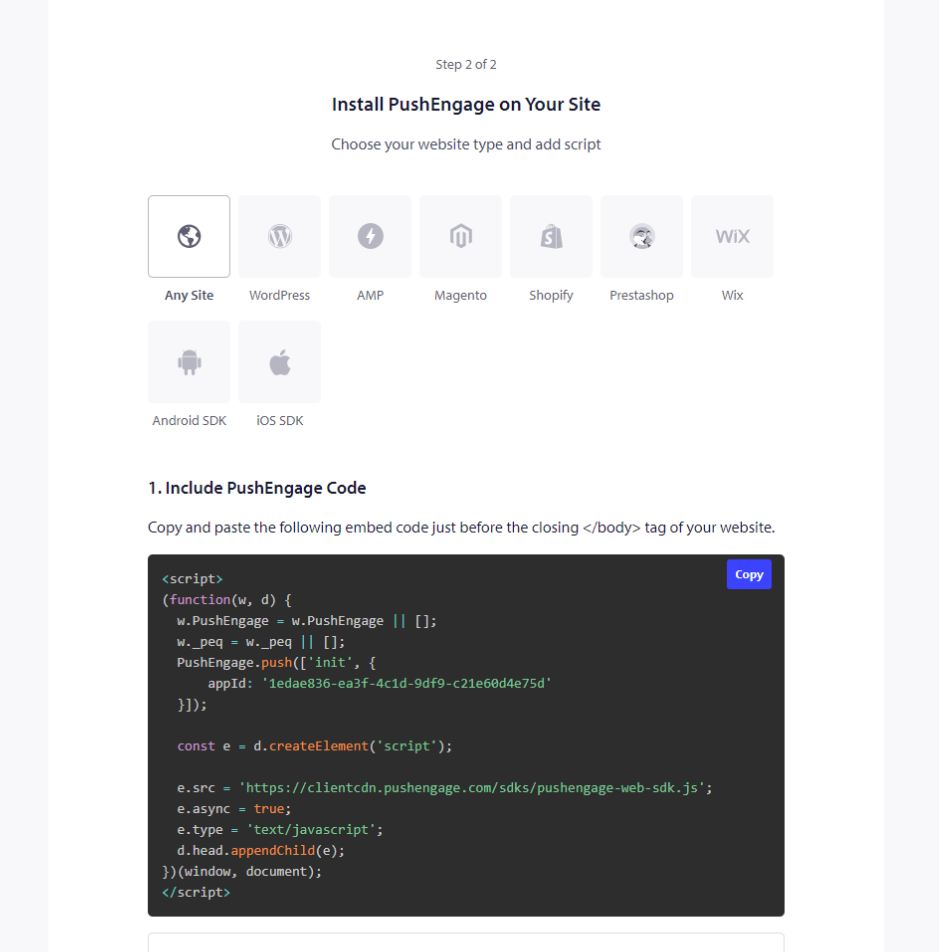
5. Kopiera koden och infoga den i sidhuvudet på Squarespace.
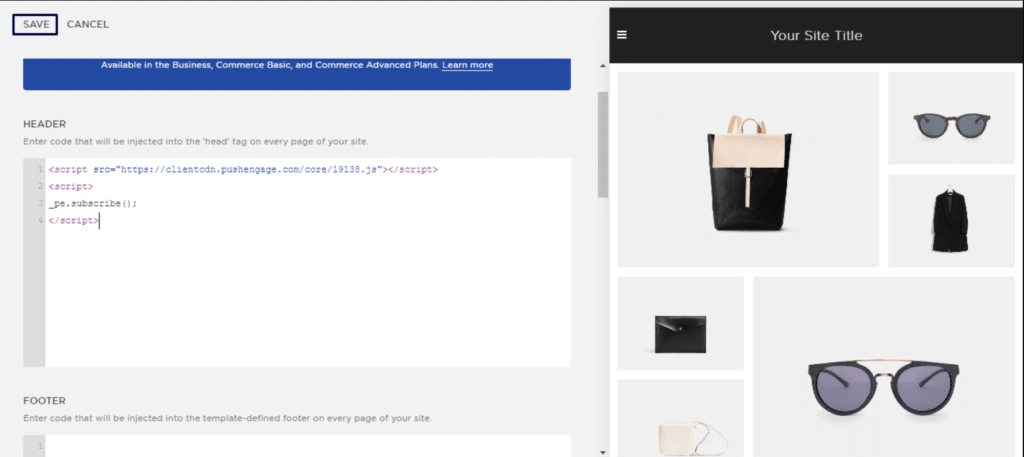
Detta slutför din installation av PushEngage på Squarespace.
Om du stöter på några problem är du välkommen att kontakta oss genom att klicka här. Vårt supportteam kan hjälpa dig.


