
Looking for WordPress SEO plugins to grow your site’s traffic?
SEO-plugins kan gøre store tekniske opgaver super nemme, hvis du intet ved om kodning. Selv mindre tekniske opgaver som at oprette et sitemap eller redigere en robots.txt-fil kan automatiseres ved hjælp af et godt plugin.
But which one should you choose? There are so many SEO plugins out there and they all claim to be the best. Some of them are only good for specific tasks.
Hvordan ved du, hvilket plugin du har brug for? Skal du bare bide i det sure æble og bruge et? Problemet med den tilgang er dog, at mange af disse plugins kan være ret dyre.
In this article, we’re going to give you the best WordPress SEO plugins in the market and if you read all the way through, we’ll even give you our top choice!
Lad os dykke ned.
How to Choose WordPress SEO Plugins
When choosing a WordPress SEO plugin, there are several factors you should consider. Here are some tips to help you make the right decision:
- Features: Look for a plugin that offers a comprehensive set of features to optimize your website for search engines. Some essential features to consider include XML sitemap generation, meta tags optimization, keyword analysis, content optimization suggestions, and social media integration.
- Compatibility: Ensure that the plugin is compatible with your version of WordPress. Check the plugin’s documentation or reviews to see if users have reported any compatibility issues.
- Ease of use: Choose a plugin with an intuitive and easy-to-use interface. It should provide clear instructions and make it simple to configure and optimize your website’s SEO settings.
- Performance: Consider the plugin’s impact on your website’s loading speed and overall performance. Opt for a lightweight and well-coded plugin that won’t slow down your site.
- Support and Updates: Look for a plugin that is actively supported and regularly updated by its developers. This ensures that any bugs or compatibility issues are addressed promptly and that the plugin stays up to date with the latest SEO practices.
- Reputation and Reviews: Check user reviews and ratings for the plugin you’re considering. Look for feedback from reputable sources or other WordPress users to get an idea of the plugin’s effectiveness and reliability.
- Premium vs. Free: Decide whether you’re willing to invest in a premium SEO plugin or prefer to stick with a free one. Premium plugins often offer more advanced features and dedicated support, but there are also many free plugins that can fulfill basic SEO requirements.
Ultimately, the best SEO plugin for your WordPress site will depend on your specific needs and preferences. Consider your budget, desired features, and the level of support you require before making a decision.
Best WordPress SEO Plugins
Now that we understand what to look for in WordPress SEO plugins, let’s dive right into the list.
PushEngage er det #1 push-notifikationsplugin i verden. Få det gratis!
Before we get into it, you should know that no plugin in the market takes care of absolutely everything SEO. Sometimes, you’ll need to mix and match plugins to get the most use out of them. And if you’re on a budget, prioritize buying the plugins according to your strategy and actual SEO needs.
That said, let’s check out the plugins.
#1. All in One SEO

All in One SEO is one of the best SEO content optimization tools you’ll ever find.
Ikke alene er AIOSEO kraftfuldt nok til at implementere de nyeste SEO-bedste praksisser, men du får også avancerede muligheder for at løse specifikke SEO-problemer lige ud af boksen. Dette inkluderer:
- Lokale SEO-moduler til små virksomheder med et lokalt publikum
- WooCommerce SEO til onlinebutikker
- En SEO-optimerer inde i din WordPress-editor
- Smarte sitemaps til øjeblikkelig indeksering på søgemaskiner
- Et Schema-plugin til at få dit indhold til at rangere i Rich Snippets
And a lot more! Check out our full review of All in One SEO for a closer look at the features.
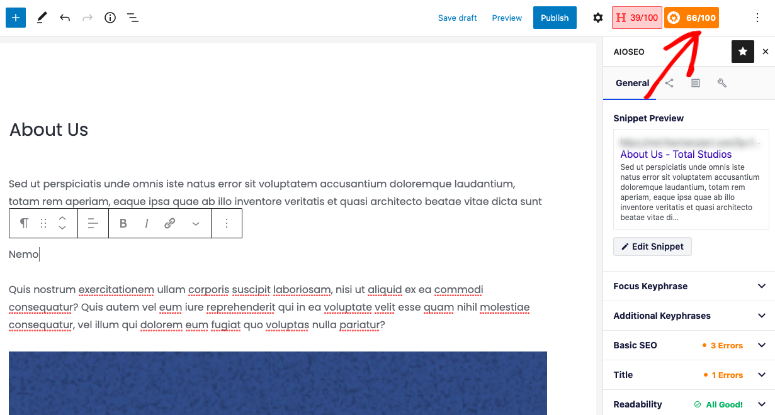
To top things off, AIOSEO allows you to build SEO content every time using TruSEO.
TruSEO is an SEO advisor built into your WordPress editor. It’s completely Gutenberg-friendly and it provides actionable insights to improve the SEO on anything you publish.
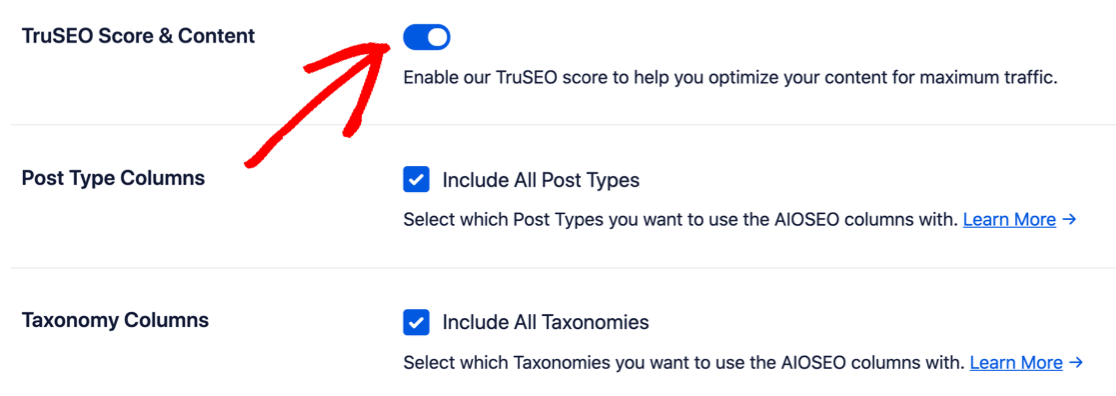
Som standard er TruSEO deaktiveret. Du vil gerne aktivere det på pluginets Generelle Indstillinger side:
TruSEO scorer dit indhold baseret på:
- Nøgleordsrelevans
- Grundlæggende SEO
- Titeloptimering
- Læsbarhed
Og giver dig handlingsrettede måder at forbedre det på:
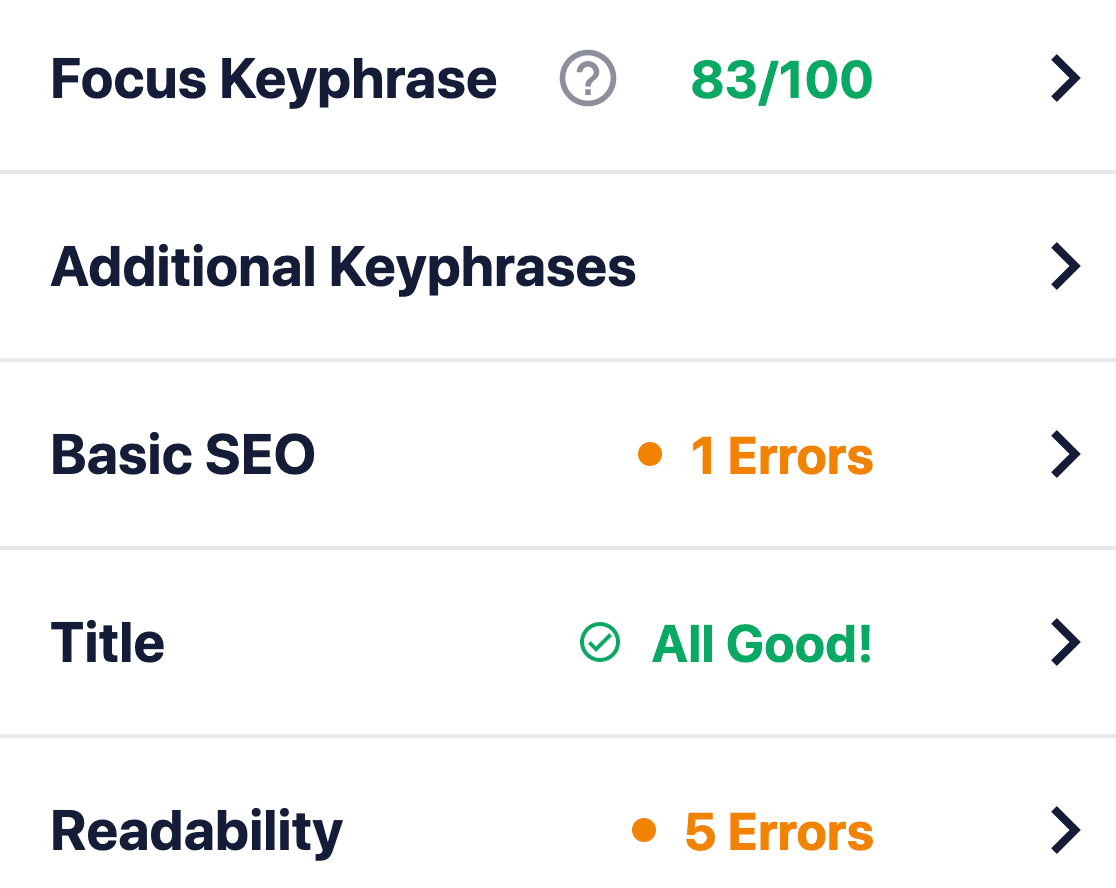
TruSEO is more sophisticated than other SEO plugins and it takes many more factors into account to create a score. Of course, there is “one single rule” to SEO because Google’s search algorithm is constantly changing. But over time, the fundamental idea behind creating SEO content is based on these four critical factors.
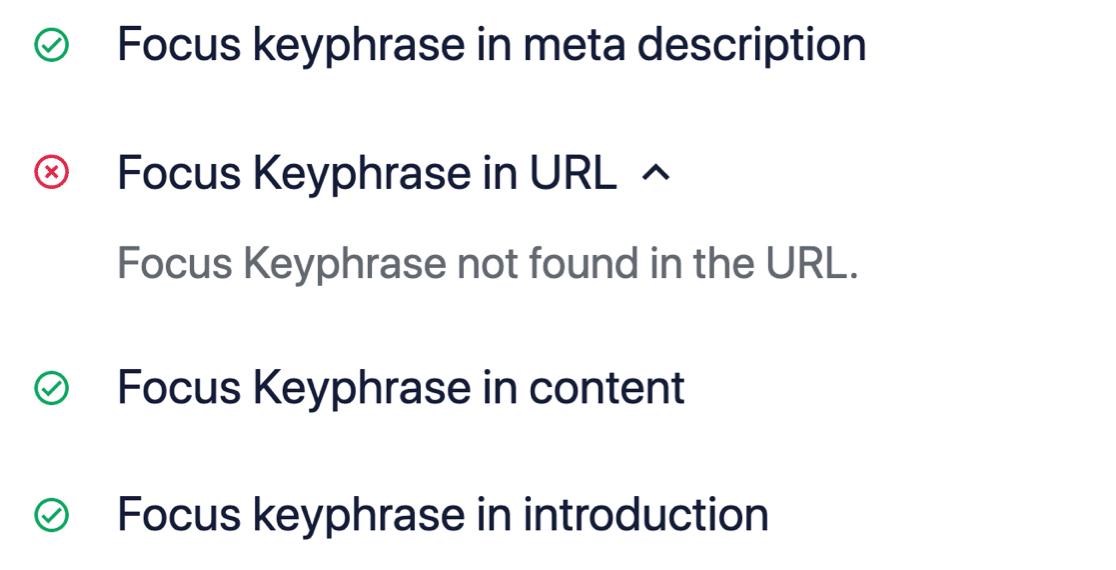
If we expand the Basic SEO box, you can get suggestions to optimize your content further:
Sidebemærkning: TruSEO er 100% kompatibel med MonsterInsights. Hvis du bruger MonsterInsights Headline Analyzer, kan du nu få en indholdsscore og en overskriftsscore på et øjeblik:
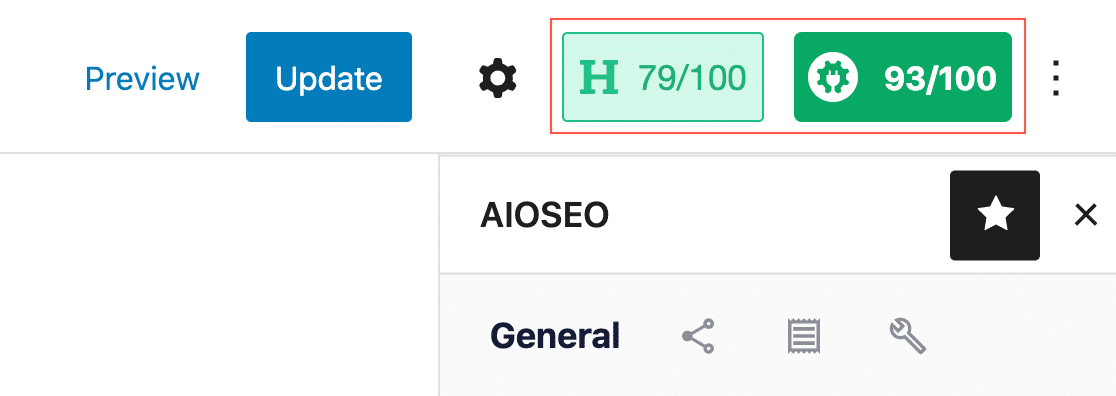
Check out our review of All in One SEO for a closer look its features. Or, get started with AIOSEO today!
#2. Yoast SEO Premium
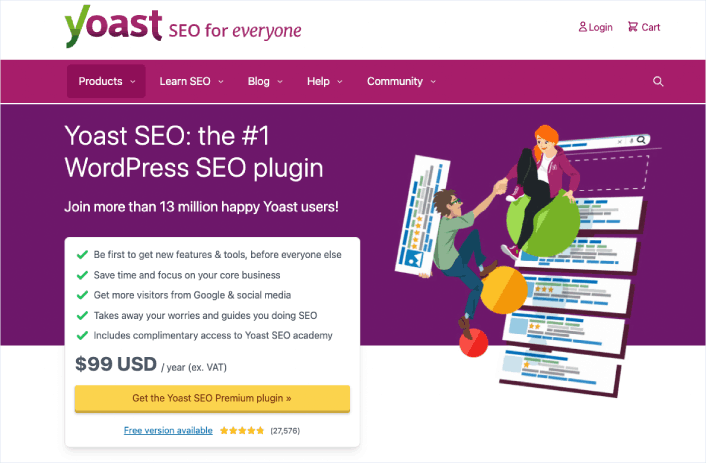
Yoast SEO has to be one of the most popular SEO plugins in the WordPress industry. Even the free version of Yoast is fairly good. But you have to get the premium version to access more technical features such as its redirect manager.
Like AIOSEO, Yoast SEO is a complete SEO toolkit for WordPress sites. But we really prefer AIOSEO for a lot of different reasons. Check out this comparison between Yoast and AIOSEO and you’ll see what we mean.
You can edit page and post titles, meta descriptions, alt tags for images, and other content optimization tools. The pro version can also help you add Schema to your website and manage your internal links easily.
Short version: Yoast is a premium plugin that was built to be a full SEO suite. In that way, it’s a lot like AIOSEO. But All in One SEO is just better at helping WordPress users with their SEO issues. So, if you have to pick an SEO suite, you might as well pick the best in the business.
#3. Schema Pro
Schema Pro comes with 20+ Schema markup types and you can add all these markup types to your site without writing a single line of code. It’s also one of the best Schema plugins for WordPress. You don’t have to add any code manually. The plugin will automatically generate the code for you.
Schema Pro even maps organizational data such as page title, featured image, author, and data. You can simply edit these defaults to suit your content, and Schema Pro will add error-free code across your website.
If you want to create Custom Schema for your custom post types, you can do that as well! Of course, you’ll need to learn JSON-LD to create custom code, but you have the option just in case you have in-house developers.
The plugin also integrates with the Google Structured Data Testing Tool to test your Schema and check if you’re likely to get a rich snippet. Schema Pro is a paid plugin, but it’s well worth the money it charges.
Get started with Schema Pro today!
#4. Rank Math
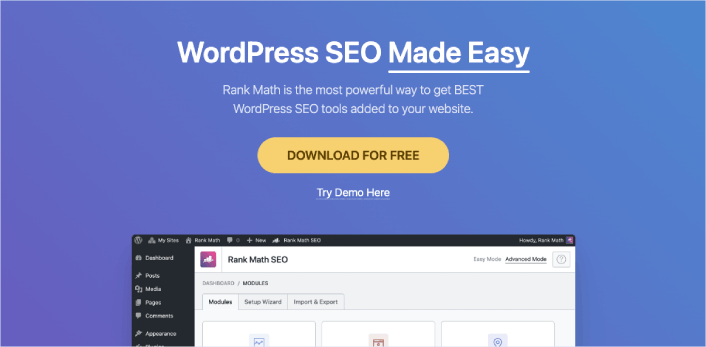
If you’re looking for a user-friendly WordPress SEO plugin for your website, Rank Math is a fantastic option. It’s designed to help you optimize your site for both search engines and social media platforms. The best part is, it’s really easy to use!
Rank Math comes with a setup wizard that guides you through the process, making it a breeze to get started. Plus, if you’ve been using other SEO plugins, you can easily import your data into Rank Math during the setup. It’s all about making your life easier!
With Rank Math, you can effortlessly add important elements like meta titles, descriptions, and Open Graph metadata to your blog posts. These elements play a key role in how your content appears in search engine results and on social media. So, it’s crucial to have them optimized, and Rank Math makes it super simple.
But that’s not all! This plugin also helps you generate an XML sitemap, which is like a roadmap for search engines, making it easier for them to discover and index your website. It even allows you to connect with Google Search Console, giving you valuable insights and data about your site’s performance in search.
One more cool feature of Rank Math is its ability to control access to plugin features based on user roles. This means you can decide who gets to use specific SEO settings and tools on your site. It’s all about maintaining control and keeping things organized.
Now, it’s worth mentioning that Rank Math is a great alternative to AIOSEO, another popular WordPress SEO plugin. But remember, you don’t need to use multiple SEO plugins on your site. Just pick the one that suits your needs the best and stick with it.
Get started with Rank Math today.
#5. Frase

Frase is an AI content optimization tool that helps you research, write, and optimize your content. Of all three offerings, we only recommend using Frase to optimize your existing content.
We don’t recommend using their AI-based content writer at all. The results look and feel like a bot. And it tries too hard to please a search engine rather than helping your customers. Not to mention, a general writing AI won’t have your industry expertise and knowledge.
You can also autogenerate an outline for your content. The AI scrapes the top 20 Google search results for your keyword and compiles what you should cover in your content. This includes headlines, specific sections, and keywords to include in your content.
The content optimization tool is pretty good, though. You can import your articles using their URLs into a browser-based editor. Then, the AI suggests what keywords to insert into your content, how many times you should insert them, and how many pages in the top 20 Google search results include that keyword.
#6. SEMrush

SEMrush er et andet kraftfuldt SEO-værktøj. Men det fungerer også som et af de bedste analyseværktøjer til websteder i verden.
Med SEMrush kan du få den indsigt, du har brug for, om hvor meget trafik søgeord og emner får. Du kan beslutte, hvad du vil fokusere på for at opbygge din organiske trafik med den slags analyseintelligens.
SEMrush giver dig:
- Få 21+ milliarder søgeord for 130 lande
- Kør dybdegående webstedsrevision med 130+ kontrolpunkter
- Få anbefalinger til at forbedre dit indhold for at øge søgerangeringerne
- Spor og analyser konkurrentwebsteder og marketingstrategier
- Opret og spor dine PPC-kampagner
- Udarbejd, planlæg og post indhold på sociale medier
- Opret og planlæg hvidmærkede eller mærkede rapporter
En af de fedeste ting ved SEMrush er, at du får AI-drevet indsigt i, hvordan du får bedre rangeringer for dine søgeord. Du får endda forslag til søgeord, der skal inkluderes i eksisterende artikler.
#7. Ahrefs

Ahrefs is an SEO content optimization tool for SEO professionals. It’s one of the best SEO tools we’ve ever come across for content auditing, SEO research, and competitor analysis. It’s also a great tool to build backlinks to your content.
Mens Ahrefs mere er et selvstændigt værktøj, kan du også bruge deres WordPress-plugin.
Ved at bruge Ahrefs kan du:
- Auditere indholdet på dit websted
- Finde nye søgeord at målrette
- Spore søgeordsrangeringer fra et dashboard
- Undersøg hvad dine kunder søger efter online
- Analyser det bedst ydende indhold i din niche
Og det hele er fra et brugervenligt dashboard. Hvis du er ny inden for SEO, kan du også tjekke deres træningsmateriale. Men hvis du allerede er noget erfaren inden for SEO, kan du bruge Ahrefs til at opnå eksplosiv vækst, hvis du følger en god SEO-proces.
Which of These WordPress SEO Plugins is Best for You?
Hands down, the best WordPress SEO plugin is All in One SEO. Penny for a penny, you get the best features you could ever need for your site’s SEO without any of the bloated codebase of a poorly coded plugin. If you need a tool exclusively for keyword research and analysis, SEMrush is the way to go.
At få ny trafik er den bedste måde at få nye leads og salg på. Men du har også brug for et par andre ingredienser for at skalere din virksomhed. Begynd at bruge push-notifikationer til at generere gentagen trafik, engagement og salg på dit websted.
Tag et kig på disse fantastiske ressourcer, og du vil forstå, hvad vi mener:
- Drip-kampagner og autosvar til web push-notifikationer
- 5 fordele ved at bruge kampagner med push-notifikationer om forladte indkøbskurve
- Sådan konverterer du abonnenter til købere ved hjælp af web push-notifikationer
- Sådan tilføjer du et Web Notifications WordPress-plugin til dit websted
Og hvis du lige er begyndt med push-notifikationer, anbefaler vi at bruge PushEngage. PushEngage er verdens førende software til push-notifikationer. Så dine kampagner vil være i sikre hænder.


Your information is exactly what I was looking for, so thank you very much for providing it. Would you mind telling me what program you use to create your amazing, fast website? For my business, I also want to create a simple website, but I need help deciding on a name and hosting provider. Asphostportal is reputed to have a stellar reputation. Exist any other options? If so, what would you suggest?
I’d recommend getting PHP hosting and installing WordPress to build a site for your business. ASP websites usually require some serious technical skills. If you’re not sure where to begin, you should check out this article on How to Create a Website .