Looking for some hello bar examples to elevate your website’s first impression?
A well-designed hello bar isn’t just a warm welcome for new visitors—it’s a golden opportunity to re-engage loyal users too. Make it count.
Today, I’m diving into our top hello bar examples to spark ideas for your brand’s perfect look, style, and message. And don’t worry — I’ll walk you through just how simple it is to add each type of hello bar to your site.
But before we jump in, let’s get crystal clear on what a hello bar is and why it’s such a game-changer.
Lad os dykke ned.
Send Web- og App-Push-notifikationer i dag!
Push-notifikationer er et supereffektivt, billigt marketingværktøj, der hjælper dig med at øge din gentagne trafik, engagement og salg automatisk.
What’s a Hello Bar?
A hello bar is a sleek website feature—a customizable bar that usually sits at the top of your page. Its goal? To catch your visitor’s eye with a short message or call-to-action, whether that’s signing up for a newsletter, subscribing to push notifications, or snagging a freebie.
Think of it as the polished cousin to the popup—less disruptive, more user-friendly. While it stays visible as your visitors scroll, it subtly encourages interaction without compromising the flow of your site. A win-win for engagement and UX.
Also known as floating bars, sticky bars, welcome bars, or announcement bars, these tools are a go-to for site owners and digital marketers looking to boost conversions and spark more engagement.
What Does a Hello Bar Do?
Hello bars are a versatile tool that can help you reach your marketing goals, as we’ll see in the examples ahead. You can use them to:
- Announce company updates or a flash sale
- Welcome first-time visitors
- Offer lead magnets to grow your blog subscribers
- Boost webinar registrations
- Provide purchase incentives like discounts, coupons, or free shipping
- Redirect traffic to product pages to increase sales
And much more. A hello bar is a powerful addition to any marketing strategy. Now that we’ve covered the basics, let’s dive into some hello bar examples to spark your creativity.
Best Hello Bar Examples
I’ll walk you through how to create the campaign and explain why each hello bar example works so well. With that said, let’s dive into our favorite hello bar examples.
NOTE: The words “hello bar” and “floating bar” refer to the same feature, so we’ll be using both terms throughout the post.
#1. Grow Your Subscriber List
First up in our hello bar examples is a straightforward floating bar from ActiveCampaign, positioned at the bottom of the page:
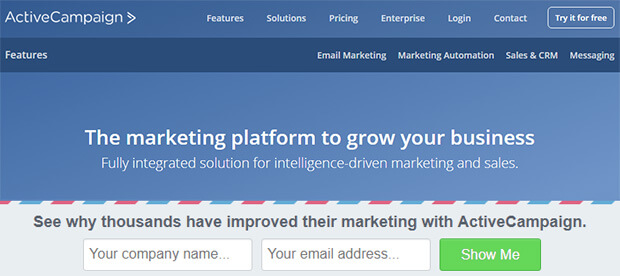
This clean design, featuring an email signup form, is perfect for growing your email list.
ActiveCampaign used OptinMonster’s Postal Lead Generation template, which contrasts nicely with the main site. They tweaked the copy to include social proof, stating that “thousands have improved their marketing,” while the phrase “see why” sparks curiosity.
This simple yet powerful approach brings in 800 new signups every month. For more details, check out the full ActiveCampaign case study.
#2. Attract New Leads
Advisor Coach also saw impressive results with their floating bar campaign, running it across all their blog posts.
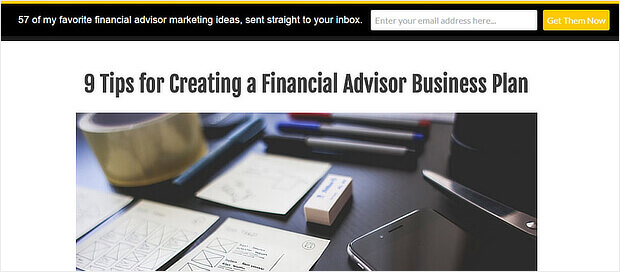
The black hello bar stands out against the white background of the web pages, while the yellow call-to-action button grabs attention.
While we might have preferred more contrast between the button and text color, this floating bar was a success for Advisor Coach, doubling their conversions on those pages.
#3. Drive More Sales
DigitalMarketer was so impressed with the popular hello bar examples that they implemented it on two of their sites: their main site and the TruConversion product page.
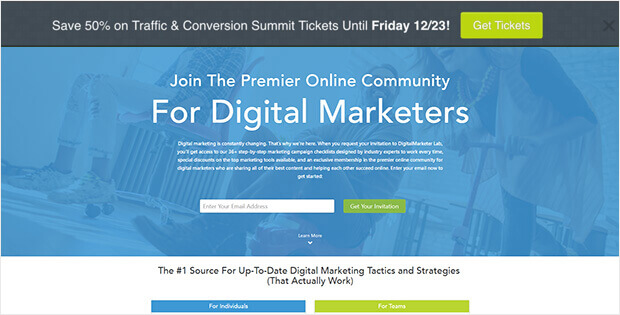
This notification bar uses a bold call-to-action button, making it easy to direct traffic to the right landing page—in this case, for purchasing tickets to an upcoming conference.
Both floating bars feature strong color contrasts and tap into visitors’ fear of missing out (FOMO). One bar emphasized a deadline, while the other highlighted a signup limit.
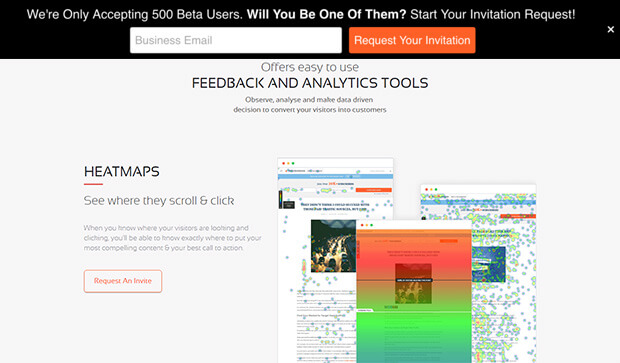
The results? An 8.45% conversion rate for one hello bar and 6.62% for the other.
#4. Connect With Your Audience
During our research on hello bar examples, we came across a standout from Dogs Naturally.
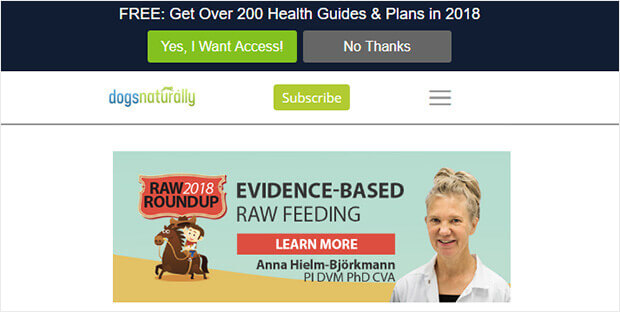
What makes this hello bar effective is the copy. It hooks customers with a lead magnet that highlights a large number, and it stays timely by including the current year.
Additionally, this floating bar uses OptinMonster’s Yes/No forms, which are known for their strong conversion rates.
#5. Educate Your Website’s Visitors
Here’s another clever use of hello bar examples, perfect for content creators. Envira Gallery keeps it simple with a floating bar that encourages visitors to explore more of the site.
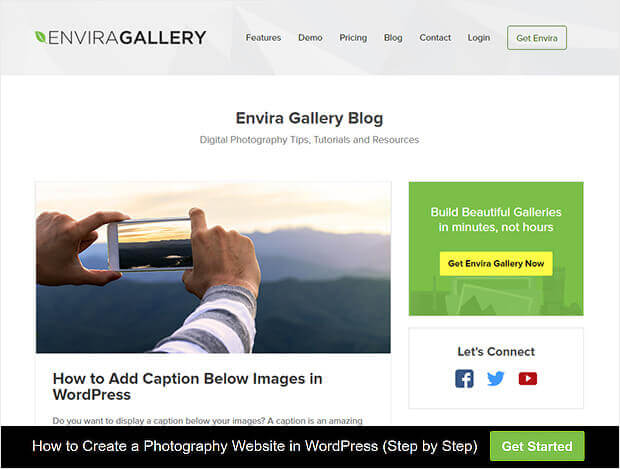
They used a Yes/No form but turned off the No button. The Yes button says “Get Started,” and redirects visitors to a piece of pillar content.
This strategy is smart because it doesn’t ask for anything upfront but rewards the click with valuable content. It’s an excellent way to guide visitors toward content that you know converts well.
What to Do With These Hello Bar Examples
Hands down, these are the best hello bar examples. If you consider the balance between price, performance, and features, there’s really no contest. We recommend that you go ahead and start creating these popups right away.
Derefter er alt, der er tilbage, at generere trafik til dit websted, så dine sociale feeds kan komme i gang.
En simpel måde at gøre det på er at begynde at bruge push-notifikationer. Afsendelse af push-notifikationer er en god måde at generere gentagen trafik til dit websted. Hvis det er noget, du er interesseret i, bør du også se på disse artikler:
- Push-meddelelsesomkostninger: Er det virkelig gratis? (Prisanalyse)
- Sådan får du mere trafik til din WordPress-blog (9 nemme måder)
- Sådan øger du din opt-in-rate for web push-meddelelser (7 måder)
- Sådan tilføjer du et Web Notifications WordPress-plugin til dit websted
Vi anbefaler at bruge PushEngage til at sende dine push-meddelelser. PushEngage er den førende software til push-meddelelser i verden. Så hvis du ikke allerede har gjort det, kom i gang med PushEngage i dag.


