Du kan integrere Browser Push Notification på dit Weebly-websted ved hjælp af PushEngage i blot fem enkle trin:
1) Gå til PushEngage og registrer. Hvis du allerede har en konto, skal du logge ind ved hjælp af dette link.
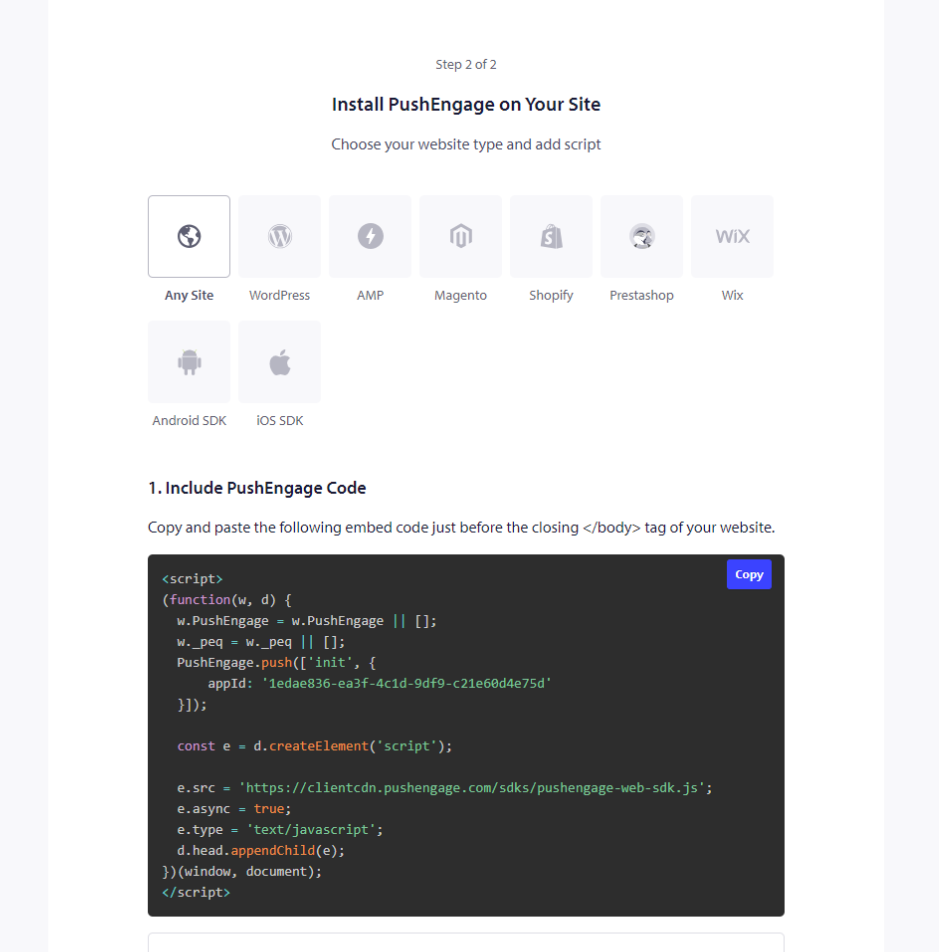
2) Du skal hente din PushEngage-installationskode, som skal tilføjes til dit websted. Nedenfor er PushEngage javascript-koden, som du skal tilføje til dit Weebly-websted. Webbets Indstillinger » Webbets Detaljer » Rul ned til ‘Klik her for opsætningsinstruktioner‘. Vælg Ethvert Websted
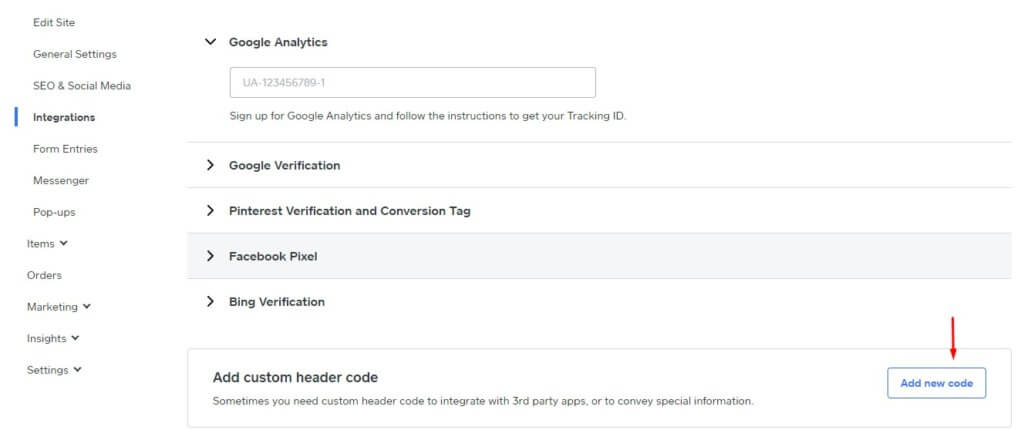
3) Log ind på Weebly-dashboardet og vælg Websted » Integrationer.
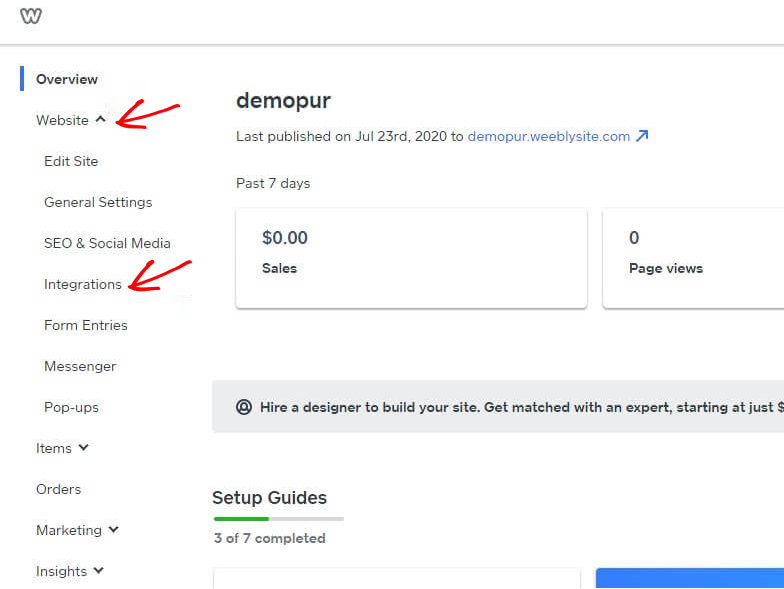
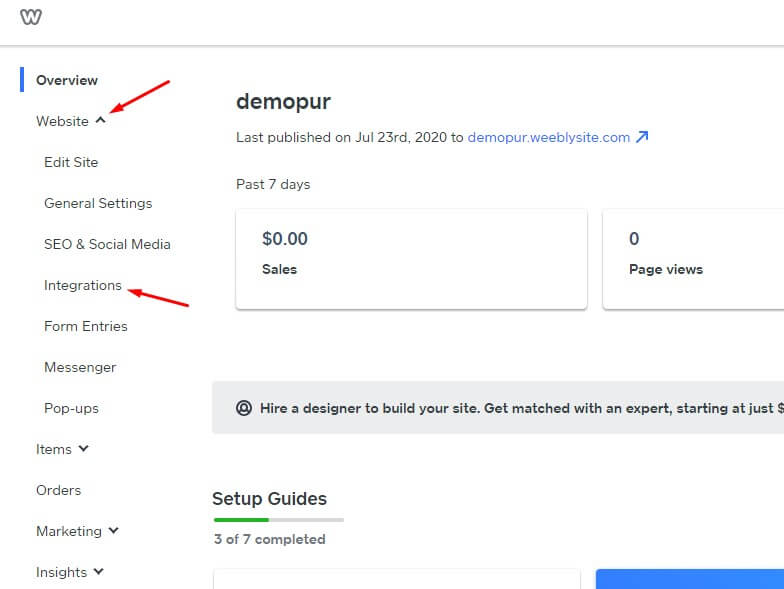
4) På integrationssiden skal du tilføje brugerdefineret headerkode nederst. Klik på Tilføj ny kode.
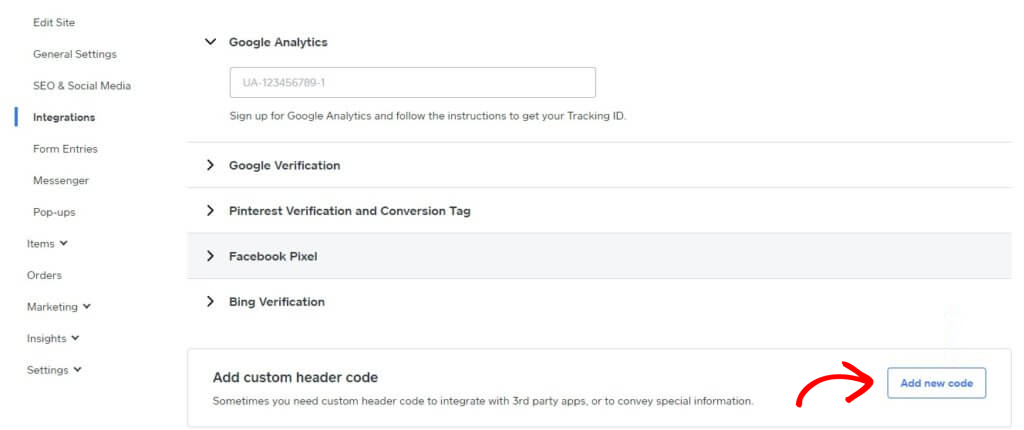
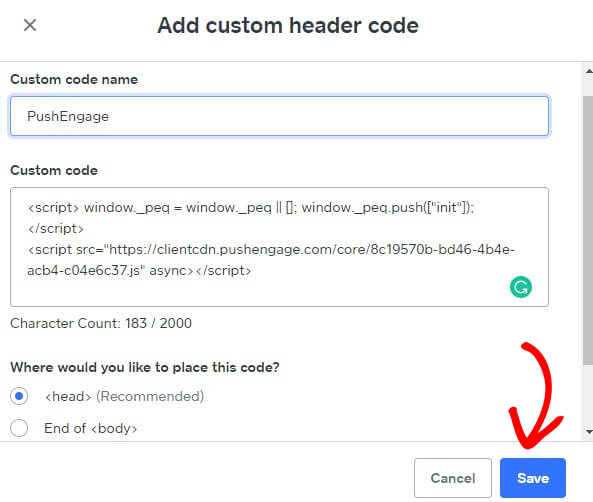
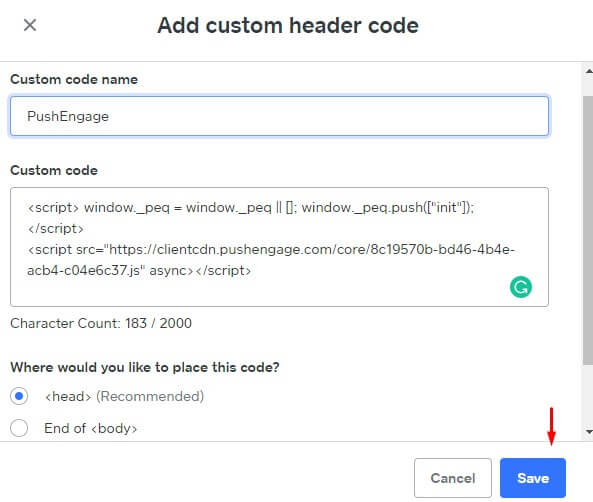
5) Indsæt PushEngage-koden i headeren. Du kan også vælge slutningen af <body> for at indsætte koden. I nedenstående skærmbillede har vi indsat PushEngage javascript-koden i fodersektionen. Når du er færdig, skal du klikke på Gem.
Dette fuldender PushEngage-integrationen på Weebly-webstedet. Du kan nu begynde at indsamle abonnenter og sende push-meddelelser fra Weebly-webstedet.
Hvis du støder på problemer, er du velkommen til at kontakte os ved at klikke her. Vores supportteam vil kunne hjælpe dig.