Squarespace er den alt-i-én-løsning for alle, der ønsker at oprette en smuk hjemmeside. PushEngage understøtter hjemmesider baseret på Squarespace Platform. Hvis du vil sende web push-notifikationer fra Squarespace, kan du installere PushEngage på mindre end ti minutter.
Her er de trin, du skal følge –
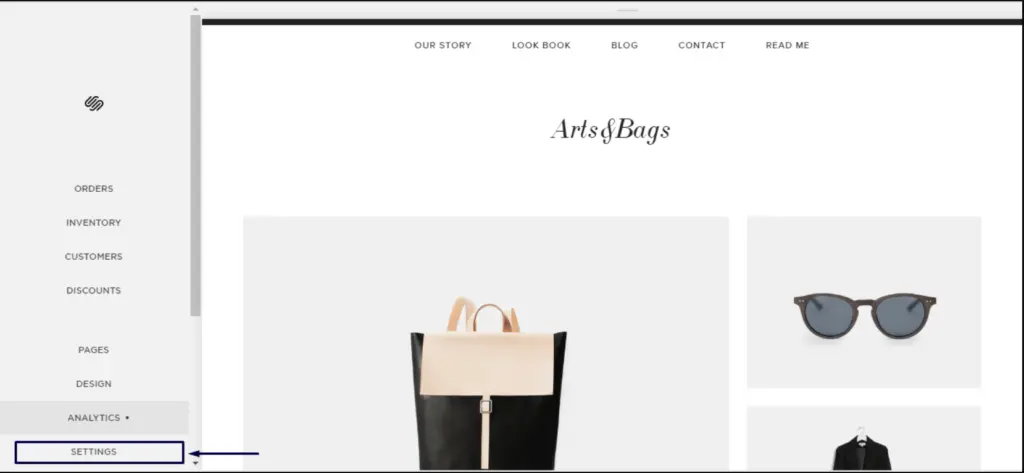
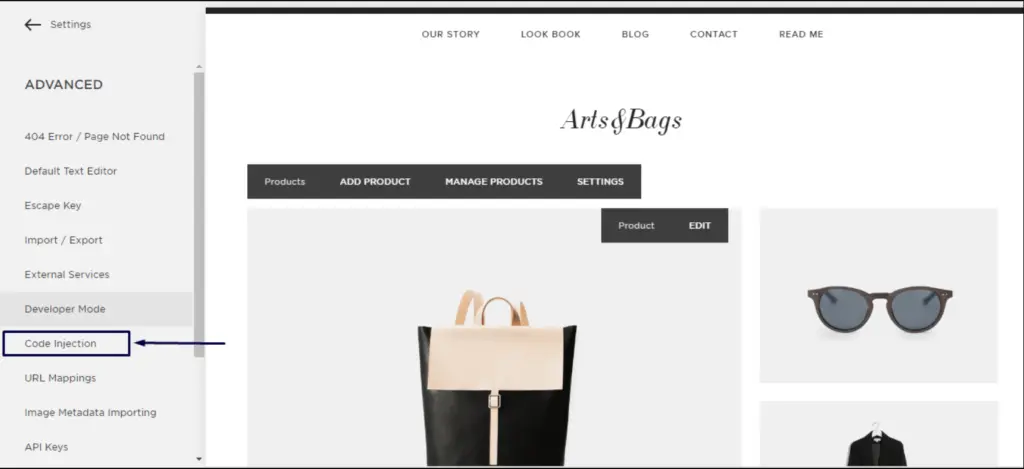
1. Log ind på din Squarespace-konto. Gå til Indstillinger » Avanceret » udviklertilstand » Kodeindsættelse.
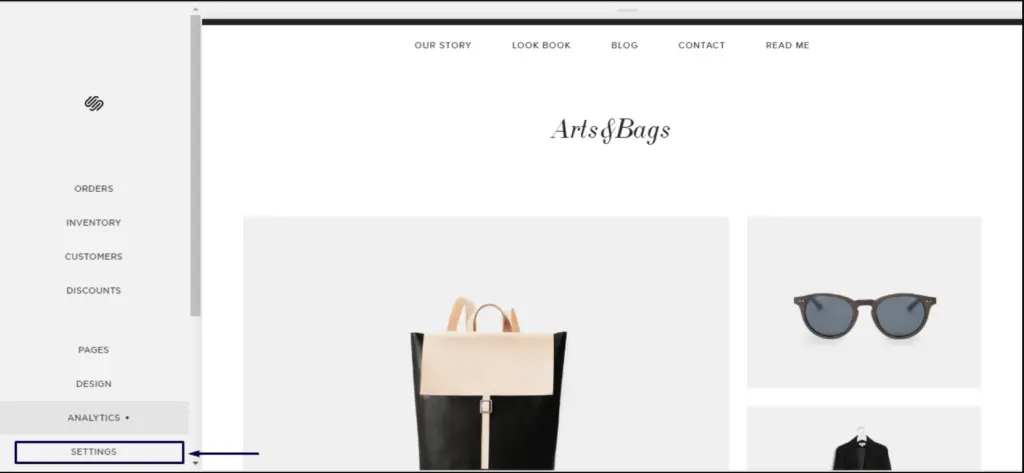
2. Klik på Avancerede indstillinger.
3. Klik på Kodeindsættelse.
4. Log derefter ind på dit PushEngage Dashboard og gå til Webstedsindstillinger » Installation
Vælg et hvilket som helst websted
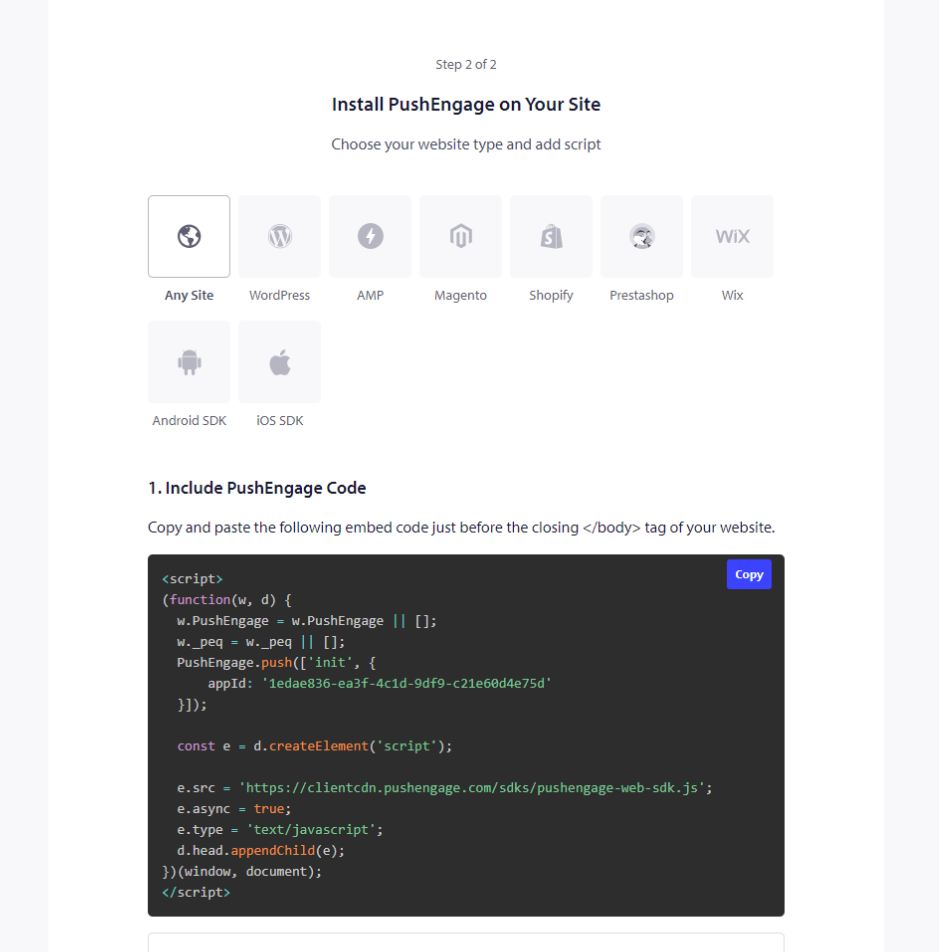
5. Kopier koden, og indsæt den i header-sektionen af Squarespace.
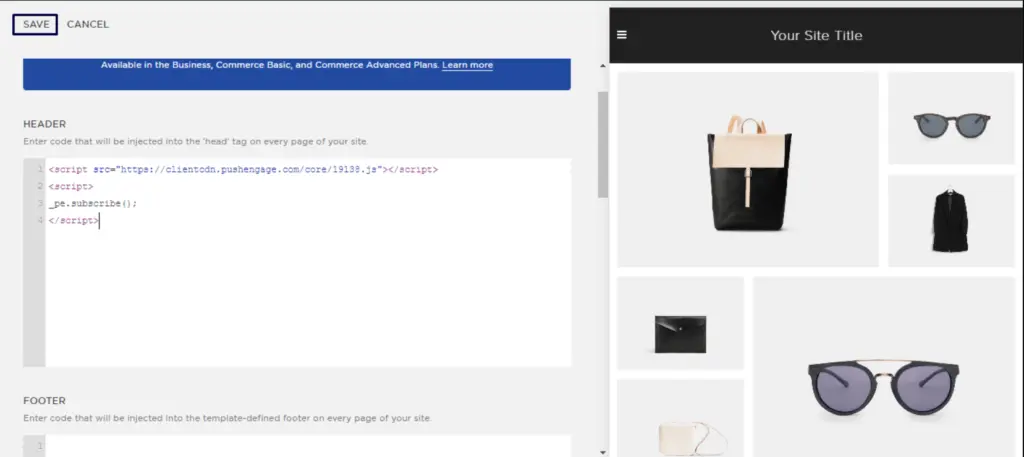
Dette vil fuldføre din installation af PushEngage på Squarespace.
Hvis du støder på problemer, er du velkommen til at kontakte os ved at klikke her. Vores supportteam vil kunne hjælpe dig.