Så du har udforsket PushEngages funktioner og er nu klar til at opgradere din konto for avancerede funktioner. Dette vil hjælpe dig med at øge din gentagne trafik og engagement.
I denne artikel lærer du, hvordan du opgraderer din konto.
Før du starter
Her er et par ting, du skal vide, før du går i gang:
- Du kan ikke nedgradere din konto uden at kontakte support.
- Din PushEngage-kontoopgradering vil blive pro-rata, når du opdaterer din konto.
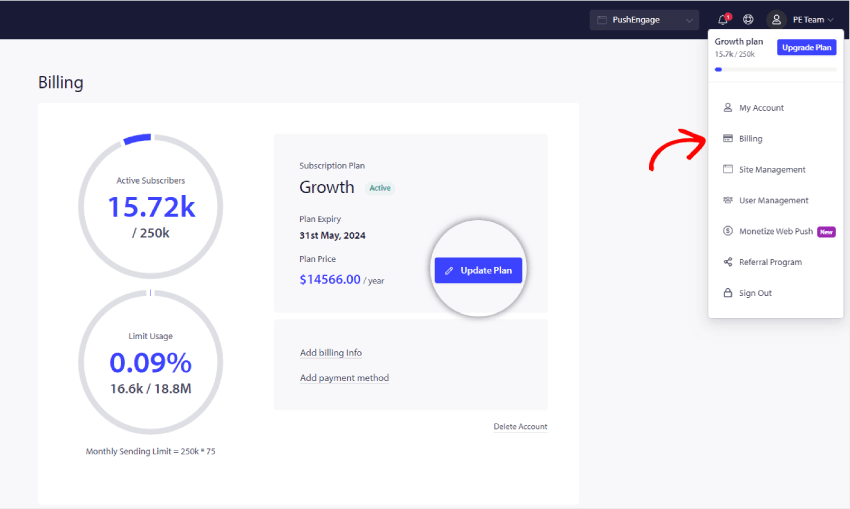
Alle detaljer i PushEngage-kontoen vedrørende abonnementsplanen findes i Dashboard under Billing. Du kan opgradere din plan ved at tjekke abonnentgrænsen, site-tilføjelser, automatiseringsfunktioner, faktureringstilstand osv.
Naviger til profilikonet øverst til højre og klik på Fakturering
Klik derefter på siden Billing Details på Opdater plan, som vist på skærmbilledet nedenfor:
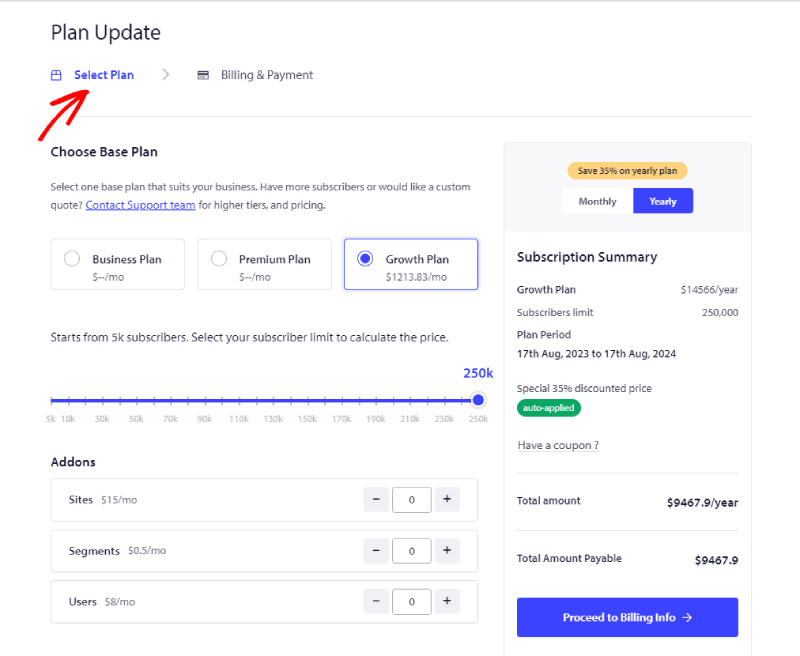
Vælg den rigtige plan i henhold til dine forretningskrav. Og vælg abonnentslab og plan, som du vil opgradere. Nu kan du klikke på Fortsæt til faktureringsoplysninger
Nu kan du fortsætte til siden med faktureringsoplysninger.
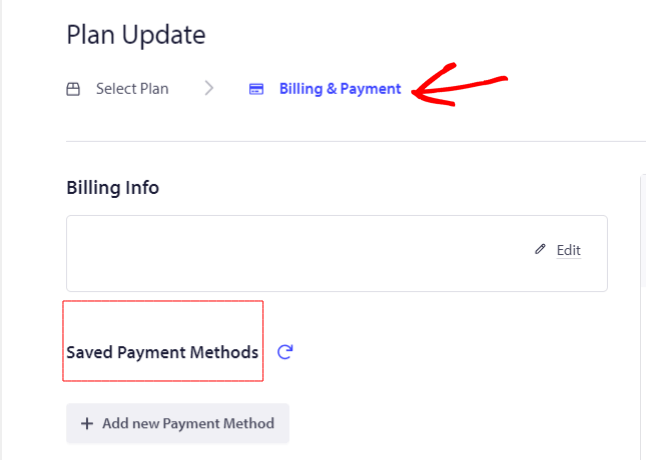
Du kan tilføje faktureringsoplysninger og kortoplysninger for at fortsætte med checkout.
Det er det; din konto er nu opgraderet.
Hvis du støder på problemer, er du velkommen til at kontakte os ved at klikke her. Vores supportteam vil kunne hjælpe dig.