Web 推送通知 是来自网站的消息。即使在浏览器未打开相关网页的情况下,这些通知也会发送给订阅者,无论是在他们的桌面还是设备上。但是,Web 推送通知的外观因浏览器和操作系统而异。它也称为浏览器通知。
因此,如果订阅者使用的是 –
Mac OS – 浏览器推送通知将出现在屏幕的右上角。
Windows – 浏览器推送通知将出现在屏幕右下角。
Linux / Ubuntu – 浏览器推送通知将出现在屏幕的右上角。
Android OS – 浏览器推送通知将出现在通知托盘/容器中。
这是一个您可以参考的清单,以了解哪种类型的 Web 推送通知在不同的浏览器和操作系统上有效
[table id=13 /]
正常 Web 推送通知在不同操作系统上的不同浏览器中的显示效果如下 –
普通的浏览器推送通知是简单的通知,您可以在其中添加通知标题、消息和 URL。此处显示的图像用作图标。您可以从仪表板添加不同的图像,否则它会自动采用您在通知中上传为图像的网站徽标。
Web 推送通知在不同操作系统上的不同浏览器中的显示效果如下 –

- 使用 Windows 7 和 8 的 Chrome 上的普通 Web 推送通知
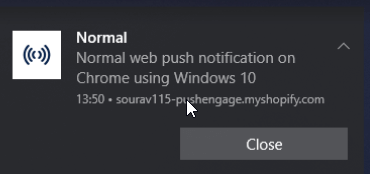
- 使用 Windows 10 的 Chrome 上的普通 Web 推送通知
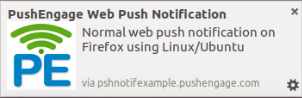
- 在 Linux/Ubuntu 上使用 Firefox 的普通 Web 推送通知
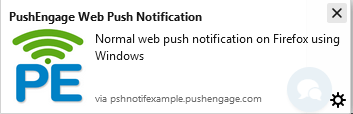
- 在 Windows 上使用 Firefox 的普通 Web 推送通知
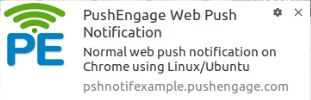
- 在 Linux/Ubuntu 上使用 Chrome 的普通 Web 推送通知

- 在 Mac OS 上使用 Chrome 的普通 Web 推送通知
在深入研究屏幕截图之前,了解 Web 推送通知的内部机制——其传递机制解释了为什么每个浏览器都会以不同的方式呈现它们——会很有帮助。
带表情符号的 Web 推送通知在不同操作系统上的不同浏览器中的显示效果如下 –
表情符号是小的数字图像或图标,在任何电子通信中用于表达想法或表情符号。带表情符号的推送通知的打开率为 4.51%,而没有表情符号的打开率仅为 2.44%。带表情符号的打开率提高了惊人的 85%,证实了表情符号可以提高推送通知的打开率。
带表情符号的 Web 推送通知在不同操作系统上的不同浏览器中的显示效果如下
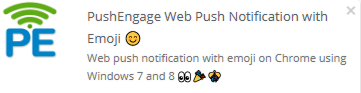
- 在 Windows 7 和 8 上使用 Chrome 的带表情符号的 Web 推送通知
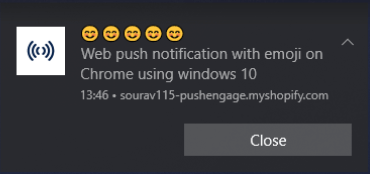
- 在 Windows 10 上使用 Chrome 的带表情符号的 Web 推送通知
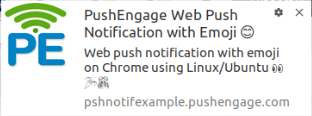
- 在 Linux/Ubuntu 上使用 Chrome 的带表情符号的 Web 推送通知
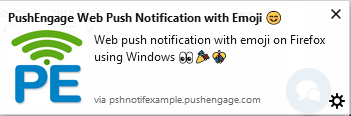
- 在 Windows 上使用 Firefox 的带表情符号的 Web 推送通知
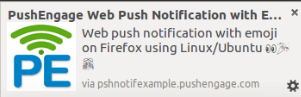
- 在 Linux/Ubuntu 上使用 Firefox 的带表情符号的 Web 推送通知
- 在 Mac OS 上使用 Chrome 的普通 Web 推送通知
多操作 Web 推送通知在不同操作系统上的不同浏览器中的显示效果如下 –
行动号召是任何营销策略中非常重要的一部分。使用 PushEngage,您可以在单个通知中设置多个行动号召。
以下是多行动网页推送通知在不同浏览器和操作系统上的显示效果 –
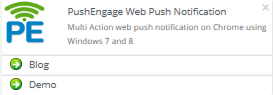
- 在 Windows 7 和 8 的 Chrome 浏览器上显示的多行动通知
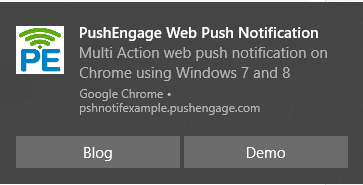
- 在 Windows 10 的 Chrome 浏览器上显示的多行动网页推送通知
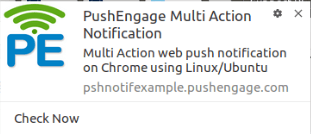
- 在 Linux/Ubuntu 的 Chrome 浏览器上显示的多行动网页推送通知
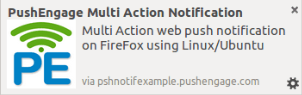
- 在 Linux/Ubuntu 的 Firefox 浏览器上显示的多行动网页推送通知

- 在 Windows 的 Firefox 浏览器上显示的多行动网页推送通知

- 在 Mac OS 的 Chrome 浏览器上显示的多行动通知
以下是大型图片网页推送通知在不同浏览器和操作系统上的显示效果 –
Chrome 宣布推出 富通知 或带有大型横幅图片通知,作为 Chrome 59+ 的一部分。因此,当您发送富推送通知时,您可能会获得更多好处,包括提高点击率 (CTR)、投资回报率 (ROI) 和客户留存率。根据来源,带有图片的推送通知通过移动应用程序可以产生高达 56% 的更高点击率。
对于桌面版 Chrome,图片尺寸应至少为 360px(宽)x 240px(高),宽高比为 1.5:1。
以下是大型网页推送通知在不同浏览器和操作系统上的显示效果
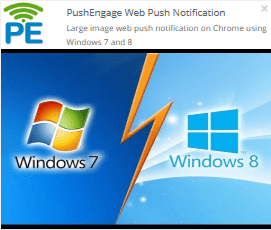
- 在 Windows 7 和 8 的 Chrome 浏览器上显示的大型图片网页推送通知
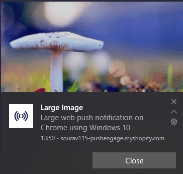
- 在 Windows 10 的 Chrome 浏览器上显示的大型图片通知
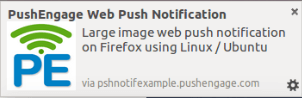
- 在 Linux/Ubuntu 的 Firefox 浏览器上显示的大型图片通知
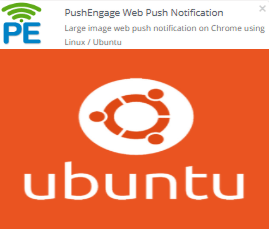
- 在 Linux/Ubuntu 的 Chrome 浏览器上显示的大型图片通知

- 在 Windows 的 Firefox 浏览器上显示的大型图片网页推送通知

- 在 Mac OS 的 Chrome 浏览器上显示的大型图片通知
以下是大型图片多行动网页推送通知在不同浏览器和操作系统上的显示效果 –
大型图片多行动通知是大型图片通知和多行动通知的结合。您可以在通知中添加多个按钮以及一张大图片。浏览器推送通知在不同浏览器上的显示效果会有所不同。
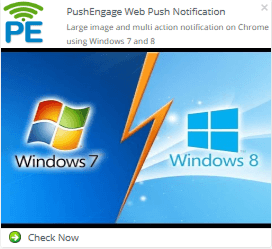
- 在 Windows 7 和 8 的 Chrome 浏览器上显示的大型图片和多行动通知
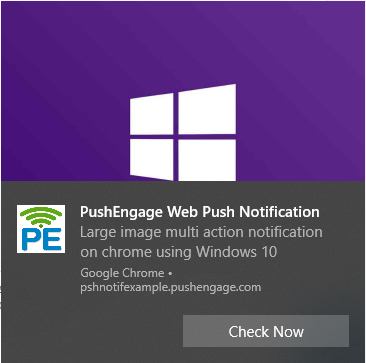
- 在 Windows 10 的 Chrome 浏览器上显示的大型图片多行动通知
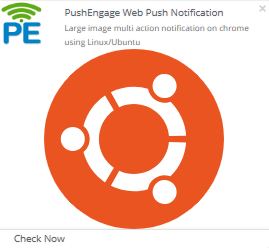
- 在 Linux/Ubuntu 的 Chrome 浏览器上显示的大型图片多行动通知
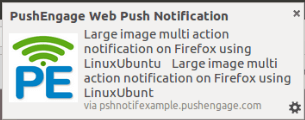
- 在 Linux/Ubuntu 的 Firefox 浏览器上显示的大型图片多行动通知
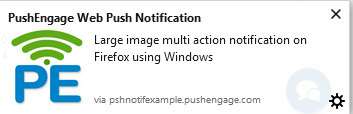
- 在 Windows 的 Firefox 浏览器上显示的大型图片多行动通知

- 在 Mac OS 的 Chrome 浏览器上显示的大型图片多行动通知
请注意,您可以决定希望通知在屏幕上显示多长时间,即 20 秒或直到用户互动为止。对于 Chrome 47 及更高版本,通知将一直保留直到用户互动。对于其他浏览器,默认通知时长为 20 秒。
对于 Windows 10 和 macOS 等浏览器,推送通知将在屏幕上显示 20 秒,然后进入通知中心。它将保留在通知中心,直到用户互动。
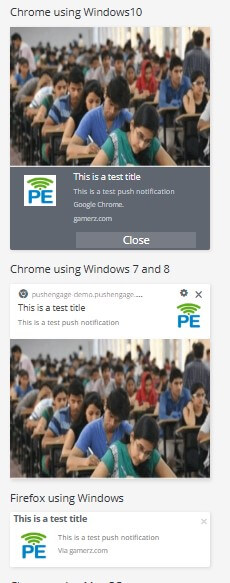
您还可以在 PushEngage 信息中心查看通知在不同浏览器上的显示效果。创建推送通知并输入所有详细信息后,在信息中心的右侧,您可以看到通知在不同浏览器上的外观:
这是因为 Chrome 68 版本为 Windows 10 用户推出了一些增强体验。随着 Chrome 68 的新版本发布,Google 支持 Windows 操作系统的原生通知。
相关的更改是 Microsoft Edge 支持网页推送通知的发布,PushEngage 现在也支持此功能。


