Looking for a resource on how to get more YouTube subscribers using push notifications?
Growing your YouTube subscribers can be hard. One of the biggest problems to your channel’s growth is that there are very few ways to control your subscriber list. And that’s because you don’t have access to or control over your own subscriber list.
This is why we advise EVERY YouTuber and Twitch streamer or social media content creator to also have a website to collect a list of subscribers separately. Any email list or push notification subscriber list that you collect on your website is yours to own.
In this article, we’re going to show you step by step how to get more YouTube subscribers on a WordPress website using push notifications. The best part? It’s super easy to do.
让我们开始吧。
- Why Push Notifications are Essential for YouTube Channels
- Setting Up PushEngage for Your YouTube Channel
- Designing Effective Push Notifications
- Optimizing Notification Timing and Frequency
- Targeting and Segmenting Your Audience
- Tracking and Analyzing Your Push Notification Campaigns
- How to Grow YouTube Subscribers Even Faster
Why Push Notifications are Essential for YouTube Channels
Push notifications are a smart way to keep your YouTube channel growing. They make sure your fans know about your videos and help build a community around your channel.
Here’s why you need to start sending push notification campaigns for your YouTube channel:
- Get Noticed Fast: When you post a video, push notifications tell your fans right away. This means more people see your video quickly.
- Be Seen Among Many: YouTube’s really busy with tons of videos. Push notifications make sure your fans don’t miss your videos.
- Keep Fans Coming Back: Regular messages to your viewers help them remember to watch your videos.
- Talk to the Right People: You can send messages that match what each fan likes. This makes them more interested in watching your videos.
- Perfect for Important Stuff: If you’ve got something special happening, like a live video, push notifications get your fans to watch right then.
- See What Works: You can check which messages get the best response and learn what your viewers like.
- Save Money: Push notifications are a cheap way to tell people about your videos.
- Build a Fan Community: These messages can help make your viewers feel like they’re part of a group.
Push notifications can play a supportive role in addressing issues like shadowbanning, demonetization, and channel bans on platforms like YouTube. Here’s how:
- Against Shadowbanning: Shadowbanning can make your content invisible to a larger audience without notification. Push notifications directly inform your subscribers about new content, ensuring your videos reach your audience even if shadowbanned.
- Insurance Against Demonetization: If your videos are demonetized, it could wreck your only revenue stream. Push notifications can help maintain viewer engagement and drive traffic, providing a stable base of viewership that’s independent of monetization status.
- Protection Against Channel Bans: In the unfortunate event of a channel ban, having a direct line of communication through push notifications can help you guide your audience to alternative platforms or content, ensuring continuity of your viewer base.
These are not hypothetical problems.
Live streamers get shadowbanned all the time. Long-time YouTubers like MxR Plays get bulk-demonetized and come close to having their channel shut down all the time.
This is the dark side of YouTube and it’s heartbreaking to see long-time YouTubers get financially wrecked. Especially considering that YouTube guidelines are super ambiguous and it’s really difficult to understand the reasoning behind demonetization.
Some creators such as MxR Plays use Patreon and an eCommerce site to stay in touch with their oldest fans. But having a website is always much better. If it’s your full-time job, there’s nothing worse than getting ripped away from it. In fact, MxR made a video talking about how devastating it was for them after having 279 videos demonetized in a matter of 2 weeks.
Using push notifications can provide a measure of security and stability for content creators against some of the platform-related challenges. Not to mention, you can send some pretty amazing push campaigns to engage with your fans.
Of course, before you can start sending push notifications, you’d need an app or a website to collect subscribers. If you already have an app or a website, that’s awesome. But if not, you should really create a website for your channel today.
Setting Up PushEngage for Your YouTube Channel
Before you create a push notification campaign, you need to select a push notification subscription service. A push notification service is a software that allows you to create push campaigns without any coding.
We recommend using PushEngage to get push notification subscribers.

PushEngage 是全球排名第一的推送通知插件。
推送通知可帮助您自动增加网站流量和参与度。如果您经营在线商店,PushEngage 还可以通过帮助您创建自动电子商务推送通知来帮助您增加销售额。
您可以免费开始使用,但如果您想认真发展业务,则应购买付费套餐。此外,在购买任何推送通知服务之前,您应该查看这篇关于 推送通知成本的指南。
PushEngage 提供以下功能,快速概览:
还有更多!
您会发现,如果您想为您的业务带来流量、参与度和销售额,PushEngage 绝对是最佳选择。而且,如果您预算有限,您总是可以 在推送通知方面发挥创意。
注意:如果您运行的是 WordPress 网站,则应安装并激活 PushEngage WordPress 插件。
开始吧!
第 1 步:创建免费的 PushEngage 账户
Head over to PushEngage and click on Get Started for Free Now.
您可以从免费套餐开始。但如果您想发送有针对性的推送通知,则应选择增长套餐。一旦您知道想要哪个套餐,请点击 开始 以创建您的 PushEngage 帐户。
第 2 步:注册 PushEngage
现在,是时候创建您的 PushEngage 账户了。首先使用电子邮件地址或 Gmail ID 注册:

然后,填写您的账户详细信息:

并添加您的信用卡信息以购买您的套餐:

如果您选择了免费帐户,那么在您选择升级套餐之前,您的信用卡永远不会被收费。现在,您已准备好访问您的 PushEngage 仪表板。只需点击 完成注册并立即访问。
如果您以前使用过 OneSignal 或 PushAlert,您会发现 PushEngage 在仪表板上为您提供了更简洁的体验。OneSignal 仪表板并非为高级广告系列而设计。为此,您将需要 API 而不是 OneSignal 插件。
Step #3: Install a WordPress Push Notification Subscription Plugin
注意:如果您不运行 WordPress 网站,请查看我们的安装指南开始操作。
您已成功创建账户。前往 PushEngage 控制面板,您可以在其中跟踪推送通知参与率 并进行后续操作:

点击 网站设置 » 网站详情 并点击 点击此处获取设置说明 按钮:

点击 WordPress 选项卡,然后点击 安装 PushEngage WordPress 插件 按钮,将插件安装到您的网站上。

精彩的部分来了: 当您创建 PushEngage 帐户时,您已经将您的网站与您的 PushEngage 帐户同步。因此,点击 PushEngage 仪表板中的安装链接,即可自动将 PushEngage WordPress 插件安装到您的网站。
第 4 步:将您的 WordPress 网站与 PushEngage 连接
安装并激活 PushEngage WordPress 插件后,您将看到 PushEngage 设置向导:

该向导相当直接。如果您是新用户,请点击 新用户?认领您的免费帐户。如果您已经注册,请点击 连接您现有的帐户。
接下来,您可以在 连接已注册的网站 下的 选择网站 下拉菜单中选择您的网站,如果您在注册过程中已注册了网站:

或者,您可以点击 注册新网站 来添加新网站,如果您有 高级定价计划或更高版本。在下一步中,入门向导将提示您安装其他 必备的 WordPress 插件。

如果您正确遵循了每个步骤,您将从向导中看到此成功消息:

您现在可以创建广告系列和推送通知弹出窗口了。
Designing Effective Push Notifications
If you’re running a successful YouTube channel, then you already understand what your audience wants to see from you. You already know how to send personalized push notifications make your subscribers feel like they were tailor-made for them. The best part? Our customers get around 8% conversion rates for personalized campaigns.
Now, let’s start off with the most basic thing you can do to get more subscribers. And that’s to ask people to subscribe to your channel. Then, we’ll show you some great ways to boost your channel’s growth in terms of:
- Watch time
- Repeat traffic
- Affiliate sales
- Merchandise sales
以及更多!
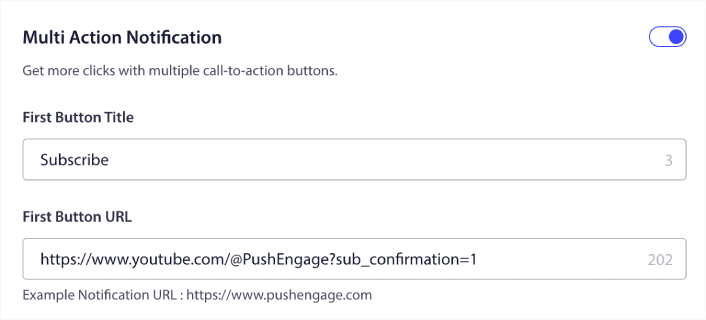
The simplest thing you can do is to add a click to subscribe button for all your push notifications. Head over to your YouTube channel and copy the URL. For us, it’s https://www.youtube.com/@Pushengage.
At the end of the URL, just add ‘?sub_confirmation=1‘. So, for our channel, it would be: https://www.youtube.com/@PushEngage?sub_confirmation=1.
Then, use this link as your push notification button URL:

If you’re not sure how to do this, check out this guide on how to add a button to a push notification.
Next, let’s check out some cool campaign ideas for push notifications that you can use to grow your YouTube channel.
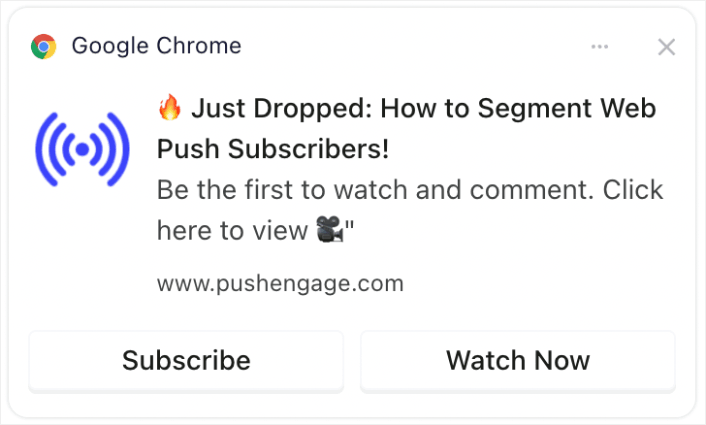
#1. New Video Alerts
Every time you upload a new video, you can send a new video alert to your push notification subscribers.

Timely alerts about new videos can significantly increase the initial views, which is crucial for YouTube’s algorithm. It helps in capturing immediate attention, enhancing the video’s chance of being recommended to others.
Pro Tip: Whenever you upload new shorts or videos to YouTube, NEVER use the notify subscribers feature in YouTube. If you do, YouTube will send out the video exclusively to your most active subscribers first. Based on the response and click rates, the algorithm may throttle your organic traffic if you don’t get a great response in the first few hours.
By using your web and app push subscribers, you can still send traffic to your video and this way, it doesn’t affect the algorithm’s decision to roll your video out to new people.
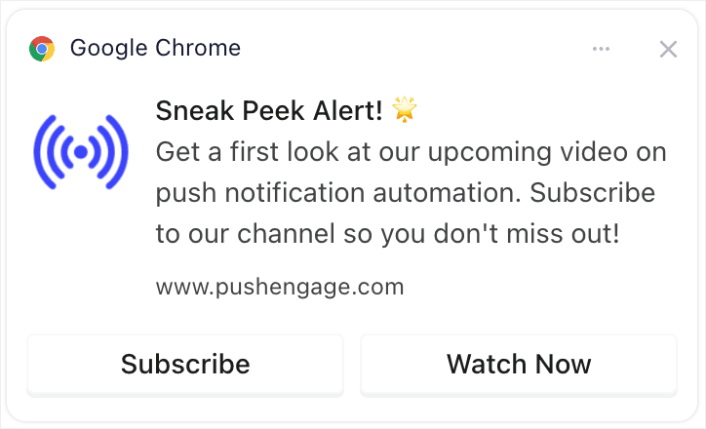
#2. Exclusive Content Teasers
Share snippets or previews of upcoming videos exclusively to push notification subscribers.

Sharing exclusive previews or snippets can build anticipation and excitement. This engagement can lead to increased sharing and discussions about your content, broadening your reach.
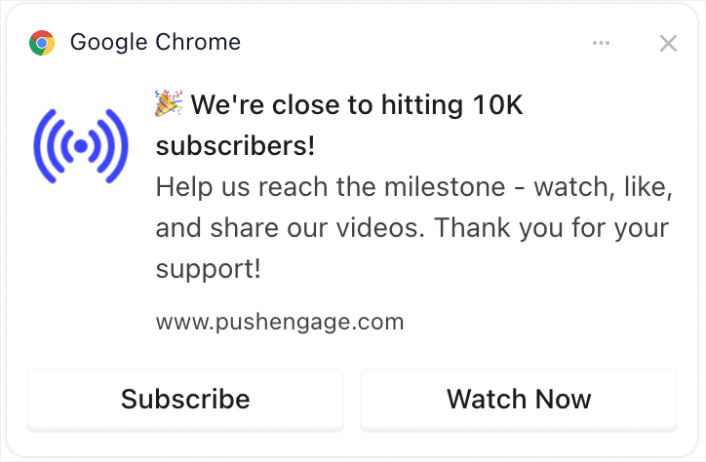
#3. Subscriber Milestone Celebrations
Create excitement around channel milestones such as reaching a certain number of subscribers.

Involving your audience in milestone celebrations creates a sense of community. It can encourage more subscriptions as viewers like being part of a growing, successful channel.
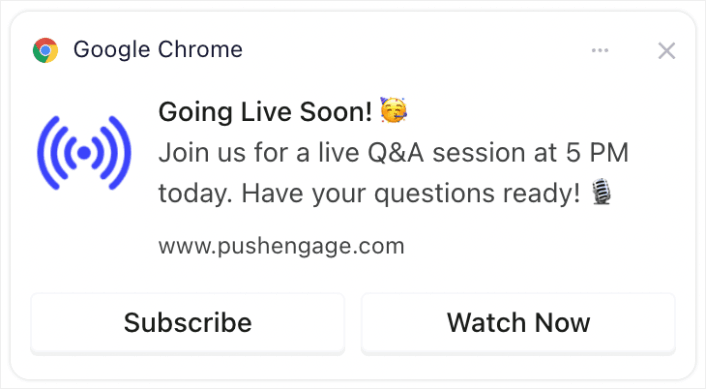
#4. Live Stream Announcements
Notify subscribers about upcoming live streams or Q&A sessions.

Notifying about live streams ensures higher real-time engagement, which is valued by YouTube. It can increase live viewership, comments, and interactions.
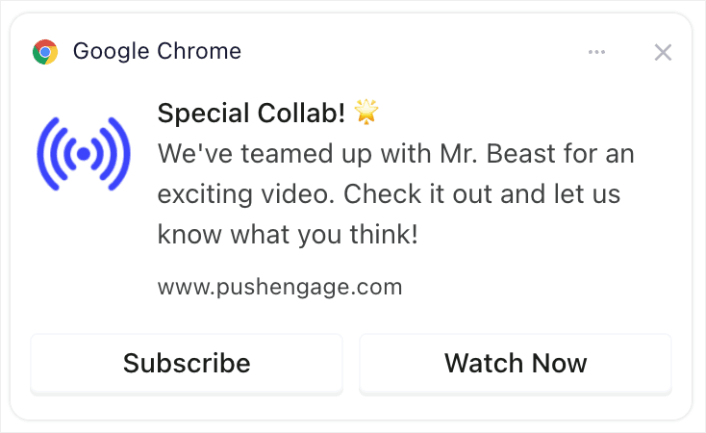
#5. Collaboration Highlights
Announce collaborations with other YouTubers, brands, or influencers.

Announcing collaborations can tap into the fan base of collaborators, potentially bringing new subscribers to your channel.
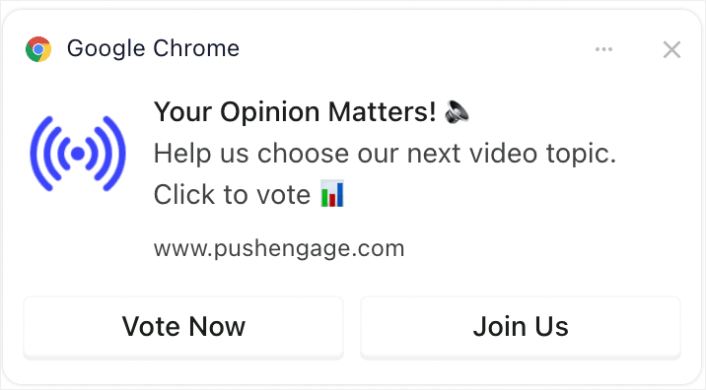
#6. Polls and Audience Engagement
Engage subscribers by asking for their input on future video topics or feedback on past content.

Interactive content like polls keeps your audience engaged and gives them a voice, fostering loyalty and regular viewership. And if you’ve never run a poll before, you can check out this guide to creating a poll on WordPress.
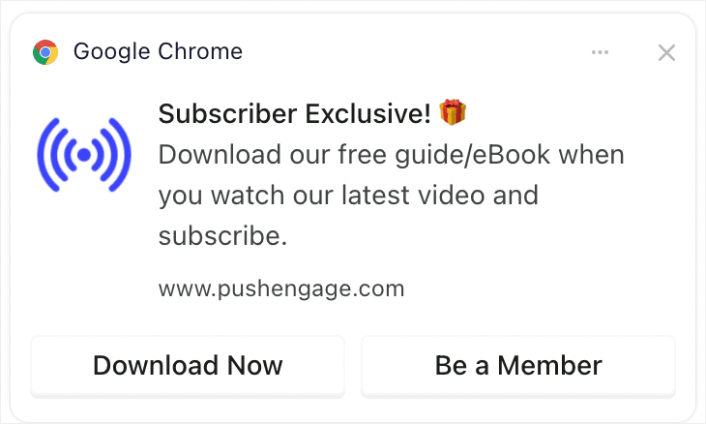
#7. Subscriber-Only Offers
Provide special offers or bonuses (like downloadable content or exclusive access) to subscribers.

Providing exclusive offers or content can be a strong incentive for viewers to subscribe and stay engaged with your channel.
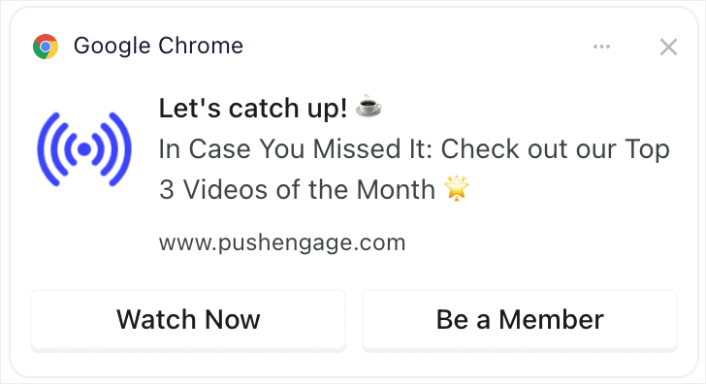
#8. Recap Notifications
Send weekly or monthly recaps of the most popular videos.

Reminding viewers about your most popular or recent content can catch the attention of those who missed it, increasing views and engagement.
If you don’t want to create a recap video, then you can simply create a post listing all your recent content and send a link to the post. Or, you could create a link on Linktree to create a temporary landing page with a list of all your recent videos.
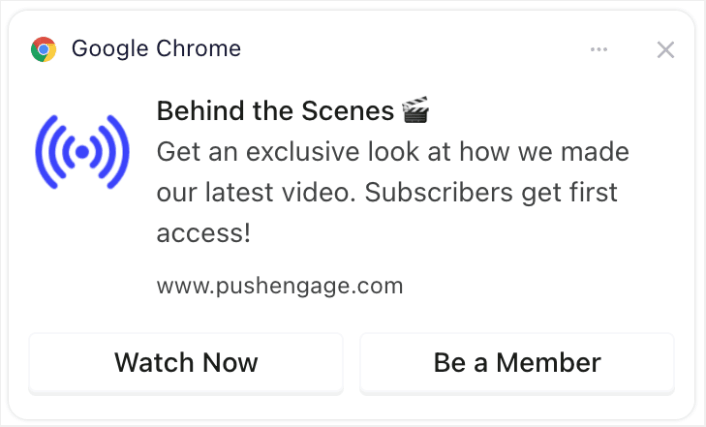
#9. BTS (Behind-the-Scenes) Glimpses
Share behind-the-scenes content or the making of a video.

Offering a peek behind the scenes can deepen the viewers’ connection with your channel, making them more likely to engage with and share your content.
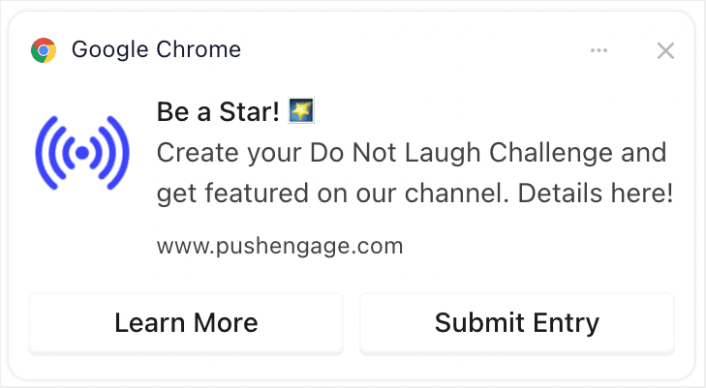
#10. User-Generated Content Promotions
Encourage subscribers to create their own content related to your channel and feature it.

Encouraging viewers to create related content can lead to community building and increased engagement, as viewers feel more connected and valued. And it’s super easy to create a form in WordPress to collect entries from your subscribers.
Optimizing Notification Timing and Frequency
确实存在过多的推送通知。
您应该发送的推送通知数量取决于您的行业。也就是说,最好的做法是每天最多向您的客户发送2条通知。每周不超过5条。
平均每天发送 1 条通知效果更好。
当然,除非您有真正重要的事情要告诉您的订阅者:
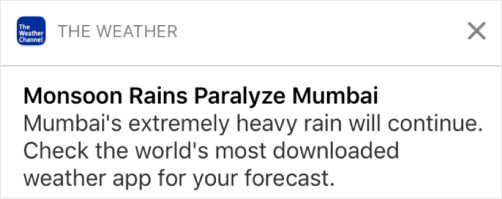
您很容易显得过于激进并惹恼您的订阅者。这是失去推送通知订阅者的好方法。但是您需要与您的客户建立联系。并且您需要向他们发送促销和交易通知。
查看这篇文章,了解您应该发送多少推送通知以获取更多技巧。
您还可以以不同的方式安排您的推送通知。

安排推送通知发送非常简单:
- 立即
- 在特定日期和时间
- 作为重复事件
了解要发送的通知数量以及何时发送推送通知将大大降低您的取消订阅率。
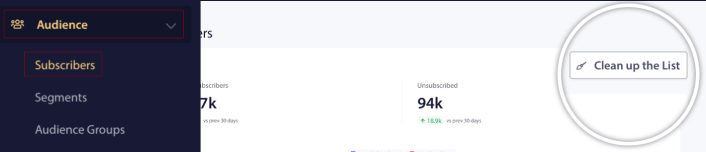
专业提示:如果您发现推送订阅者不再与您互动,您可以启动一个再营销活动来重新吸引他们。如果这不起作用,您随时可以清理您的订阅者列表。
Targeting and Segmenting Your Audience
定向推送通知可带来更高的点击率和更低的取消订阅率。细分可让您为网站推送订阅者提供定制体验。对于大多数推送通知服务和工具,您需要自定义代码才能创建细分。
Segments are a really great way to send targeted push campaigns. And it should be a big part of your push notification marketing strategy. But how do you get started? What kinds of segments should you be creating?
We wrote a detailed explanation in our article on ways to segment push notification subscribers.
In general, there are a few different types of segments you can create:
- Occasion-based segments
- Behavioral segments
- Dynamic segments
- Geographic segments
- Demographic segments
… To name a few.
You can also use occasion based segmentation to send different types of targeted push campaigns. Even better, you can use these segments to create subscription widgets on your site:

A subscription management widget allows your visitors to choose what kind of push notifications they want to receive from you.

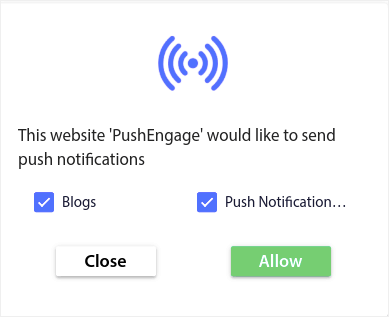
And you can even create push notification popups that automatically segment your subscribers when they subscribe.

内容主题允许您仅向订阅者发送相关内容。这将帮助您提高订阅率甚至参与率。
Pro Tip: Remember to diversify your content themes. You can create multiple push notification optins to target different types of users. Creating multiple custom optins is a great way to increase your push subscribers from your existing content.
Tracking and Analyzing Your Push Notification Campaigns
拆分测试是让推送通知订阅者保持订阅的好方法。但是您可以在推送通知中拆分测试什么内容?
推送通知最常见的绩效指标是:
- 点击率: 推送通知的点击率是指您的订阅者看到推送通知后点击它的频率。
- 查看率: 推送通知的查看率是指订阅者收到推送通知后在通知过期前看到它的频率。
- 目标转化次数: 您可以为您的活动设定目标并为您的活动设置目标跟踪。目标转化次数是衡量您达成目标的次数。
要提高您的查看率,您需要在推送通知中使用大尺寸图片。在通知中使用图片会立即使其更具吸引力。
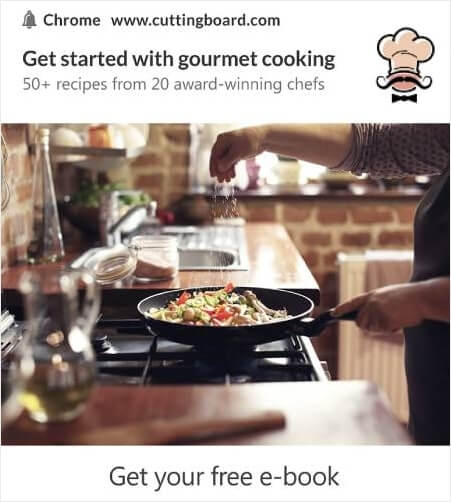
您还可以尝试在推送通知标题中使用强力词汇。
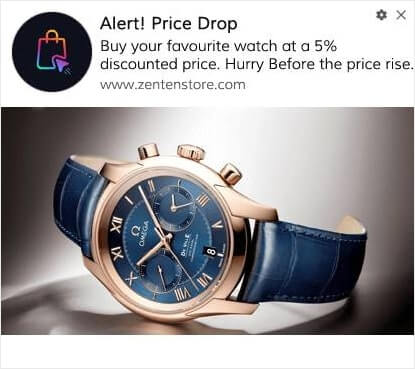
因此,您可以对带图片和不带图片的通知进行 A/B 测试。您还可以通过拆分测试在标题中包含和不包含强力词汇的推送通知来测试查看率。
如果您想提高点击率,就需要关注核心信息并努力使其高度相关。这主要涉及以下两件事之一:
并且该领域没有可以进行 A/B 测试的内容。但是,您可以通过推送通知上的号召性用语 (CTA) 按钮来 A/B 测试您的点击率。尝试 A/B 测试带有零个或一个 CTA 的推送通知与带有两个 CTA 的推送通知。
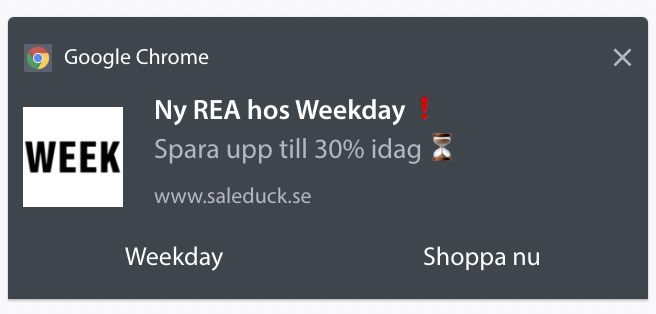
如果您不确定如何创建多个 CTA,请阅读这篇关于如何为您的推送通知添加按钮的文章。
对于目标转化次数,这主要取决于设置相关的电子商务推送通知。所以,同样,这里没有太多可供拆分测试的内容。话虽如此,如果您能优化您的推送通知以获得更好的点击率并带来非常好的优惠,您的目标转化次数将会增加。
随着时间的推移,您可以提高推送通知弹窗的注册率。任何好的推送通知服务都会提供详细的注册分析。
市面上几乎所有的转化工具包都附带自己的弹窗分析功能。那么,为什么推送通知弹窗会有所不同呢?
以下是精彩之处……
您不仅可以获得推送通知广告系列的分析,还可以获得选择加入的分析!
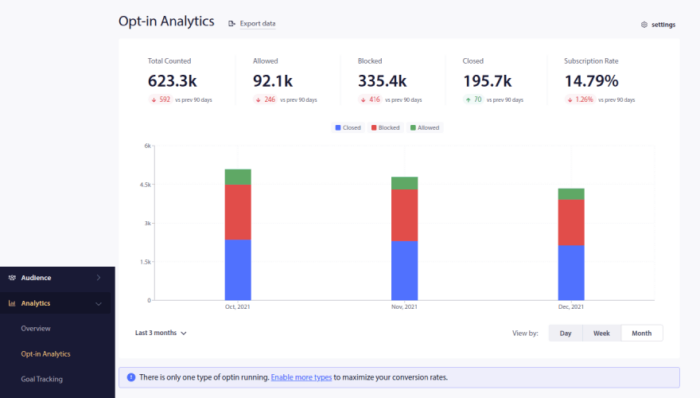
Paying attention to your optin analytics is a good way to get push notification subscriptions. You should also clean up your subscriber lists from time to time and remove any subscriber who simply refuses to engage with your campaigns. This way, you get the actual engagement numbers and you only push notifications to subscribers who WANT to hear from you.

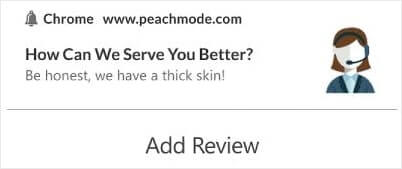
同时,我们也建议从您的订阅者那里收集有关您的推送通知活动的反馈。

您可以创建一个简单的带表单的着陆页来收集有关您活动的评论和反馈。
How to Grow YouTube Subscribers Even Faster
Now that you know how to get push notification subscriptions, it’s time for you to start building your campaigns. Start with checking out more examples of how you can use push notifications effectively:
- 21 个最佳网站欢迎消息示例,供您使用
- 75 个您可以立即借鉴的精彩推送通知示例
- 15 个推送通知文案示例,激发您的灵感
- 7 个高转化率的推送通知选择示例(2022)
- 11 个您可以立即借鉴的创意推送通知示例!
- 如何为您的网站添加 WordPress 网站通知插件
您还应该查看我们关于 推送通知最佳实践 的文章,以充分利用您的推送通知活动。
但是,除非您开始发送推送通知,否则这一切都不会对您的品牌产生影响。
所以,如果您还没有,请立即 开始使用 PushEngage !