How to go live with PushEngage on Squarespace

Squarespace is the all-in-one solution for anyone looking to create a beautiful website. PushEngage supports websites based on the Squarespace Platform. If you want to send web push notifications from the Squarespace, then you can install PushEngage in less than ten minutes.

Here’s the steps you would need to follow –

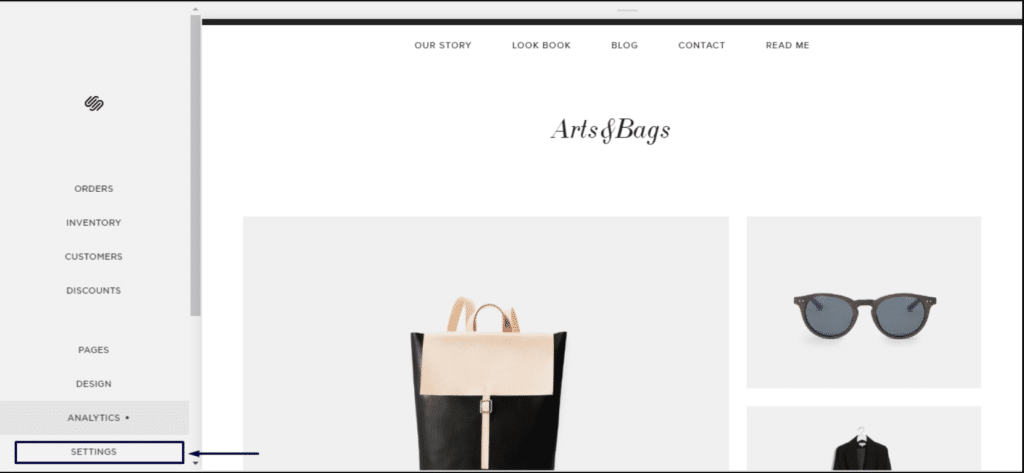
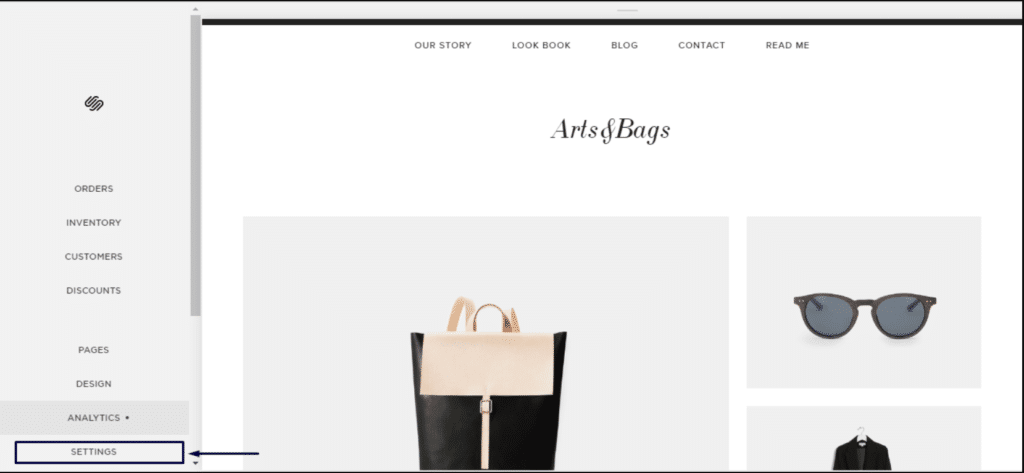
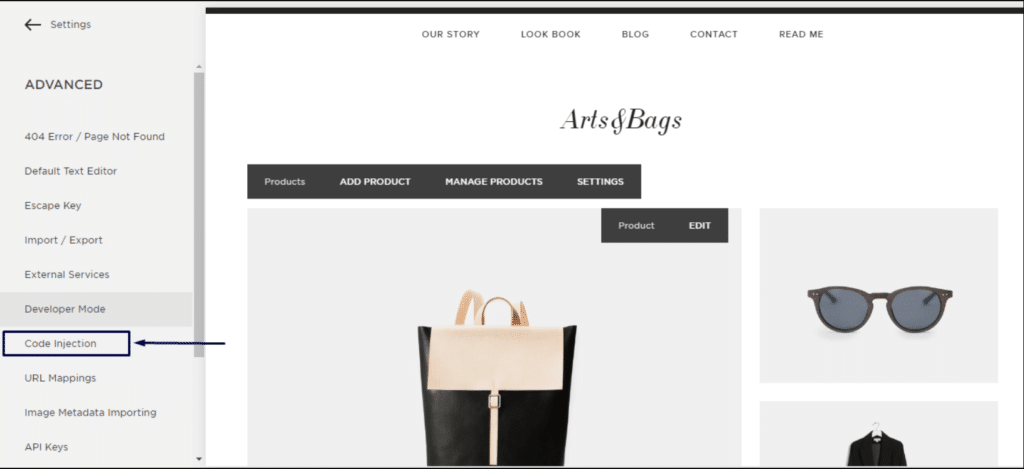
1. Log in to your Squarespace account. Go to settings » Advanced » developer mode » Code Injection.

2. Click on Advanced Settings.

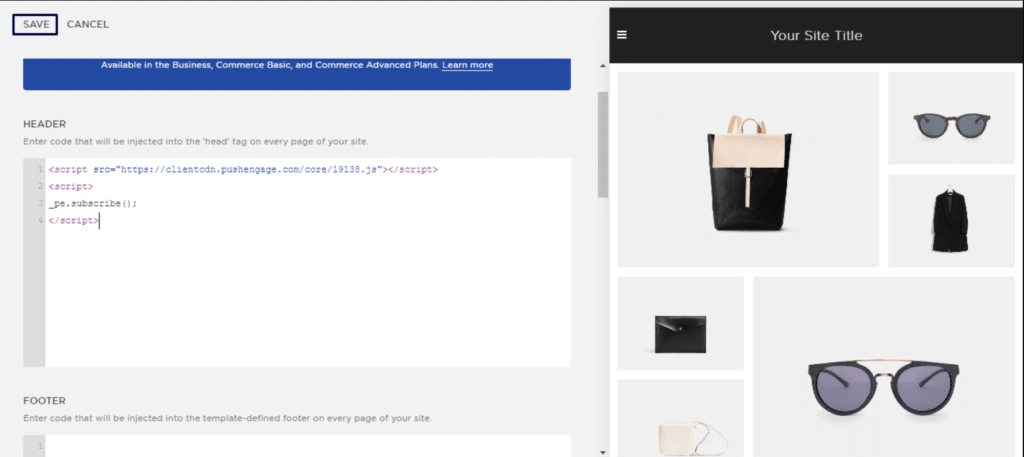
3. Click on Code Injection.

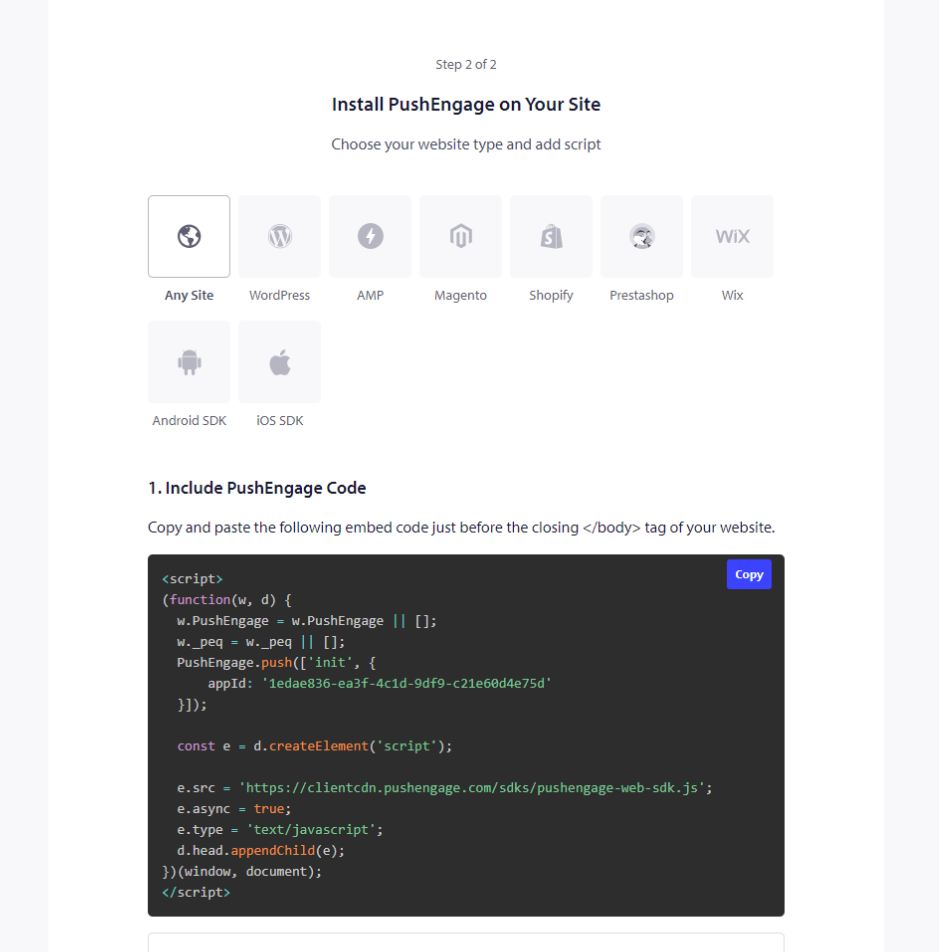
4. Then log in to your PushEngage Dashboard and navigate to Site Settings » Installation

Choose Any Site

5. Copy the code and insert it in the header section of Squarespace.

This would complete your installation of PushEngage on Squarespace.

如果您遇到任何问题,请随时在此处点击联系我们。我们的支持团队将能够为您提供帮助。

仍然卡住了?我们能帮您什么?
最后更新于 2026 年 3 月 9 日

在访客离开您的网站后与他们互动并挽留他们

通过难以忽略的推送通知,增加每次网站访问的价值。

  • 永久免费套餐
  • 轻松设置
  • 五星支持