How to go live with PushEngage on the Weebly website?

You can integrate Browser Push Notification on your Weebly website using PushEngage in just five simple steps :

1) Go to PushEngage and register. If you already have an account, please log in using this link.

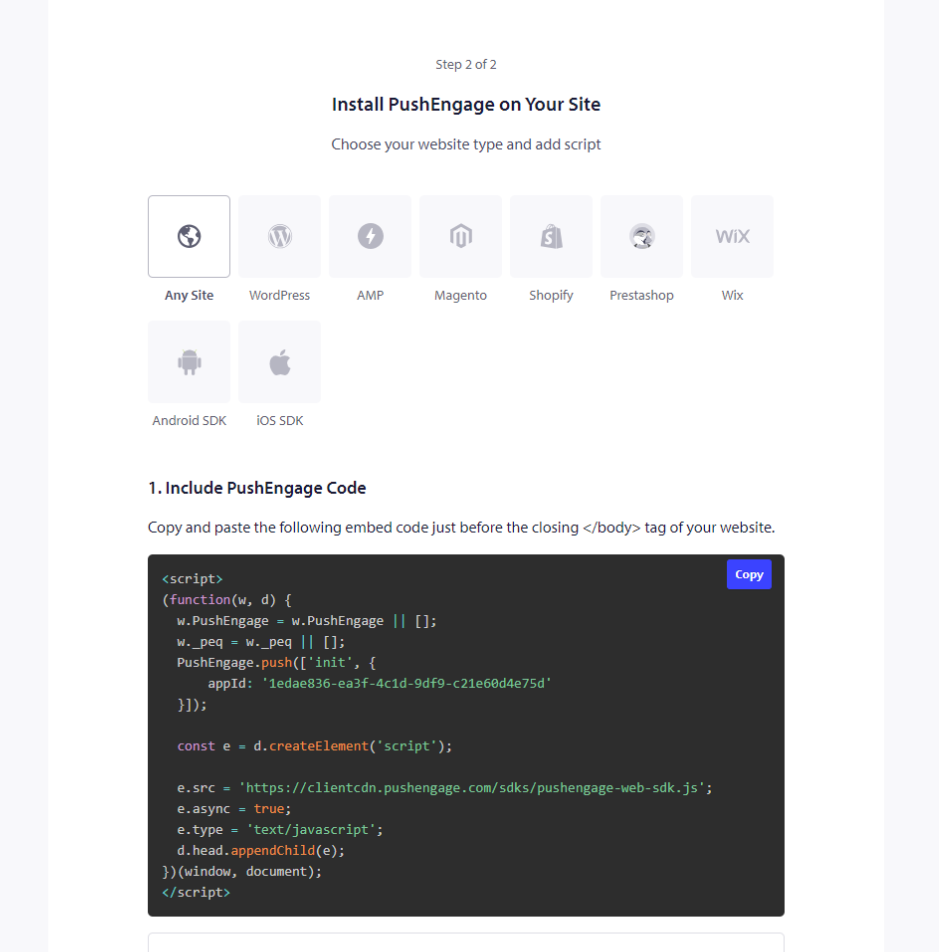
2) You need to get your PushEngage installation code that needs to be added to your website. Below is the PushEngage javascript code you have to add to your Weebly site. Site Settings » Site Details » Scroll down to ‘Click here for Setup Instruction‘. Choose Any Website

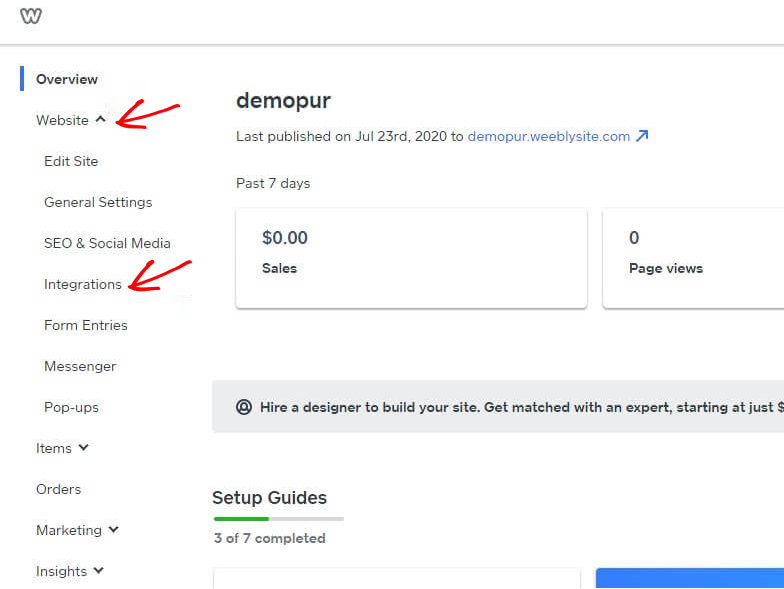
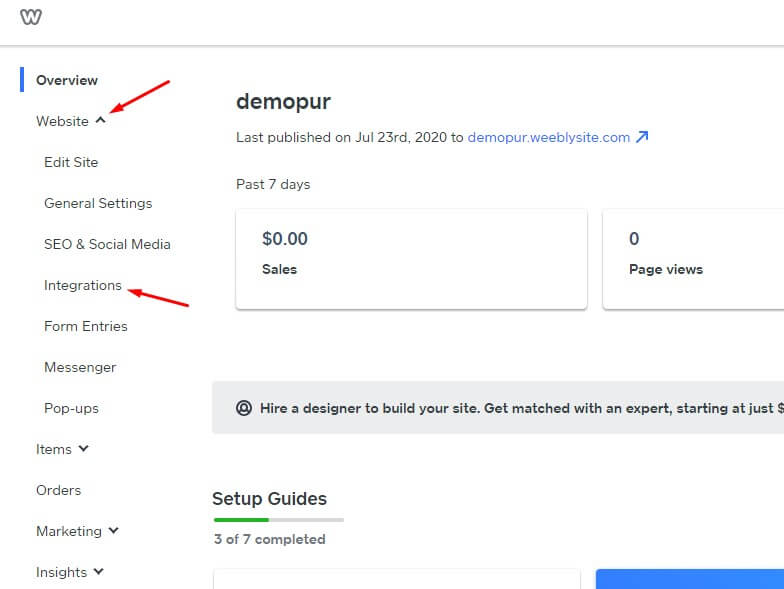
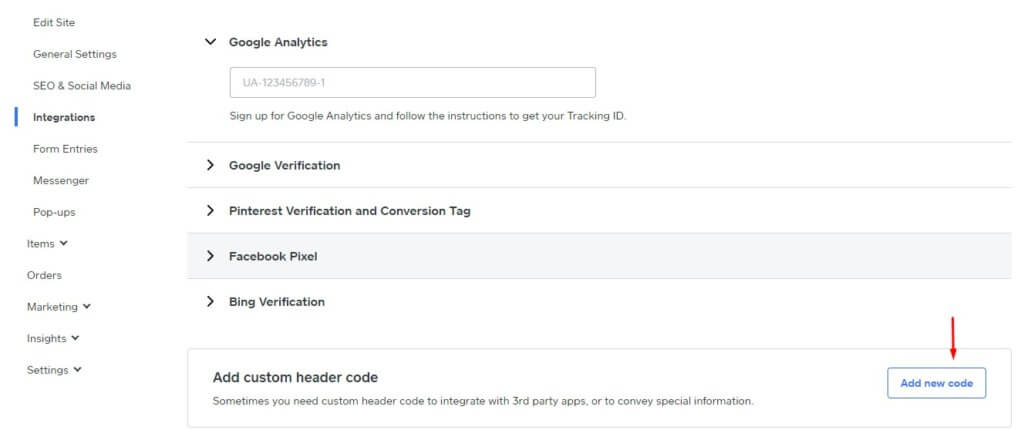
3) Log in to the Weebly dashboard and select Website » Integrations.

weebly dashboard for Push Notification Integration

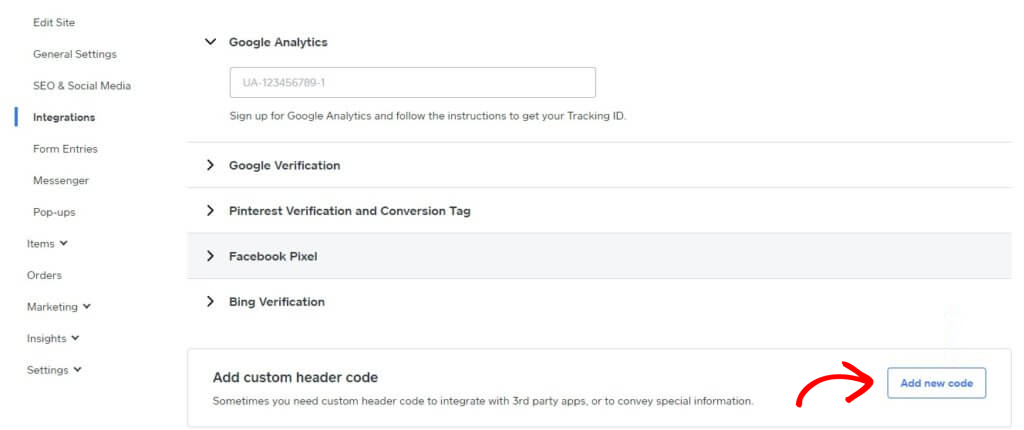
4) On the Integration page, Add Custom Header Code at the bottom. Click on Add New Code.

customer header code in Weebly

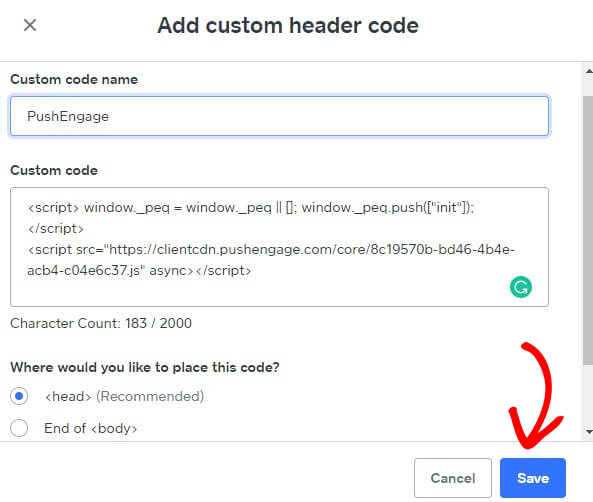
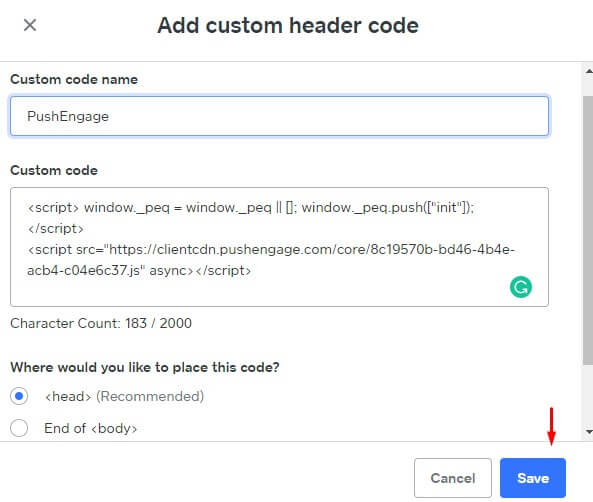
5) Paste the PushEngage code into the Header. You can also select the End of <body> to paste the code. In the below screen, we have pasted the PushEngage javascript code in the footer section. Once done, click on Save.

PushEngage Integration Code in Weebly

This completes the PushEngage integration on the Weebly website. You can now start collecting subscribers and send push notifications from the Weebly website.

如果您遇到任何问题,请随时在此处单击联系我们。我们的支持团队将能够帮助您。

仍然卡住了?我们能帮您什么?
最后更新于 2026 年 3 月 9 日

在访客离开您的网站后与他们互动并挽留他们

通过难以忽略的推送通知,增加每次网站访问的价值。

  • 永久免费套餐
  • 轻松设置
  • 五星支持