Du kan enkelt rikta in dig på specifik geografi – land, delstat eller stad i PushEngage push-kampanjer. PushEngage erbjuder geolokaliseringssegmentering som en del av sin standardsegmentering, vilket hjälper till att rikta in sig på segmentbaserade kunder enligt den geografi de prenumererade på push-kampanjerna.
Korrekt riktade kampanjer ger högre ROI. När du behöver skicka aviseringar till ett segment av prenumeranter i endast en specifik region kan det ge dig en chans till högre räckvidd. Du kan försöka rikta in dig på personer baserat på geografi genom två metoder.
- Push-sändningar
- Drip-svarsfunktioner
Rikta in prenumeranter baserat på geolokalisering i Push-sändningar
Push-sändningar är allmänna kampanjer som du kan använda för att rikta in dig på dina prenumeranter. Du kan skapa push-kampanjen och sedan gå till fliken Målgrupp » Skicka till specifik målgruppsgrupp > Bläddra till avsnittet Geolokalisering.
Rikta in prenumeranter baserat på geolokalisering i Drip Autoresponders
Drip autoresponders är som en serie push-kampanjer som du kan skapa som en resa, antingen för alla dina prenumeranter eller för en specifik målgrupp.
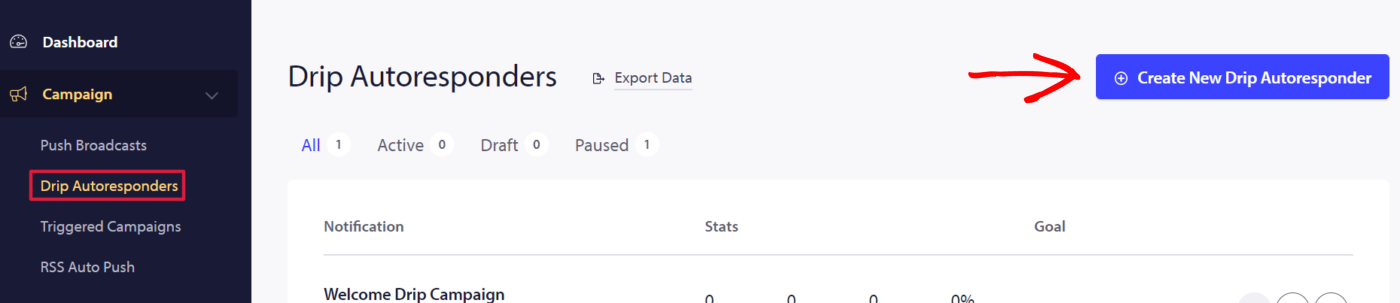
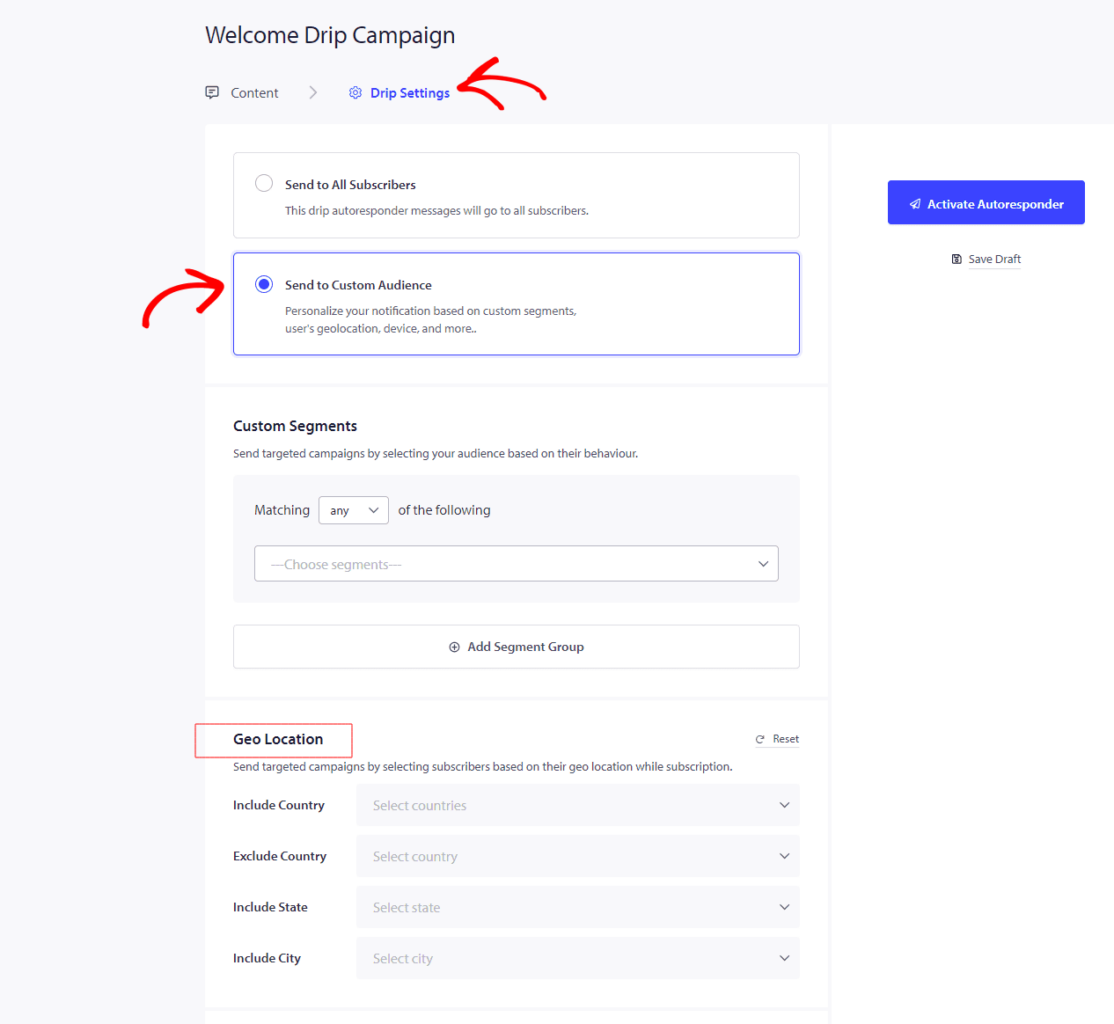
För att skapa Drip Autoresponder och rikta in dig på specifik geografi. Du kan navigera till Kampanjer » Drip Autoresponder » Ny Drip Autoresponder » Drip-inställning » Skicka till specifik målgruppsgrupp » bläddra ner till Geolokalisering.
Här kan du välja att inkludera/exkludera land, inkludera delstat eller inkludera stad. Du kan välja ett eller flera länder/delstater/städer.
Om du stöter på några problem, tveka inte att kontakta oss genom att klicka här. Vårt supportteam kan hjälpa dig.