Med den här guiden kan du integrera webbläsaraviseringar via pushmeddelanden på din Weebly-webbplats med PushEngage.
Logga in på PushEngage-instrumentpanelen och hämta din PushEngage-installationskod som behöver läggas till på din webbplats. Nedan finns PushEngage-JavaScript-koden som du måste lägga till på din Weebly-webbplats; navigera till Webbplatsinställningar » Installation.
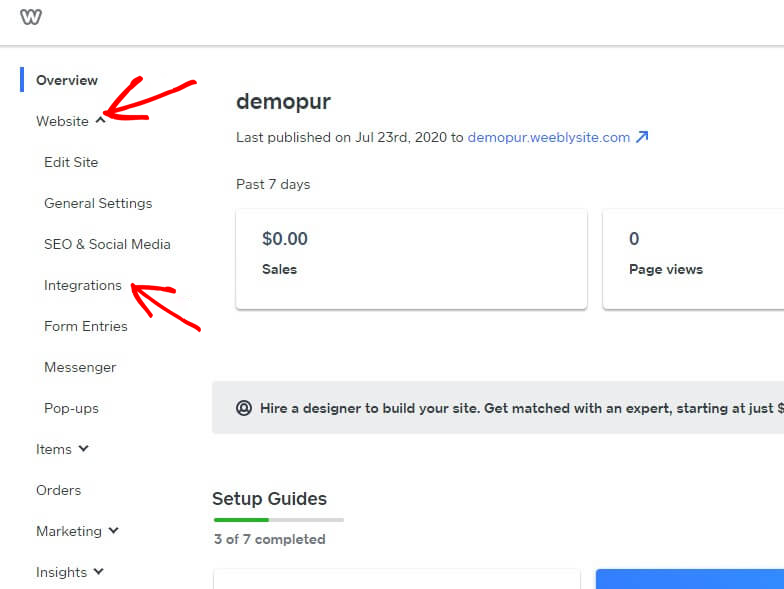
Logga in på Weebly-instrumentpanelen och välj Webbplats » Integrationer.
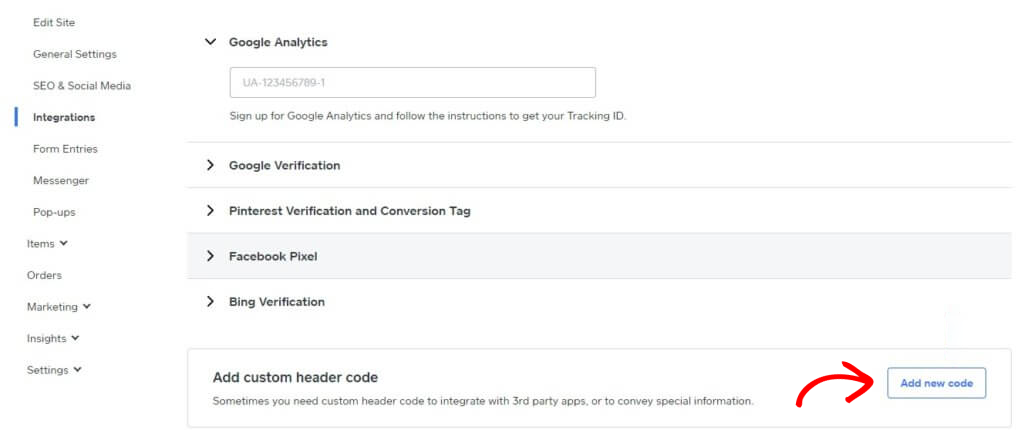
Lägg till anpassad sidhuvudskod längst ner på integrationssidan. Klicka på Lägg till ny kod.
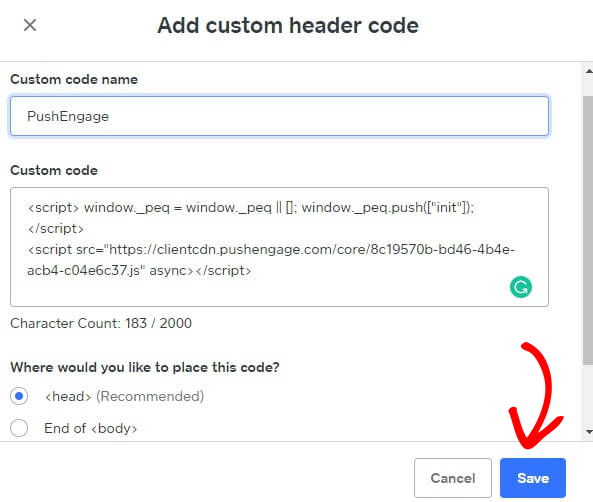
Klistra in PushEngage-koden i sidhuvudet. Du kan också välja Slutet av <body> för att klistra in koden. På skärmen nedan klistrade vi in PushEngage-JavaScript-koden i sidfotsavsnittet. När du är klar klickar du på Spara.
Detta slutför PushEngage-integrationen på Weebly-webbplatsen. Du kan nu börja samla in prenumeranter och skicka pushmeddelanden från Weebly-webbplatsen.
Om du stöter på några problem, tveka inte att kontakta oss genom att klicka här. Vårt supportteam kan hjälpa dig.