Prenumerationsvalet eller Popup-modalfönstret kan nu anpassas och även inkludera en segment-kryssruta så att webbplatsbesökaren får en chans att bestämma om de vill bli meddelade om alla kampanjer eller endast utvalda segment.
De olika stilarna för prenumerationsanmälan
Det finns olika stilar i Prenumerationspopup som kan konvertera dina besökare till dina webbpush-prenumeranter och kunder.
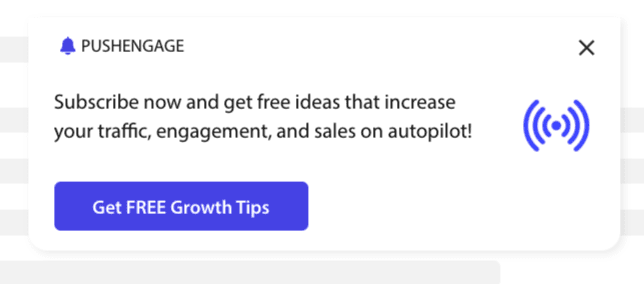
Snyggt anmälningsformulär: Denna stil har en snygg design och endast en knapp istället för två.
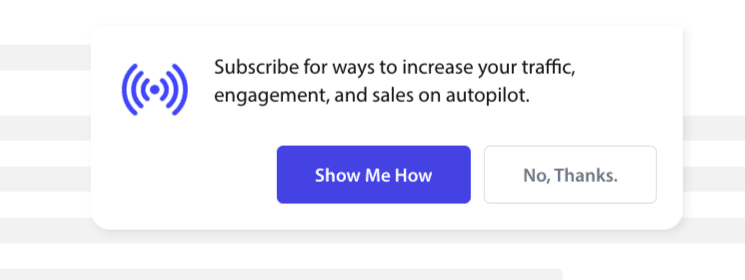
Safari-stilruta: Detta är en klassisk dubbelstegs anmälan med två knappar för att klicka på Tillåt eller neka, som kan anpassas.
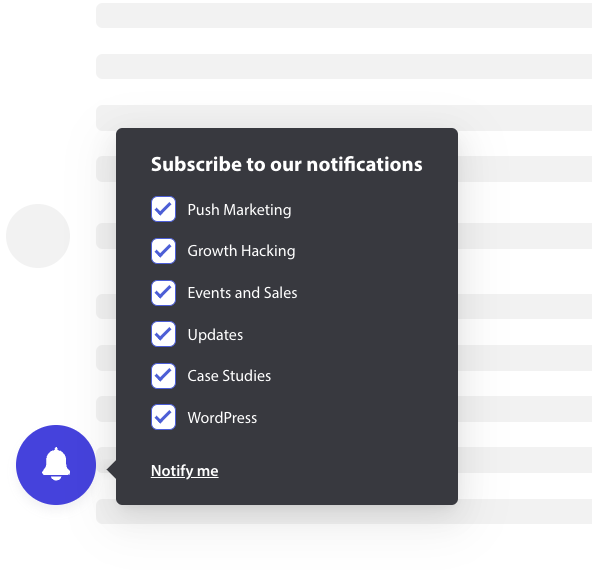
Klockikon i fält: Denna lilla klocka uppmanar dig att prenumerera eller blockera. Den lilla klockikonen i det nedre hörnet kan anpassas men tar upp mindre skärmutrymme, vilket gör att folk kan prenumerera på push-notiser.
Flytande fält: Denna popup-stil sprider sig över skärmen och placeras längst ner. Du kan lägga till längre text i design-popupen.

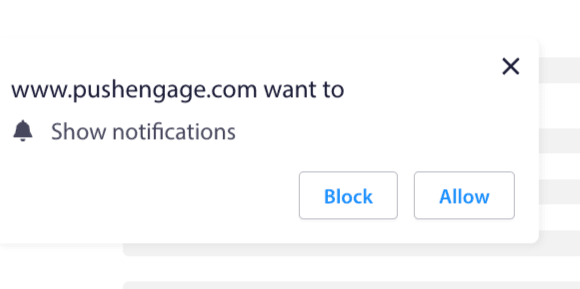
Push Enstegs anmälan: Ett enstegs tillståndsfönster som inte tillåter dig att anpassa eller lägga till något personligt meddelande.
Stor Safari-stilruta: En ruta som visas mitt på skärmen och låter dig lägga till segment.
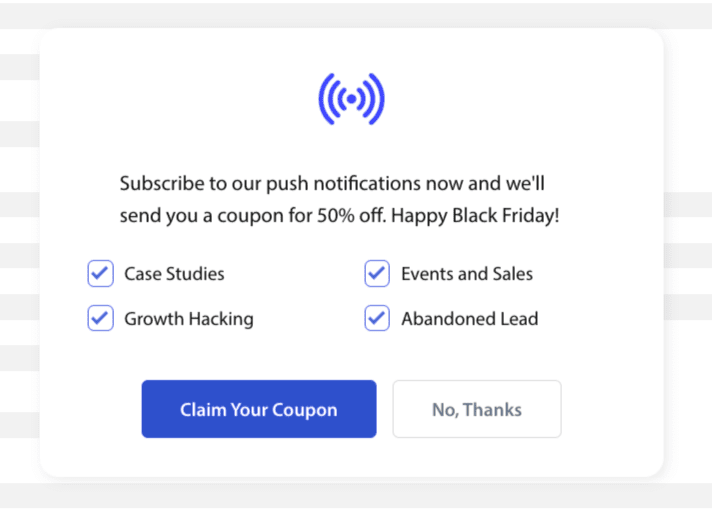
Notera: Alla prenumerationspopup-stilar kan redigeras eller anpassas förutom Enstegs anmälan. Push Enstegs anmälan är webbläsarens standardstil och kan inte redigeras eller anpassas.
Lägga till segment i prenumerationsanmälan
Du kan välja den stil du vill anmäla dig till och klicka på Redigera. Under Popup-design, bör du Aktivera alla segment.
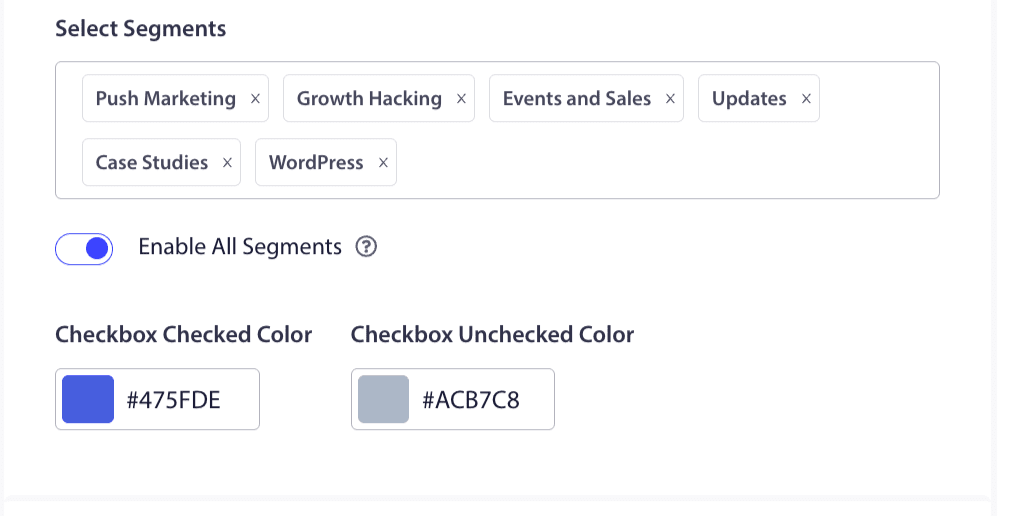
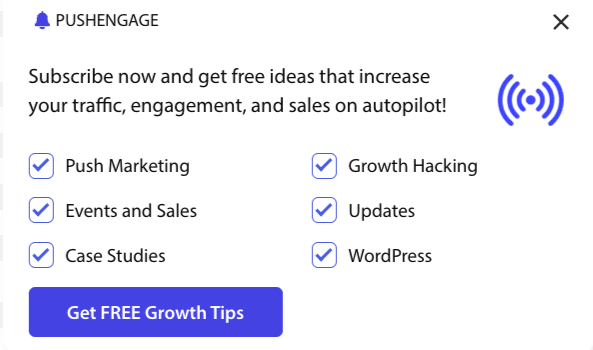
Du kan välja segment från rullgardinsmenyn och kontrollera om förhandsgranskningen ser ut som du vill. Du har också möjlighet att anpassa färgen på kryssrutorna så att du kan anpassa dem efter ditt varumärkes färger. Så här skulle din förhandsgranskning se ut –
Förståelse av alternativ för att förbättra funktionaliteten
Aktivera prenumerationsanmälan Ruler
Denna popup-modalfönster visas på alla sidor som den globala målinriktningsregeln tillåter. Du kan dock lägga till dessa popup-fönster på specifika webbsidor om du vill.
Aktivera prenumerationsöverlägg
Ett överlägg är ett alternativ som uppmärksammar personer att klicka på tillåt, vilket indikerar för användare att klicka på tillåt-knappen för att ta emot push-meddelanden.
Aktivera påminnelseprompt:
Webbläsare som Chrome och Edge baseras på webbplatsbesökarnas tidigare beteende om de ofta klickar på Blockera. De aktiverar ett tystare användargränssnitt, en klockikon i adressfältet. Det är en optimerad version av prenumerationspopupen för personer som vanligtvis nekar aviseringar. Denna påminnelse kan endast visas på en stationär dator. Det är för att utbilda folk att fortfarande prenumerera på webbpush-kampanjer.
Prenumerationspopup:
Detta är växlingsknappen för att inaktivera eller aktivera visning av anmälan på sidorna där koden är installerad. Om du stänger av denna växling kommer du att sluta samla in prenumeranter.
Förståelse av visningsalternativ
Den här skärmen hjälper dig att optimera hur prenumerationspopupen ska visas.
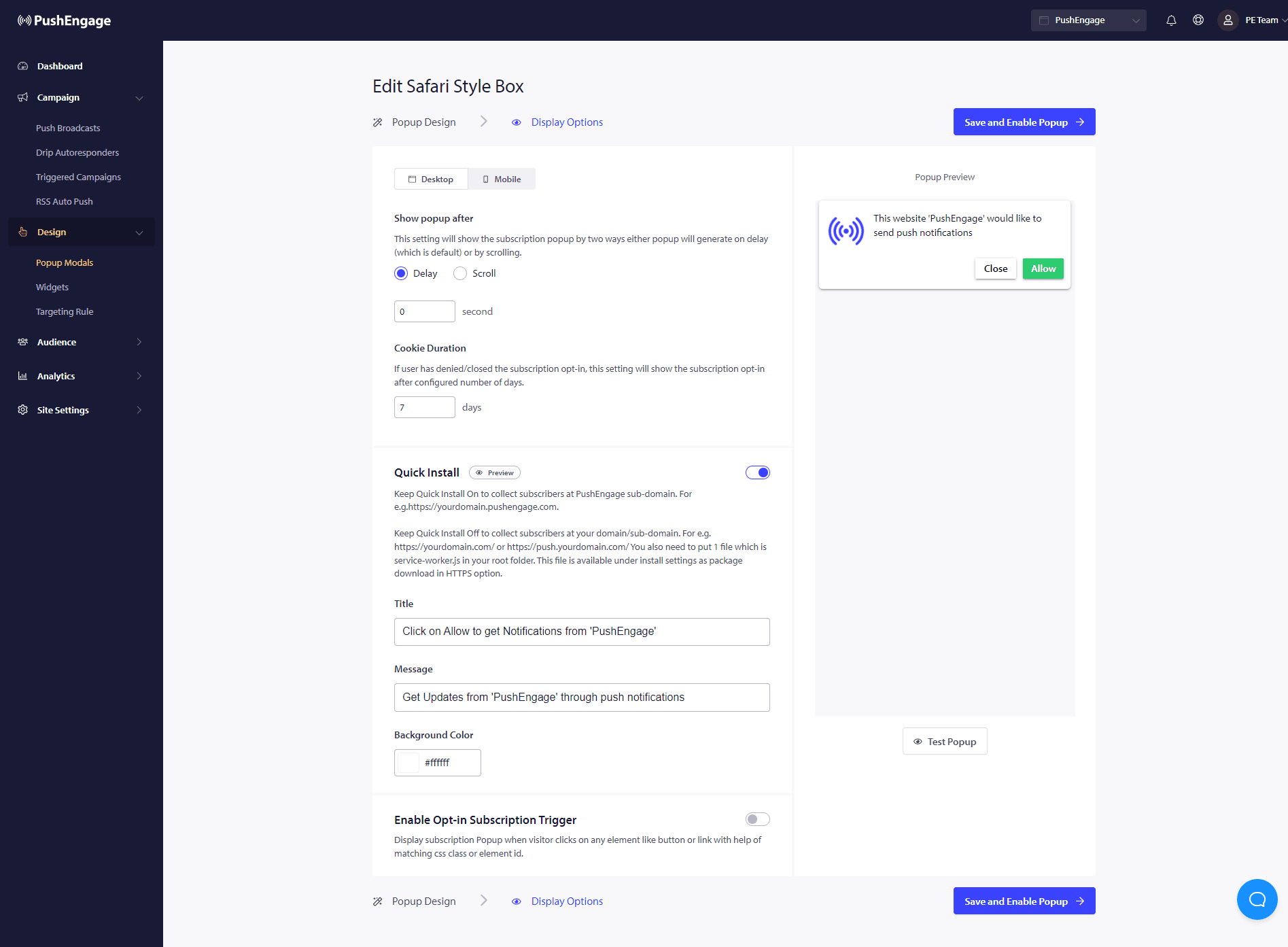
Snabbinstallation :
Vi rekommenderar att du alltid har detta alternativ avstängt. Så prenumeranter samlas på din domän. Detta alternativ är endast för personer som inte kan lägga till service workers på sin webbplats och samla prenumerationer på sin domän.
Aktivera utlösare för prenumerationsanmälan:
Utöver sidladdning kan popupen utlösas vid andra händelser som när besökaren klickar på en knapp eller länk med hjälp av en matchande CSS-klass eller element-ID. Popupen kan utlösas utan att göra ändringar i kodbasen.
Visa anmälan:
Här kan du ställa in regeln för att antingen visa anmälan efter en fördröjning eller efter att ha skrollat en viss procent av sidan.
- Fördröjning – Hur lång tid ska prenumerationspopupen visas? Vi rekommenderar att bästa praxis är att ha den under 5 sekunder eller maximalt 10 sekunder.
- Skrollning – Du kan bestämma att prenumerationspopupen kan utlösas om en besökare har skrollat X procent av skärmen.
- Cookievaraktighet – Om en person avbryter och bestämmer sig för att varken tillåta/blockera prenumerationspopupen kan du definiera varaktigheten för återställningscookien. Efter så många dagar kan besökaren se popupen igen.
Det var allt. När du har anpassat prenumerationspopupen efter dina behov kan du spara ändringarna.
Du är nu redo att se dina webbplatsbesökare konverteras till web push-prenumeranter.
Om du stöter på några problem, tveka inte att kontakta oss genom att klicka här. Vårt supportteam kommer att kunna hjälpa dig.