PushEngage giver dig mulighed for at sende notifikationer til individuelle abonnenter eller en gruppe af abonnenter. Du kan vælge det relevante publikum, du vil sende push-udsendelsen til, og klikke på knappen Send.
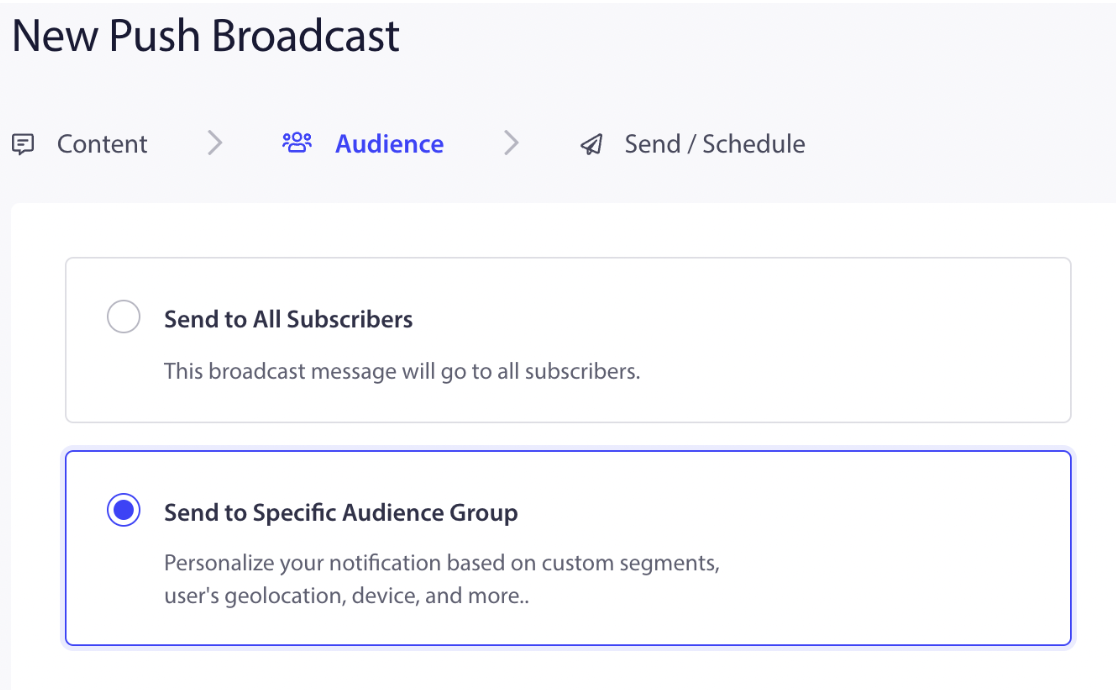
For at sende push-udsendelser til en specifik gruppe af abonnenter kan du navigere til Kampagne > Push-udsendelser > Opret ny push-udsendelse. Indtast notifikationstitlen, beskeden, URL'en og billedet. Vælg derefter fanen Publikum, og vælg indstillingen, “Send til specifikt publikumsgruppe.”
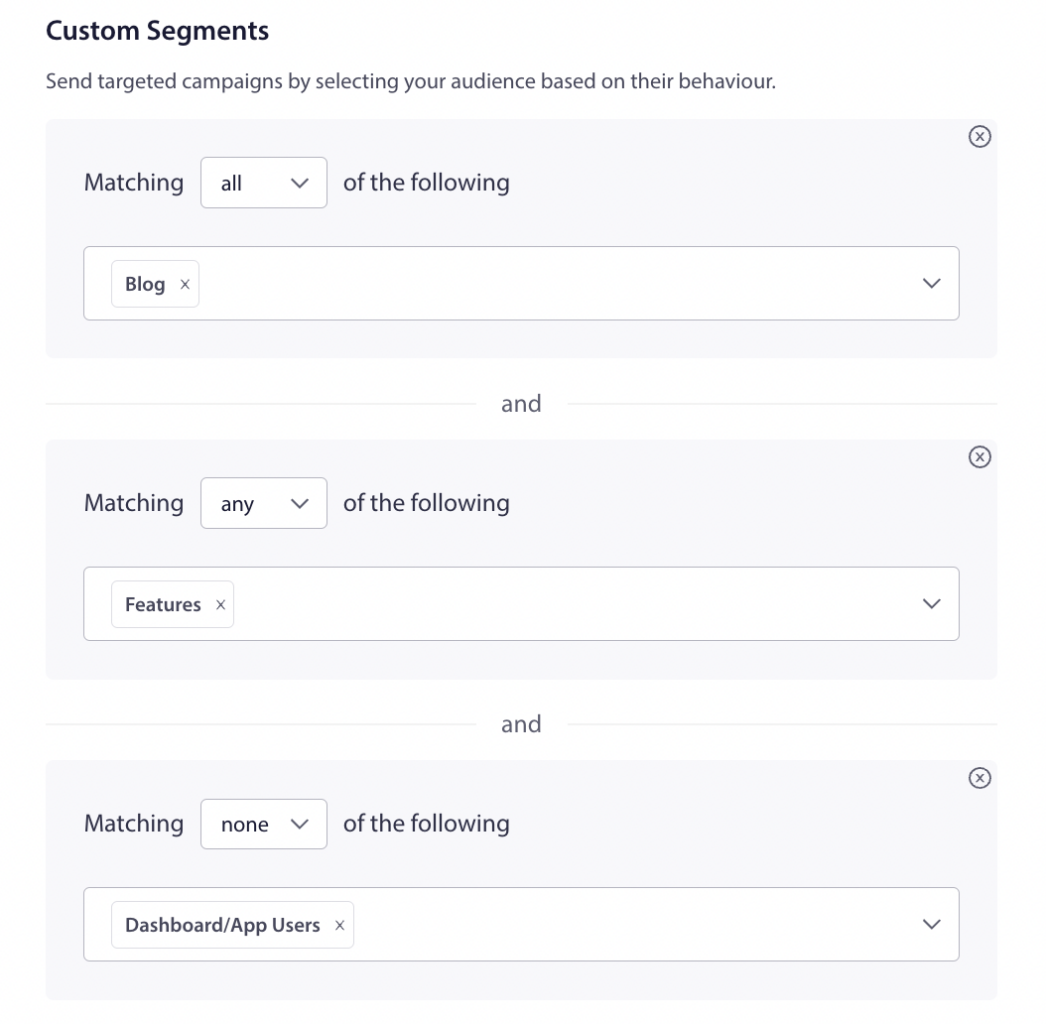
Rul ned til Brugerdefinerede segmenter, og send målrettede kampagner ved at vælge dit publikum baseret på deres adfærd. Du kan vælge reglen Og, Eller, inkluder og ekskluder for at sende push-udsendelsen til et specifikt publikum.
Én abonnent kan tilføjes til flere segmenter. Segmenterne kan vælges i en række af ALLE eller INGEN kombinationer baseret på din brugssituation. Du kan se antallet af abonnenter, der falder ind under de specificerede betingelser, ved at klikke på Opdater antal på højre side af instrumentbrættet. Hvis du vælger Alle, indikerer det at inkludere segmentet, og Ingen er at ekskludere segmentet.
Du kan også målrette personer baseret på land, enhed og browsere. Dette er alle standard segmenteringskategorier tilgængelige med PushEngage.
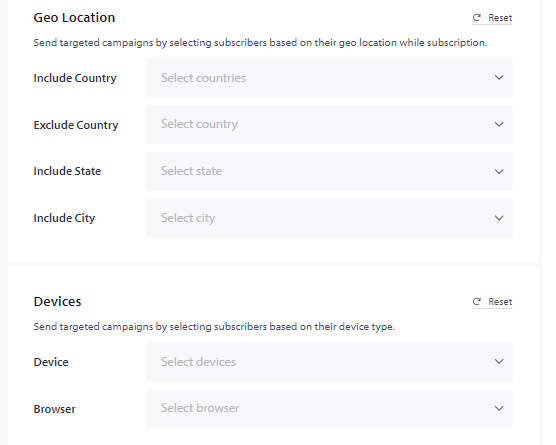
Du kan vælge fra rullemenuen, da du ikke behøver at bekymre dig om at få dem ind i disse grupper, de bliver tilføjet, så snart besøgende abonnerer på dine push-kampagner.
Hvis du støder på problemer, er du velkommen til at kontakte os ved at klikke her. Vores supportteam vil kunne hjælpe dig