使用各种规则向细分发送广告系列指南

PushEngage lets you send notifications to individual subscribers or a group of subscribers. You can select the relatable audience you want to send the push broadcast to and click on the Send button.

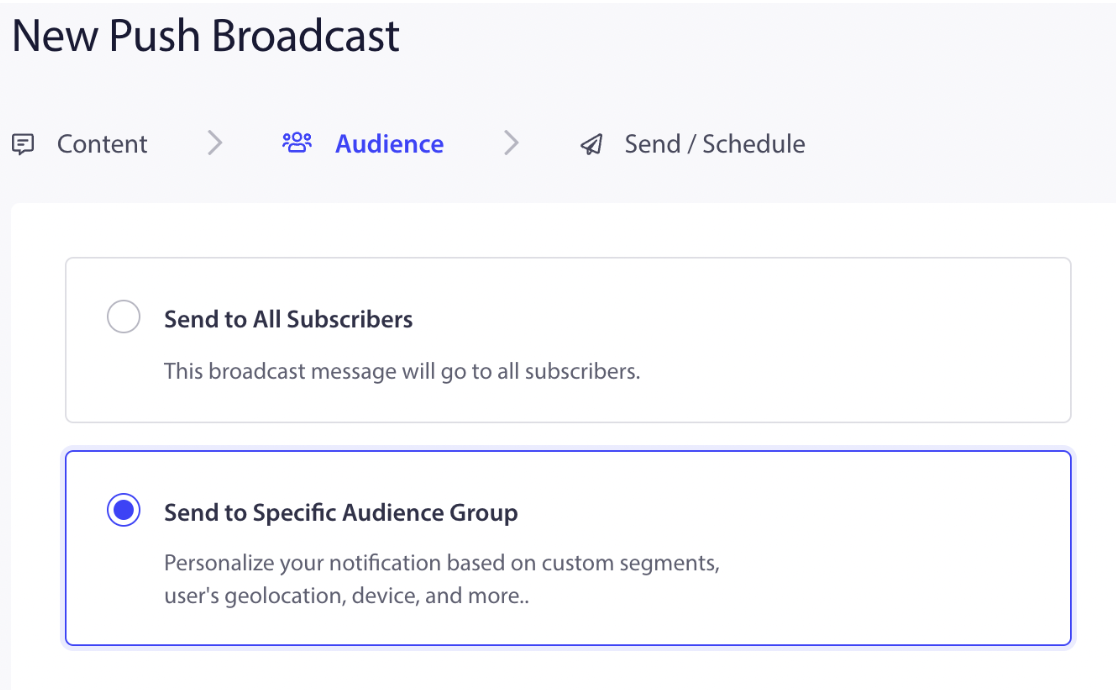
To send push broadcasts to a specific group of subscribers, you can navigate to Campaign > Push Broadcasts > Create New Push Broadcast. Enter the notification title, message, URL, and image. Then select the Audience tab and select the option, “Send To Specific Audience Group.”

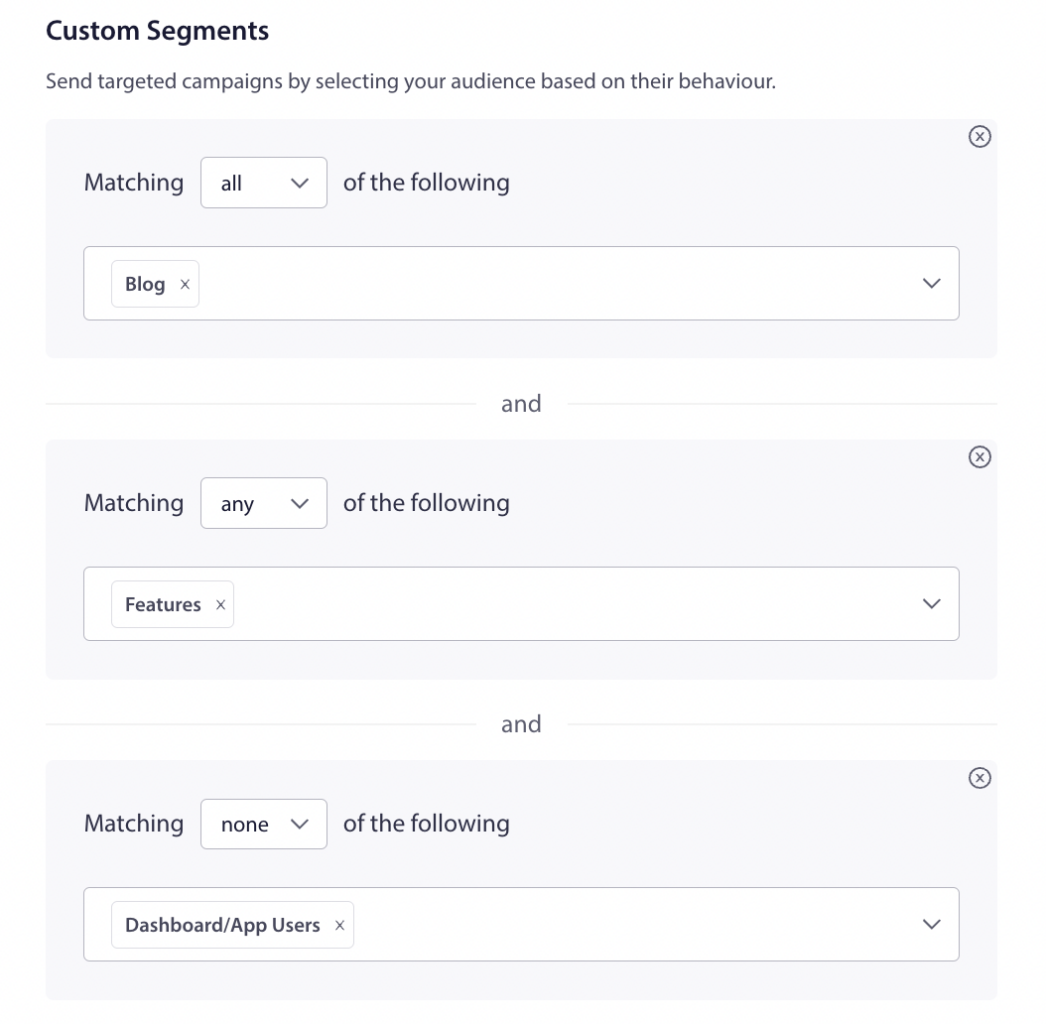
Scroll down to Custom Segments and send targeted campaigns by selecting your audience based on their behavior. You can select the And, Or, include and exclude rule to send the push broadcast to a specific audience.

One subscriber can be added to multiple segments. The Segments can be selected in a series of ALL or NONE combinations based on your use case. You can see the count of subscribers who fall under the specified conditions by clicking on Refresh Count on the right side of the dashboard. If you choose All, it indicates to include the segment, and None is exclude segment.

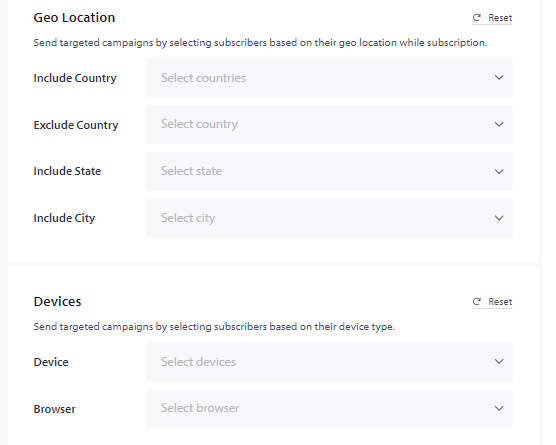
You can also target people based on Country, Device, and browsers. These are all default segmentation categories available with PushEngage.

You can choose from the dropdown as you don’t have to bother getting them into these buckets they get added as soon as visitors subscribe to your push campaigns.

如果您遇到任何问题,请随时通过单击此处 联系我们。我们的支持团队将能够为您提供帮助

仍然卡住了?我们能帮您什么?
最后更新于 2026 年 3 月 9 日

在访客离开您的网站后与他们互动并挽留他们

通过难以忽略的推送通知,增加每次网站访问的价值。

  • 永久免费套餐
  • 轻松设置
  • 五星支持