注意:此项目没有可用的旧版文档,因此您看到的是当前文档。
The Push Single Step Opt-in, also known as Native Opt-in, is the most preferred opt-in style out of the six popup modals. As it is a single-step opt-in, it helps the visitors complete the subscription in just one click and has a higher subscription rate than any other opt-in styles/popup modals.
You can follow the below guide to enable the Push Single Step Opt-in
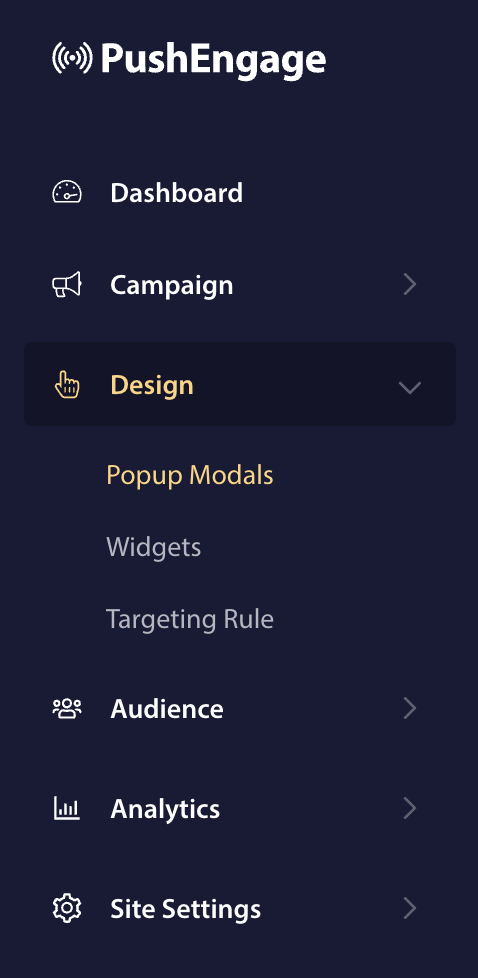
In your PushEngage dashboard, navigate to Design > Popup Modals

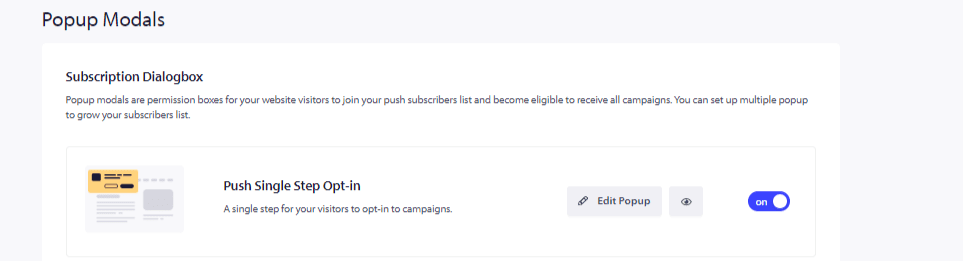
The first option of the Subscription Dialog box is Push Single Step Opt-in; click on the toggle and turn it on.
Ensuring the service worker file is added
Note : Adding the service-worker.js file to the root directory or sub-directory is essential. If you use the single-step option otherwise, the subscription will fail. You can skip this step if your site is based on the WordPress platform.
- Add the service-worker.js file to your subdirectory or a separate folder and copy the path to that folder. If you do not have access to your root folder, you can follow the guide here to add the service worker to the sub-directory.
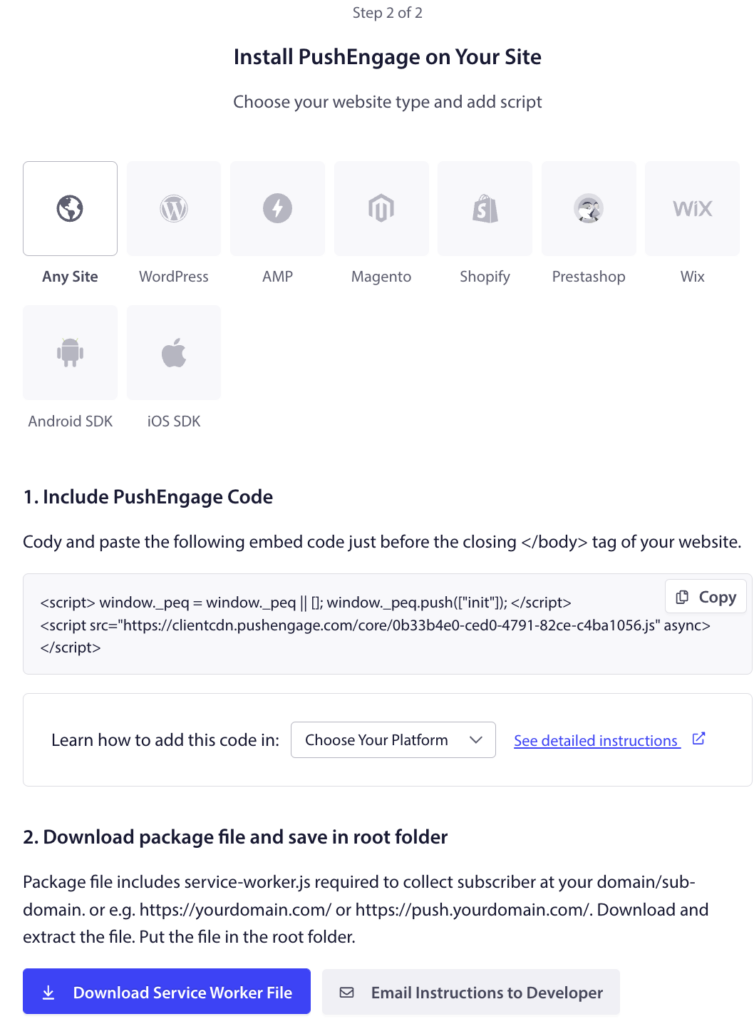
- Login to your PushEngage dashboard and navigate to Site Settings » Installation
- Select the Site Type and copy the installation code to the HTML of your website
- From Step 2, Download the package file and add it to the root directory such that it is publically accessible—for example, https://www.pushengage.com/service-worker.js.

Once you have completed all these steps, the Single Step Opt-in is enabled.
如果您遇到任何问题,请随时在此处单击联系我们。我们的支持团队将能够帮助您。