注意:此项目没有可用的旧版文档,因此您看到的是当前文档。
WordPress Plugin of PushEngage allows you to send out campaigns without any hassle of creating manual push campaigns. So you can enable sending an auto push as soon as editors hit publish button.
Let us understand in a below guide how to enable this –
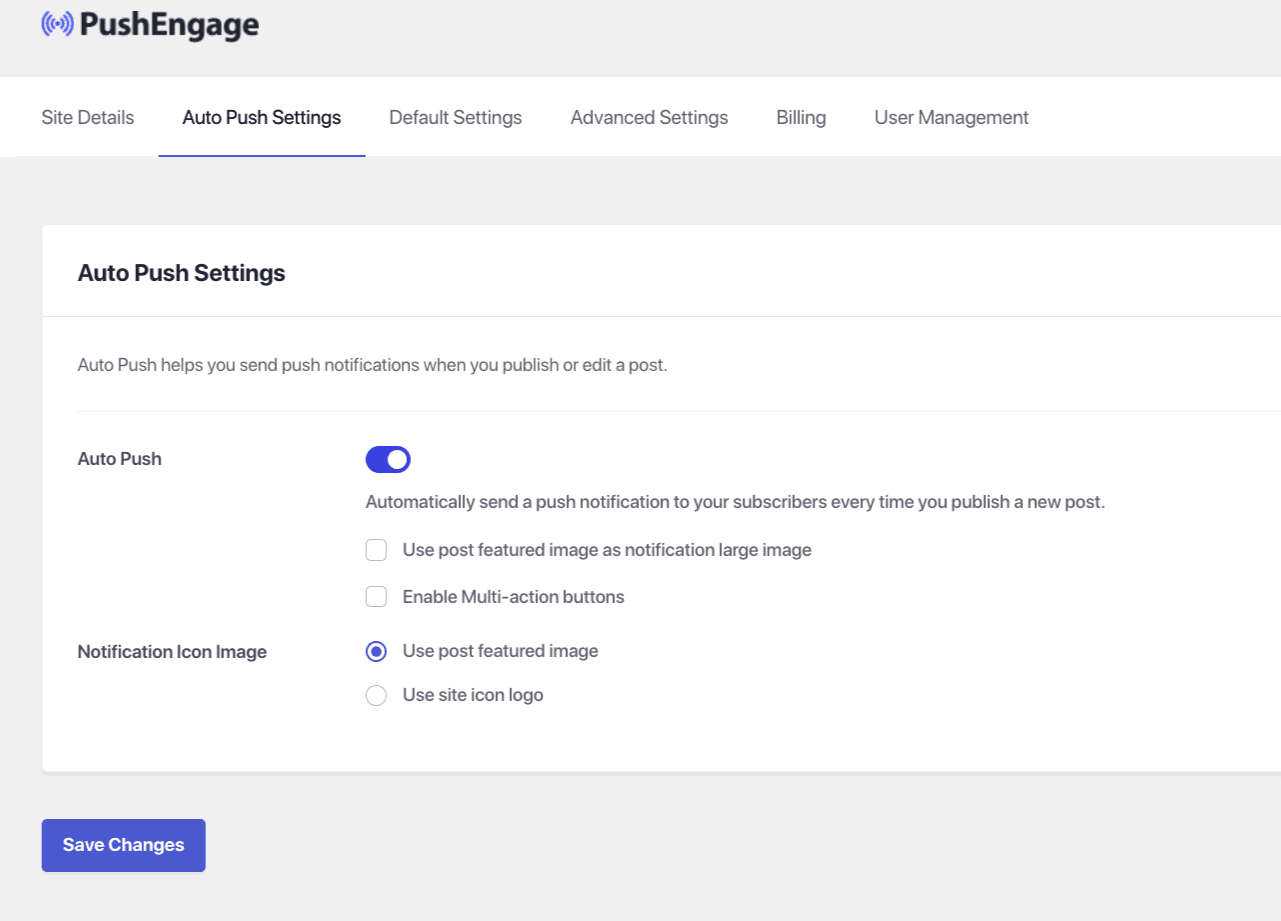
Select the PushEngage Plugin from your WordPress Dashboard and navigate to Settings > Auto Push Settings
Activate the toggle button to automatically send a push notification to your subscribers every time you publish a new post and select the type of notification image you want for your campaigns
Once this is done, select Save Changes
如果您遇到任何问题,请随时通过单击此处联系我们。我们的支持团队将能够帮助您。