使用细分样式化弹出窗口的指南

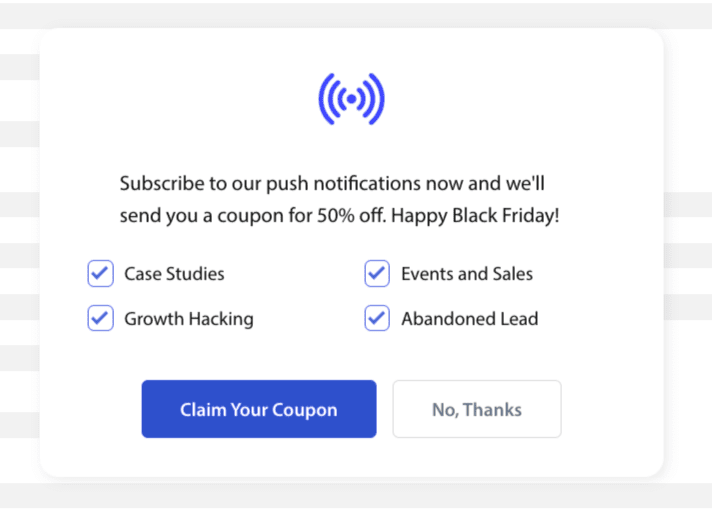
The subscription opt-in or Popup Modal can now customize and also include a segment checkbox so that the website visitor can get a chance to go ahead and decide if they want to be notified for all campaigns or only selected segments.

订阅选择加入的不同样式

There are various styles in Subscription Popup that could convert your visitors to your web push subscribers and customers.

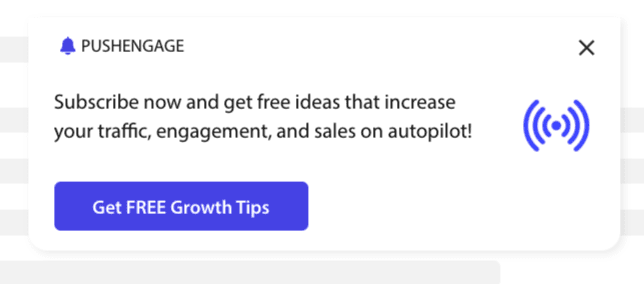
Sleek Opt-in Box: This style has a sleek design and only one button rather than two.

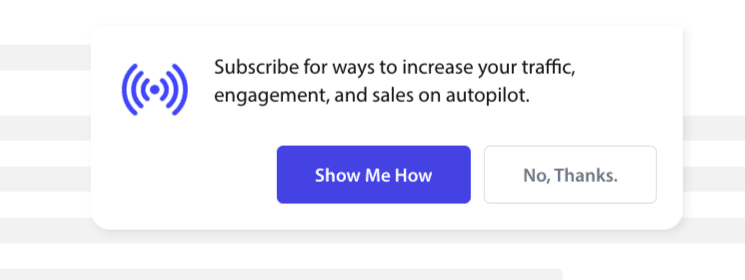
Safari Style Box: This is a classic double-step opt-in with two buttons to click on Allow or Deny, which can be customized.

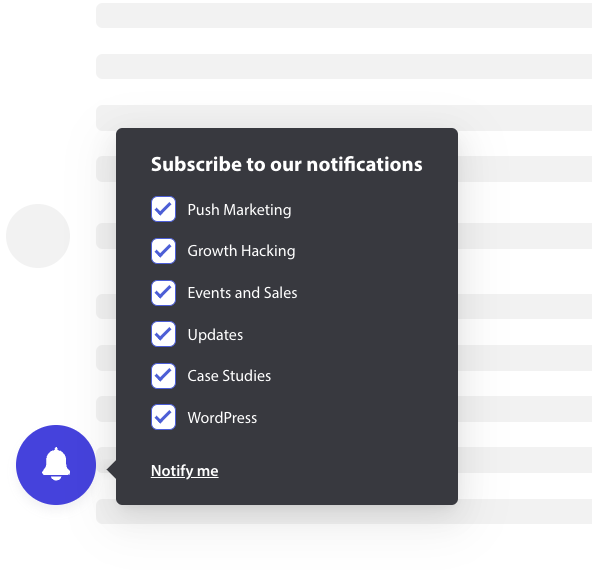
Bell Placed Bar: This small bell tells you to subscribe or block. The small bell icon in the bottom corner can be customized but takes up less screen space, allowing people to subscribe to the push notifications.

Floating Bar: This Popup style spreads across the screen and will be placed at the bottom. You can add longer text to the Design popup.

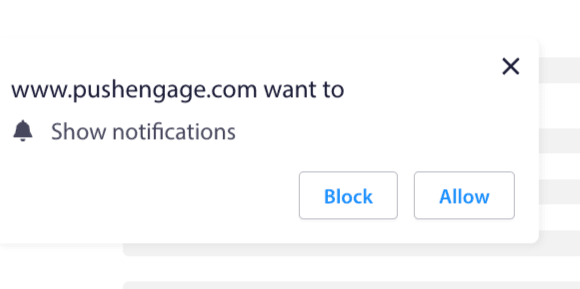
Push Single-Step Opt-in: A single-step permission box, that does not allow you to customize or add any personalized message.

Large Safari Style Box : A box that appears in the middle of the screen and allows you to add segments.

Note: All the subscription popup styles can be edited or customized except for Single Step Opt-in. The Push Single Step Opt-in is the browser’s default style and cannot be edited or customized

Adding Segments to Subscription Opt-in

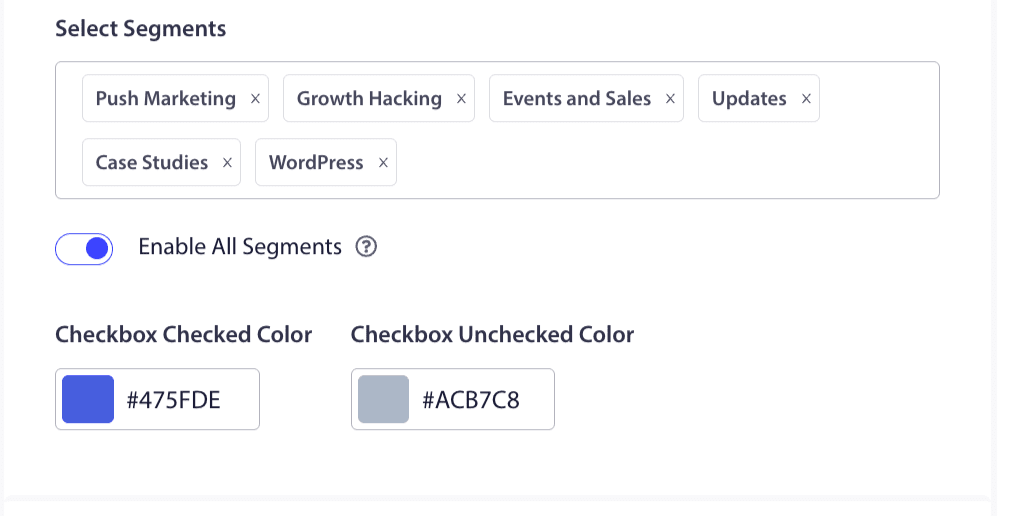
You can choose the style you want to opt in to and click Edit. Under Popup Design, you should Enable All Segments.

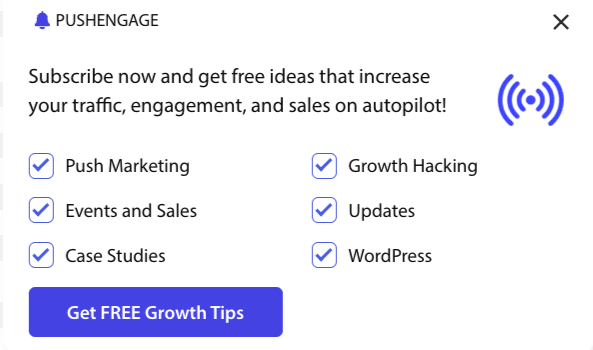
You can choose the segments from the dropdown and check if the preview is what you want it to look like. You also have the option to customize the color of the checkboxes so you can align them with your Brand’s colors. This is how your preview would look like –

Understanding options to enhance the functionality

Enable Opt-in Subscription Rules

This popup modal will be displayed across all the pages the global targeting rule allows. However, you can add these pop-ups on specific web pages if you wish.

启用订阅覆盖层

覆盖层是一个选项,它会突出显示允许按钮,指示用户单击允许按钮以接收推送通知。

启用提醒提示:

Browsers like Chrome, and Edge are based on website visitors’ previous behavior if they click on Block often. They enable a quieter UI, a bell icon in the address bar. It is an optimized version of the subscription pop-up for people who usually deny notifications. This reminder can be shown on a desktop only. It is to educate people to still subscribe to web push campaigns.

订阅弹出窗口

这是禁用或启用在安装了代码的页面上显示选择加入的切换按钮。如果您关闭此切换按钮,您将停止收集订阅者。

了解显示选项

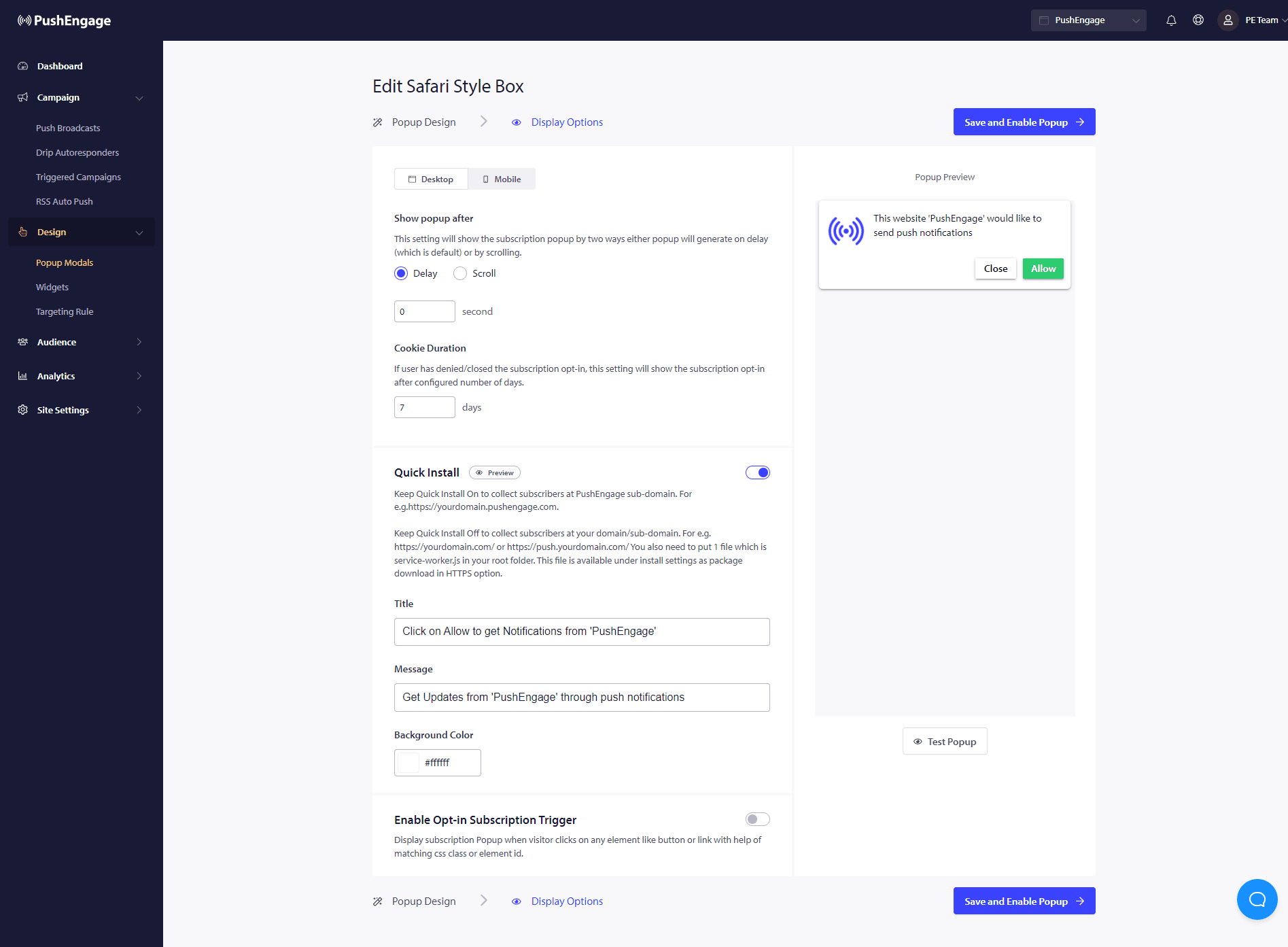
此屏幕将帮助您优化订阅弹出窗口的显示方式。
Screenshot on 2022-09-01 at 22:25:16.png

Quick Install :

We recommend keeping this option always off. So subscribers are collected on your domain. This option is only for people who are not able to add service workers to their website and collect subscriptions on their domain.

启用选择加入订阅触发器:

除了页面加载之外,还可以通过匹配的 CSS 类或元素 ID 在任何其他事件(例如访问者单击任何按钮或链接时)触发弹出窗口。无需更改代码库即可触发弹出窗口。

显示选择加入:

您可以在此处设置规则,以便在延迟后或滚动页面一定百分比后显示选择加入。

  • Delay – After how long should the subscription popup show up? We recommend that the best practice is to have it under 5 seconds or maximum 10 seconds.
  • 滚动 – 您可以决定当访问者滚动屏幕 X% 时触发订阅弹出窗口。
  • Cookie Duration – If a person cancels and decides to allow neither/block the subscription popup, you can define the reset cookie duration. After those many days, the visitor can see the popup again.

就是这样。一旦您根据需要自定义了订阅弹出窗口,就可以保存更改。

您现在可以开始看到您的网站访问者转化为网页推送订阅者。

如果您遇到任何问题,请随时联系我们。我们的支持团队将能够帮助您。

仍然卡住了?我们能帮您什么?
最后更新于 2026 年 3 月 9 日

在访客离开您的网站后与他们互动并挽留他们

通过难以忽略的推送通知,增加每次网站访问的价值。

  • 永久免费套餐
  • 轻松设置
  • 五星支持