Sipariş güncellemelerinden sepet hatırlatıcılarına kadar, her olaydan sonra manuel olarak göndermek zorunda kalmadan etkileşimi artıran ve daha fazla dönüşüm sağlayan zamanında, kişiselleştirilmiş mesajlar ayarlamanıza yardımcı olacağız. Otomatik WhatsApp mesajlarıyla müşterilerinize doğru anda ulaşın.
Başlamadan Önce
Bu kılavuz, Meta ile oluşturulmuş bir WhatsApp Business Uygulamanızın olduğunu ve gerekli belirteçleri oluşturduğunuzu varsayar. Henüz ayarlanmış bir Meta işletme hesabınız yoksa, bu kılavuzu izleyerek bir tane oluşturabilir ve gerekli belirteçleri oluşturabilirsiniz.
Otomasyon Kampanyalarını Etkinleştirme
Kurulumu tamamlayıp WhatsApp Business Hesabınızı bağladıktan sonra. Yüklü Eklentiler'e gidebilirsiniz.
PushEngage'a gidin ve WhatsApp'a tıklayın
Burada Otomasyon Sekmesi'ne geçiş yapabilirsiniz.
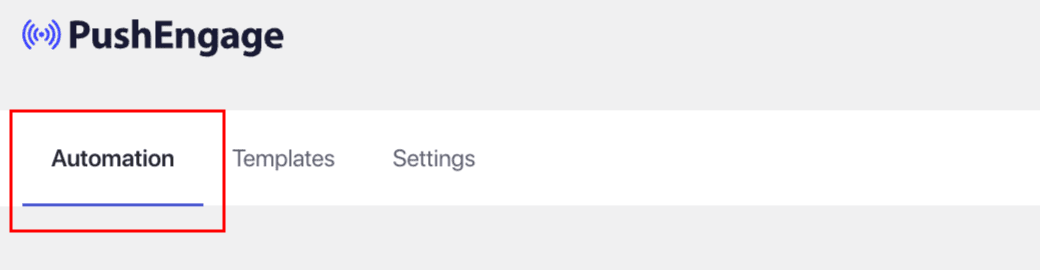
Bu Otomasyon Sekmesinde, şablonların listelendiği ve tetikleyicilerin zaten etkinleştirildiği çeşitli iş akışları göreceksiniz.
Kullanım senaryonuza göre web sitenizde etkinleştirmeniz gereken Otomasyon iş akışlarını seçebilirsiniz.
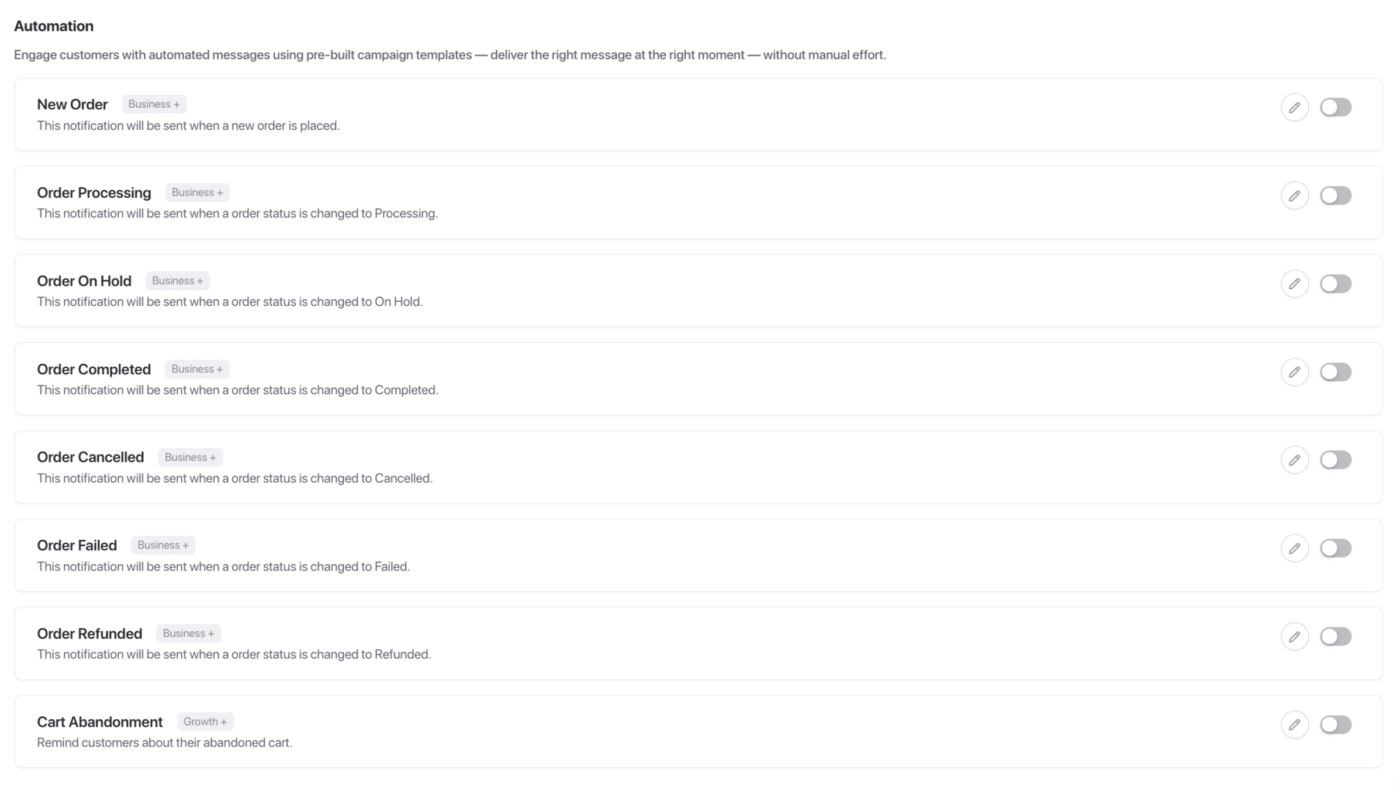
Tüm bu kampanyalar bir E-ticaret Mağazanız varsa faydalıdır. Bu kampanyaları etkinleştirebilir veya düzenleyebilirsiniz.
Örneğin, Yeni Sipariş Verme Kampanyasını düzenliyoruz. Bir kullanıcı her kampanya verdiğinde bu gönderilecektir.
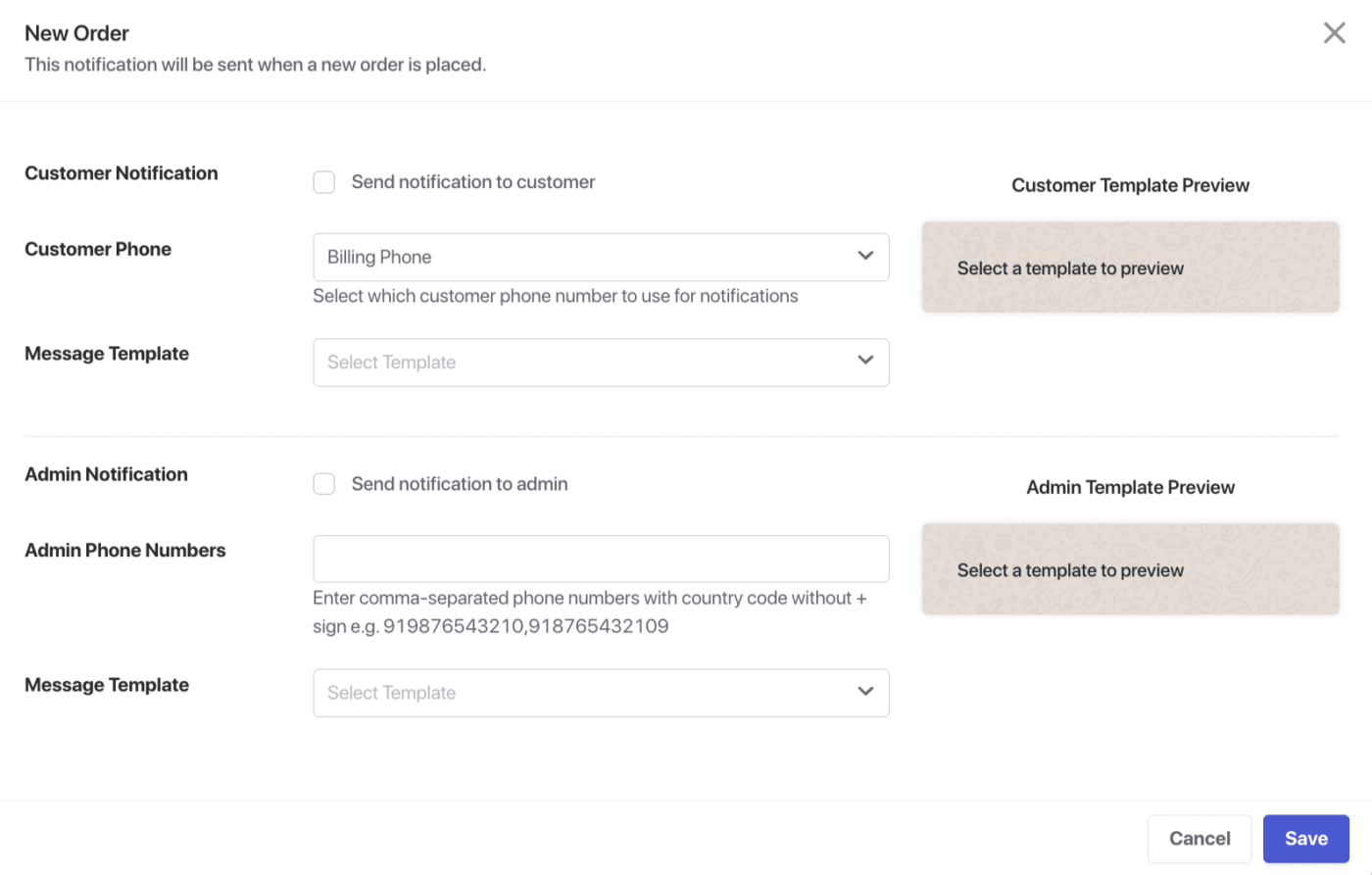
Müşteriye veya Yöneticiye kampanyalar gönderebilir ve hangi telefon numarasının kullanılacağını seçebilirsiniz.
Müşterilerinize göndermek üzere Meta hesabınızda seçilebilecek çeşitli onaylı şablonlar bulunmaktadır.
Mevcut Otomasyon İş Akışları Listesi
Bu kampanyalar mağazanızın Hem Müşterisi hem de Yöneticisi için mevcuttur.
Yeni Sipariş – Mağazanızda yeni bir sipariş verildiğinde anında bildirim alın.
Sipariş İşleniyor – Bir sipariş işleme aşamasına geçtiğinde güncel kalın.
Sipariş Beklemede – Bir sipariş Beklemeye alındığında uyarı alın.
Sipariş Tamamlandı – Bir sipariş başarıyla tamamlandığında bildirim alın.
Sipariş İptal Edildi – Müşteri veya yönetici tarafından bir sipariş iptal edildiğinde bilgilendirilin.
Sipariş Başarısız – Başarısız siparişleri gerçek zamanlı bildirimlerle takip edin.
Sipariş İade Edildi – Bir sipariş için geri ödeme yapıldığında hemen öğrenin.
Sepet Terk Edildi – Müşterilere sepetlerinde bıraktıkları ürünleri hatırlatarak kayıp satışları kurtarın.
İşte bu kadar, WhatsApp Mesajlaşmanız için Otomasyon kampanyalarını etkinleştirdiniz.
Herhangi bir sorunla karşılaşmanız durumunda, buraya tıklayarak lütfen bizimle iletişime geçmekten çekinmeyin. Destek ekibimiz size yardımcı olabilecektir.