Squarespace, güzel bir web sitesi oluşturmak isteyen herkes için hepsi bir arada çözümdür. PushEngage, Squarespace Platformu tabanlı web sitelerini destekler. Squarespace'den web anlık bildirimleri göndermek istiyorsanız, PushEngage'i on dakikadan kısa sürede kurabilirsiniz.
İzlemeniz gereken adımlar şunlardır:
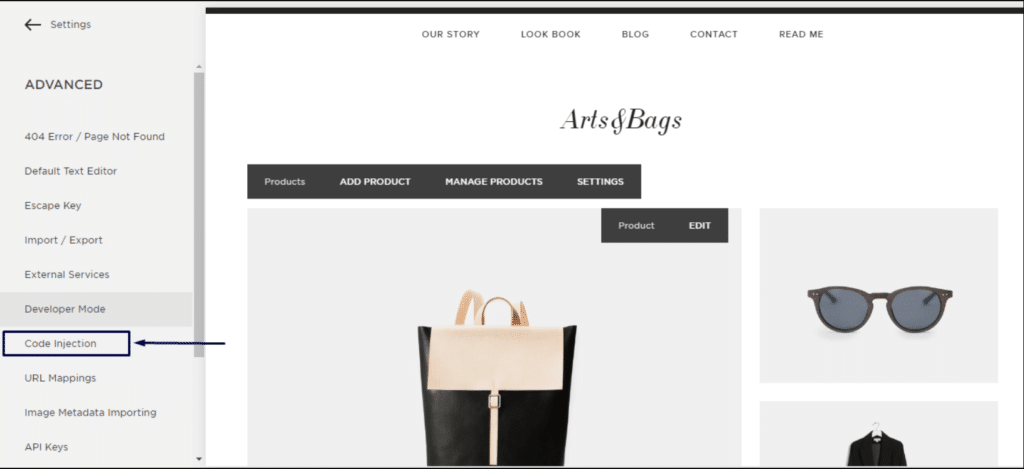
1. Squarespace hesabınıza giriş yapın. Ayarlar » Gelişmiş » geliştirici modu » Kod Ekleme'ye gidin.

2. Gelişmiş Ayarlar'a tıklayın.

3. Kod Ekleme'ye tıklayın.
4. Ardından PushEngage Kontrol Panelinize giriş yapın ve Site Ayarları » Kurulum'a gidin
Herhangi Bir Site Seçin
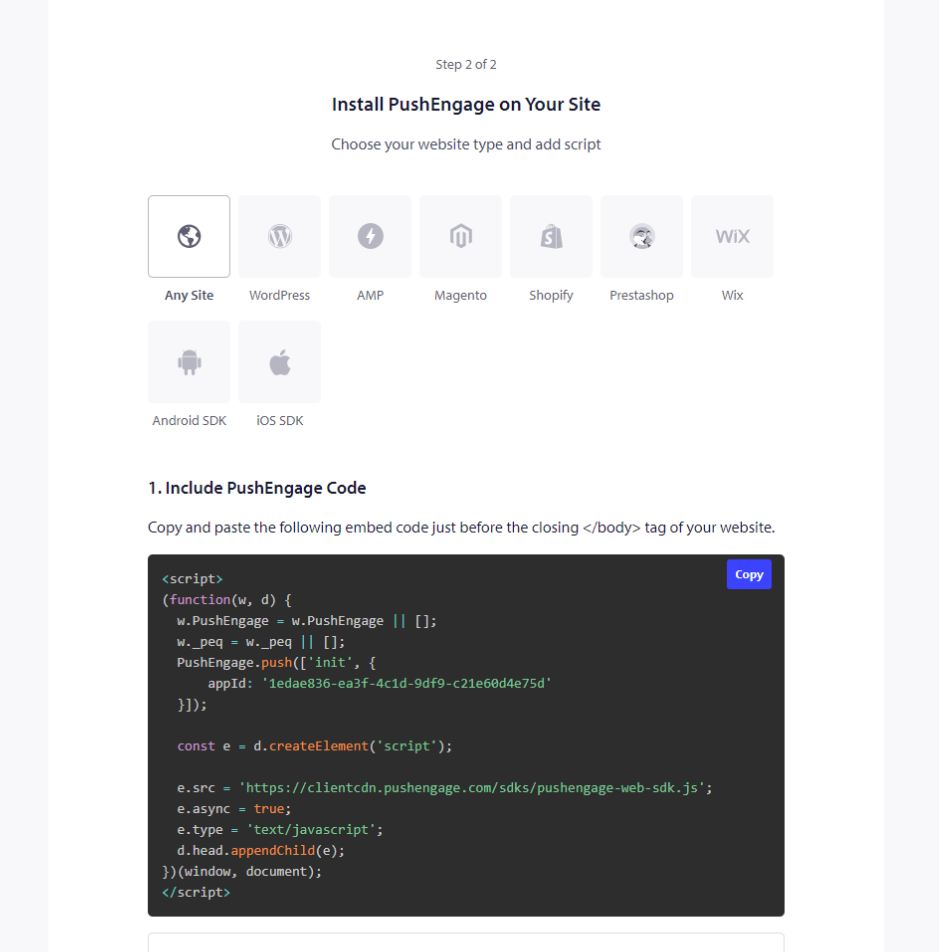
5. Kodu kopyalayın ve Squarespace'in üstbilgi bölümüne ekleyin.
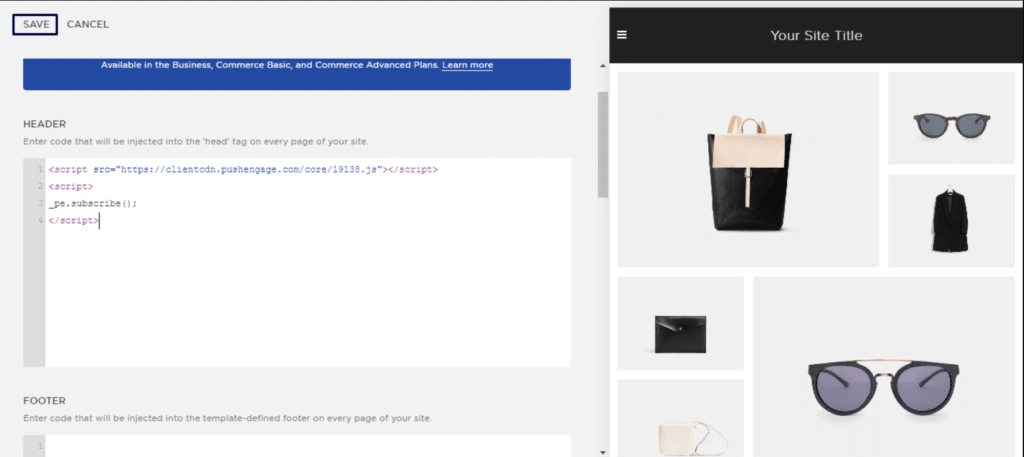
Bu, PushEngage'in Squarespace'e kurulumunu tamamlayacaktır.
Herhangi bir sorunla karşılaşmanız durumunda, buraya tıklayarak bizimle iletişime geçmekten çekinmeyin. Destek ekibimiz size yardımcı olabilir.