Uyarı: Bu öğe için eski belgelere ulaşılamıyor, bu nedenle geçerli belgeleri görüyorsunuz.
PushEngage'i kullanarak Weebly web sitenize Tarayıcı Anlık Bildirimi entegre edebilirsiniz, yalnızca beş basit adımda:
1) PushEngage'e gidin ve kaydolun. Zaten bir hesabınız varsa, lütfen bu bağlantıyı kullanarak giriş yapın.
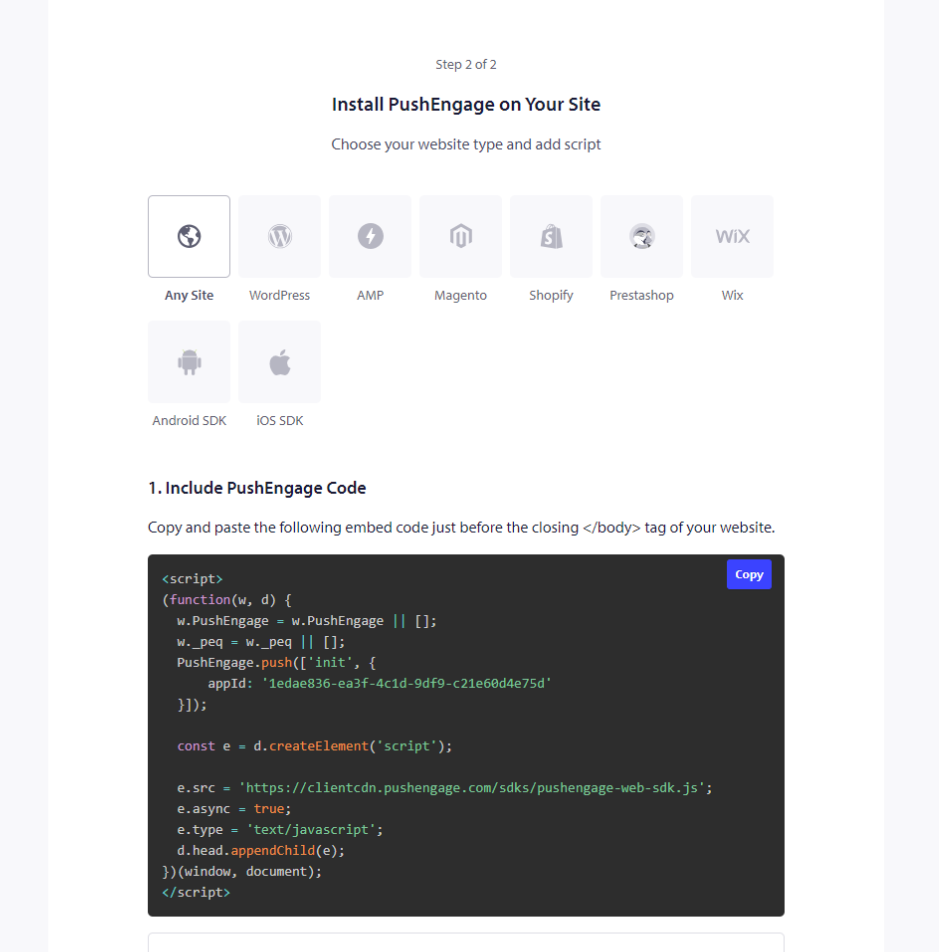
2) Web sitenize eklenmesi gereken PushEngage kurulum kodunuzu almanız gerekir. Aşağıda Weebly sitenize eklemeniz gereken PushEngage javascript kodu bulunmaktadır. Site Ayarları » Site Detayları » 'Kurulum Talimatları için buraya tıklayın' bölümüne gidin. Herhangi Bir Web Sitesi Seçin
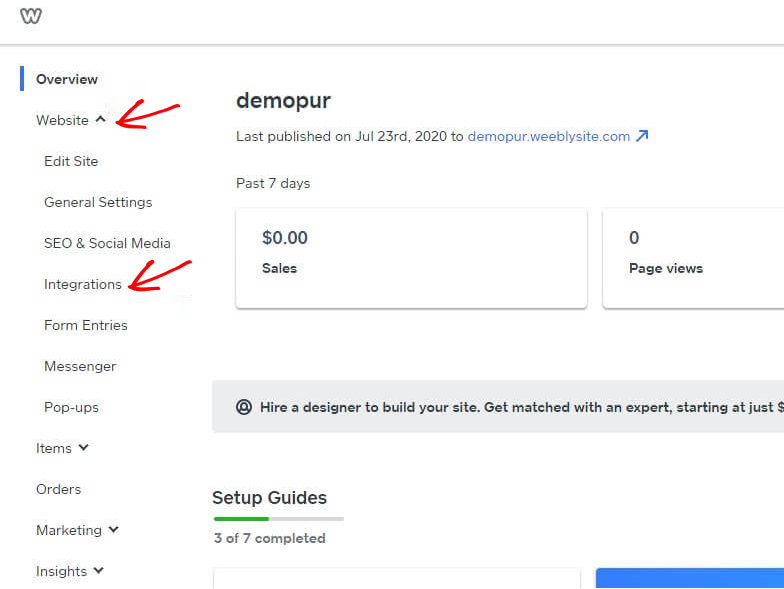
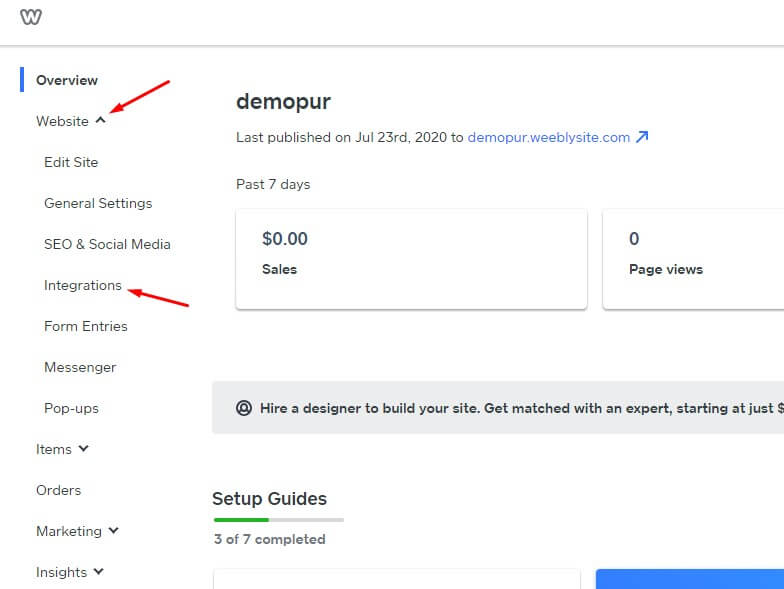
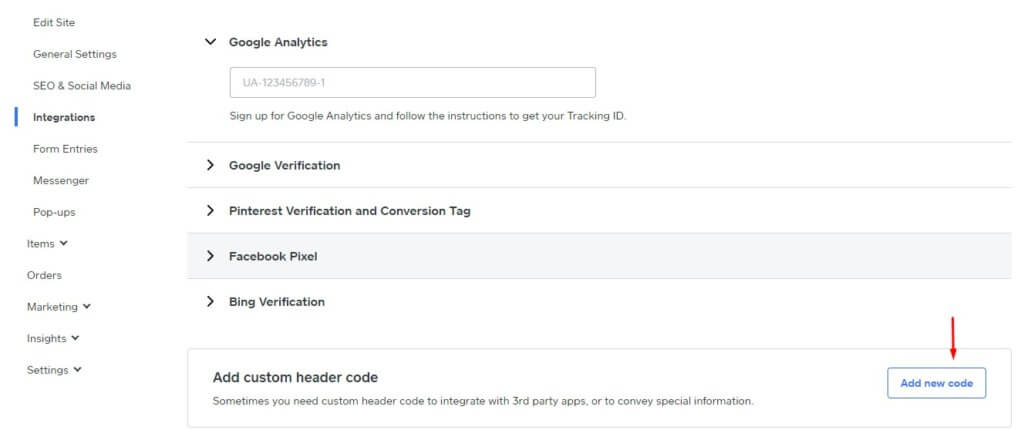
3) Weebly kontrol paneline giriş yapın ve Web Sitesi » Entegrasyonlar'ı seçin.
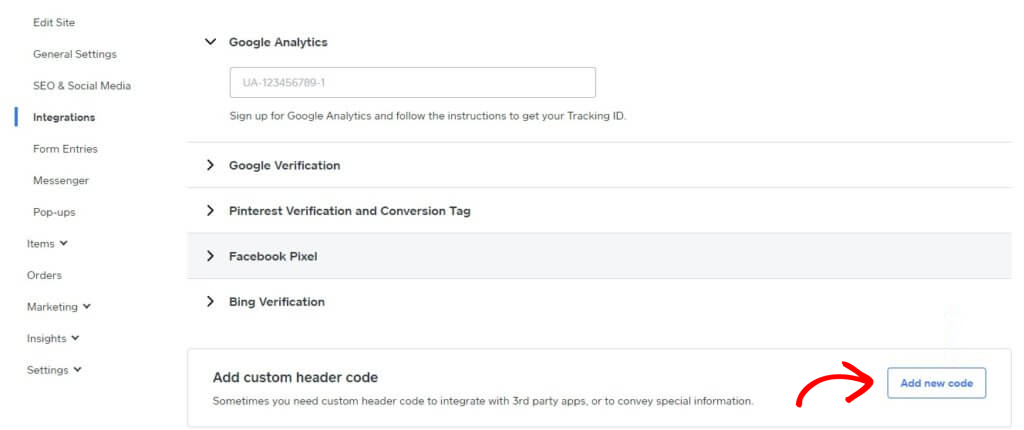
4) Entegrasyon sayfasında, en alta Özel Üst Bilgi Kodu ekleyin. Yeni Kod Ekle'ye tıklayın.
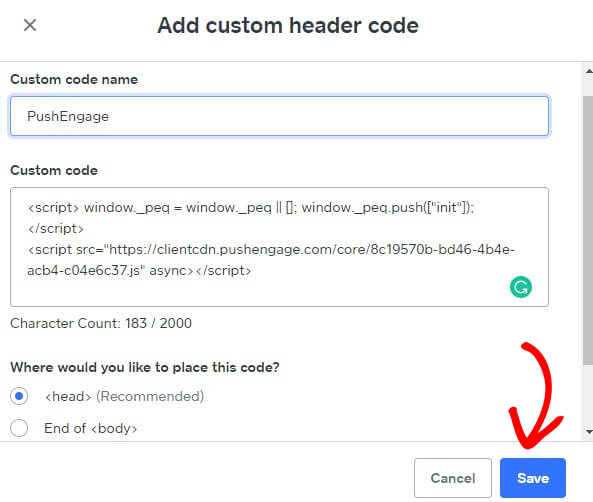
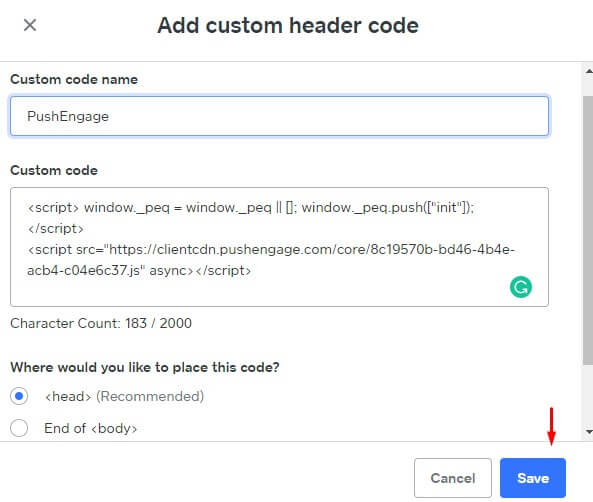
5) PushEngage kodunu Üst Bilgi'ye yapıştırın. Kodu yapıştırmak için </body> Sonunu da seçebilirsiniz. Aşağıdaki ekranda, PushEngage javascript kodunu altbilgi bölümüne yapıştırdık. İşiniz bittiğinde Kaydet'e tıklayın.
Bu, Weebly web sitesinde PushEngage entegrasyonunu tamamlar. Artık Weebly web sitesinden aboneleri toplamaya ve anlık bildirimler göndermeye başlayabilirsiniz.
Herhangi bir sorunla karşılaşmanız durumunda, buraya tıklayarak bize ulaşmaktan çekinmeyin. Destek ekibimiz size yardımcı olabilir.


