Looking for an easy way to add a WordPress popup contact form on your site?
A popup contact form makes it super easy for your site visitors to get in touch with you. The popup appears on the same page where visitors are so they don’t have to spend time trying to find the contact page. And you can set up a popup so that it gets triggered exactly when you want your visitors to see it.
The only problem is that it can be really difficult to create a contact form popup from scratch. If you try to solve your problem with a plugin, what plugin do you use? Do you use a popup plugin or a contact form plugin? Or do you have to use both?
And which of the 150+ plugins is suited for your business needs?
In this article, we answer these questions and show you step-by-step how to add a WordPress popup contact form to your site.
Låt oss dyka in.
Before You Add Your WordPress Popup Contact Form
Let’s get something straight before we start creating a form.
There are MULTIPLE ways to create a WordPress popup contact form. Yes, you can do it using popup plugins and form plugins alike. But in this article, we’re assuming that you have zero coding experience. We’re also assuming that this is your first time adding a contact form of any kind to your WordPress site.
And that’s why we’re going to show you the easiest possible way to create and integrate a WordPress popup contact form like this one:
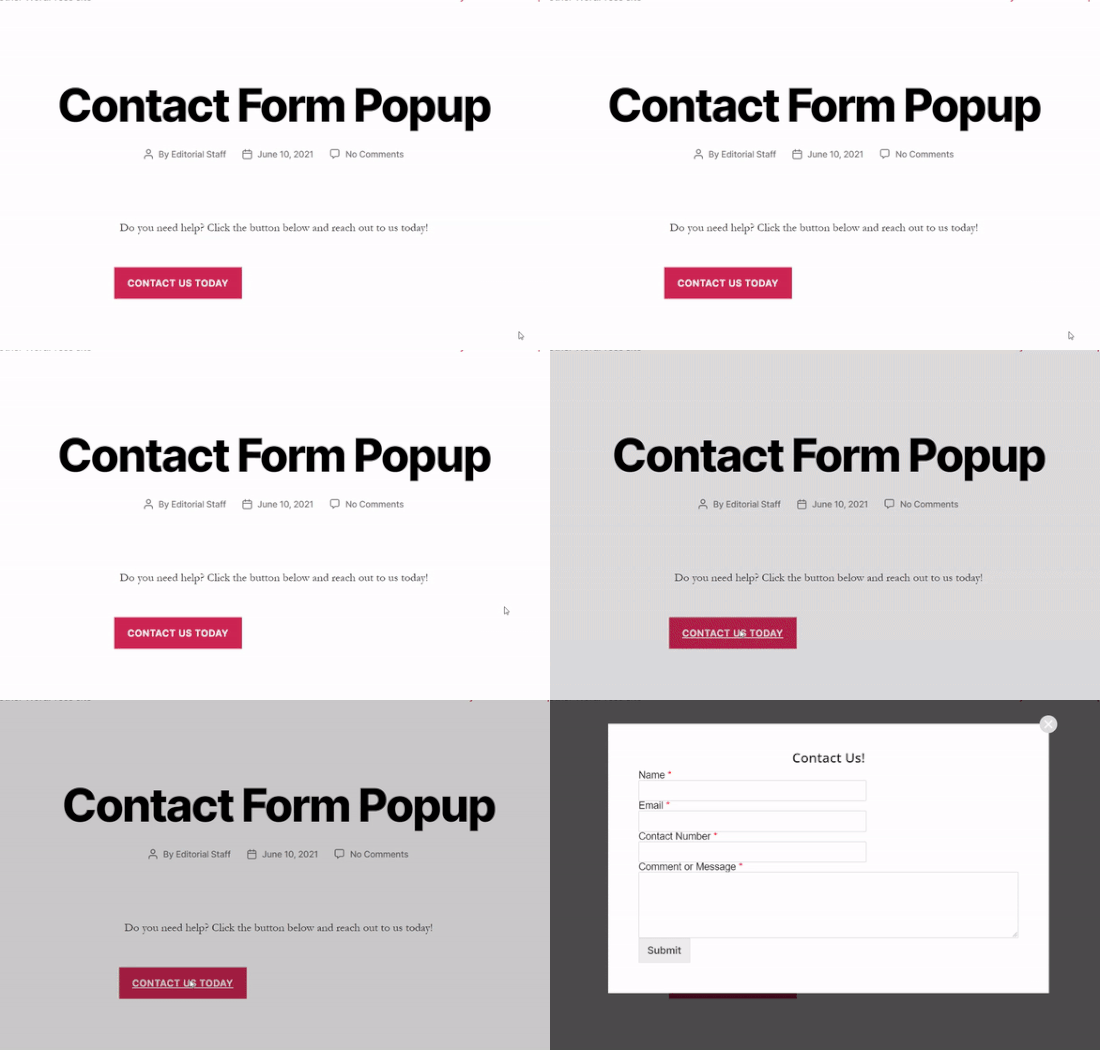
Our method combines a WordPress form plugin with a WordPress popup plugin.
Trust us when we say it: This approach will shave off HOURS of work for you.
So, we’re going to break up the entire process into two parts:
Sounds good? Now, we’re ready to start.
How To Create a WordPress Contact Form
First things first, you’ll need a contact form plugin to build a WordPress contact form.
Step #1: Select a WordPress Contact Form Plugin
We recommend using WPForms to create a WordPress contact form.
WPForms is the #1 WordPress form builder plugin with over 3 million users. You get a drag and drop form builder, which means that you can create WordPress forms with incredible features in a matter of minutes.
Step #2: Create a New Form
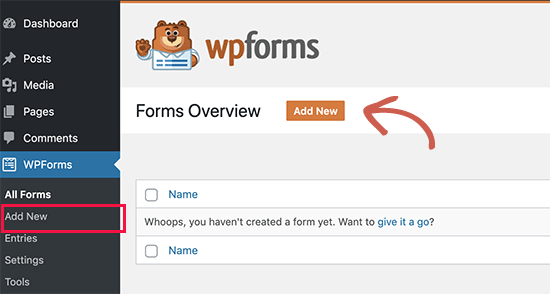
Once the plugin’s all set up, you want to create a new form by heading over to WPForms » Add New from your WordPress dashboard:
And select the Simple Form template:
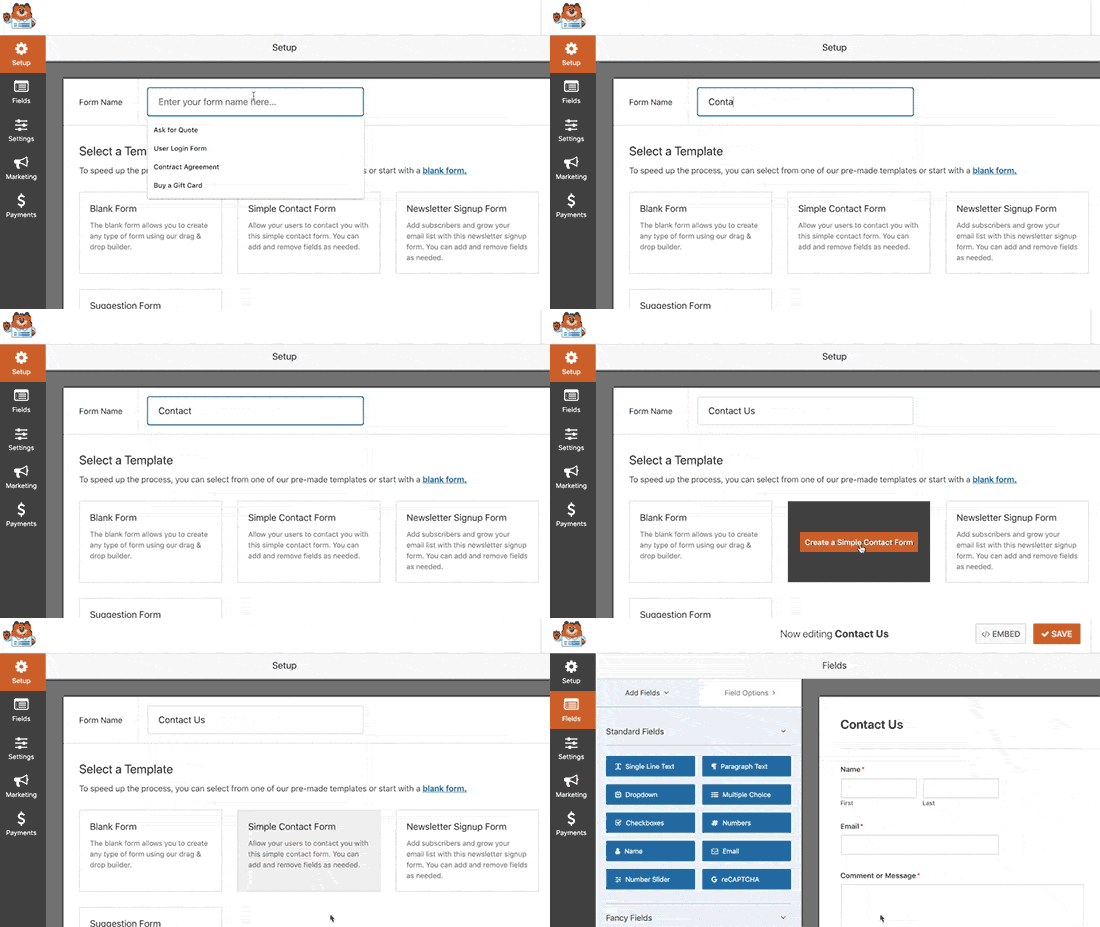
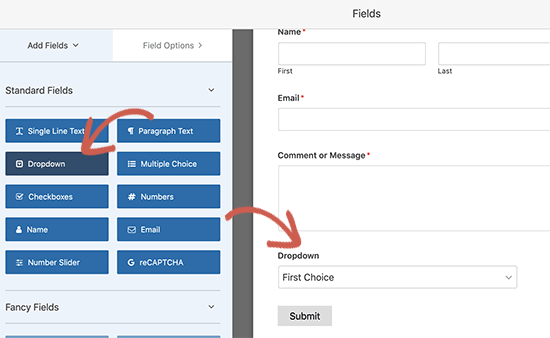
Customize the form using the drag-and-drop form builder:
Step #3: Get Your Contact Form Shortcode
Once you are done creating a contact form, make sure to click the Save button at the top right corner to save your changes. Then, click the Embed option in the top corner next to the Save button. When a new window pops up, select the use a shortcode option.
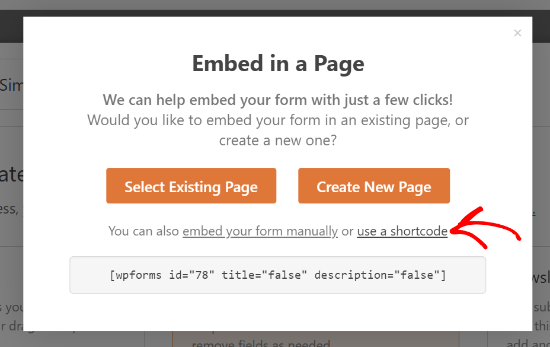
That’s it! You’re done. Next, we’re going to embed this form in a popup using the shortcode.
If this is your first time using WPForms, you should check out our tutorial on how to create a contact form in WordPress for more detailed instructions.
How To Embed Your Contact Form In a Popup
To create a contact form popup, you will need a WordPress popup plugin.
Step #1: Selecting a WordPress Popup Plugin
We recommend using OptinMonster to create instant popups for WordPress.
OptinMonster är den främsta konverteringsverktygslådan i världen och vi har använt den själva. OptinMonster gör det superenkelt att skapa kraftfulla popups som konverterar. Och du behöver aldrig använda någon kod alls.
Step #2: Create a Popup Campaign
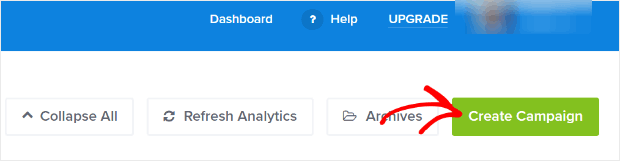
Go ahead and signup for OptinMonster. Then, in the OptinMonster dashboard, hit the Create Campaign button:
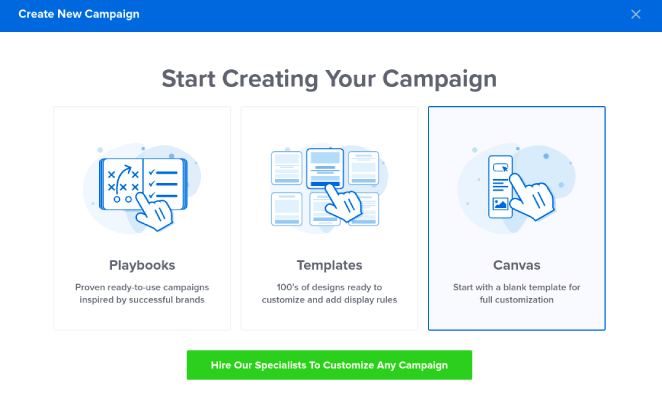
On the next screen, you will have to select a campaign type. You can choose to go for a proven template from the OptinMonster Playbooks or Templates, but we’re going to use the Canvas mode to create the popup:
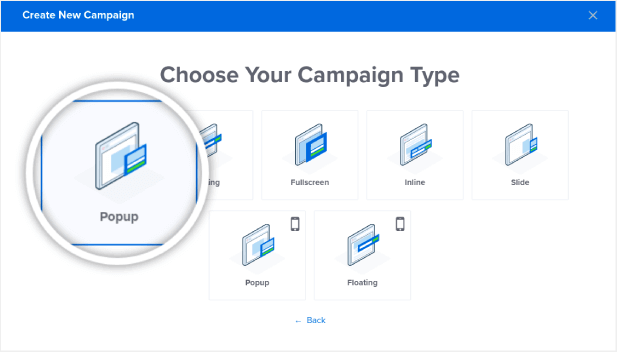
Then, select the Popup campaign type:
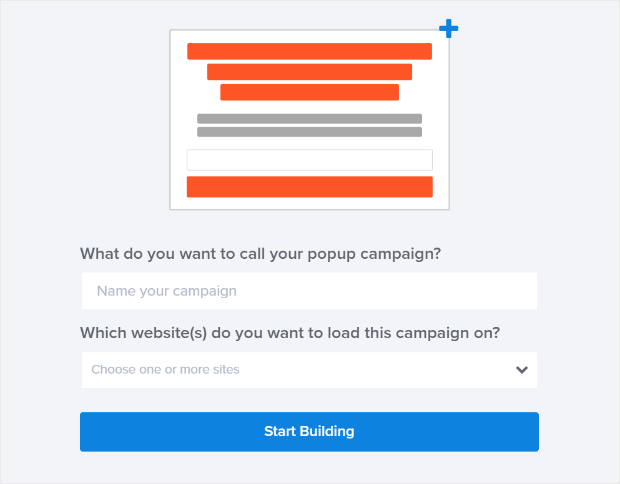
Then, name your campaign to get started:
Step #3: Adding The Shortcode To Your WordPress Popup Contact Form
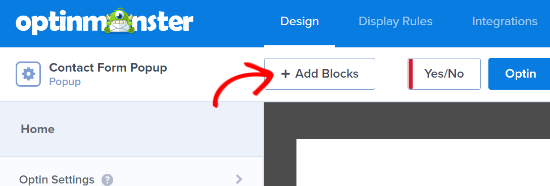
Using the drag and drop builder in OptinMonster, you can edit your popup template. To start, click the + Add Blocks button at the top:
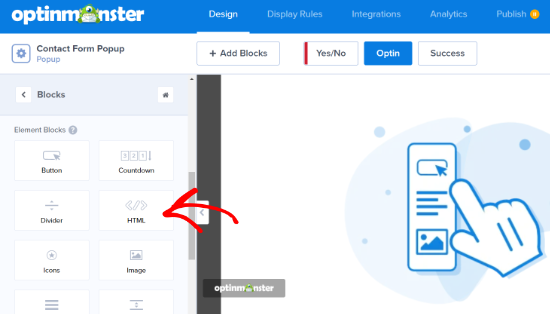
To add your shortcode, you’ll want to drag and drop the HTML design block into your design preview:
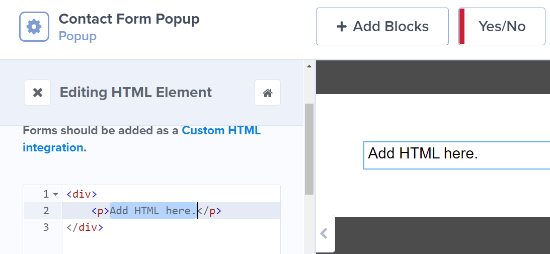
Enter the copied shortcode into your OptinMonster HTML block, where it says Add HTML here:
IMPORTANT: You won’t see the contact form in the preview. You’ll only see the shortcode in the preview. The shortcode is built for WordPress and not for OptinMonster’s dashboard. So, it’s perfectly normal if you see something like this:
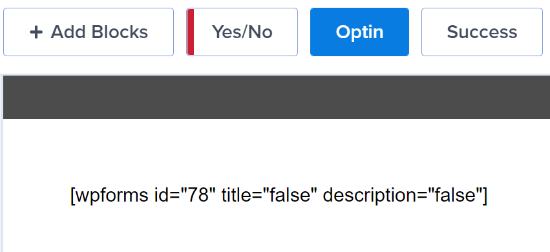
The form will work perfectly once you publish the popup on your site.
Step #4: Configure WordPress Popup Contact Form Display Rules
Next, you can go to the Display Rules tab at the top to choose when the popup should appear on your website:
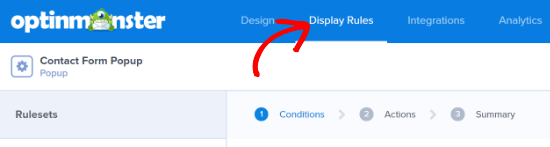
By default, OptinMonster will set the popup to be triggered when the time spent on the page is 5 seconds. Also, by default, the popup will appear on all pages. However, you can change the display rule settings and select different triggers and targeting options.
We recommend using MonsterLink (on-click targeting). This way, your popup will appear when a visitor clicks a link or a button:
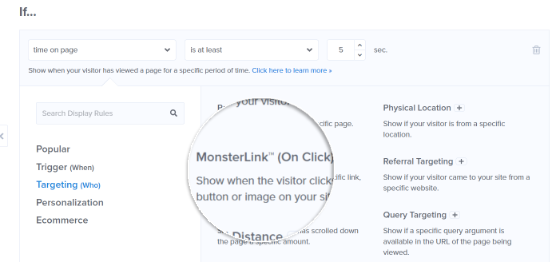
After that, you can click the Copy MonsterLink Code button and add it to any text, image, or button on your website:
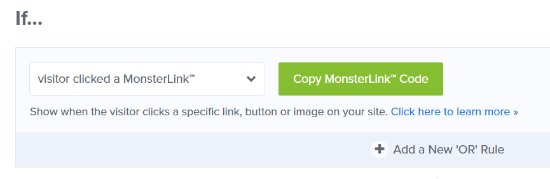
If you want to use a custom button on your site, you can just copy the URL in the MonsterLink code. Then, just paste the link into any button on WordPress.
Step #5: Publish Your WordPress Popup Contact Form
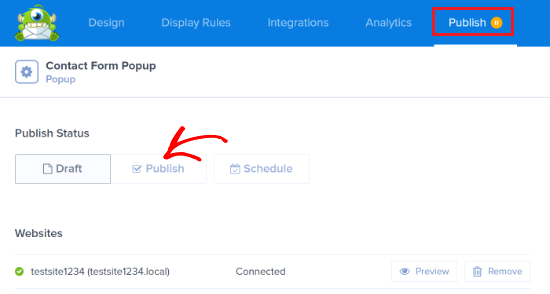
When you are happy with the appearance of your campaign, change the Publish Status from Draft to Publish:
Och du är klar!
If you followed every step along the way, you should see this contact form popup on your site:
Vad händer härnäst?
Det var allt för den här gången, gott folk!
Let us know if this article helped. Creating popups on your site can help you convert your traffic into email subscribers and genuine business leads. And we highly recommend that you create a WordPress popup contact form right away.
Next, you’ll want to send more traffic to your site so that the popup can work its magic.
Och om du letar efter ett prisvärt sätt att öka din trafik, rekommenderar vi att använda push-notiser. Push-notiser kan hjälpa dig att få mer återkommande trafik och webbplatsengagemang. Du kan också skapa automatiserade push-notiskampanjer som genererar försäljning.
Inte övertygad? Kolla in dessa resurser:
- 7 smarta strategier för att öka kundengagemanget
- Är push-notiser effektiva? 7 statistik + 3 experttips
- Hur du ställer in pushmeddelanden för övergivna kundvagnar (Enkel handledning)
- Hur man lägger till ett WordPress-plugin för webbnotiser på din webbplats
Vi rekommenderar att använda PushEngage för att skapa dina push-notiskampanjer. PushEngage är den främsta push-notisprogramvaran i världen. Så, om du inte redan har gjort det, kom igång med PushEngage idag!


