Shoppers besöker din webbplats och bläddrar bland dina produkter eller tjänster men lämnar utan att vidta några åtgärder; PushEngages kampanjer för övergiven kundvagn är utformade för att återengagera dem. Dessa kampanjer använder webb push-meddelanden för att få tillbaka shoppare, särskilt dina fönstershoppare, och uppmuntra dem att slutföra åtgärder som köp eller registrering.
Innan du börjar
Resan börjar med utlösarkampanjer, som är användbara för att skapa personliga upplevelser med mallar som övergiven kundvagn, övergiven webbläsning, prisras eller lageraviseringar, och för att bygga alla händelsebaserade kampanjer skräddarsydda för användarinteraktioner.
I den här guiden får du lära dig hur du ställer in kampanjer för övergiven webbläsning med PushEngage.
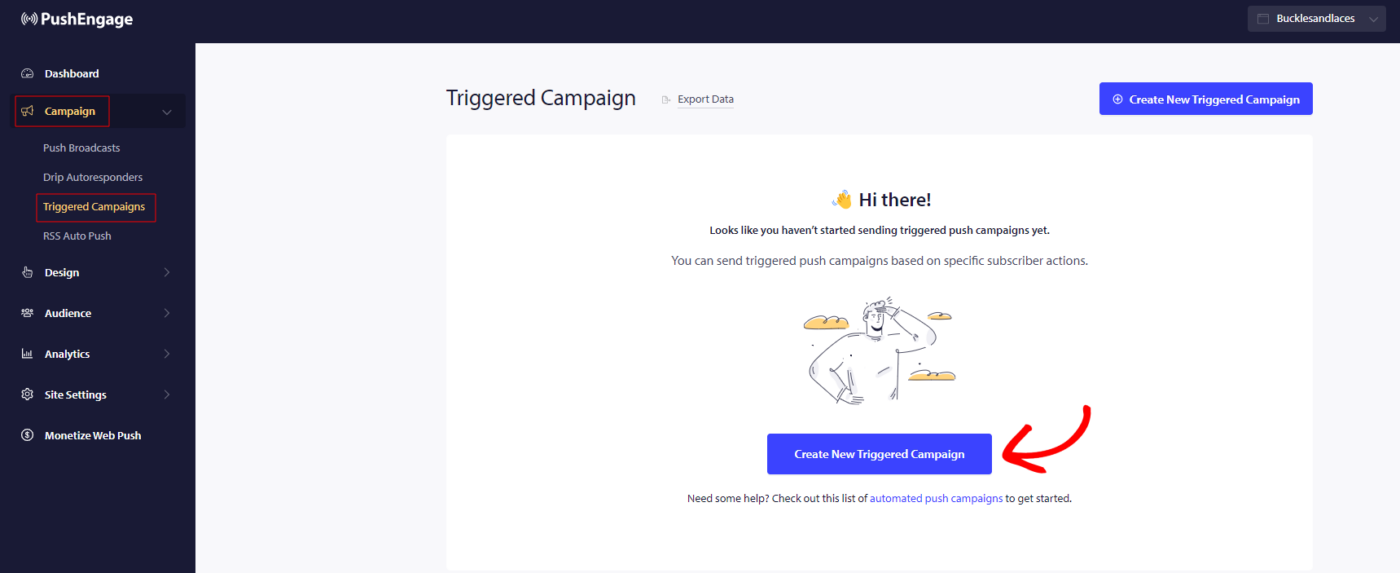
Du måste logga in på din instrumentpanel och navigera till Kampanj » Utlösarkampanjer. Välj Kampanj för övergiven webbläsning och klicka på Skapa ny.
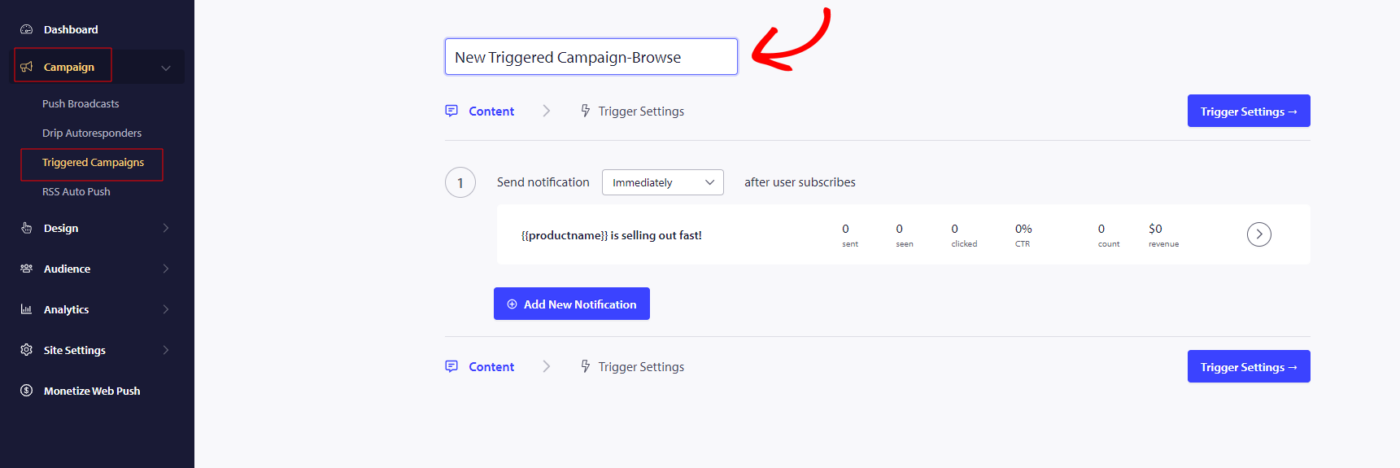
Notera: När du lägger till ett kampanjnamn kommer det också att förbli detsamma i din kod. Så ett korrekt kampanjnamn är viktigt eftersom det inte kan ändras senare när kampanjen har publicerats.
Här kan du ange Kampanjnamn.
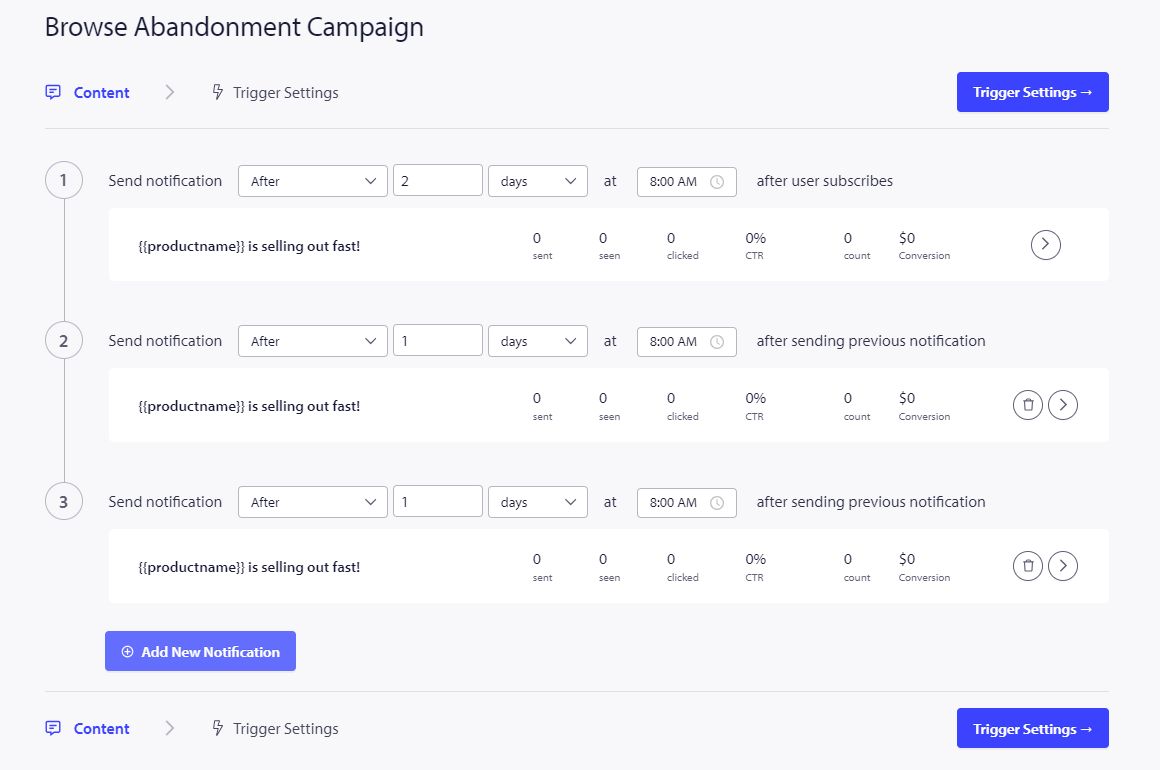
Nästa steg är att konfigurera resans schema. Du kan välja mellan följande alternativ: skicka omedelbart, efter ett visst antal timmar och minuter, eller på en specifik dag.
Det rekommenderas generellt inte att schemalägga kampanjen att skickas omedelbart. Tillåt istället minst 15 eller 30 minuters fördröjning för den första kampanjen i serien.
När du ställer in en serie måste du ha minst tre kampanjer. Du kan ändra meddelandet eller titeln, men se till att inte ändra några variabler om du planerar att använda dem i kampanjen.
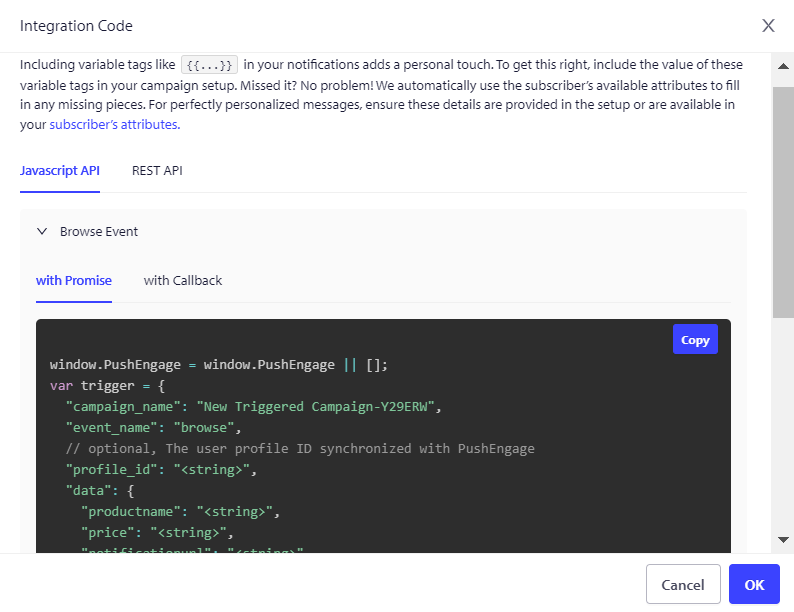
Standardvariablerna som ingår i kampanjkoden är {{productname}}, {{price}} och {{notificationurl}}.
Hantera utlösarinställningar
När du har angett meddelandedetaljerna går vi vidare till Utlösarinställningar.
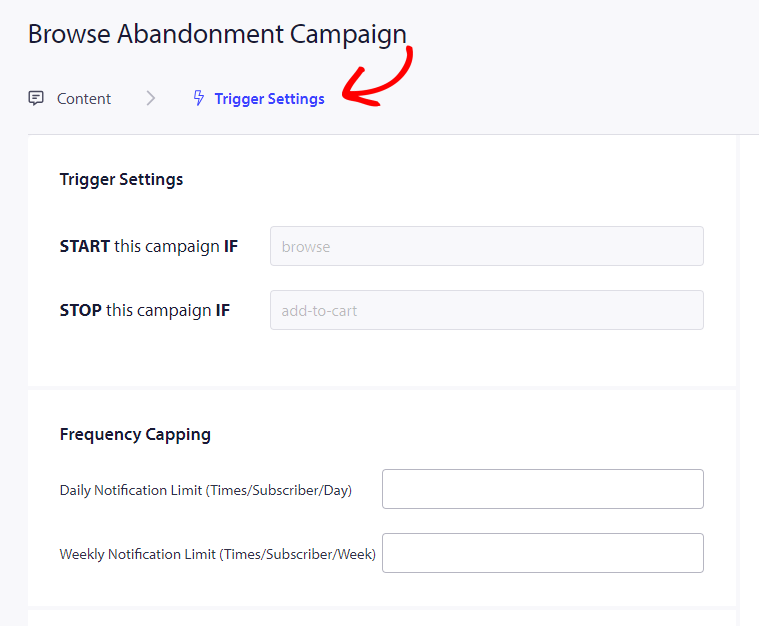
I den här installationen är utlösarna fördefinierade. Kampanjen startar om någon lägger en produkt i sin kundvagn men inte slutför kassan. Om de slutför kassan kommer de inte att få meddelandet om övergiven kundvagn. Tänk dock på att dessa händelser bara är definierade; de fungerar inte om de inte implementeras på webbplatsen.
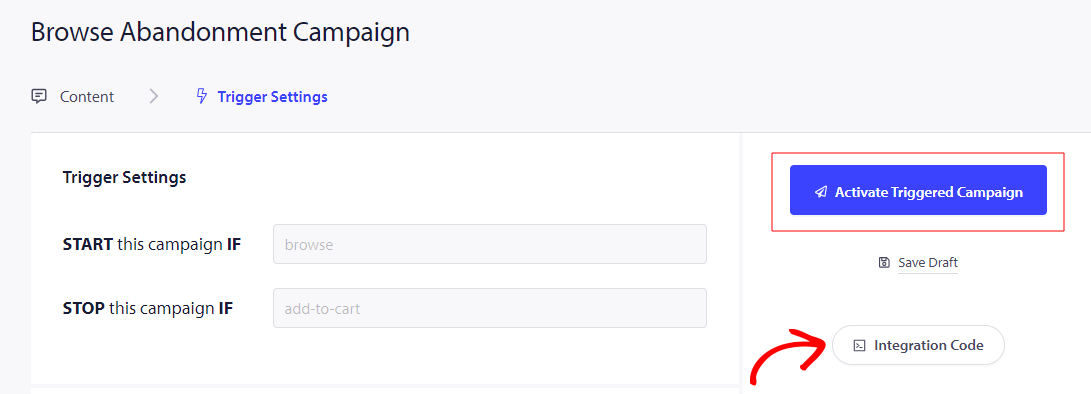
Utlösarna här är Starta kampanj om – webbläsning och Stoppa kampanj om – lägg till i kundvagn
Nästa steg är att fastställa de dagliga och veckovisa utlösargränserna, som styr antalet meddelanden en prenumerant kan få varje dag och vecka. Om du till exempel tillåter 2 meddelanden per dag, blir det totalt högst 14 meddelanden per vecka. Detta hjälper till att hålla meddelandefrekvensen i schack.
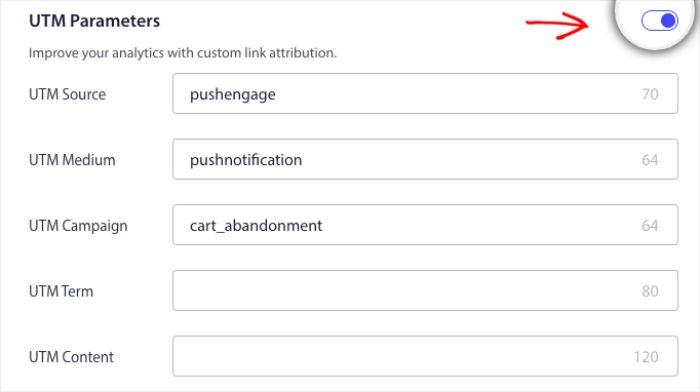
Glöm inte att du kan spåra analyser i Google Analytics, du kan aktivera UTM-parametrar, vilket gör att du kan ställa in specifika namn som gör dessa kampanjer lätt identifierbara i dina rapporter.
Sedan måste du klicka på knappen Integrera kod, kopiera koden och dela den med ditt utvecklingsteam. för implementering.
Förståelse av kod och personliga variabler
Du måste lägga till produktnamn, pris och meddelande-URL så att det kan skickas dynamiskt med hjälp av ditt produktteam.
Till exempel, om en person tittar på en mobiltelefon, får de en avisering specifikt om mobiltelefonen som de tittar på och lämnar utan att lägga den i kundvagnen.
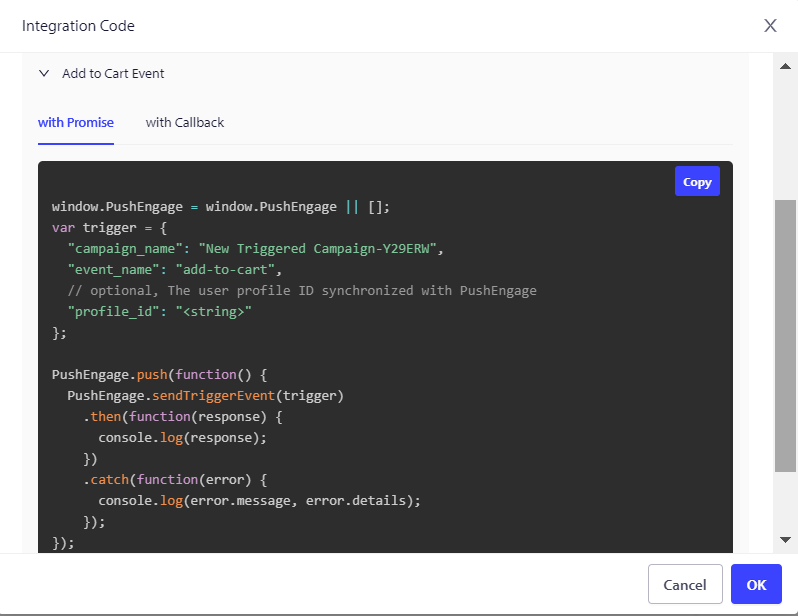
Koden består av två delar, den första delen är Start Event och den andra delen är Stop Event –
1. Bläddra händelse
2. Lägg i kundvagnen-händelse
Vi erbjuder också en pixel för målföljning som behöver placeras vid den slutliga konverteringshändelsen för att effektivt övervaka och spåra dina mål. Denna pixel spelar en avgörande roll för att säkerställa att alla konverteringar registreras korrekt, vilket gör att du kan bedöma framgången för dina kampanjer och optimera dina strategier därefter.
Felsökning av kampanj för övergiven bläddring
- Kampanjnamnet måste vara detsamma i koden och på PushEngage-instrumentpanelen.
- PushEngage-installationskoden bör finnas där koden för kampanj för övergiven kundvagn finns; annars kommer aviseringarna inte att köras.
- Se till att kampanjen är aktiv på instrumentpanelen efter att du har placerat koden på din webbplats.
- Du måste vara en webbpush-prenumerant på din webbplats; annars kan du inte testa om du får kampanjer för övergiven bläddring på ditt system.
Om du stöter på några problem, är du välkommen att kontakta oss genom att klicka här. Vårt supportteam hjälper dig gärna.