PushEngage chattwidget som skickar meddelanden till e-post, SMS eller WhatsApp utan en annan inkorg. Du möter kunderna där de redan finns tillgängliga.
Du måste se till att PushEngage installationsskript läggs till på webbplatsen. Om du inte har lagt till det, följ instruktionerna nedan och konfigurera chattwidgeten.
Konfigurera chattwidget
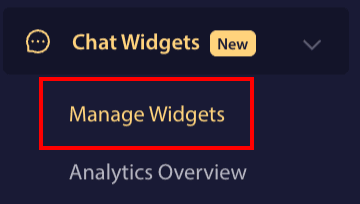
Logga in på PushEngage-instrumentpanelen och navigera till Chattwidgetar
Du kan klicka på sidan Hantera widgetar.
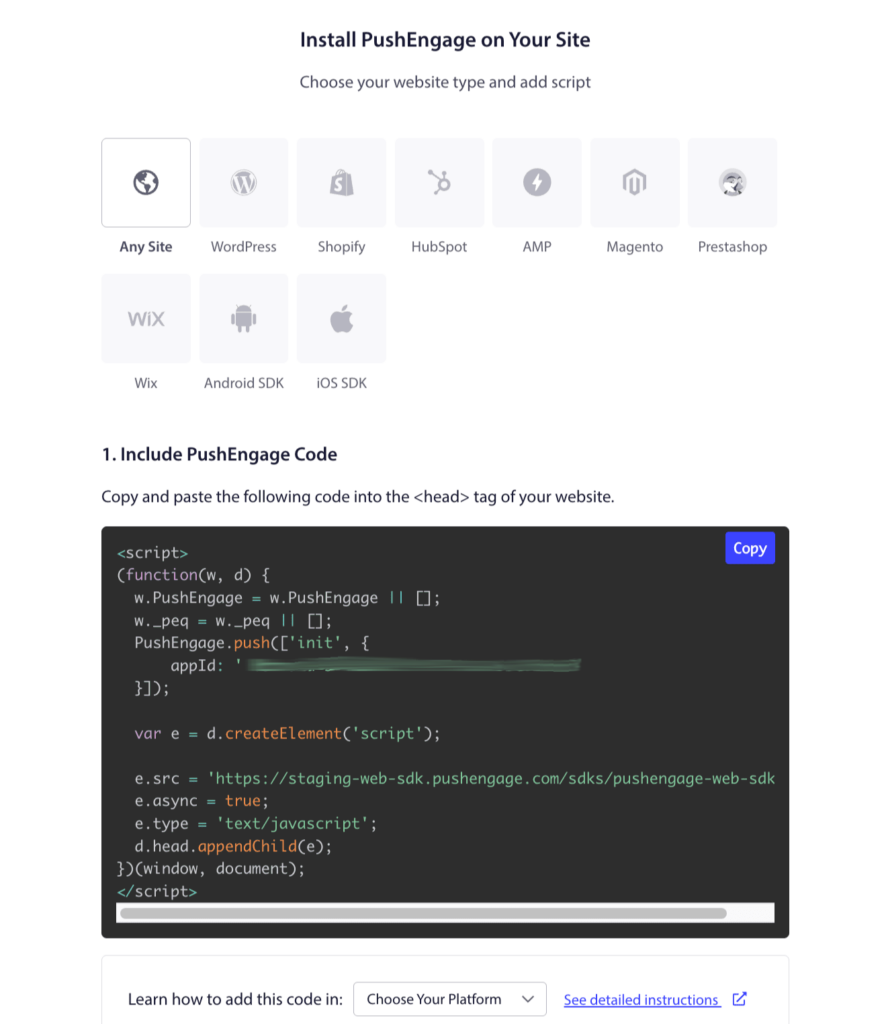
Om du inte redan har installerat PushEngage på din webbplats. Du kan navigera till Webbplatsinställningar
Från objekten kan du klicka på fliken Installation. Välj fliken "Valfri webbplats" om du har en anpassad webbplats eller ditt CMS-system inom flikarna.
Du behöver bara placera PushEngage installations JavaScript-kod på din webbplats, vilket skulle vara det första steget. Du behöver bara slutföra det andra steget om du också tänker aktivera webb push-meddelanden för din verksamhet.
Nu när du har slutfört installationen kan vi gå vidare till att konfigurera chattwidgeten.
Under sidan Hantera widgetar. Du kan klicka på knappen Skapa widget eller om du redan har widgetarna kan du välja befintliga widgetar.
Lägg till agenter för att anpassa chatten
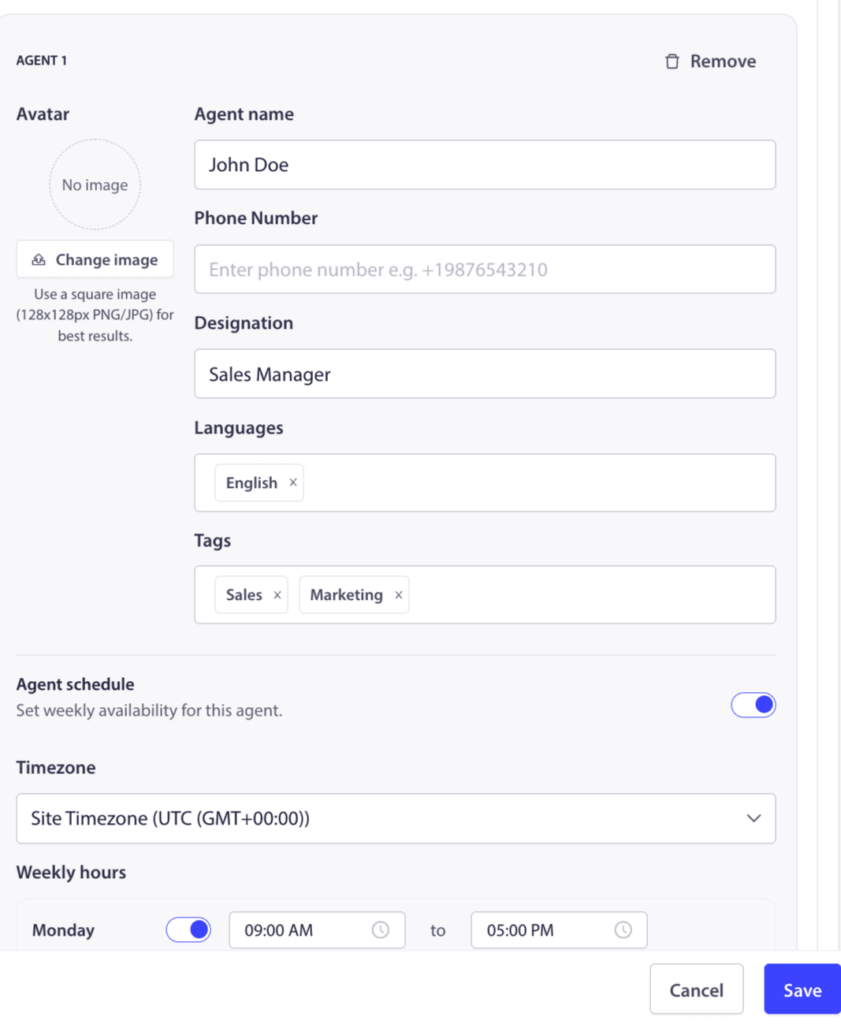
När du skrollar ner till avsnittet Agenter kan du lägga till profiler för dina teammedlemmar, inklusive deras namn, titel och ett foto. Detta ger din widget en personlig touch och låter kunderna veta vem de pratar med.
Du kan lägga till så många kanaler som du behöver, inklusive Messenger, TikTok, SMS, Instagram-meddelande, X, Slack, Discord och mer. Förhandsgranskningen till höger uppdateras i realtid.
Analys för agenter
Logga in på PushEngage-instrumentpanelen och navigera till Chattwidgets
Du kan klicka på sidan Analysöversikt.
Denna analysöversikt hjälper till att ge detaljer om totala interaktioner, klick och CTR.
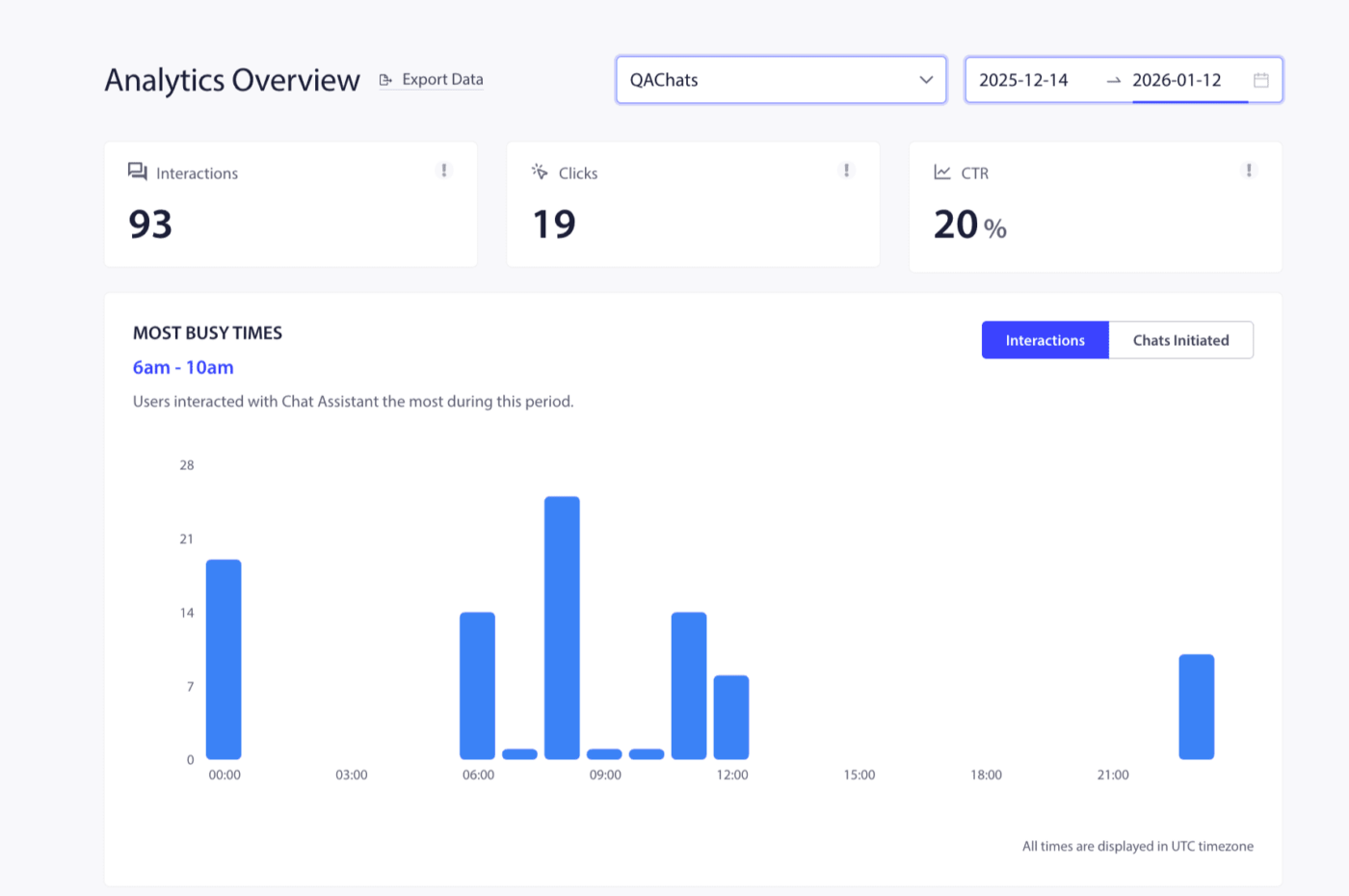
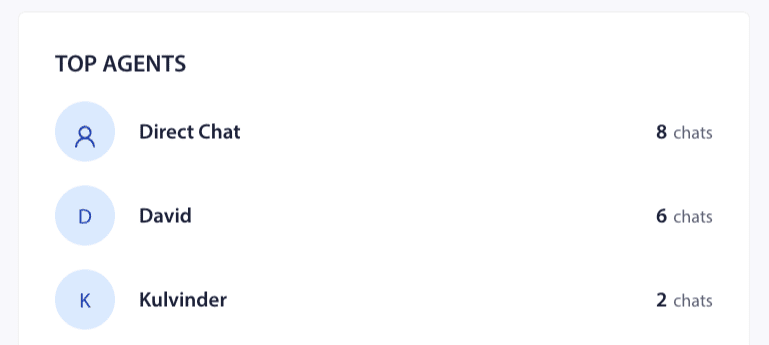
Du kan också se fördelningen av toppagenter och populära kanaler på denna skärm. På så sätt kan din trafik- eller kundattribuering mätas.
Du kan också tilldela olika agenter och se varje enskild agents prestation så att du kan se vilka som är de bättre presterande agenterna i ditt team.
Det var allt, du kan nu hantera agenterna och även kontrollera deras analyser.
Om du stöter på några problem, tveka inte att kontakta oss genom att klicka här. Vårt supportteam kan hjälpa dig.