Αναζητάτε έναν τρόπο να στείλετε ειδοποιήσεις push όταν το κοινό-στόχος σας είναι εκτός σύνδεσης;
Υπάρχουν καλά νέα και κακά νέα. Και μετά μερικά ακόμα καλά νέα!
Καλά νέα: Μπορείτε να στείλετε ειδοποιήσεις push στο πρόγραμμα περιήγησης στους συνδρομητές σας, ακόμα κι αν είναι εκτός σύνδεσης. Μπορούν ακόμα να δουν τις ειδοποιήσεις σας όταν επιστρέψουν στο διαδίκτυο.
Κακά νέα: Οι συνδρομητές σας μπορούν να δουν ΟΛΕΣ τις ειδοποιήσεις push σας όταν επιστρέψουν στο διαδίκτυο. Αυτό περιλαμβάνει τυχόν προσφορές που μπορεί να έχουν λήξει. Και αυτό σίγουρα περιλαμβάνει πολλαπλές ειδοποιήσεις push αν τους στείλατε πολλαπλές ειδοποιήσεις push.
Λοιπόν, ΜΠΟΡΕΙΤΕ να στείλετε ειδοποιήσεις push στο πρόγραμμα περιήγησης εκτός σύνδεσης. Αλλά είτε θα υπερφορτώσετε τους συνδρομητές σας με πάρα πολλές ειδοποιήσεις. Είτε θα κάνουν κλικ σε πράγματα που δεν είναι πλέον σχετικά.
Δεν είναι ωραίο!
Περισσότερα καλά νέα: Υπάρχει ένας εύκολος τρόπος να διορθώσετε αυτό το πρόβλημα.
Σωστά, μπορείτε πραγματικά να στείλετε ειδοποιήσεις push εκτός σύνδεσης χωρίς να γίνετε ενοχλητικοί για τους συνδρομητές σας. Και σε αυτό το άρθρο, θα σας δείξουμε πώς να το κάνετε.
Ας βουτήξουμε!
Τι Ακριβώς Είναι οι Ειδοποιήσεις Push Εκτός Σύνδεσης;
Οι ειδοποιήσεις push εκτός σύνδεσης δεν είναι ένας ειδικός τύπος καμπάνιας. Είναι περισσότερο ένας έξυπνος τρόπος διαχείρισης των ειδοποιήσεών σας, ώστε να μην υπερβάλλετε με τις ειδοποιήσεις και να ενοχλείτε τους συνδρομητές σας. Είναι επίσης ένας εξαιρετικός τρόπος για να διασφαλίσετε ότι όλες οι ειδοποιήσεις σας παραδίδονται.
Ο τρόπος λειτουργίας είναι ότι μπορείτε να στείλετε στους συνδρομητές σας μια ειδοποίηση push οποιαδήποτε στιγμή. Μπορείτε να την προγραμματίσετε στη ζώνη ώρας σας ή στη ζώνη ώρας των χρηστών σας ή στη δική σας ζώνη ώρας. Και ακόμα κι αν οι συνδρομητές σας δεν είναι στο διαδίκτυο, το PushEngage διασφαλίζει ότι θα τη λάβουν όταν αποκατασταθεί η σύνδεσή τους στο διαδίκτυο.
Εξ ορισμού, όλες οι ειδοποιήσεις PushEngage παραμένουν εκτός σύνδεσης μέχρι να τις δει ο συνδρομητής. Το PushEngage είναι το #1 λογισμικό ειδοποιήσεων push στον κόσμο. Έτσι, θα χρησιμοποιήσουμε το PushEngage για να δείξουμε τα πάντα σε αυτό το άρθρο.
Το μεγαλύτερο πλεονέκτημα των ειδοποιήσεων εκτός σύνδεσης είναι ότι επιτυγχάνετε απίστευτα ποσοστά παράδοσης. Μια ειδοποίηση push ιστού μπορεί να παραδοθεί μόνο ενώ το πρόγραμμα περιήγησης του συνδρομητή εκτελείται, επομένως μια ειδοποίηση που περιμένει τον συνδρομητή αντί να λήξει είναι η διαφορά μεταξύ αποστολής και παράδοσης.
Συγκρίνετε αυτό με μια καμπάνια email όπου 1 στα 5 email δεν φτάνει ποτέ στα εισερχόμενά σας.
Έτσι, συνιστούμε ανεπιφύλακτα να ξεκινήσετε με ειδοποιήσεις push αμέσως.
Πώς Φαίνονται οι Ειδοποιήσεις Εκτός Σύνδεσης
Οι ειδοποιήσεις push εκτός σύνδεσης μοιάζουν με οποιαδήποτε άλλη ειδοποίηση push:
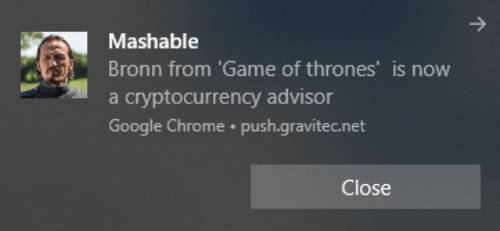
Αυτό πραγματικά δεν είναι το πρόβλημα.
Το πρόβλημα είναι ότι ενώ οι ειδοποιήσεις εκτός σύνδεσης σχεδιάστηκαν για να αποστέλλονται με τρόπο που δεν ενοχλεί τους συνδρομητές σας, αυτό είναι συνήθως αυτό που καταλήγει να συμβαίνει:
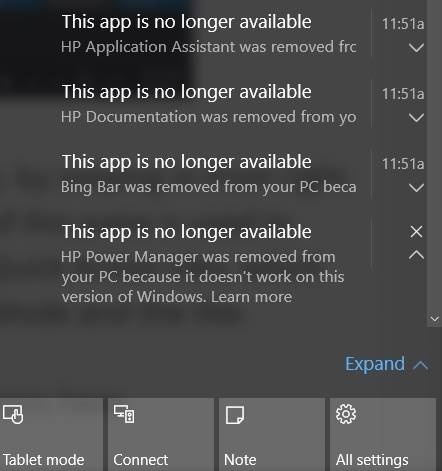
Αυτές είναι πάρα πολλές ειδοποιήσεις push για να δει κανείς όταν μπαίνει στο διαδίκτυο.
Γιατί συμβαίνει αυτό;
Είναι απλό: Ο αποστολέας ξέχασε να δημιουργήσει μια επιλογή λήξης.
Η ρύθμιση μιας επιλογής λήξης διασφαλίζει ότι οι συνδρομητές σας βλέπουν μόνο τις ειδοποιήσεις που ΘΕΛΕΤΕ να δουν. Με άλλα λόγια, μπορείτε να ορίσετε ένα χρονικό όριο μετά το οποίο οι ειδοποιήσεις push σας λήγουν και δεν θα είναι ορατές στο δίσκο ειδοποιήσεων, ακόμα κι αν παραδόθηκαν.
Ας δούμε γρήγορα πώς μπορείτε να στείλετε ειδοποιήσεις push εκτός σύνδεσης με όριο λήξης.
Πώς να Στείλετε Ειδοποιήσεις Push Εκτός Σύνδεσης με τον Σωστό Τρόπο
Τώρα που καταλαβαίνουμε λίγα πράγματα για το πώς λειτουργούν οι ειδοποιήσεις push εκτός σύνδεσης και τι είναι, ας προχωρήσουμε στη δημιουργία μιας με τον σωστό τρόπο.
Βήμα #1: Ρυθμίστε τον Λογαριασμό σας PushEngage
Μεταβείτε στην αρχική σελίδα του PushEngage και κάντε κλικ στο κουμπί Ξεκινήστε:

Μπορείτε να επιλέξετε το δωρεάν πρόγραμμα για να δοκιμάσετε το PushEngage, ή να επιλέξετε ένα επί πληρωμή πρόγραμμα αν είστε σοβαροί σχετικά με την ανάπτυξη της επιχείρησής σας. Τα επί πληρωμή προγράμματα έρχονται με περισσότερες επιλογές καμπάνιας και τη δυνατότητα δημιουργίας ακόμα μεγαλύτερων λιστών συνδρομητών.
Αφού εγγραφείτε για έναν λογαριασμό, μεταβείτε στον πίνακα ελέγχου του PushEngage και πηγαίνετε στις Ρυθμίσεις » Ρυθμίσεις Ιστότοπου » Ρυθμίσεις Εγκατάστασης:
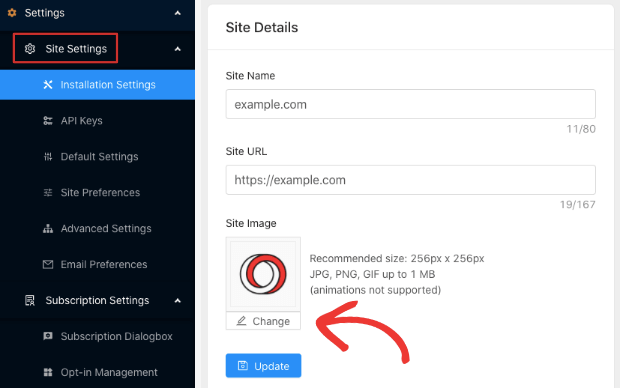
Εδώ διαμορφώνετε τις λεπτομέρειες του ιστότοπού σας και την επωνυμία. Προχωρήστε και ορίστε ένα λογότυπο και μια διεύθυνση URL ιστότοπου για τις ειδοποιήσεις push σας. Θα πρέπει να το κάνετε αυτό τώρα για να μπορείτε να δοκιμάσετε σωστά τις ειδοποιήσεις push σας.
Βήμα #2: Δημιουργήστε μια Νέα Ειδοποίηση Push
Μεταβείτε στον πίνακα ελέγχου PushEngage και πηγαίνετε στο Ειδοποιήσεις » Δημιουργία » Νέα Ειδοποίηση:
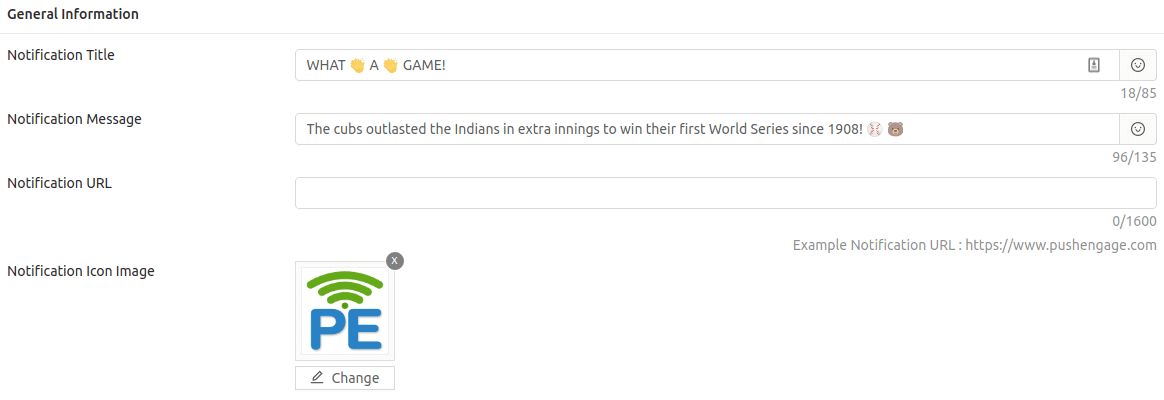
Όπως μπορείτε να δείτε, εκεί συντάσσετε τον τίτλο και το κείμενο για την ειδοποίησή σας και μπορείτε επίσης να χρησιμοποιήσετε emojis στις ειδοποιήσεις push σας.
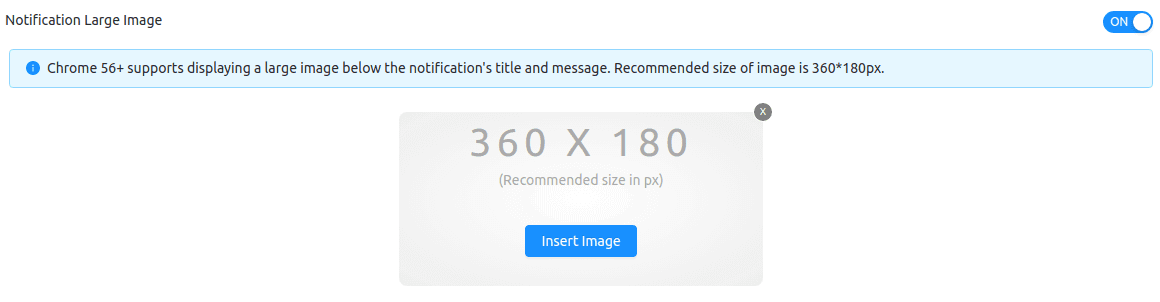
Στη συνέχεια, μεταβείτε στο Μεγάλη Εικόνα Ειδοποίησης και προσθέστε μια εικόνα εδώ:
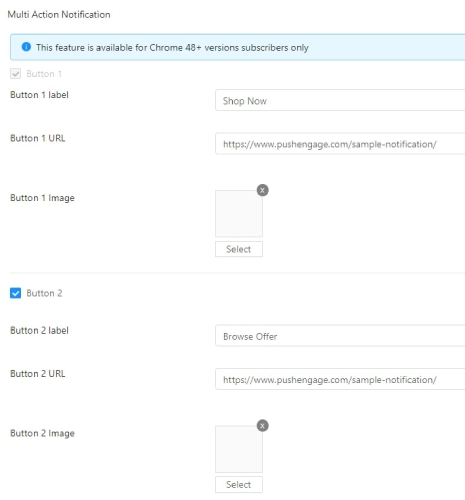
Μπορείτε επίσης να προσθέσετε μερικά κουμπιά στην ενότητα Ειδοποίηση Πολλαπλών Ενεργειών:
Στη συνέχεια, θα θέλετε να κάνετε κύλιση προς τα κάτω και να προγραμματίσετε την ειδοποίηση push σας:
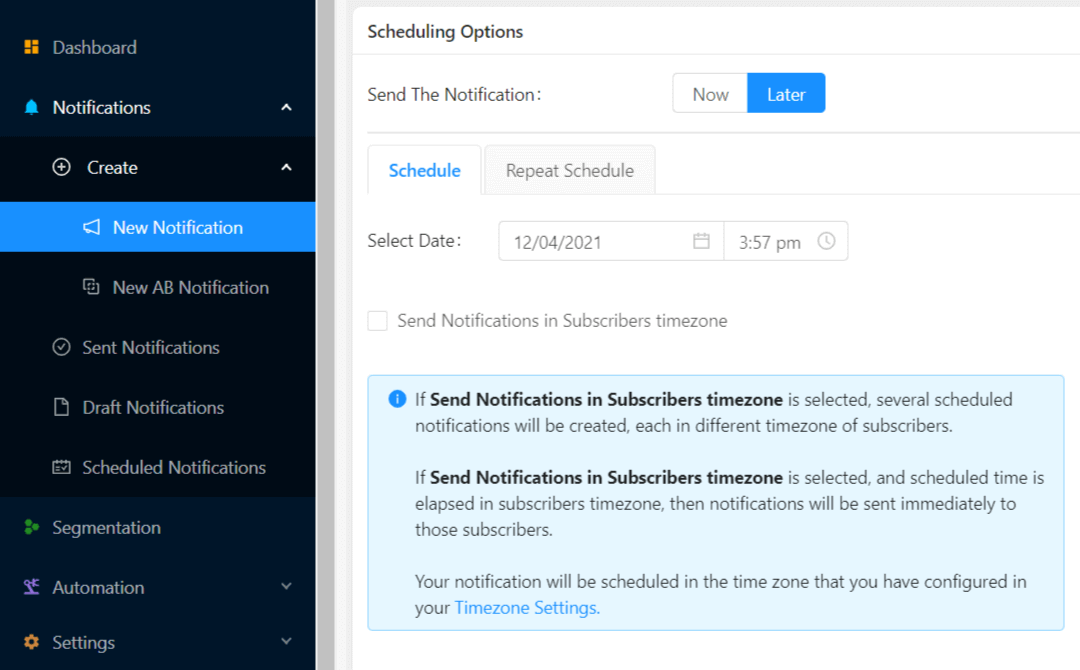
Όταν δημιουργείτε μια νέα ειδοποίηση, μεταβείτε στην ενότητα Επιλογές Προγραμματισμού και κάντε κλικ στο πλαίσιο ελέγχου που λέει Αποστολή Ειδοποιήσεων στη Ζώνη Ώρας Συνδρομητή εάν θέλετε να στείλετε την ειδοποίηση σε μια ώρα που γνωρίζετε ότι θα είναι συνδεδεμένοι.
Αλλά, μην ανησυχείτε ακόμα κι αν δεν είναι συνδεδεμένοι! Ειδοποιήσεις push εκτός σύνδεσης, θυμάστε;
Μιλώντας για αυτό, ας ορίσουμε ένα όριο λήξης στην ειδοποίηση push σας και είστε έτοιμοι.
Βήμα #3: Ορίστε Διάρκεια Ειδοποίησης
Στην ίδια προβολή, μεταβείτε στο Διάρκεια Ειδοποίησης:
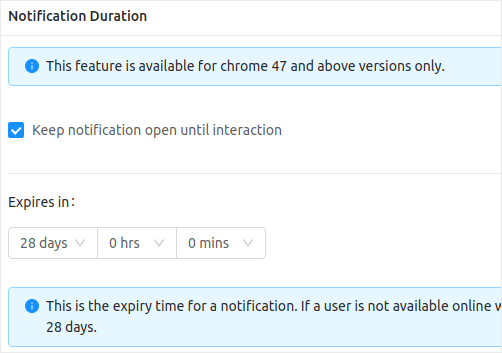
Και ορίστε ένα χρονικό όριο μετά το οποίο λήγει η ειδοποίηση push σας. Η προεπιλεγμένη τιμή για αυτό είναι 28 ημέρες, αλλά αυτό δεν συνιστάται, ειδικά αν προωθείτε μια προσφορά περιορισμένου χρόνου.
Αλλά στην πραγματικότητα έχετε τελειώσει τώρα! Μόλις δημιουργήσατε μια ειδοποίηση push εκτός σύνδεσης με όριο λήξης.
Συνοψίζοντας
Αυτό ήταν για αυτό το θέμα, φίλοι.
Αν είστε νέοι στις ειδοποιήσεις push, θα πρέπει να δείτε μερικές δημιουργικές ειδοποιήσεις push για έμπνευση και να αρχίσετε να στέλνετε τις δικές σας ειδοποιήσεις push. Οι ειδοποιήσεις push είναι εξαιρετικά προσιτές και σας επιτρέπουν να στέλνετε εξαιρετικά ισχυρές καμπάνιες μάρκετινγκ.
Και αν ξεκινάτε με τις ειδοποιήσεις push, δεν υπάρχει καλύτερο λογισμικό από το PushEngage. Το PushEngage είναι το λογισμικό ειδοποιήσεων push #1 στον κόσμο. Λοιπόν, αν δεν το έχετε κάνει ήδη, ξεκινήστε με το PushEngage σήμερα!


