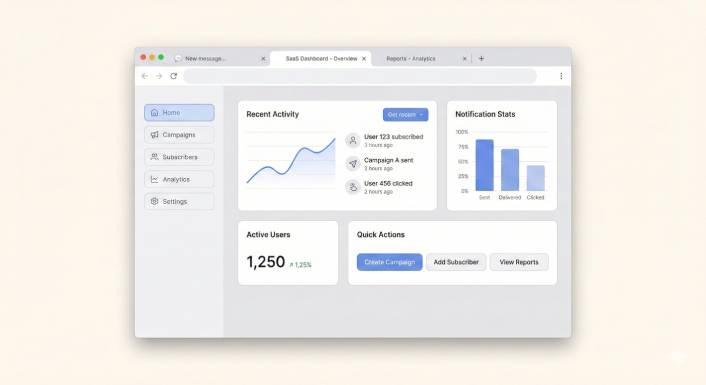
Χρειάζεστε ζωντανή συνομιλία στον ιστότοπό σας στο WordPress. Το ξέρετε. Οι επισκέπτες σας φτάνουν στον ιστότοπό σας με ερωτήσεις, και κάθε αναπάντητη ερώτηση είναι μια πώληση που φεύγει από την πόρτα.
Έτσι αρχίζετε την έρευνα. Και ανακαλύπτετε γρήγορα ότι τα περισσότερα εργαλεία ζωντανής συνομιλίας κοστίζουν 20$, 30$, ακόμη και 60$ το μήνα—ανά πράκτορα. Για μια μικρή επιχείρηση, αυτό είναι 240$ έως 720$ ετησίως μόνο για να απαντήσετε σε ερωτήσεις πελατών. Και αυτό είναι πριν υπολογίσετε τον χρόνο που αφιερώνετε στην παρακολούθηση ενός ακόμη πίνακα ελέγχου, ενός ακόμη εισερχόμενου, μιας ακόμη εφαρμογής που δεν ζητήσατε.
Το θέμα είναι: δεν χρειάζεται να ξοδέψετε τόσα πολλά. Υπάρχουν πραγματικά δωρεάν (και σχεδόν δωρεάν) widgets ζωντανής συνομιλίας που λειτουργούν όμορφα στο WordPress. Κάποια είναι εντελώς δωρεάν με επιφυλάξεις. Ένα κοστίζει λιγότερο από ένα αξιοπρεπές δείπνο—και είναι αυτό με το οποίο πιστεύουμε ότι οι περισσότερες μικρές επιχειρήσεις πρέπει να ξεκινήσουν.
Δοκιμάσαμε τις πιο δημοφιλείς επιλογές για να μην χρειαστεί να το κάνετε εσείς. Εδώ είναι τα 7 καλύτερα δωρεάν widgets ζωντανής συνομιλίας για WordPress, καταταγμένα με βάση αυτό που πραγματικά έχει σημασία: τιμή, ευκολία εγκατάστασης και αν σας βοηθούν να κλείσετε περισσότερες πωλήσεις χωρίς να προσθέτουν πολυπλοκότητα στην ημέρα σας.
Στείλτε Μηνύματα Πολλαπλών Καναλιών Σήμερα!
Τα μηνύματα Push και WhatsApp είναι εξαιρετικά αποτελεσματικά, χαμηλού κόστους εργαλεία μάρκετινγκ για να σας βοηθήσουν να αυξήσετε την επαναλαμβανόμενη επισκεψιμότητα, την αφοσίωση και τις πωλήσεις σας αυτόματα.
- Τι να αναζητήσετε σε ένα δωρεάν widget ζωντανής συνομιλίας
- Τα 7 καλύτερα δωρεάν widgets ζωντανής συνομιλίας για WordPress
- 1. PushEngage Chat Widget – Καλύτερο Συνολικά για Μικρές Επιχειρήσεις
- 2. Tawk.to – Καλύτερη Εντελώς Δωρεάν Επιλογή
- 3. Tidio – Καλύτερο Δωρεάν Chatbot AI
- 4. HubSpot Δωρεάν Ζωντανή Συνομιλία – Καλύτερο Δωρεάν Πακέτο CRM
- 5. Crisp – Καλύτερο Δωρεάν Πρόγραμμα για Startups
- 6. Chatty – Καλύτερο Widget Κουμπιού Πολλαπλών Καναλιών
- 7. LiveChat – Καλύτερη Premium Επιλογή (Μόνο Δωρεάν Δοκιμή)
- Γρήγορη Σύγκριση: Πώς Συγκρίνονται
- Λοιπόν, ποιο widget ζωντανής συνομιλίας πρέπει να επιλέξετε;
Τι να αναζητήσετε σε ένα δωρεάν widget ζωντανής συνομιλίας
Πριν εμβαθύνουμε, εδώ είναι αυτό που διαχωρίζει ένα καλό δωρεάν widget συνομιλίας από έναν πονοκέφαλο-μεταμφιεσμένο:
- Διαφάνεια τιμών – Είναι πραγματικά δωρεάν; Ή δωρεάν μέχρι να χρειαστείτε οτιδήποτε χρήσιμο;
- Ταχύτητα εγκατάστασης – Μπορείτε να το εγκαταστήσετε σε λιγότερο από 5 λεπτά χωρίς να αγγίξετε κώδικα;
- Πού προσγειώνονται τα μηνύματα – Χρειάζεται να ελέγξετε έναν νέο πίνακα ελέγχου, ή τα μηνύματα έρχονται σε εσάς;
- Φιλικό προς κινητά – Μπορείτε να απαντήσετε από το τηλέφωνό σας χωρίς να κατεβάσετε άλλη εφαρμογή;
- Έλεγχος επωνυμίας – Μπορείτε να αφαιρέσετε την ετικέτα “Powered by” χωρίς να πληρώσετε επιπλέον;
Έχετε αυτά υπόψη σας καθώς προχωράμε σε κάθε επιλογή. Θα έχουν μεγαλύτερη σημασία από ό,τι νομίζετε.
Τα 7 καλύτερα δωρεάν widgets ζωντανής συνομιλίας για WordPress
1. PushEngage Chat Widget – Καλύτερο Συνολικά για Μικρές Επιχειρήσεις
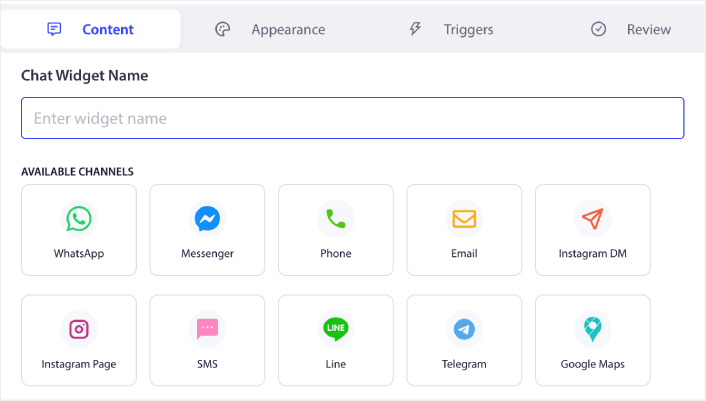
🏆 Η #1 Επιλογή μας: 49 $/έτος. Χωρίς εισερχόμενα. Τα μηνύματα πηγαίνουν απευθείας στα DM σας.
Αν είστε ιδιοκτήτης μικρής επιχείρησης που φοράει όλα τα καπέλα — ιδρυτής, marketer, ομάδα υποστήριξης και καθαριστής — το widget συνομιλίας του PushEngage φτιάχτηκε για εσάς.
Τα περισσότερα εργαλεία συνομιλίας σας αναγκάζουν να συνδεθείτε στον πίνακα ελέγχου τους για να απαντήσετε. Το PushEngage ανατρέπει πλήρως αυτό το μοντέλο. Όταν ένας επισκέπτης στέλνει ένα μήνυμα μέσω του widget συνομιλίας σας, δρομολογείται απευθείας στο κανάλι που ήδη χρησιμοποιείτε: email, SMS, WhatsApp, Slack ή Telegram. Χωρίς νέα εισερχόμενα. Χωρίς νέα εφαρμογή. Χωρίς νέα καρτέλα για να ξεχάσετε.
Αυτό σημαίνει «χωρίς εισερχόμενα» στην πράξη. Απαντάτε στις ερωτήσεις των πελατών εκεί που βρίσκεστε ήδη. Και επειδή υποστηρίζει πολλούς πράκτορες σε διαφορετικά κανάλια, η ομάδα σας μπορεί να μοιράσει το φορτίο χωρίς να πατάει ο ένας στα πόδια του άλλου.
Η τιμολόγηση είναι το σημείο όπου το PushEngage ξεχωρίζει πραγματικά. Στα 49 $ ανά έτος — όχι ανά μήνα — κοστίζει λιγότερο από έναν μήνα LiveChat. Μια πώληση από μια ερώτηση συνομιλίας καλύπτει ολόκληρο το έτος. Αυτό δεν είναι μάρκετινγκ. Αυτή είναι μαθηματικά.
Η εγκατάσταση διαρκεί περίπου 5 λεπτά σε οποιαδήποτε ιστοσελίδα WordPress. Χωρίς κώδικα. Χωρίς προγραμματιστή. Χωρίς πονοκεφάλους.
Ιδανικό για: Μικρές επιχειρήσεις και ατομικούς επιχειρηματίες που θέλουν επαγγελματική ζωντανή συνομιλία χωρίς άλλο εισερχόμενο για διαχείριση — και χωρίς την τιμή των μεγάλων επιχειρήσεων.
Γιατί την κατατάξαμε #1:
- ✅ Χωρίς εισερχόμενα: οι απαντήσεις πηγαίνουν στα υπάρχοντα DM σας (email, WhatsApp, SMS, Slack, Telegram)
- ✅ 49 $/έτος έναντι 240–720 $/έτος για ανταγωνιστές
- ✅ Υποστήριξη πολλαπλών καναλιών + πολλαπλών πρακτόρων περιλαμβάνεται
- ✅ Εγκατάσταση WordPress σε 5 λεπτά, μηδενικός κώδικας
- ✅ Χωρίς ξεχωριστό πίνακα ελέγχου για έλεγχο
Αξίζει να γνωρίζετε:
- Όχι 100% δωρεάν (αλλά τα 49$/έτος είναι λιγότερα από όσα χρεώνουν τα περισσότερα εργαλεία ανά μήνα)
- Χωρίς chatbot AI – εστίαση σε ανθρώπινες συνομιλίες
2. Tawk.to – Καλύτερη Εντελώς Δωρεάν Επιλογή
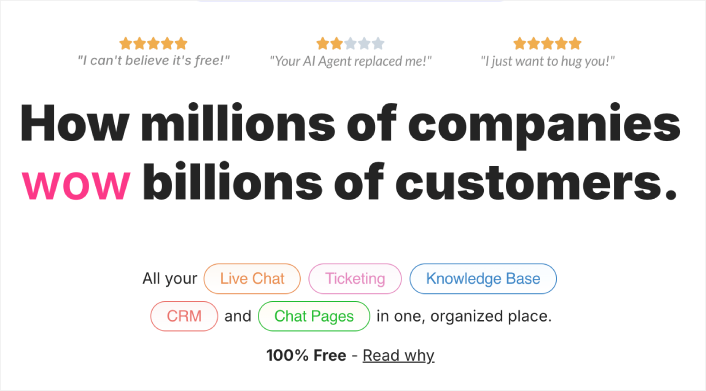
Αν ο προϋπολογισμός σας είναι κυριολεκτικά μηδέν δολάρια, το Tawk.to είναι δύσκολο να το ξεπεράσεις. Είναι 100% δωρεάν με απεριόριστους πράκτορες, απεριόριστο ιστορικό συνομιλιών και όλα τα βασικά που χρειάζεστε για ζωντανή συνομιλία.
Το πιάσιμο; Το Tawk.to κερδίζει χρήματα πουλώντας προσληφθέντες πράκτορες συνομιλίας με 1$/ώρα. Έτσι, το επιχειρηματικό τους μοντέλο δεν δίνει κίνητρα για τη δημιουργία εξαιρετικών αυτοματοποιήσεων ή λειτουργιών AI. Παίρνετε ένα σταθερό, χειροκίνητο εργαλείο ζωντανής συνομιλίας — αλλά θα πρέπει να είστε στον υπολογιστή (ή στην εφαρμογή τους) για να απαντήσετε. Οι συνομιλίες ζουν στον πίνακα ελέγχου του Tawk.to, όχι στα υπάρχοντα εργαλεία σας.
Ο σχεδιασμός του widget επίσης φαίνεται λίγο παλιομοδίτικος σε σύγκριση με νεότερες επιλογές. Και η αφαίρεση της επωνυμίας τους κοστίζει 19$/μήνα, κάτι που αρχίζει να προστίθεται.
Ιδανικό για: Επιχειρήσεις με περιορισμένο προϋπολογισμό και μηδενικό κεφάλαιο που μπορούν να στελεχώσουν οι ίδιοι τη συνομιλία.
Δυνατά σημεία:
- ✅ 100% δωρεάν με απεριόριστους πράκτορες
- ✅ Πλήρες ιστορικό συνομιλιών περιλαμβάνεται
- ✅ Υποστηρίζει 45+ γλώσσες
Μειονεκτήματα:
- ❌ Απαιτείται έλεγχος του ξεχωριστού πίνακα ελέγχου τους για όλα τα μηνύματα
- ❌ Χωρίς chatbot AI ή προηγμένη αυτοματοποίηση
- ❌ Ο σχεδιασμός του widget φαίνεται παλιομοδίτικος
- ❌ Η αφαίρεση της επωνυμίας κοστίζει 19$/μήνα
3. Tidio – Καλύτερο Δωρεάν Chatbot AI
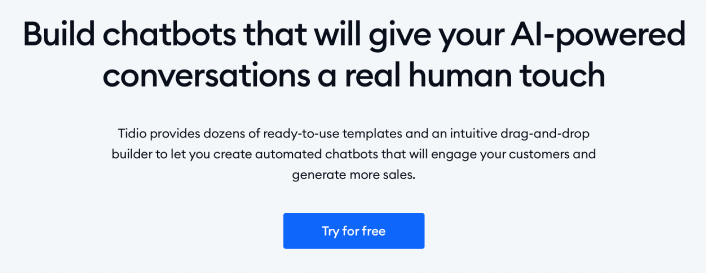
Το δωρεάν πρόγραμμα της Tidio σας παρέχει ζωντανή συνομιλία συν ένα βασικό chatbot AI που μπορεί να χειριστεί αυτόματα κοινές ερωτήσεις. Αν λαμβάνετε τις ίδιες 5 ερωτήσεις ξανά και ξανά, η Tidio μπορεί να τις απαντήσει ενώ εσείς κοιμάστε.
Το δωρεάν επίπεδο περιορίζεται σε 50 συνομιλίες ανά μήνα, κάτι που είναι εντάξει για πολύ μικρές ιστοσελίδες, αλλά δεν θα αρκεί μόλις αρχίσετε να λαμβάνετε πραγματική επισκεψιμότητα. Τα επί πληρωμή προγράμματα ξεκινούν από 29$/μήνα, και οι λειτουργίες AI που κάνουν την Tidio ξεχωριστή βρίσκονται κυρίως πίσω από αυτό το τείχος πληρωμής.
Ενσωματώνεται καλά με το WooCommerce και επιτρέπει στην ομάδα σας να βλέπει το καλάθι και το ιστορικό παραγγελιών ενός πελάτη κατά τη διάρκεια της συνομιλίας, κάτι που είναι μια ωραία πινελιά για καταστήματα eCommerce.
Ιδανικό για: Μικρά καταστήματα eCommerce που θέλουν βασική αυτοματοποίηση chatbot στο δωρεάν τους πρόγραμμα.
Δυνατά σημεία:
- ✅ Το δωρεάν πρόγραμμα περιλαμβάνει βασικό chatbot AI
- ✅ Η ενσωμάτωση WooCommerce εμφανίζει δεδομένα καλαθιού/παραγγελίας
- ✅ Καθαρός, μοντέρνος σχεδιασμός widget
Μειονεκτήματα:
- ❌ Δωρεάν πρόγραμμα περιορισμένο σε 50 συνομιλίες/μήνα
- ❌ Οι καλύτερες λειτουργίες AI απαιτούν 29$/μήνα+
- ❌ Άλλος ένας πίνακας ελέγχου για παρακολούθηση
4. HubSpot Δωρεάν Ζωντανή Συνομιλία – Καλύτερο Δωρεάν Πακέτο CRM
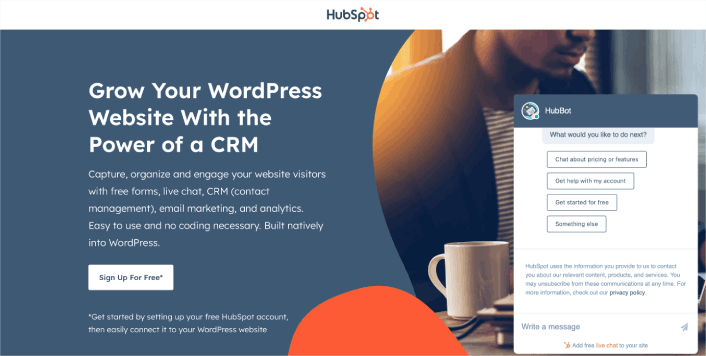
Το HubSpot προσφέρει ένα δωρεάν widget ζωντανής συνομιλίας ως μέρος της δωρεάν σουίτας CRM. Αν βρίσκεσαι ήδη στο οικοσύστημα του HubSpot—ή θέλεις να είσαι—αυτό είναι ένα βολικό πρόσθετο που συνδέει τις συνομιλίες συνομιλίας με εγγραφές επαφών, μάρκετινγκ μέσω email, φόρμες και αναλύσεις.
Το ίδιο το widget συνομιλίας είναι λειτουργικό αλλά βασικό στο δωρεάν πρόγραμμα. Η προσαρμογή είναι περιορισμένη και η επωνυμία του HubSpot παραμένει εκτός αν αναβαθμίσεις. Η πραγματική αξία είναι η ενσωμάτωση CRM: κάθε συνομιλία γίνεται μια καταγεγραμμένη αλληλεπίδραση που συνδέεται με ένα προφίλ επαφής.
Το μειονέκτημα; Τα επί πληρωμή προγράμματα του HubSpot είναι ακριβά. Μόλις ξεπεράσεις το δωρεάν, θα πληρώσεις 20$+ το μήνα για το επίπεδο εκκίνησης, και από εκεί ανεβαίνει γρήγορα. Για πολλές μικρές επιχειρήσεις, η δωρεάν συνομιλία του HubSpot είναι μια δίοδος προς το επί πληρωμή οικοσύστημά τους.
Ιδανικό για: Επιχειρήσεις που χρησιμοποιούν ήδη το HubSpot CRM και θέλουν συνομιλία συνδεδεμένη με τη βάση δεδομένων επαφών τους.
Δυνατά σημεία:
- ✅ Δωρεάν CRM περιλαμβάνεται με τη συνομιλία
- ✅ Οι συνομιλίες συνομιλίας καταγράφονται αυτόματα στα προφίλ επαφών
- ✅ Ενσωματωμένο μάρκετινγκ μέσω email και φόρμες
Μειονεκτήματα:
- ❌ Περιορισμένη προσαρμογή widget στο δωρεάν πρόγραμμα
- ❌ Επωνυμία HubSpot στο δωρεάν επίπεδο
- ❌ Οι επί πληρωμή αναβαθμίσεις γίνονται γρήγορα ακριβές
5. Crisp – Καλύτερο Δωρεάν Πρόγραμμα για Startups
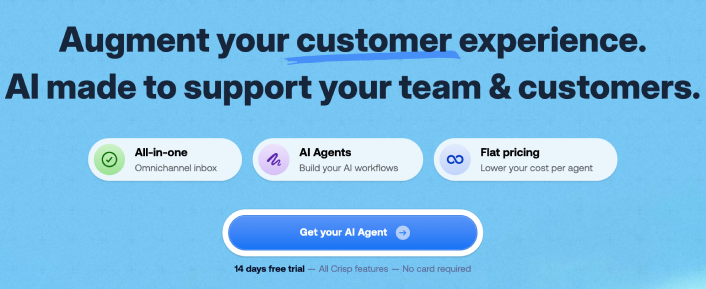
Το Crisp δωρεάν πρόγραμμα υποστηρίζει 2 θέσεις ομάδας και απεριόριστες συνομιλίες—μια γενναιόδωρη προσφορά για νεοσύστατες επιχειρήσεις με μικρή ομάδα. Το widget είναι καθαρό και μοντέρνο, και η προεπισκόπηση ζωντανής πληκτρολόγησης σας επιτρέπει να αρχίσετε να προετοιμάζετε μια απάντηση πριν καν ο επισκέπτης ολοκληρώσει το μήνυμά του.
Εκεί που το Crisp υστερεί στο δωρεάν πρόγραμμα: κανένα chatbot, καμία ενσωμάτωση και κανένας μηχανισμός ενεργοποίησης συνομιλίας. Αυτές οι λειτουργίες ξεκινούν από 25$/μήνα ανά χώρο εργασίας. Το Crisp είναι ελαφρύ και γρήγορο, αλλά είναι σαφώς σχεδιασμένο για να σας δελεάσει με το δωρεάν πρόγραμμα και να σας μετατρέψει σε επί πληρωμή.
Ιδανικό για: Startup δύο ατόμων που θέλουν μια καθαρή, γρήγορη ζωντανή συνομιλία χωρίς άμεσο κόστος.
Δυνατά σημεία:
- ✅ Το δωρεάν πρόγραμμα περιλαμβάνει 2 θέσεις και απεριόριστες συνομιλίες
- ✅ Μοντέρνο, ελαφρύ widget
- ✅ Προεπισκόπηση ζωντανής πληκτρολόγησης για ταχύτερες απαντήσεις
Μειονεκτήματα:
- ❌ Κανένα chatbot ή αυτοματισμός στο δωρεάν πρόγραμμα
- ❌ Καμία ενσωμάτωση μέχρι να πληρώσετε 25$/μήνα
- ❌ Απαιτείται ακόμα ο έλεγχος του δικού του πίνακα ελέγχου του Crisp
6. Chatty – Καλύτερο Widget Κουμπιού Πολλαπλών Καναλιών
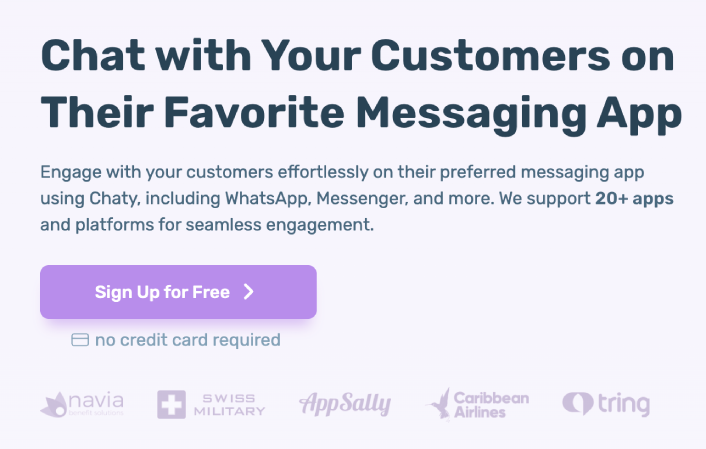
Το Chaty ακολουθεί μια διαφορετική προσέγγιση. Αντί να δημιουργεί το δικό του σύστημα συνομιλίας, προσθέτει ένα πλωτό κουμπί στον ιστότοπό σας που συνδέει τους επισκέπτες με τα υπάρχοντα κανάλια σας—WhatsApp, Messenger, Telegram, email, τηλέφωνο και άλλα. Σκεφτείτε το ως ένα κουμπί "επικοινωνήστε μαζί μας" πολλαπλών καναλιών αντί για μια παραδοσιακή ζωντανή συνομιλία.
Η δωρεάν έκδοση υποστηρίζει 2 κανάλια και βασική προσαρμογή. Τα επί πληρωμή προγράμματα ξεκινούν από περίπου 49 $/έτος για περισσότερα κανάλια, κανόνες στόχευσης και αναλύσεις. Είναι υπέροχο αν έχετε ήδη μια προτιμώμενη εφαρμογή ανταλλαγής μηνυμάτων και θέλετε απλώς να διευκολύνετε τους επισκέπτες να επικοινωνήσουν μαζί σας εκεί.
Ο περιορισμός είναι ότι το Chatty δεν παρέχει διεπαφή συνομιλίας στον ιστότοπό σας—ανακατευθύνει τους επισκέπτες σε εξωτερικές εφαρμογές. Αυτό σημαίνει ότι δεν υπάρχει ιστορικό συνομιλιών σε ένα μέρος και κανένα ενοποιημένο εισερχόμενο.
Ιδανικό για: Επιχειρήσεις που ζουν ήδη στο WhatsApp ή στο Messenger και θέλουν ένα εύκολο κουμπί “Επικοινωνήστε μαζί μας”.
Δυνατά σημεία:
- ✅ Συνδέεται με 20+ πλατφόρμες ανταλλαγής μηνυμάτων
- ✅ Διαθέσιμο δωρεάν πρόγραμμα
- ✅ Απλή ρύθμιση
Μειονεκτήματα:
- ❌ Όχι πραγματική ζωντανή συνομιλία – ανακατευθύνει σε εξωτερικές εφαρμογές
- ❌ Χωρίς διεπαφή ζωντανής συνομιλίας στον ιστότοπο ή ιστορικό
- ❌ Δωρεάν πρόγραμμα περιορισμένο σε 2 κανάλια
7. LiveChat – Καλύτερη Premium Επιλογή (Μόνο Δωρεάν Δοκιμή)

Το LiveChat είναι το βιομηχανικό πρότυπο για κάποιο λόγο. Είναι άρτιο, πλούσιο σε χαρακτηριστικά και ενσωματώνεται με πάνω από 200 εργαλεία. Το widget φαίνεται επαγγελματικό, οι αναλύσεις είναι βαθιές και τα χαρακτηριστικά διαχείρισης ομάδας είναι κατασκευασμένα για κλιμάκωση.
Ωστόσο, το LiveChat δεν είναι δωρεάν. Ξεκινά από 20 $/μήνα ανά αντιπρόσωπο (με ετήσια χρέωση), πράγμα που σημαίνει ότι ακόμη και μια ομάδα δύο ατόμων πληρώνει 480 $/έτος. Έχετε δωρεάν δοκιμή 14 ημερών για να δοκιμάσετε τα πράγματα, αλλά δεν υπάρχει μόνιμο δωρεάν πρόγραμμα.
Για επιχειρήσεις μεγάλης κλίμακας με αποκλειστικές ομάδες υποστήριξης και πραγματικούς προϋπολογισμούς, το LiveChat είναι εξαιρετικό. Για μια μικρή επιχείρηση ή έναν μοναχικό επαγγελματία; Τα μαθηματικά απλά δεν βγαίνουν.
Ιδανικό για: Μεσαίες έως μεγάλες επιχειρήσεις με αποκλειστικές ομάδες υποστήριξης και προϋπολογισμό για premium εργαλεία.
Δυνατά σημεία:
- ✅ Κορυφαίο σύνολο χαρακτηριστικών στον κλάδο
- ✅ 200+ ενσωματώσεις
- ✅ Εξαιρετικά αναλυτικά στοιχεία και αναφορές
Μειονεκτήματα:
- ❌ Χωρίς δωρεάν πρόγραμμα – ξεκινά από 20 $/μήνα ανά αντιπρόσωπο
- ❌ Γίνεται γρήγορα ακριβό με πολλούς αντιπροσώπους
- ❌ Υπερβολικό για μικρές επιχειρήσεις
Γρήγορη Σύγκριση: Πώς Συγκρίνονται
Δείτε πώς αυτά τα 7 widgets συνομιλίας συγκρίνονται στα χαρακτηριστικά που έχουν μεγαλύτερη σημασία:
| Χαρακτηριστικό | PushEngage | Tawk.to | Tidio | HubSpot | Τραγανό | Chaty | LiveChat |
|---|---|---|---|---|---|---|---|
| Τιμή | 49$/έτος | Δωρεάν | Δωρεάν / 29 $/μήνα | Δωρεάν / 20 $/μήνα | Δωρεάν / 25 $/μήνα | Δωρεάν / 49 $/έτος | 20$/μήνα+ |
| Inbox-Δωρεάν | ✅ Ναι | ❌ Όχι | ❌ Όχι | ❌ Όχι | ❌ Όχι | Μερικό | ❌ Όχι |
| Δρομολόγηση Πολλαπλών Καναλιών | ✅ Ναι | ❌ Όχι | Περιορισμένο | Περιορισμένο | ❌ Όχι | ✅ Ναι | ✅ Ναι |
| Πολλαπλοί Πράκτορες | ✅ Ναι | ✅ Ναι | Επί πληρωμή | Περιορισμένο | 2 θέσεις | Δ/Ε | ✅ Ναι |
| Δεν απαιτείται πίνακας ελέγχου | ✅ Ναι | ❌ Όχι | ❌ Όχι | ❌ Όχι | ❌ Όχι | ✅ Ναι | ❌ Όχι |
| AI Chatbot | ❌ Όχι | ❌ Όχι | ✅ Ναι | Βασικά | Επί πληρωμή | ❌ Όχι | Πρόσθετο |
| Χρόνος Εγκατάστασης | 5 λεπτά | 5 λεπτά | 5 λεπτά | 10 λεπτά | 3 λεπτά | 5 λεπτά | 5 λεπτά |
Λοιπόν, ποιο widget ζωντανής συνομιλίας πρέπει να επιλέξετε;
Ας το κάνουμε απλό.
Αν ο προϋπολογισμός σας είναι κυριολεκτικά 0 € και μπορείτε να καθίσετε σε έναν υπολογιστή για να απαντάτε σε συνομιλίες, το Tawk.to είναι μια σταθερή δωρεάν επιλογή. Χωρίς κόλπα, χωρίς όρια στους πράκτορες.
Αν θέλετε τα AI chatbots να χειρίζονται κοινές ερωτήσεις αυτόματα, το Tidio αξίζει να το δοκιμάσετε - αν και να είστε προετοιμασμένοι να αναβαθμίσετε μόλις φτάσετε στο όριο των 50 συνομιλιών.
Αν βρίσκεστε ήδη βαθιά στο οικοσύστημα του HubSpot, η δωρεάν συνομιλία τους έχει νόημα ως πρόσθετο.
Αλλά αν είστε ιδιοκτήτης μικρής επιχείρησης που θέλει επαγγελματική ζωντανή συνομιλία που είναι απίστευτα απλή, δεν απαιτεί νέο πίνακα ελέγχου, στέλνει συνομιλίες στα εργαλεία που ήδη χρησιμοποιείτε και κοστίζει λιγότερο από ένα ωραίο δείπνο για ολόκληρο το χρόνο;
Το widget συνομιλίας του PushEngage είναι η απάντησή σας. 49 $/έτος. Χωρίς inbox. Μια πώληση το αποπληρώνει.
Κάθε άλλο εργαλείο σε αυτήν τη λίστα είτε σας αναγκάζει να ελέγξετε ένα ξεχωριστό ταμπλό, είτε περιορίζει τη χρήση σας σε δωρεάν προγράμματα, είτε χρεώνει 20–60 $ ανά μήνα ανά πράκτορα. Το PushEngage στέλνει συνομιλίες απευθείας στο email, το WhatsApp ή το Slack σας—και κοστίζει περίπου 4 $ ανά μήνα.
Ήδη διαχειρίζεστε εκατό πράγματα. Το εργαλείο ζωντανής συνομιλίας σας δεν πρέπει να προσθέτει σε αυτό το σωρό. Θα πρέπει απλώς να λειτουργεί—ήσυχα, οικονομικά και όπου κι αν βρίσκεστε ήδη.
Συγκρίνετε τα μεγάλα ονόματα; Δείτε τις καλύτερες εναλλακτικές λύσεις του Intercom, την ανάλυσή μας Zendesk vs Intercom vs PushEngage, Intercom vs Drift, και πώς να αυτοματοποιήσετε την εξυπηρέτηση πελατών στο WhatsApp.
- Πώς να Ρυθμίσετε Υποστήριξη Συνομιλίας Πολλαπλών Γλωσσών στον Ιστότοπό σας
- Ένας πλήρης οδηγός για τη στόχευση συνομιλιών ανά σελίδα για καταστήματα WordPress
- Πώς να προσθέσετε προσαρμοσμένα εικονίδια για widgets συνομιλίας (και γιατί έχει σημασία)
- Πώς να κάνετε περισσότερους ανθρώπους να ξεκινούν ζωντανές συνομιλίες (5 συμβουλές)
- Γιατί τα widgets συνομιλίας χωρίς inbox λειτουργούν καλύτερα
Έτοιμοι να προσθέσετε ζωντανή συνομιλία στον ιστότοπό σας στο WordPress;
Δοκιμάστε το widget συνομιλίας του PushEngage και αρχίστε να απαντάτε στις ερωτήσεις των πελατών στα DMs σας - όχι σε ένα άλλο inbox.
Είστε έτοιμοι να σταματήσετε να χάνετε ερωτήσεις πελατών;


