Du kan øge abonnementsraten med dette, & dine webstedsbesøgende kan ikke gå glip af det!
Når du aktiverer abonnements-overlayet, kan du være sikker på, at dine webstedsbesøgende bemærker Opt-in, når det vises.
Dette suppleres bedst med Single Step Opt-in. Kan dog også bruges med andre Opt-in-stilarter.
Naviger til dit dashboard Design > Pop-up-modaler > Rediger valgt Opt-in-stil
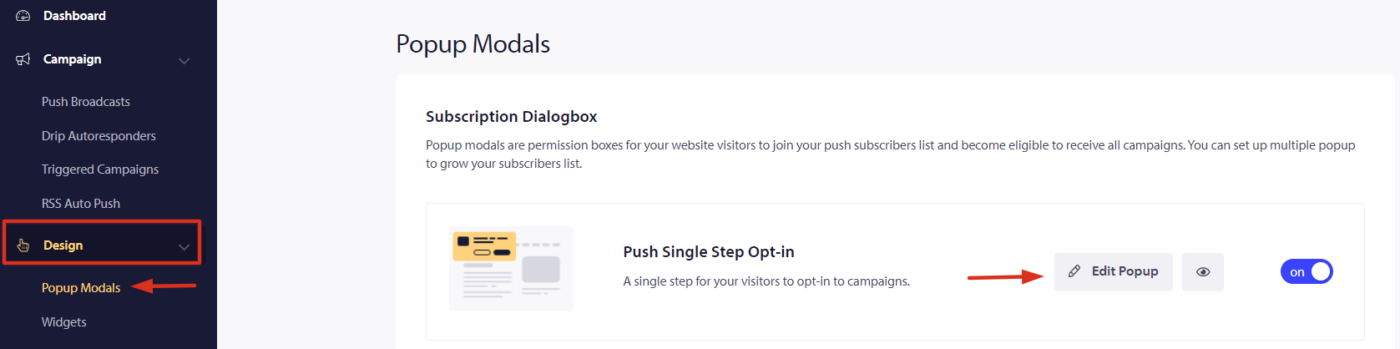
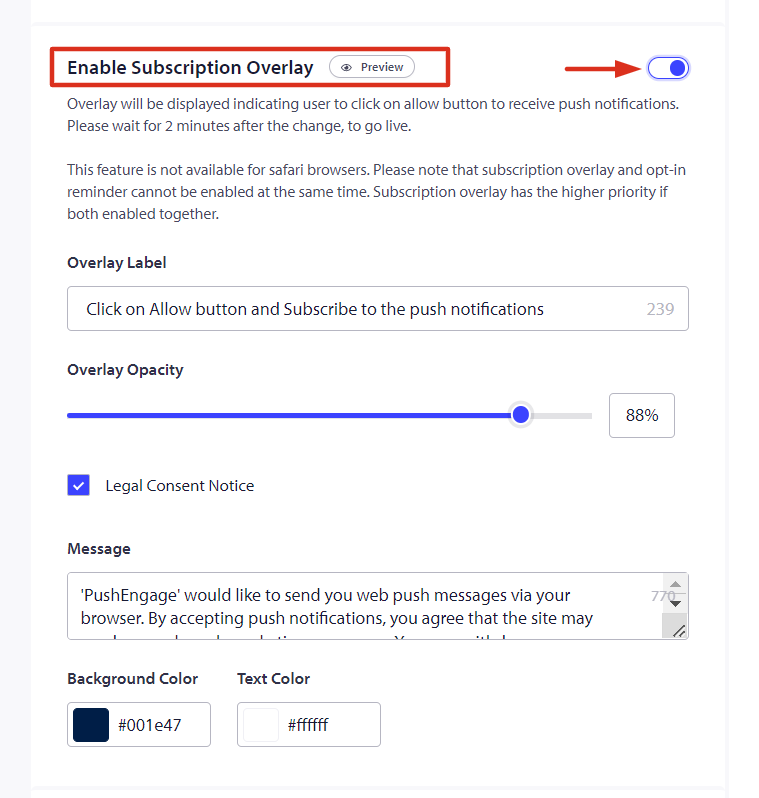
Efter at have klikket på Rediger popup under Popup-design skal du rulle ned for at aktivere abonnements-overlayet og slå kontakten til.
Sådan vil det se ud, når du aktiverer abonnements-overlayet:
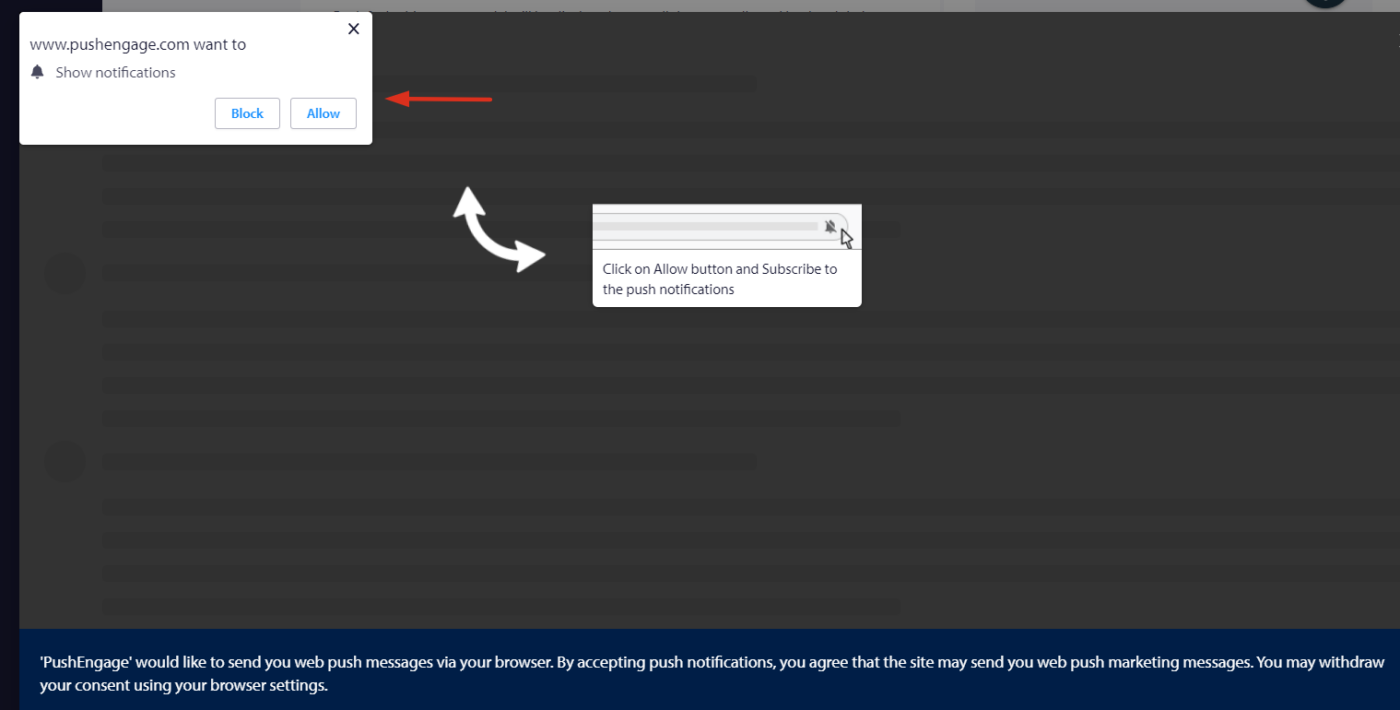
Det var det! Du kan være sikker på, at der er en stigning i abonnementer.
Hvis du støder på problemer, er du velkommen til at kontakte os ved at klikke her. Vores supportteam vil kunne hjælpe dig.