الحملات المتسلسلة أو الردود التلقائية المتسلسلة هي مفهوم جديد في إشعارات الويب. سنحاول تسهيل المهمة ووصف خطوات محددة لتشغيلها في PushEngage.
يمكنك تمكين حملة رد تلقائي لإشعارات الويب وإرسالها إلى جميع المستخدمين المشتركين أو إلى قائمة/شريحة من المستخدمين في PushEngage. قم بتقسيم المستخدمين إلى قوائم محددة، والتي يمكن أن تحدث في صفحات معينة، أو عندما يشترك المستخدم في منهج للإشعارات.
قبل البدء
- تحتاج إلى حساب WordPress والوصول إلى إضافة PushEngage.
- الردود التلقائية المتتابعة متاحة في الخطط المميزة وما فوق في PushEngage.
إنشاء ردود تلقائية متتابعة
الخطوة 1 – قم بتسجيل الدخول إلى لوحة تحكم WordPress الخاصة بك وانتقل إلى إضافة PushEngage > Drip. يمكنك تعديل رسالة الترحيب المتتابعة الحالية أو إنشاء سلسلة جديدة حسب حالة عملك.
الخطوة 2 – الآن قم بإنشاء سلسلة الرد التلقائي عن طريق إضافة إشعار واحد أو أكبر عدد تريده في السلسلة.
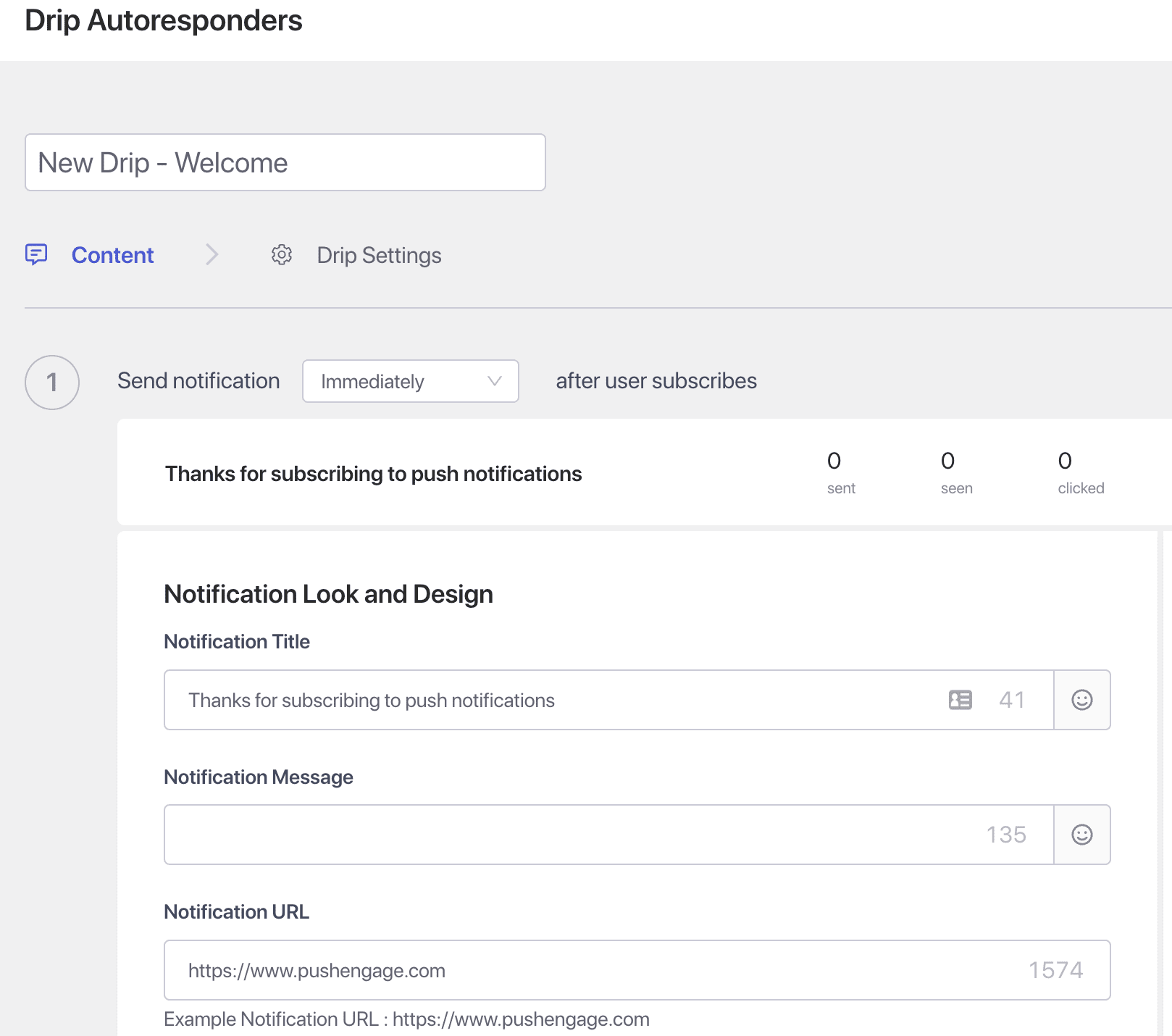
الخطوة 3 – اضبط التأخير – الآن قم بإنشاء سلسلة من الإشعارات ليتم إرسالها بعد 10 دقائق أو ساعة واحدة وبعد يوم واحد كمثال.
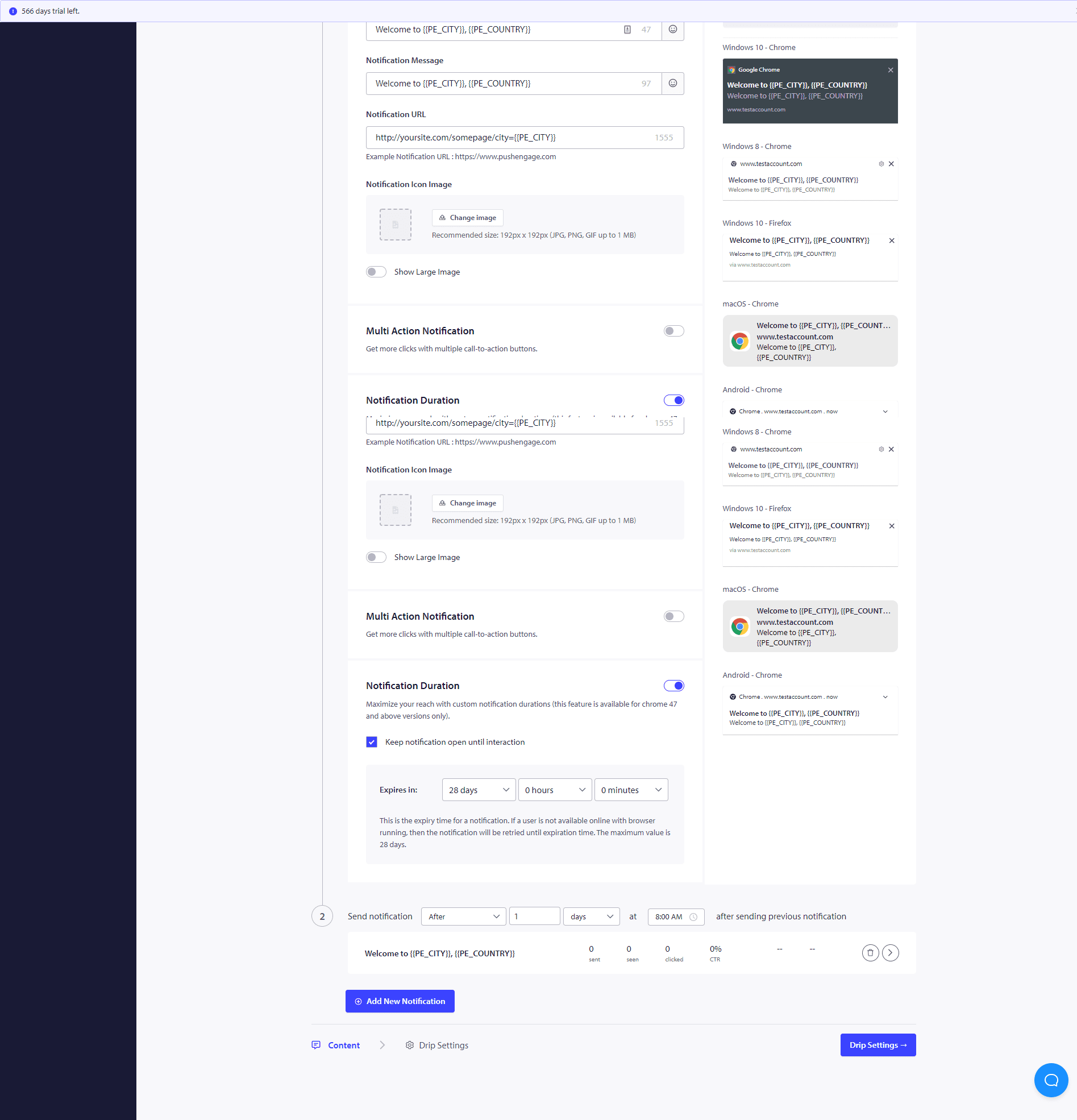
بمجرد الانتهاء من حملات التنقيط هذه، قد ترغب في رؤية أداء كل مرحلة من مراحل الإشعارات. للقيام بذلك، قم بزيارة تحليلات الرد التلقائي وانقر على حملة التنقيط التي تم إنشاؤها للتو.
الرد التلقائي المتسلسل الخاص بك جاهز الآن. هذا كل شيء، اجلس وشاهد حركة المرور تزداد وزوارك يتفاعلون ويعودون إلى موقعك مع الحملات المتسلسلة.
كيفية تخصيص الحملة المتسلسلة؟
لتخصيص التنقيط أو إذا كنت ترغب في إرساله إلى مجموعة معينة من الأشخاص/شريحة أو إلى موقع جغرافي، يمكنك تحديد اسم الشريحة ذات الصلة أو الموقع الجغرافي الذي ترغب في إعلامه من القائمة المنسدلة.
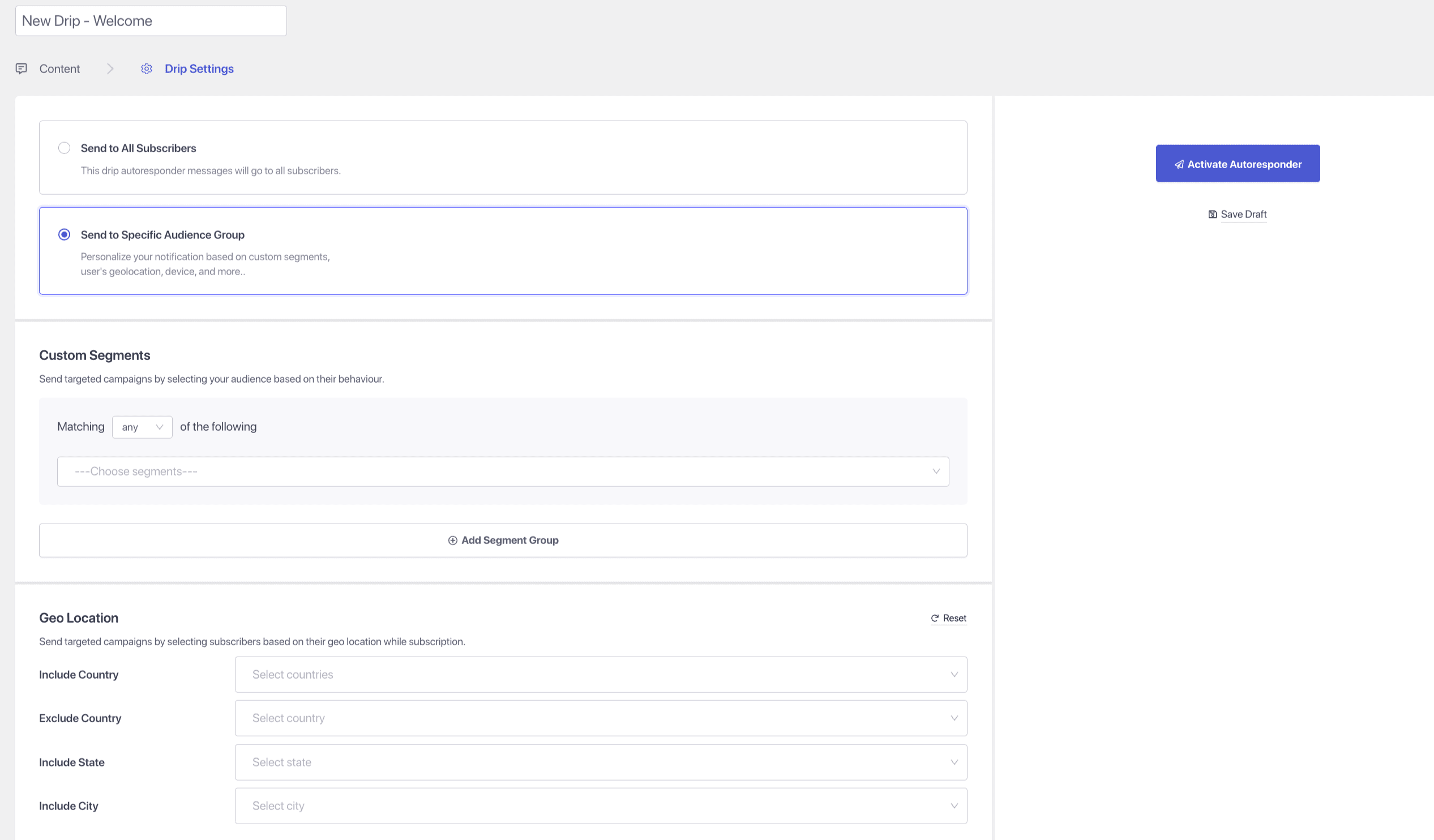
علاوة على ذلك، يمكن استخدام حملات التنقيط لبناء حملات التخلي عن النماذج، وسلاسل الترحيب، وحملات البيع المتبادل، وسلاسل الوصفات.
في حال واجهت أي مشاكل، فلا تتردد في الاتصال بنا بالنقر هنا. سيكون فريق الدعم لدينا قادرًا على مساعدتك.