
Do you want to embed YouTube videos in your WordPress blog posts?
Videos help to increase the time your users spend on your website, and some visitors may even prefer to watch a video than reading written text. But uploading them directly to your site is a bad idea. If your video goes viral, it will crash your server. So, a better way is to upload your video to YouTube and then embedding them in your WordPress site.
The biggest worry that most bloggers have is that they may have to code in HTML to embed videos. But WordPress actually makes it super easy to embed videos from video hosting sites like YouTube, Vimeo, Facebook, Twitter, and many others.
In this article, we’re going to show you step-by-step how to embed YouTube videos in WordPress.
让我们开始吧。
Method #1: How to Directly Embed a Single Video in WordPress
WordPress comes with an amazing feature called auto-embed. With Gutenberg, you can directly fetch a video on any page in your site.
All you have to do is copy and paste the URL of the video directly in the content area:
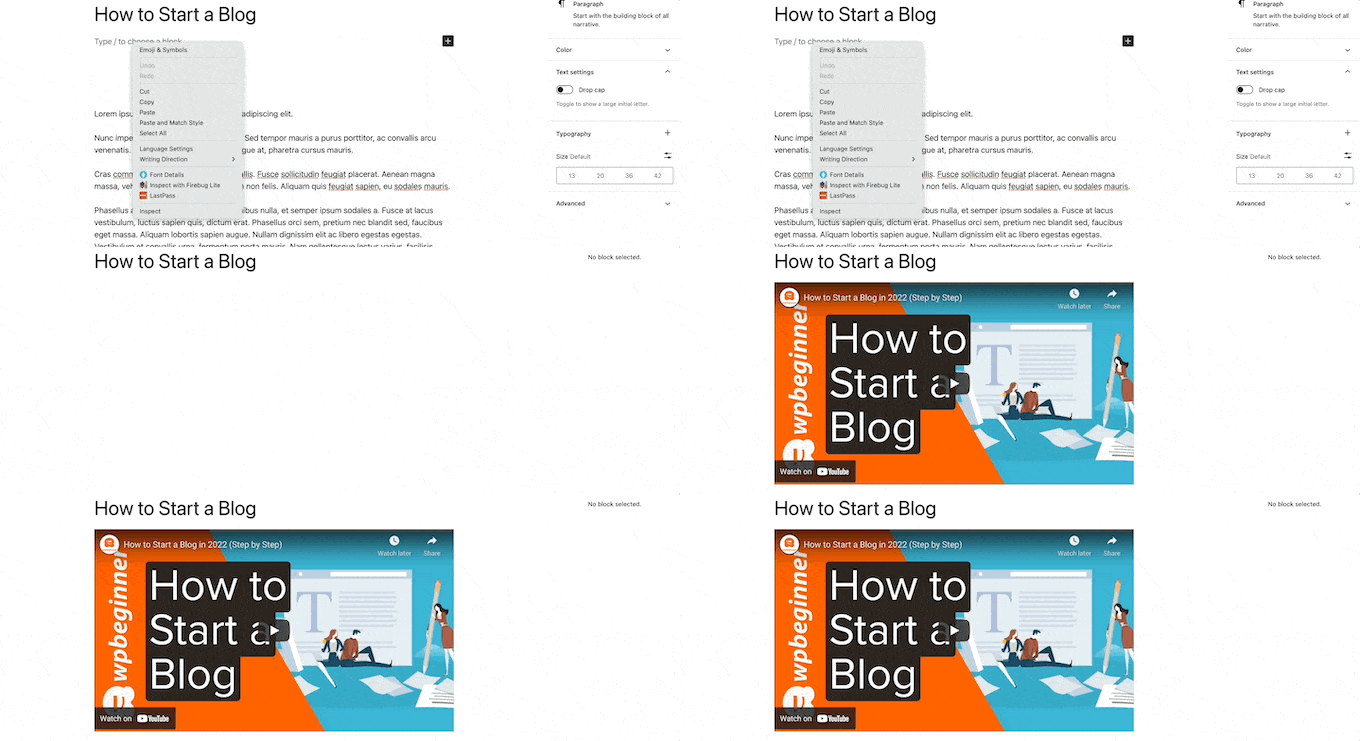
And WordPress will automatically fetch the YouTube video and embed it in your content.
Method #2: How to Embed Videos in WordPress Sidebar Widgets
Go to Appearance » Widgets in your WordPress admin area and then click the Plus add block icon. And search for Video in the search bar:
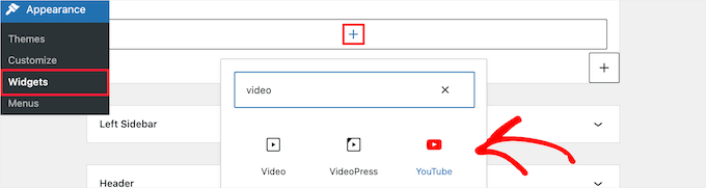
Then, all you have to do is click the ‘Update’ button, and the video widget will go live on your website:
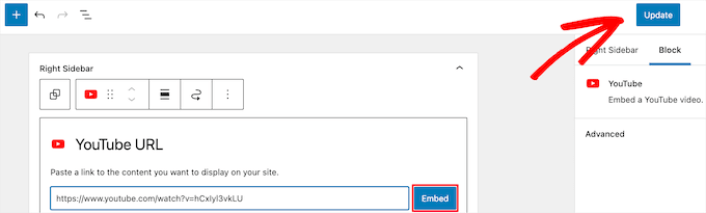
The size of the video will scale automatically based on the size of your widget area.
Method #3: Using WordPress Video Embed Plugins to Embed Videos
You can use WordPress video embed plugins to embed a YouTube video on your site. A plugin can help you automatically embed all of your YouTube channel videos in a customizable gallery format.
We recommend using Smash Balloon to embed your WordPress videos.

Smash Balloon 是一款简单的 WordPress 插件,可让您在不使用任何代码的情况下在网站上显示社交媒体动态。在网站上显示社交动态是将网站流量转化为社交媒体关注者并让他们长期参与的好方法。
Smash Balloon 最棒的地方在于无需任何编码。您只需安装插件,然后将您的社交媒体页面连接到您的网站即可。
您可以使用 Smash Balloon 来:
- 在您的网站上使用您的标签动态作为社交证明
- 在您的网站上展示互动式 Twitter 动态以提高网站参与度
- 将您的 YouTube 视频嵌入您的网站以增加您的 YouTube 订阅者
- 将真实的 Facebook Business Page 评论添加到您的网站以增加转化率
还有更多!
Check out our review of Smash Balloon or just get started. First thing you need to do is install the YouTube Feed Pro plugin. For more details, see our step by step guide on how to install a WordPress plugin.
Go to Feeds for YouTube » Feeds for YouTube and then click the Connect to YouTube to Create a Feed button:
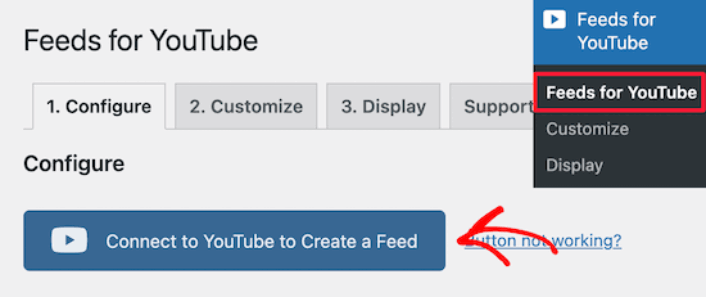
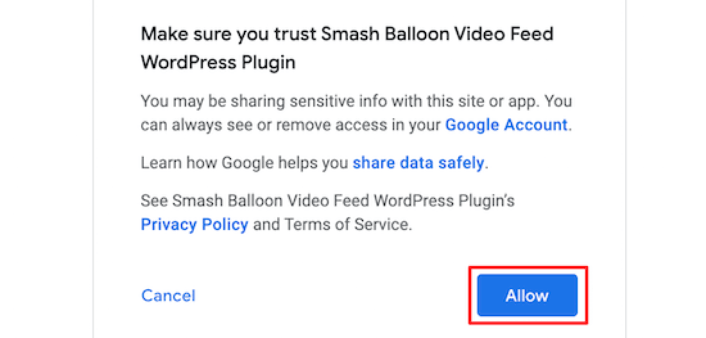
You’ll see a prompt to login using Google. Go ahead connect the right Google account to Smash Balloon. Then, click on Allow:
Then, click on the Customize tab:
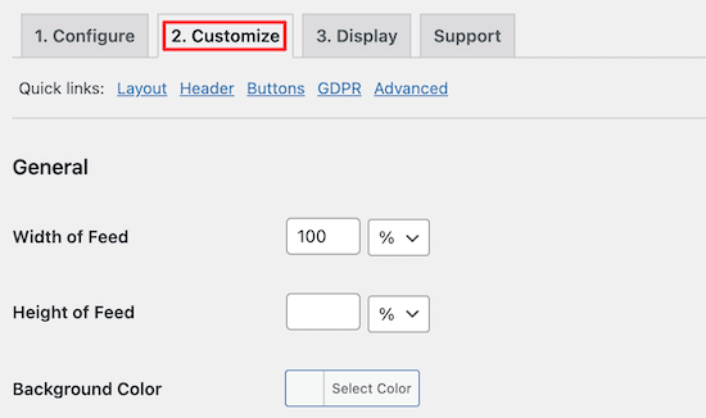
Here, you can customize the look and feel for your YouTube embed without a single line of code. You can embed multiple videos at a time, create a gallery, and even select a layout to display your videos.
Once you’re done, you can embed a customized YouTube feed on your WordPress site instantly using the YouTube Feeds block for Gutenberg Editor:
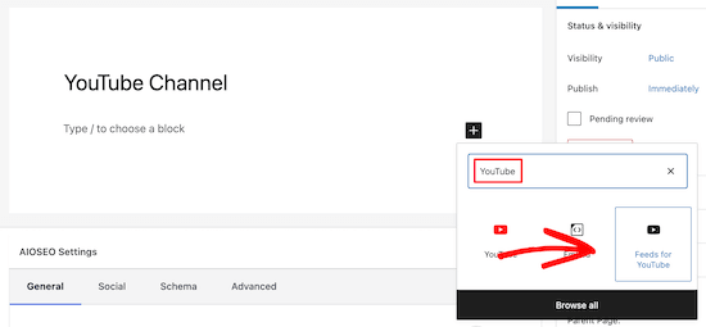
This will automatically add your YouTube feed to your page. Finally, click the Publish or Update button to make your page live.
What to do After You Embed a YouTube Video in WordPress
That’s all for this one, folks! By now, you’ve managed to embed a YouTube video in WordPress. You should also check out how to embed Instagram photos in WordPress. And how to set up a viral giveaway to supercharge your social media following.
之后,剩下要做的就是为您的网站吸引流量,以便您的联系表单可以开始工作。一种简单的方法是开始使用推送通知。发送推送通知是为您的网站吸引重复流量的好方法。如果您对此感兴趣,还应该查看以下文章:
我们建议使用PushEngage发送推送通知。PushEngage是全球排名第一的推送通知软件。因此,如果您还没有,请立即开始使用PushEngage。


