
Looking for a quick and easy way to create a podcast landing page?
Running a podcast is tough. It’s not just about creating content. You have to promote your content as much as possible right before every episode. And your business depends on how many people tune in for each episode.
Sure, you get some subscribers from podcast platforms such as Google Podcasts, Spotify, and Apple Podcasts. But your entire competition is also on the same platform as you are. So, when you promote your podcast, there’s a high chance that your fans may end up subscribing to someone else altogether.
Of course, a podcast landing page can help solve these issues. But how do you create one? Running your podcast takes so much time and effort as is. Do you really have time to build a website around your brand? Can you afford to pay a developer to do it for you?
Fortunately, there’s an easy way to create a podcast landing page. In this article, we’re going to help you launch your very podcast page in less than 15 minutes.
准备好了吗?我们开始吧。
What’s a Podcast Landing Page?
A podcast landing page is a fully customized web page that’s focused on giving your visitors a reason to subscribe. Unlike a podcast website, the landing page isn’t focused on talking about your show and different episodes. The only focus of a landing page is to drive conversions.
The cool bit about a podcast landing page is that you can customize it any way you want. You can include and control elements in your podcast landing page that you can’t really do with a podcast hosting page like Spotify.
Another alternative use of your podcast landing page is to convert your listeners into leads. Let’s say you have a podcast on business management that’s gaining some followers. You can create a landing page to promote your own course or even a consulting service.
Here’s the best part: You can convert your visitors into subscribers in SO many ways.
Depending on how much time you have and how much money you’re expecting to make from your subscribers, you could:
- Offer coupons and discounts
- Host a giveaway
- Create a free guide or checklist as a lead magnet
- Accept donations from fans
还有更多!
But before you get started, remember to have a very clear and specific goal for your landing page. Just because you can do a lot of things doesn’t mean that you should do them all on one page. More often than not, if you give your visitors too many things to click on, they won’t click on anything at all.
What do All Successful Podcast Landing Pages Have?
Now that you know what a podcast landing page is and why you should build one, it’s time to create a blueprint for your landing page. If you check out any successful landing pages, you’ll notice that they all have some very basic common elements:
- Headline: The headline is where you grab people’s attention and make them want to scroll down and learn more about you.
- Description: Just below the headline, you should have a description of what your viewers should expect from the rest of the page. This is a great place to convince readers to subscribe to your podcast as well.
- Latest episodes: Once people know what to expect from your brand, give them a taste of your show by listing your latest episodes. We recommend showcasing 3-5 episodes at most.
- Subscribe button: Follow up with a subscribe button so that your visitors can become podcast subscribers. This is known as the call to action (CTA) button. It’s how you nudge your visitors to take action on your page. Depending on your goal for the landing page, your CTA will vary.
- Social proof: A great way to give your readers a strong reason to subscribe is by offering social proof. Social proof simply tells your visitor that there are other people who are already taking the same action as you want them to take.
- Newsletter optin: Once you hit your visitors with the core offer, you can also ask them to become email subscribers. You can also ask them to become push notification subscribers using a click to subscribe button. It’s always best if you offer something valuable in exchange.
- Social sharing buttons: The more people talk about you on social media, the better chances you have of skyrocketing your subscribers. So, put up social sharing buttons on your landing page to encourage people to share it on social media.
Remember, these are only the most basic parts of any successful landing page. For your page, you can add a lot of other sections and create custom offers to increase your conversions.
How to Create a Podcast Landing Page in WordPress
Now that you know what to create, it’s time to launch your podcast landing page. For this tutorial, we highly recommend using SeedProd to create your landing pages.
SeedProd is the best WordPress landing page builder. It’s perfect for businesses, bloggers, and website owners looking to build high-converting landing pages without any development skills.
使用 SeedPreed,您将获得预制的高转化率着陆页模板,可以立即发布。这包括以下模板:
- 销售页面
- 即将推出页面
- 404 页面
- 维护页面
- 潜在客户获取页面
- 登录页面
- 感谢页面
- 网络研讨会页面
- 视频页面
还有更多!
第 1 步:安装并激活 SeedProd
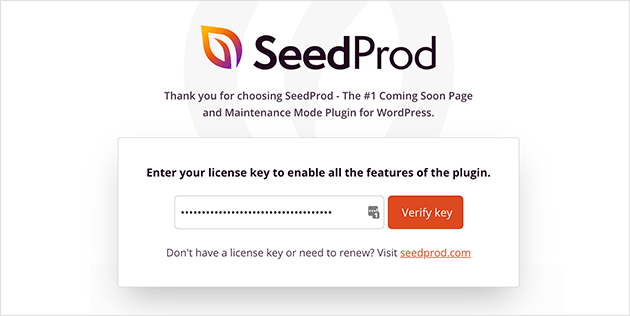
首先,您需要获取 SeedProd Pro 插件并激活它。如果您不确定如何操作,请参阅这篇关于 如何安装 WordPress 插件的文章。然后,在您的 WordPress 管理仪表板中转到 SeedProd » 设置 并激活 Pro 版本:
接下来,前往 SeedProd » 页面 以概览 SeedProd 的着陆页仪表板。在这里,您可以查看使用 SeedProd 可以创建的不同类型的着陆页:
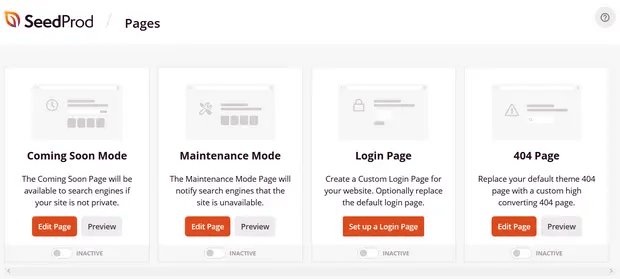
Keep in mind that these are all special pages with pre-built functionality and design templates. For a podcast landing page, you don’t want to use ANY of these special landing pages. Instead, you’re going to create a custom landing page.
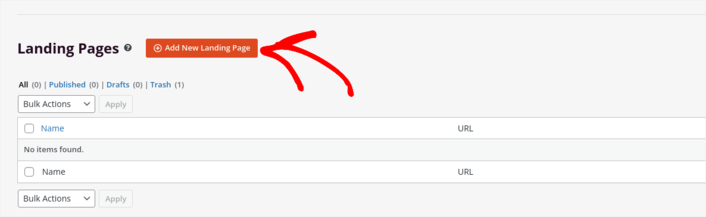
向下滚动并点击 添加新着陆页 按钮开始操作:
Step #2: Create a New Landing Page
点击 添加新着陆页 按钮后,您将看到 SeedProd 的着陆页模板库。这些是专业设计的、完全响应式的着陆页模板。
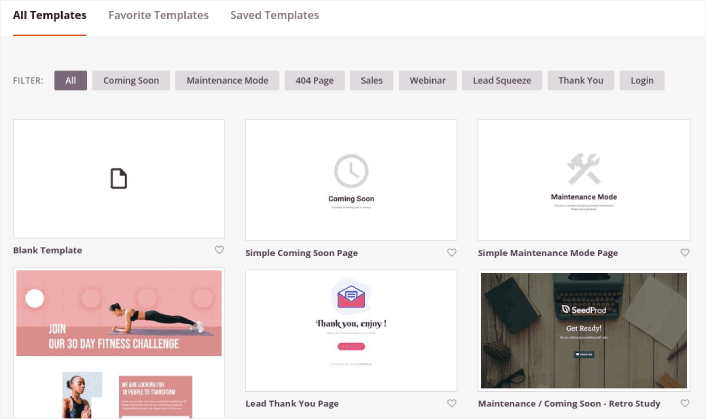
接下来,您可以选择其中一个模板来帮助您入门。请记住,模板只是一个起点。您以后可以自定义页面的所有内容。现在,找到一个您认为合适的模板:
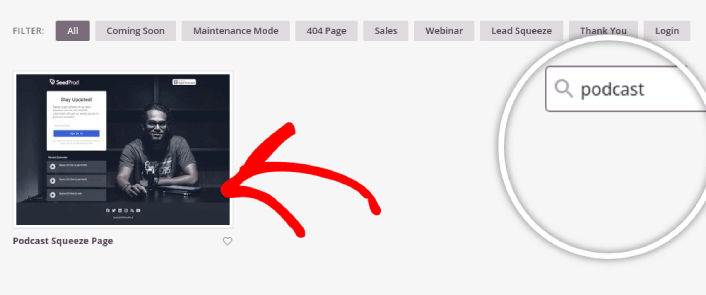
For this guide, we chose the Podcast Squeeze Page template.
Step #3: Customize Your Landing Page Design
SeedProd 的可视化构建器允许您使用拖放内容块来自定义您的着陆页。
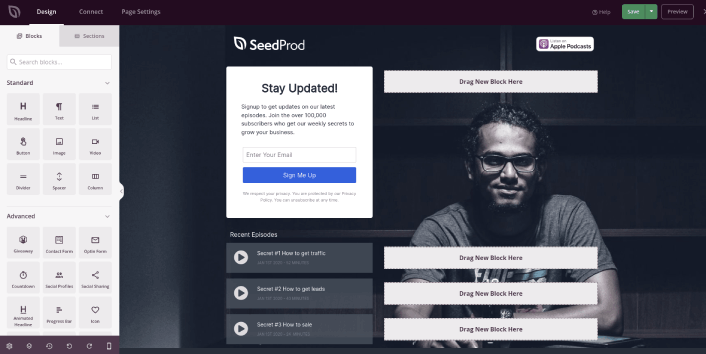
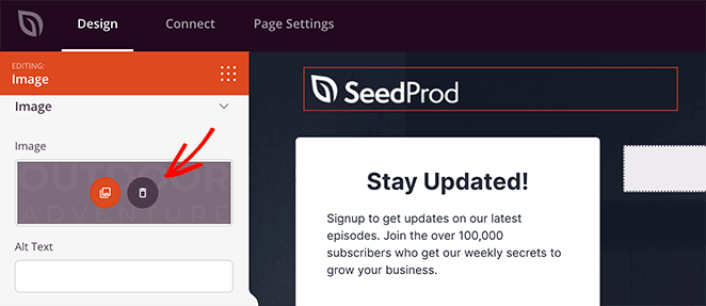
You can click the logo and replace the image with anything you like:
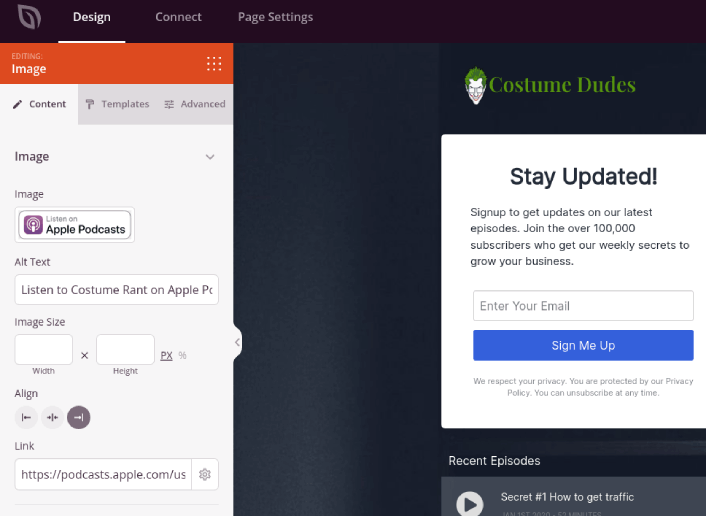
You can create a fully customized header for your landing page in a matter of minutes. For instance, click on the Listen on Apple Podcasts button and insert your podcast’s link:
It’s also super easy to add a section with a brief description of your podcast. Head over to the Sections tab in the visual builder and under the Hero section, you’ll find several pre-built templates that you can import with a single click.
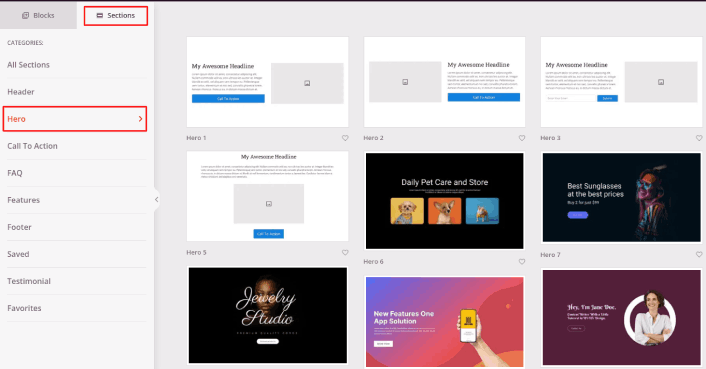
Go ahead and select one that you like. Don’t worry about the colors or the content. You can edit all of it. What you should look for is a layout that goes well with your template.
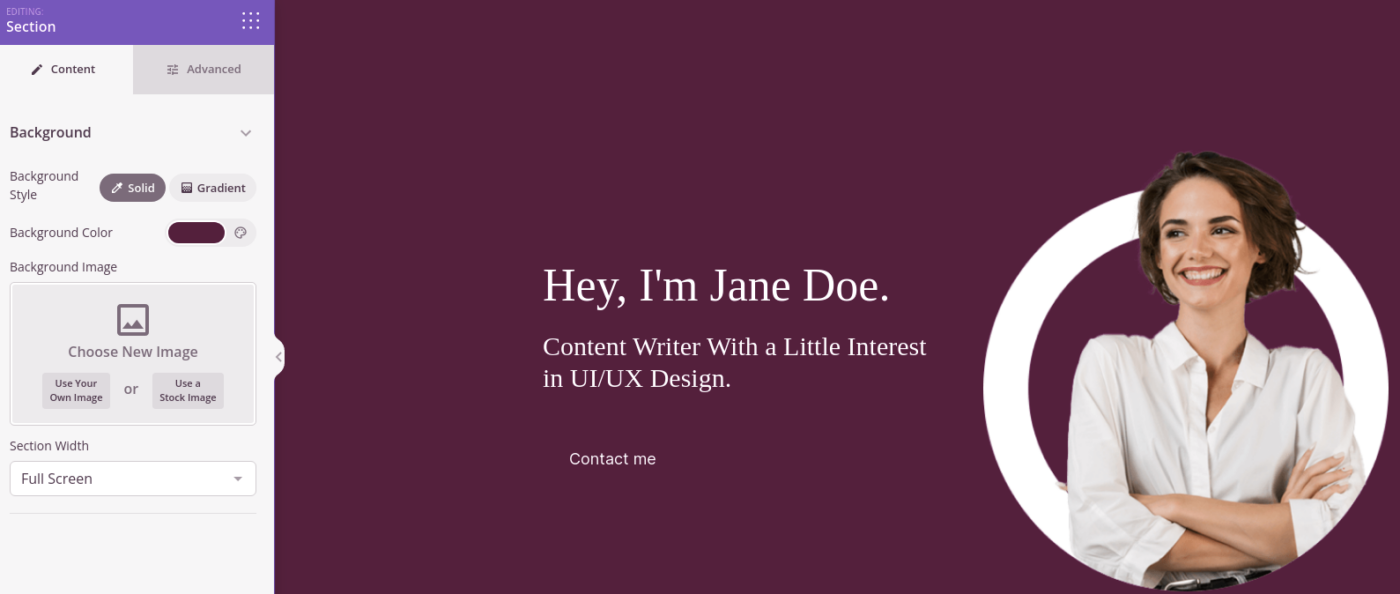
You can customize the hero section the same way we did earlier by choosing a different image and changing the headline and description. While you’re at it, add a call-to-action button that nudges viewers to subscribe to your podcast as well.
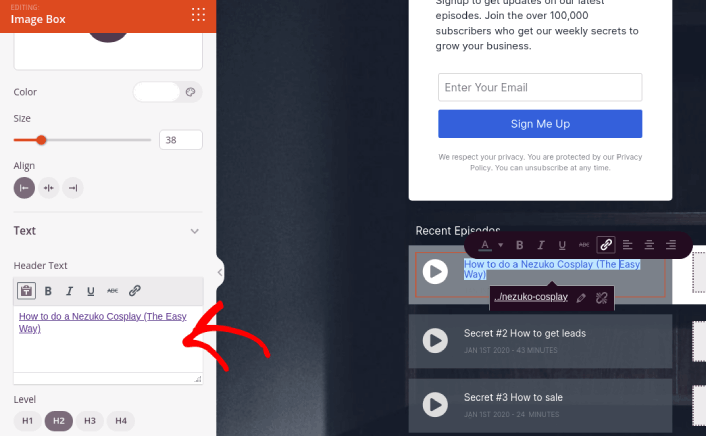
The template that we chose also has a pre-built block to showcase your latest episodes. So, all you have to do is edit the information and add episode URLs:
Next, from the Sections tab, select the Testimonial heading, and choose a design you like. And just like that, you have a testimonials section on your landing page.
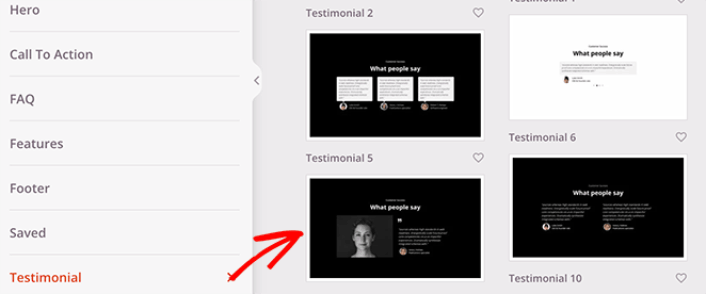
It’s so simple!
Step #4: Add a Click to Subscribe Button to Your Podcast Landing Page
You can also add a click to subscribe button to collect push notification subscribers. Push notifications are a great way to increase your repeat traffic, get more engagement and even sell official merch if you have some.
In SeedProd, just drag and drop the Custom HTML module from the sidebar.
We’ve put the subscribe button directly underneath the email signup form in the first fold.
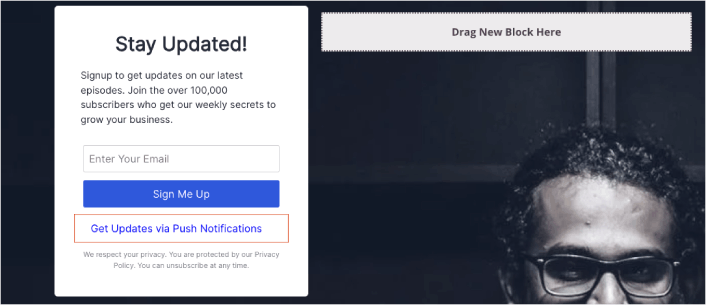
But you can insert the button anywhere you like.
For this part, you need some experience with HTML and CSS. Or, you can copy this code and paste it into your Custom HTML block:
<button onclick="subscribeOnClickButton()" style="border: none; padding-left: 5%; padding-right:5%; text-align: center; display: inline-block; color: blue;">Get Updates via Push Notifications</button>That’s a standard button in HTML with very little styling. The only fancy bit is the onclick function in the code. It basically means that your visitors can click on the button to subscribe to something. Now, we need to give the button some extra code to allow your visitors to subscribe to push notifications.
前往 PushEngage 主页,然后点击“开始使用”按钮:

然后,您可以选择免费计划来试用 PushEngage,或者如果您想认真发展您的业务,可以选择付费计划。付费计划提供更多的营销活动选项,并能够建立更大的订阅用户列表。
在您的 PushEngage 仪表板中,转到“网站设置”»“网站详细信息”,然后点击“单击此处获取设置说明”按钮。在“任何网站”下,您将获得安装代码:
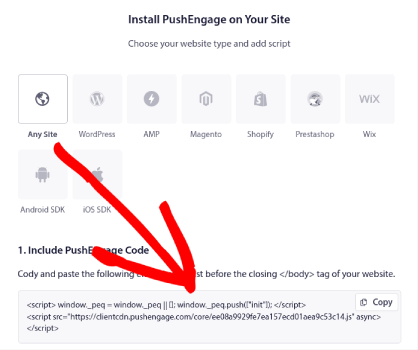
警告:您需要复制从仪表板获取的代码。该代码对于每个 PushEngage 用户都是唯一的。您将无法复制图像中的代码并收集推送通知订阅者。
在您的 PushEngage 仪表板中获取代码后,将此代码段添加到您的代码中:
<script> window._peq = window._peq || [];</script> <script>
function subscribeOnClickButton(){
window._peq.push(['subscribe',{}.pe,function(res){
if(res.statuscode==1)
{
// Code to return response
console.log(res);
}
}]);
}
</script>
您的最终代码应如下所示:
<script src="https://clientcdn.pushengage.com/core/02a6e92667ae2279fcba8932356c1d93.js" async></script>
<script> window._peq = window._peq || [];</script> <script>
function subscribeOnClickButton(){
window._peq.push(['subscribe',{}.pe,function(res){
if(res.statuscode==1)
{
// Code to return response
console.log(res);
}
}]);
}
</script>
You’ll want to add this code to the HTML block in your landing page after the code for the button. It should look something like this:
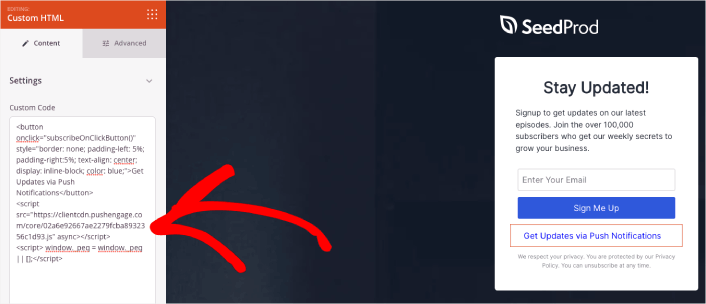
Feel free to customize the styles for the button any way you please. When you’re done customizing your podcast landing page, go ahead and hit the Save button.
Step #5: Configure Your Page Settings
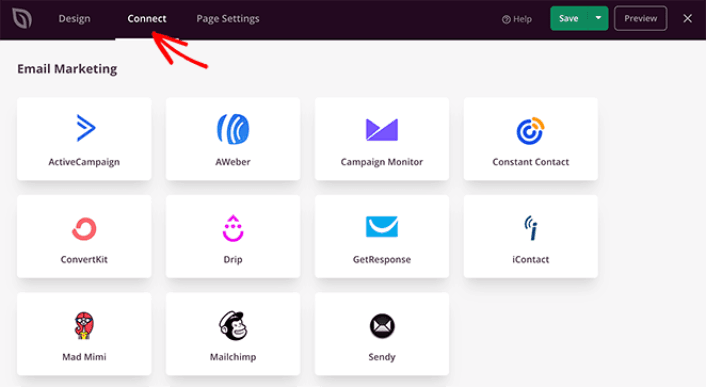
After you’re done designing your podcast page, click the Connect tab at the top of your page builder, and select your email marketing provider to collect leads on your site.
然后,点击屏幕顶部的“页面设置”选项卡。
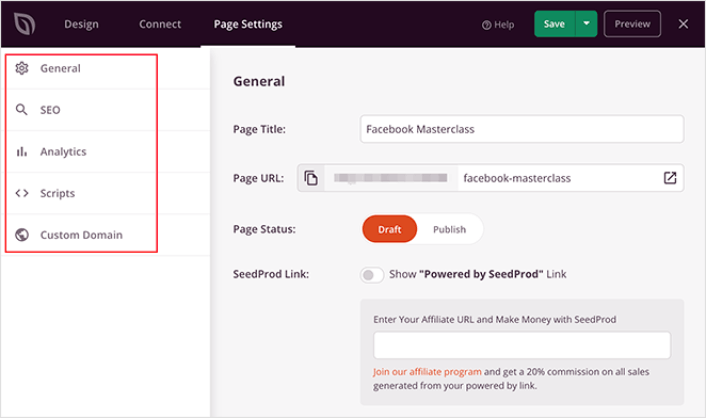
在这里,您可以将SEO插件和Google Analytics插件添加到您的着陆页。您甚至可以设置自定义跟踪代码,例如Facebook Pixel或Pinterest Pixel来跟踪广告效果。
Step #6: Publish Your Podcast Landing Page in WordPress
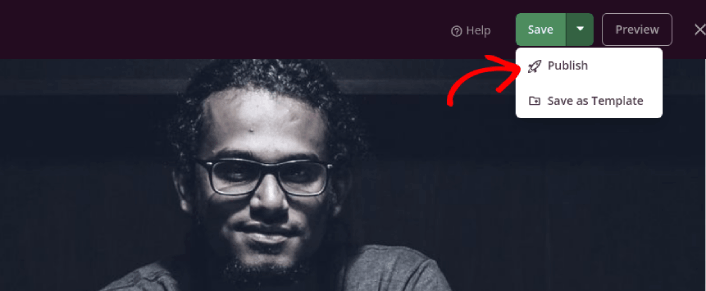
Now let’s go ahead and publish your design. To do this, click the dropdown arrow next to the Save button and click Publish.
You can then click the See Live Page button to see how it looks.
Congratulations! You just published your very first podcast landing page.
What to do After You Build a Podcast Landing Page
Now that your podcast landing page is live, it’s time to work on your traffic, engagement, and sales. You should try using push notifications on your site. Push notifications are a great marketing tool that can help you grow your business.
看看这些精彩的资源,您就会明白我的意思了:
我们建议使用PushEngage来创建您的推送通知广告系列。PushEngage是全球排名第一的推送通知软件。所以,如果您还没有,请立即开始使用PushEngage!


