
正在寻找关于如何为您的WordPress网站创建FAQ页面的指南吗?
FAQ页面可以解决潜在客户的销售疑虑。同时,它还可以直接从Google的“您可能还想问”精选摘要中带来搜索流量。
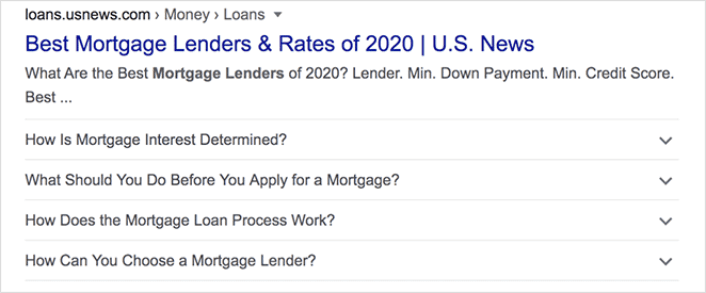
最酷的部分是,您可以将FAQ页面用作着陆页,将访问者重定向到产品和销售页面。
在本文中,我们将向您展示如何轻松地为您的WordPress网站创建FAQ页面。然后,我们将向您展示如何优化您的页面以获得大量搜索流量。
最棒的部分?即使您以前从未做过,也没关系。本文适合完全的初学者。
让我们开始吧。
最好的FAQ页面有什么共同点
在我们开始关于如何创建FAQ页面的教程之前,这里有一个清单,在您编写FAQ页面内容时会很有用:
- FAQ页面是否具有清晰易于导航的结构?
- 答案是否清晰简洁?
- 是否有指向更全面指南的链接(如有必要)?
- 随着业务的发展,公司是否会更新FAQ页面?
- 是否易于搜索和查找查询?
- FAQ页面是否包含一个供用户快速查找答案的搜索栏?
- 是否有供用户购买产品或服务的号召性用语?
如果您刚开始接触FAQ页面,在创建之前也应该考虑所有这些因素。如果您已经有一个FAQ页面,您应该考虑更新它,使其遵循这些最佳实践。此外,您还可以查看我们列出的六位数企业史诗级FAQ页面。
如何在WordPress中创建FAQ页面
现在您知道什么样的FAQ页面效果好,是时候创建您自己的FAQ页面了。为您的WordPress网站添加FAQ页面的最简单方法是使用拖放式页面构建器插件。我们对最强大的着陆页构建器进行了细分,并对世界上最好的进行了比较。
我们的建议是使用SeedProd。
SeedProd是WordPress的最佳网站构建器。它允许您在不进行编码的情况下为您的WordPress网站创建WordPress主题、着陆页和灵活的布局。
如果您需要快速了解为什么应该使用SeedProd,这里是原因:
- SeedProd可与任何WordPress主题配合使用。没有混乱的过渡,如果您切换主题,您的着陆页也不会完全损坏。
- 这些设计是移动友好的,您实际上可以预览您的移动页面。考虑到大多数人使用移动设备而不是PC上网,这一点相当重要。
- SeedProd 以其闪电般的速度和轻量级而自豪。因此,它不会拖慢您的网站加载速度。而且它绝对不会消耗您大量的服务器资源。
有关功能的更详细介绍,您应该查看我们的SeedProd评测。使用此插件,您可以快速启动您的FAQ页面。最棒的部分是您可以在可视化编辑器中自定义整个页面。这可以节省大量您原本会花在定制开发上的时间和金钱。
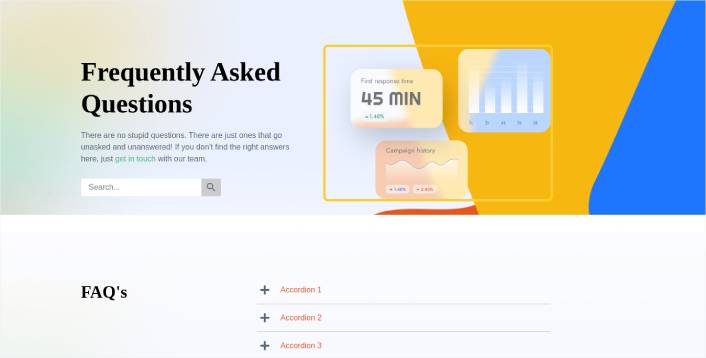
如果您遵循本教程中的每一个步骤,您应该能够创建一个像这样的FAQ页面:
步骤 #1:在您的网站上安装 SeedProd 插件
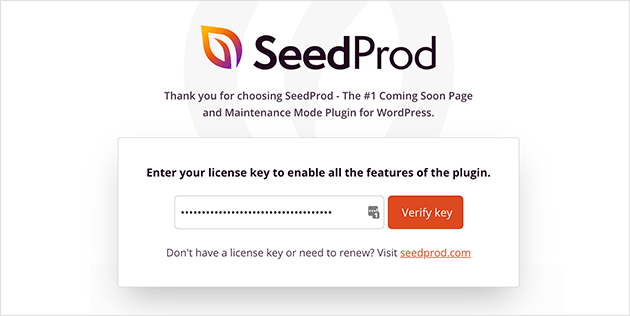
首先,您需要获取 SeedProd Pro 插件并激活它。如果您不确定如何操作,请参阅这篇关于 如何安装 WordPress 插件的文章。然后,在您的 WordPress 管理仪表板中转到 SeedProd » 设置 并激活 Pro 版本:
接下来,前往 SeedProd » 页面 以概览 SeedProd 的着陆页仪表板。在这里,您可以查看使用 SeedProd 可以创建的不同类型的着陆页:
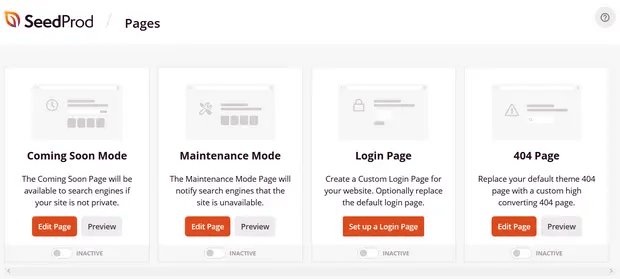
请记住,这些都是具有预建功能和设计模板的特殊页面。对于 FAQ 页面,您不希望使用这些特殊着陆页中的任何一个。相反,您将创建一个自定义着陆页。
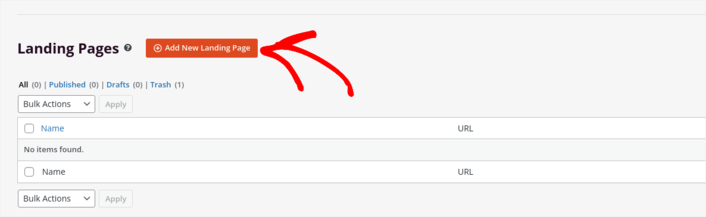
向下滚动并点击 添加新着陆页 按钮开始操作:
步骤 #2:使用 SeedProd 创建 FAQ 页面
点击 添加新着陆页 按钮后,您将看到 SeedProd 的着陆页模板库。这些是专业设计的、完全响应式的着陆页模板。
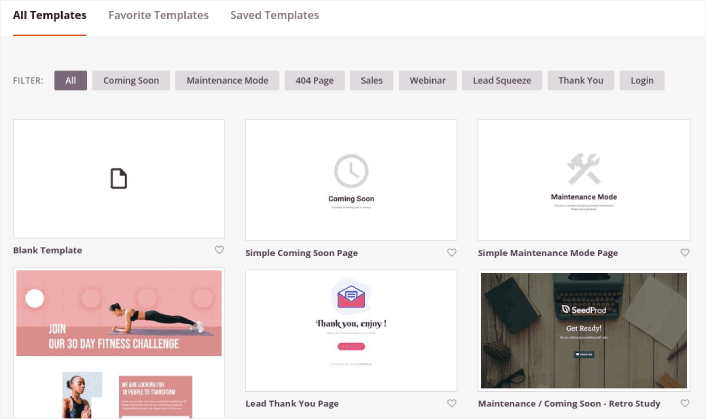
接下来,您可以选择其中一个模板来帮助您入门。请记住,模板只是一个起点。您以后可以自定义页面的所有内容。现在,找到一个您认为合适的模板:
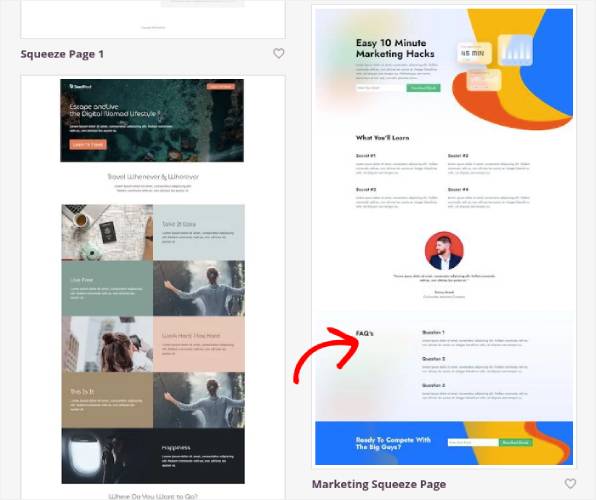
在本教程中,我们使用 营销推广页面 模板,因为它已经包含了一个 FAQ 部分。但是,您可以选择任何您喜欢的模板。模板主要是开始页面设计的地方。
如果找到与您的页面完全匹配的模板,那就太好了。例如,在我们的 播客着陆页 教程中,我们找到了一个专门为播客着陆页设计的精确模板。如果您找不到完全匹配的模板,也没关系,因为我们还是要自定义我们的页面。
步骤 #3:自定义 FAQ 页面模板
SeedProd 的可视化构建器允许您使用拖放内容块来自定义您的着陆页。
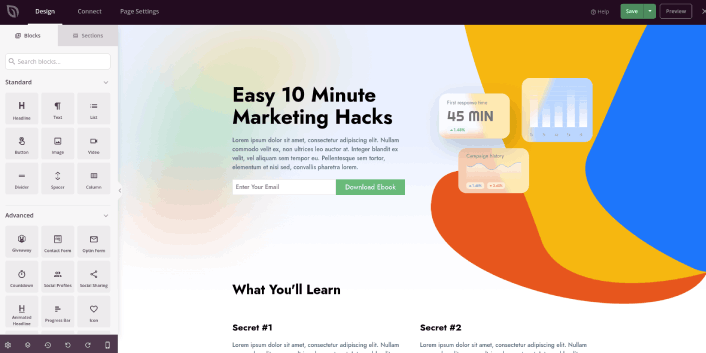
您应该做的第一件事是编辑页面的标题。您希望它清晰明了。只需点击预览中的标题即可开始编辑:
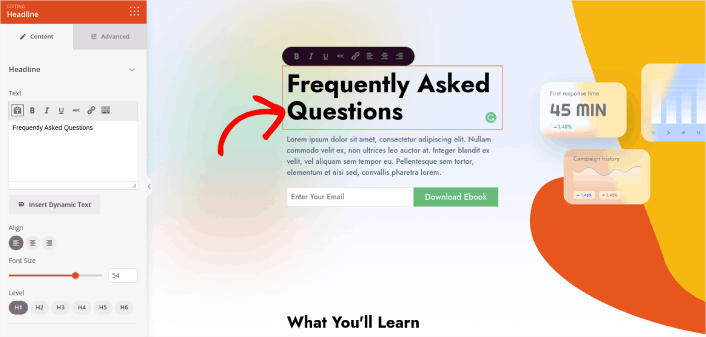
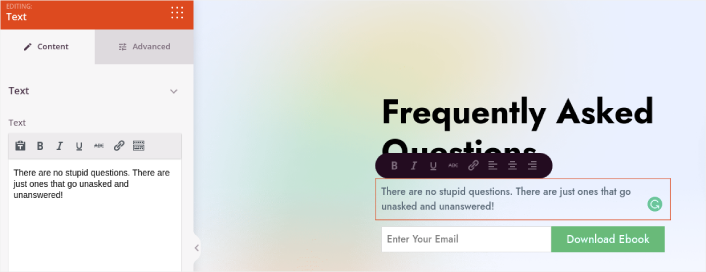
接下来,以完全相同的方式添加一些正文副本:
在模板中,您可以看到一个标有 下载电子书 的号召性用语 (CTA)。当然,对于 FAQ 页面,您不一定想在最初的 10 秒内收集潜在客户。因此,您可以点击电子邮件选择框并将其删除。相反,我们强烈建议在主区域使用 搜索栏。
只需将左侧边栏中的 搜索表单 内容块拖放到您的页面预览区域即可:
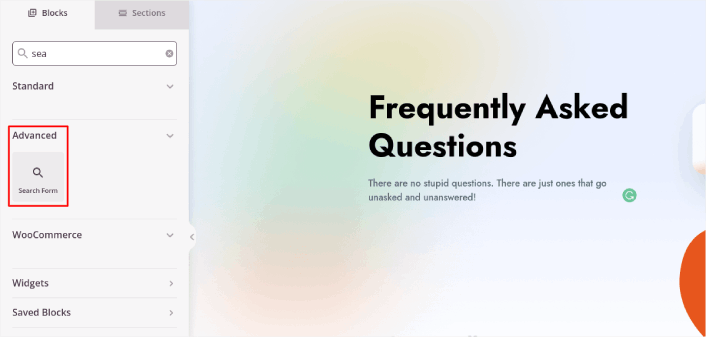
它看起来应该像这样:
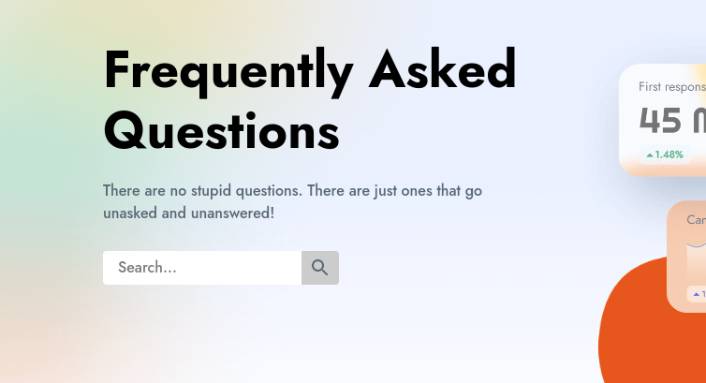
您可以删除主区域中的所有其他块,只保留 FAQ 部分。在 FAQ 部分,您会看到一个简单的问答格式,带有普通的标题和段落。如果您喜欢这种风格,可以保留它。但我们建议为您的 FAQ 部分使用 手风琴 模块:
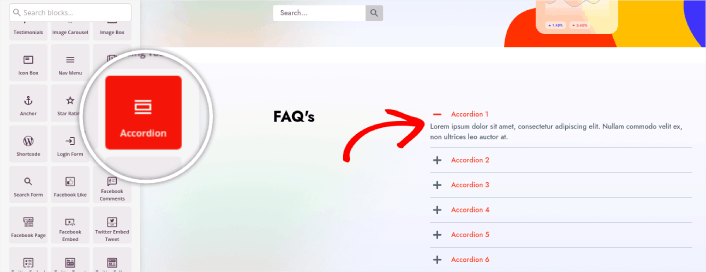
After that, all you have to do is fill out the content. And there you have it!
Your basic FAQ page is done. If you want to supercharge it, you can also add a few tweaks to it. For instance, you can create a link to the contact page in the body copy of your hero section.
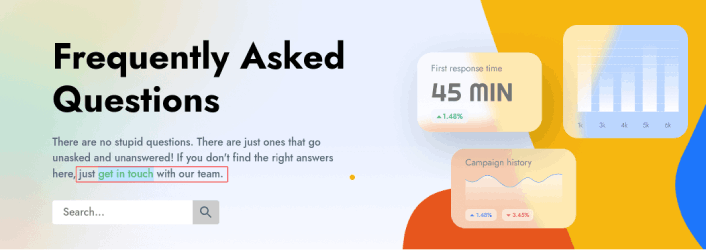
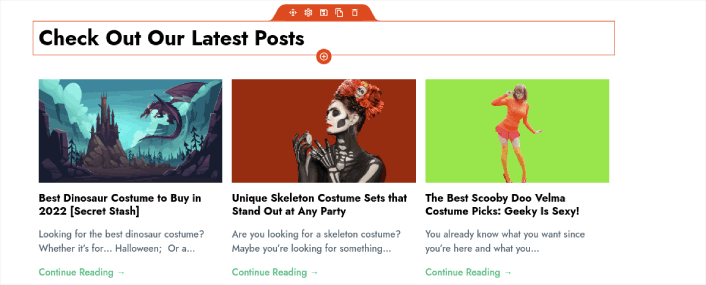
You can also add a blog section below the FAQs to redirect visitors to your latest posts using the Post block:
Finally, modify the CTA section at the bottom to collect email leads if that’s one of your marketing objectives:

You can do a lot more in terms of design and all from drag-and-drop content blocks. Once you’re happy with the overall look and feel of your FAQ page, it’s time to connect your email marketing service.
Step #4: Connect Your Email Marketing Service
After you’re done designing your FAQ page, click the Connect tab at the top of your page builder, and select your email marketing provider to collect leads on your site.
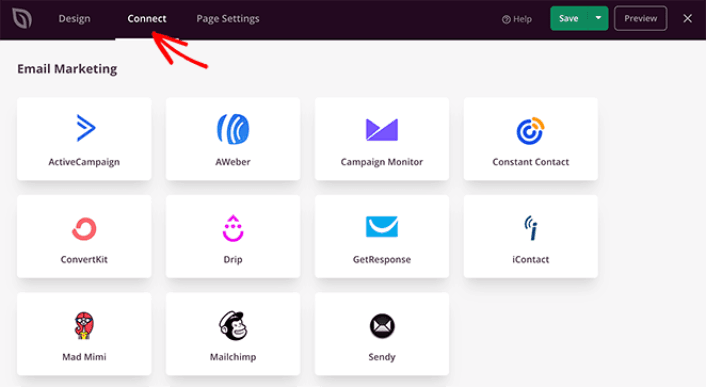
Then, click the Page Settings tab at the top of your screen.
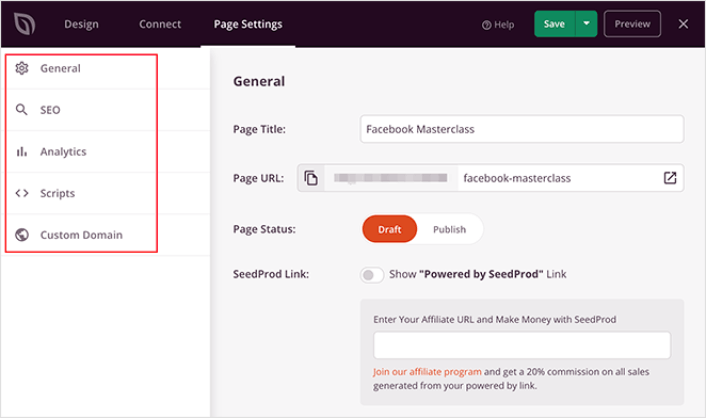
在这里,您可以将SEO插件和Google Analytics插件添加到您的着陆页。您甚至可以设置自定义跟踪代码,例如Facebook Pixel或Pinterest Pixel来跟踪广告效果。
我们建议使用All in One SEO作为您的WordPress SEO插件。

如果您将AIOSEO与SeedProd一起使用,您可以简单地转到页面设置»SEO»Schema并在页面上设置FAQ Schema:
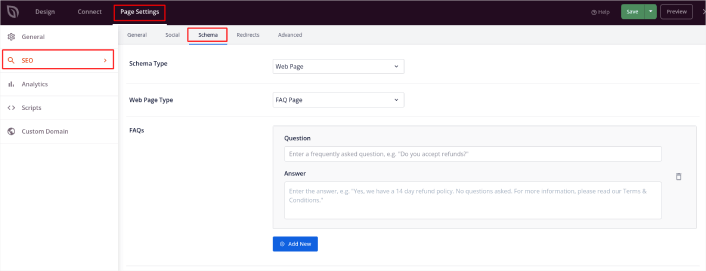
将Schema 类型设置为网页,将网页类型设置为常见问题解答页面。然后,只需将您的常见问题解答粘贴到下面的常见问题解答字段中。
Step #5: Publish Your Landing Page
Now let’s go ahead and publish your design. To do this, click the dropdown arrow next to the save button and click Publish. You can then click the See Live Page button to see how it looks.
And you’re done! If you followed every step, your FAQ page should look something like this:
Bonus Step: Add a Click to Subscribe Button to Your FAQ Page
You can also add a click to subscribe button to collect push notification subscribers. Push notifications are a great way to increase your repeat traffic, get more engagement and even sell official merch if you have some.
In SeedProd, just drag and drop the Custom HTML module from the sidebar.
We’ve put the subscribe button directly underneath the email signup form in the first fold.
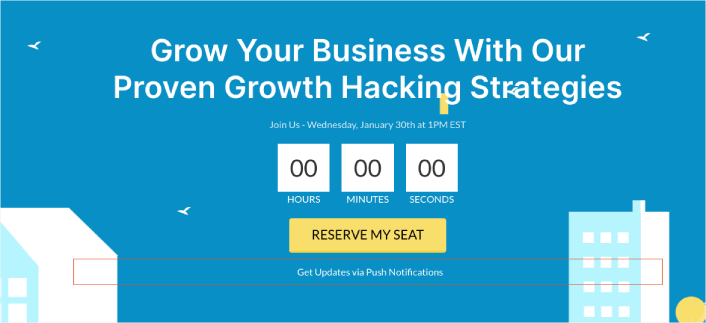
But you can insert the button anywhere you like.
For this part, you need some experience with HTML and CSS. Or, you can copy this code and paste it into your Custom HTML block:
<button onclick="subscribeOnClickButton()" style="border: none; padding-left: 5%; padding-right:5%; text-align: center; display: inline-block; color: blue;">Get Updates via Push Notifications</button>That’s a standard button in HTML with very little styling. The only fancy bit is the onclick function in the code. It basically means that your visitors can click on the button to subscribe to something. Now, we need to give the button some extra code to allow your visitors to subscribe to push notifications.
前往 PushEngage 主页,然后点击“开始使用”按钮:

然后,您可以选择免费计划来试用 PushEngage,或者如果您想认真发展您的业务,可以选择付费计划。付费计划提供更多的营销活动选项,并能够建立更大的订阅用户列表。
在您的 PushEngage 仪表板中,转到“网站设置”»“网站详细信息”,然后点击“单击此处获取设置说明”按钮。在“任何网站”下,您将获得安装代码:
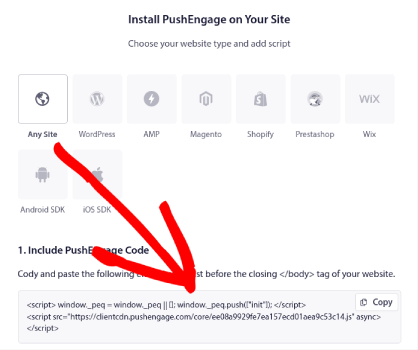
警告:您需要复制从仪表板获取的代码。该代码对于每个 PushEngage 用户都是唯一的。您将无法复制图像中的代码并收集推送通知订阅者。
在您的 PushEngage 仪表板中获取代码后,将此代码段添加到您的代码中:
<script> window._peq = window._peq || [];</script> <script>
function subscribeOnClickButton(){
window._peq.push(['subscribe',{}.pe,function(res){
if(res.statuscode==1)
{
// Code to return response
console.log(res);
}
}]);
}
</script>
您的最终代码应如下所示:
<script src="https://clientcdn.pushengage.com/core/02a6e92667ae2279fcba8932356c1d93.js" async></script>
<script> window._peq = window._peq || [];</script> <script>
function subscribeOnClickButton(){
window._peq.push(['subscribe',{}.pe,function(res){
if(res.statuscode==1)
{
// Code to return response
console.log(res);
}
}]);
}
</script>
You’ll want to add this code to the HTML block in your landing page after the code for the button. It should look something like this:
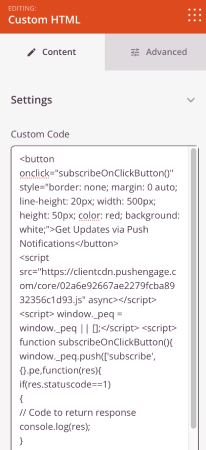
Feel free to customize the styles for the button any way you please. When you’re done customizing your FAQ page, go ahead and hit the Save button.
What to Do Once You Know How to Create a FAQ Page
You just learned how to create a FAQ page that looks awesome and converts really well. The only challenge you have left is to send traffic to it.
如果您正在寻找一种经济高效的方式来增加流量,我们建议使用推送通知。推送通知可以帮助您带来更多重复流量和网站互动。您还可以创建自动推送通知广告系列来产生销售。
不信?查看这些资源:
我们建议使用PushEngage来创建您的推送通知广告系列。PushEngage是全球排名第一的推送通知软件。所以,如果您还没有,请立即开始使用PushEngage!


