
Looking for the best email log plugin in the market?
Email log plugins serve as a comprehensive record-keeping tool for all emails sent from your WordPress site. You can use them for:
- Troubleshooting: Email logs enable you to identify and address any issues with your WordPress emails. By tracking the status and details of each sent email, you can quickly troubleshoot a lot of common errors.
- Records Management: Keeping a log of all sent emails is great for maintaining accurate records. Whether it’s for compliance, legal purposes, or simply archiving communication, the right email log plugin has you covered.
Email log plugins play a crucial role in enhancing the functionality and reliability of your WordPress site’s email system. You get both peace of mind and effective email management.
But which plugin do you choose?
您可以轻松设置并开始使用吗?它负担得起吗?插件有多有效?您能获得哪些功能?有太多问题,但缺乏正确的答案资源。
In this article, we’re listing out the best WordPress email log plugins in the business. Stay with us till the end, and we’ll tell you our favorite ones.
让我们开始吧。
How to Choose an Email Log Plugin?
There must be over a thousand different WordPress email log plugins out there. So, how did we get to this specific list of plugins? What do the best email plugins have in common? We made our choices based on the following factors:
PushEngage是全球排名第一的推送通知插件。免费获取!
- Comprehensive Logging: Look for a plugin that captures and records all essential details of sent emails, including sender and recipient addresses, subject lines, content, delivery status, timestamps, and any relevant error messages.
- Search and Filtering Capabilities: An effective email log plugin should offer robust search and filtering options. This allows you to quickly locate specific emails based on various criteria such as email addresses, subjects, content, timestamps, and status.
- User-Friendly Interface: Opt for a plugin that presents the email log information in a clear and organized manner. A user-friendly interface enhances usability and makes it easier to navigate through the email records.
- Email Status Indicators: Make sure the plugin provides visual indicators or color-coded symbols to differentiate between successful and failed email deliveries. This helps you grasp the status of emails at a glance.
- Export and Backup Options: Consider a plugin that allows you to export email logs to different formats (e.g., CSV) and offers backup options. This ensures you can keep external copies of your email records for safekeeping.
- Privacy and Security: Ensure that the plugin adheres to security best practices and doesn’t compromise the privacy of your email data.
- Compatibility and Updates: Check that the plugin is compatible with your WordPress version and other installed plugins. Additionally, verify that it receives regular updates to stay compatible with future WordPress releases.
- Performance Impact: Choose a plugin that is lightweight and doesn’t significantly impact your site’s performance. A well-optimized plugin should efficiently handle email logging without slowing down your website.
- Support and Documentation: Look for plugins with good support from the developers and a well-documented user guide. This ensures you can seek help or find solutions if you encounter any issues.
- User Reviews and Ratings: Read user reviews and ratings for the plugin to gauge its overall performance and reliability based on the experiences of other users.
现在我们对我们正在筛选的插件类型有了共同的理解,让我们来看看这些插件。
Best WordPress Email Log Plugin
We’ve already picked out the best email log plugin for a WordPress site. Now, we will go through our top picks and wrap things up with the plugins we use and can wholeheartedly recommend over the rest.
#1. WP Mail SMTP
WP Mail SMTP is one of the best email log plugins in the world. Using WP Mail SMTP removes some of the biggest email deliverability issues in WordPress. The default method for WordPress sites to send email can get flagged as spam. And that’s if they get delivered in the first place.
当出现以下情况时,WP Mail SMTP 也会很有用:
- 您的主机不支持 mail() 函数,WordPress 无法发送电子邮件
- 您的服务器未正确配置,无法从您的 WordPress 网站发送电子邮件
- 您想通过 Gmail 或 Google Apps 发送您的商务电子邮件
- 来自您WordPress表单的咨询消息从未发送到您的收件箱
The email log screen provides a wealth of useful information, allowing you to effortlessly check the status of emails sent from your site. The log information in WP Mail SMTP includes:
- Status: Red and green symbols indicate successful or failed email deliveries.
- Subject: The email subject line.
- From: The sender’s email address.
- To: The recipient’s email address.
- Source: The WordPress plugin responsible for creating the email.
- Mailer: The mailer service used for email delivery.
- Date Sent: The date and time the email was sent.
This search functionality makes finding specific emails a breeze. You can run highly valuable, quick searches based on various criteria:
- Email address
- Subject
- Email content
- Error message
- 来源
以及更多!
Get started with WP Mail SMTP today!
#2. Easy WP SMTP
Easy WP SMTP is a powerful SMTP and email log plugin.
Let’s talk about Easy WP SMTP, Sendlayer’s cool WordPress SMTP and email log plugin. First off, it works great with other email services as well. The free version of this plugin doesn’t include email logging features, but if you opt for one of the paid plans, you get access to email logging and reports.
So, it’s worth considering if you’re into keeping track of your email activities.
Now, what impressed us was the plugin’s super comprehensive and organized log layout. It’s a breeze to search, sort, and filter through the log. You get all the essential details you need, like the email subject, sender email, recipient email, the plugin that sent the email, the mailer service, and the date and time the email was sent.
And hey, it even shows if the email was opened or if any links were clicked from it. Talk about thorough!
The search feature isn’t as advanced as WP Mail SMTP, but it still gets the job done. You can search for email addresses, subjects, headers, and even the content of the emails. Not too shabby!
Now, here’s a nifty feature we really liked – the email reporting. It’s so visually appealing with those color-coded graphs showing the number of emails sent, opened, and clicked each day. It’s like getting a clear picture of your email performance at a glance.
One thing to keep in mind, though, is that while this plugin has similar functionality to WP Mail SMTP, its search function is not as fancy. Also, as an SMTP plugin, it does come with some advanced features that might be a bit confusing for non-technical users.
But all in all, if you’re looking for a solid SMTP and email log plugin with detailed logs and cool reporting, Easy WP SMTP might just be the one for you!
#3. Brevo (Formerly Sendinblue)

Brevo is a popular WordPress email plugin. You can use Brevo to send automated emails and SMS campaigns alike.
You can easily create triggers for your autoresponders, such as welcome messages, cart abandonment recovery messages, price drop alerts, and more! Here’s a quick overview of why Brevo is a top choice on this list:
- 用户友好的电子邮件编辑器
- 创建登陆页面的选项
- 短信营销和实时聊天功能
- 在您的网站上集成电子邮件列表选择加入表单
- 针对目标联系人的自动电子邮件
- Social media integrations
But that’s not all. Brevo also comes with a fully searchable email log. So, besides being a powerful email marketing tool, it’s also a really great email management tool.
Brevo is best known for its capabilities to send transactional emails and SMS campaigns. So, naturally, you can easily filter your transactional logs over a period of time, by sender, by tag, and by event (sent, opened, unsubscribed). You can also:
- View the transactional email details,
- Preview the transactional email,
- View the transactional email history,
- View the links that were clicked in the transactional email,
- Resend the transactional email,
- Manually delete the transactional logs.
#4. WPForms Pro
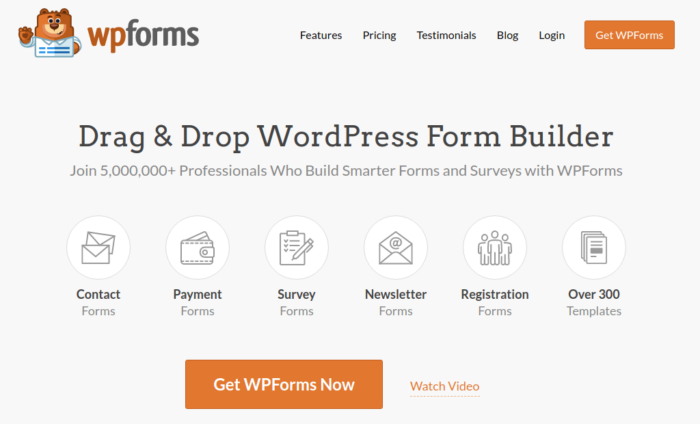
WPForms 是功能最强大的拖放式 WordPress 表单构建器。使用该插件,您可以在几分钟内轻松为您的 WordPress 网站构建完全自定义的表单。
当我们说自定义表单时,我们是认真的。
You can also send automated emails on form submission. So, WPForms also comes with its own range of email logging. Every automated response sent by any form built with WPForms is entirely trackable. On top of that, you can also track any activity in your email optins, which is a pretty rare feature.
WPForms can create logs for:
- Conditional Logic
- Entries
- Errors
- Payment
- Providers
- Security
- Spam
WPForms 可以帮助您创建您能想到的任何类型的联系表单、付款表单、调查表单、注册表单和新闻通讯选择加入表单。最棒的是什么?他们的 Pro 版本有 300 多个经过验证有效的模板。您可以立即导入这些模板并在几分钟内启动表单。
我们写了一篇完整的WPForms 评测。您可以稍后查看。现在,让我们快速了解一下 WPForms 的功能:
- 对初学者友好的表单构建器
- 预建的订阅表单模板
- 电子邮件 通知和确认
- 垃圾邮件保护功能
- 内置联系人管理系统
- 闪电般的客户支持
#5. WP Mail Logging

WP Mail Logging is a powerful email log plugin for WordPress. It’s a simple WordPress email plugin to keep a record of emails sent from your site and catch any errors.
When you check out the email log, you’ll see some basic info, like when each email was sent, who received it, the subject, any attachments, and if there were any error messages. It’s handy to have all that in one place for easy browsing.
But, here’s the catch – it’s got fewer details compared to the WP Mail SMTP plugin. You won’t be able to see the sender’s email or which plugin actually created the email. And those bits of info can be pretty useful, especially when you’re troubleshooting any email issues.
The search feature is there, but it’s pretty basic. You can only search by the subject and content of the emails. So, if you’re looking for emails sent to a specific user, you’re out of luck. Also, the sorting is cool by date, but there’s no filtering option for display.
On the bright side, there’s one cool feature in this plugin that some other free email log plugins lack – you can bulk resend emails right from the log. This comes in handy when you have a bunch of emails failing due to some temporary glitch.
Overall, it’s got some useful stuff, but it’s not the most feature-packed option out there. If you’re looking for a free, lightweight plugin, it might just do the trick!
Which of These WordPress Email Plugins is Right for You?
It’s time for us to declare which of these is the best WordPress email plugin.
没有简单的答案。
如果您需要一个值得信赖的电子邮件营销服务,我们推荐使用Constant Contact。如果您想让您的电子邮件营销列表呈指数级增长,您绝对应该选择OptinMonster。但如果您还想实现营销渠道多元化,您应该使用 PushEngage 发送推送通知。
推送通知是强大的营销工具,可以帮助您获得重复流量、参与度和销售。如果您是推送通知的新手,请查看这些精彩资源:
如果您还没有,请立即开始使用 PushEngage,迈向新高度!


