如何使用现有的 WordPress 分类进行细分?

Do you have existing categories in WordPress that you would like to use as segments within PushEngage to send out targeted and contextual notifications? In PushEngage, you can easily map your existing categories to segments in your dashboard. In this guide, we will explain how to use category segmentation in WordPress.


Note: This feature is available in Business plans and above.

Why is category segmentation important?

Category segmentation is used to add the visitor who is a web push subscriber as well into a PushEngage segment when they visit a particular post’s category. For example, when a post with the category – ‘News’ is added, and a person visits the post having that category. Your subscriber in the segment News will be increased by one.

How to enable it?

This feature can be enabled from WordPress Dashboard. To use a category to be added as a Segment, you will need to have at least one post with that category.

Below are the steps to follow to use Category Segmentation :

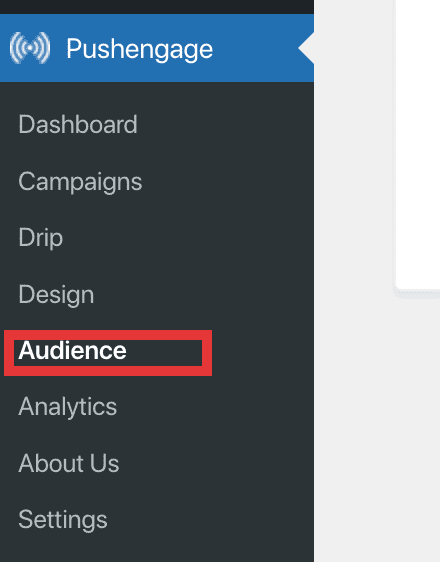
Step 1: Click on the installed PushEngage plugin

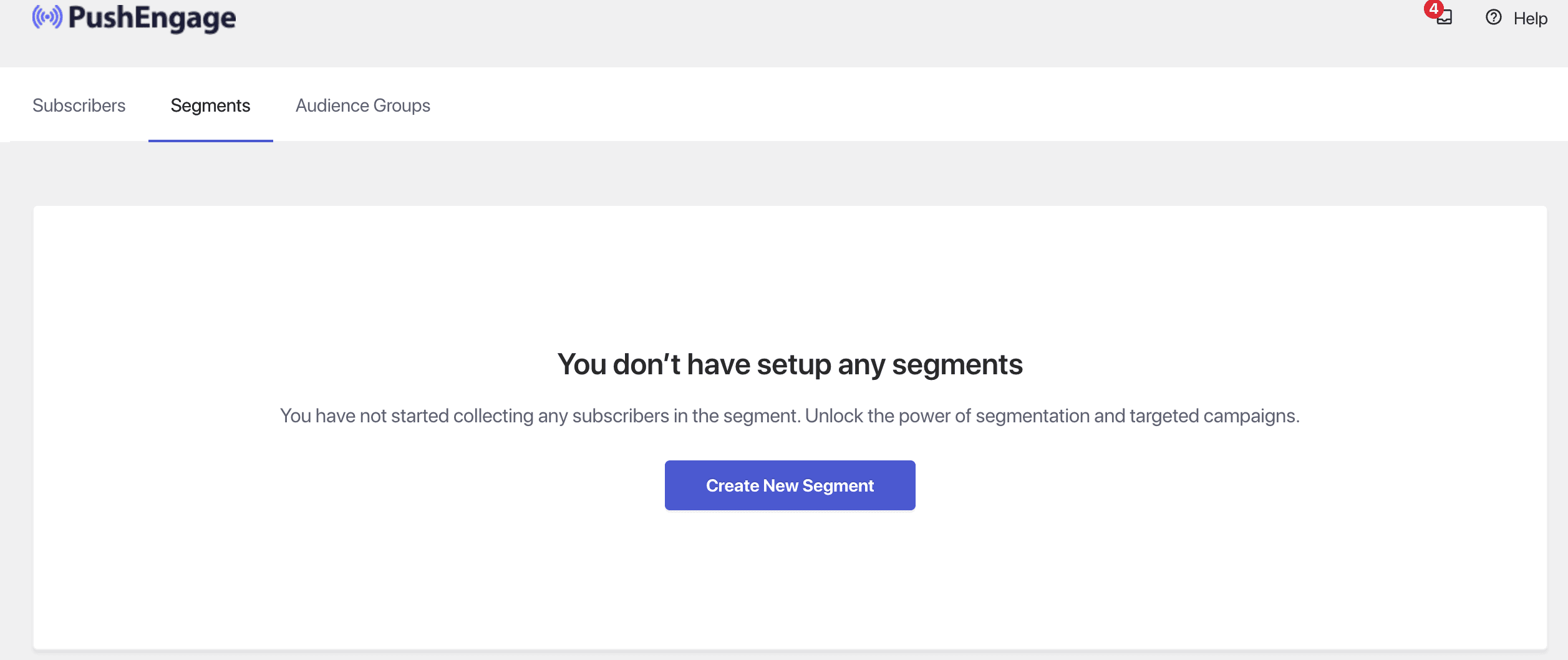
Step 2: Navigate to the Audience Tab and then click on the Segments section.
Step 3: Click on ‘Create New Segment’

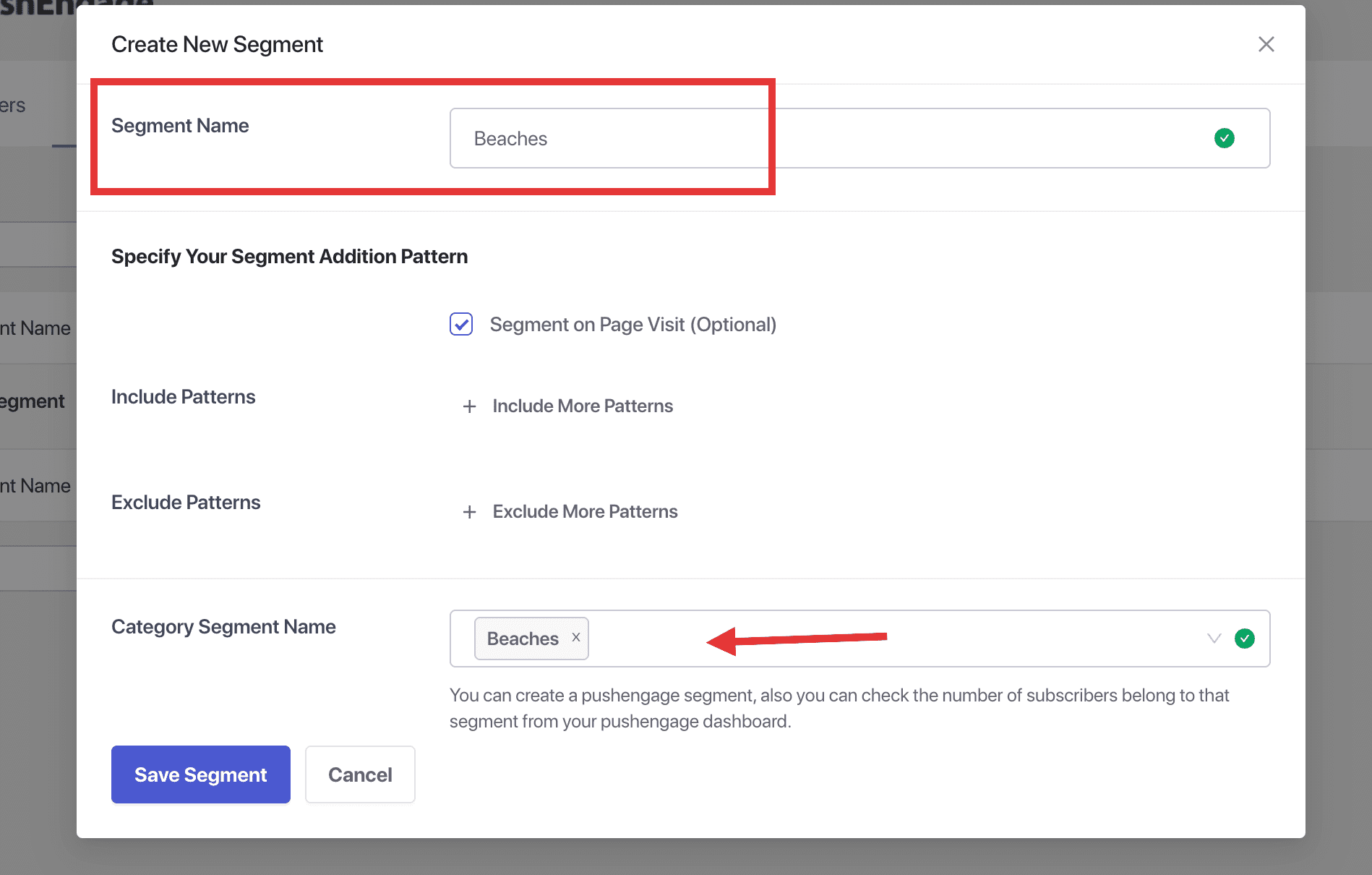
Step 4: Choose either an existing category or if you want you can also create a new category. Then under the PushEngage segment name choose from the dropdown a segment name to assign.

Step 5: Select the checkboxes you want under the enable section for the segments that should be collecting subscribers.

That is all, you can now start using Categories to define the segments within PushEngage. Your subscribers will be added to segments based on the category they visit.

如果您遇到任何问题,请随时在此处单击联系我们。我们的支持团队将能够帮助您。

仍然卡住了?我们能帮您什么?
最后更新于 2026 年 3 月 9 日

在访客离开您的网站后与他们互动并挽留他们

通过难以忽略的推送通知,增加每次网站访问的价值。

  • 永久免费套餐
  • 轻松设置
  • 五星支持