Divi form not sending email notifications?
If the forms on your Divi site stops sending emails, it can result in a direct loss to your business. You could end up losing valuable leads and potential customers. Or you could end up completely breaking the experience for your existing customers.
But what’s the problem, really? Why is your Divi form not sending email updates?
更重要的是,如何解决它?
In this article, we’ll answer all these questions and show you what to do when your Divi form is not sending email notifications.
让我们直接开始吧。
Why is Your Divi Form Not Sending Email Notifications?
It’s a common issue among WordPress users and chances are high that it has nothing to do with your installed themes or plugins. In other words, Divi has nothing to do with this issue.
Your WordPress site can’t send emails because your hosting provider isn’t properly configured to send emails. And you may not even get notified of contact form submissions.
Let’s take a closer look at the technical end of the problem. WordPress handles user registration emails using built-in PHP code called the wp_mail() function:

这是一个大问题,因为并非所有 WordPress 主机都已正确配置以使用 PHP 邮件。
即使服务器配置正确,Gmail 和其他电子邮件服务提供商也会使用严格的垃圾邮件过滤器。这些垃圾邮件过滤器会尝试自动验证您的电子邮件是否来自您的企业,而不是来自欺诈的第三方。这就是大多数电子邮件被阻止或标记为垃圾邮件的原因。
How to Fix the Divi Form Not Sending Email Issue
The right way to deal with the issue is to send your emails using SMTP instead of relying on the default WordPress PHP mail.
我们将向您展示如何使用 SMTP 服务来确保您的电子邮件始终送达。您只需安装 WP Mail SMTP 插件。
WP Mail SMTP 插件将帮助您通过几个简单的步骤解决电子邮件送达问题。而且它一点也不技术化。它非常简单,任何人都可以做到。因此,请继续安装并激活该插件。如果您不确定如何操作,本教程将向您展示 如何安装 WordPress 插件。
第 1 步:安装 WP Mail SMTP 插件
安装完插件后,请转到您的 WordPress 控制面板,然后点击 WP Mail SMTP 来配置插件:
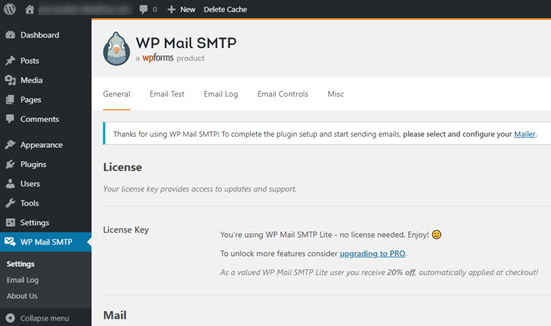
输入您的许可证密钥后,在 邮件 部分输入您的电子邮件和姓名:
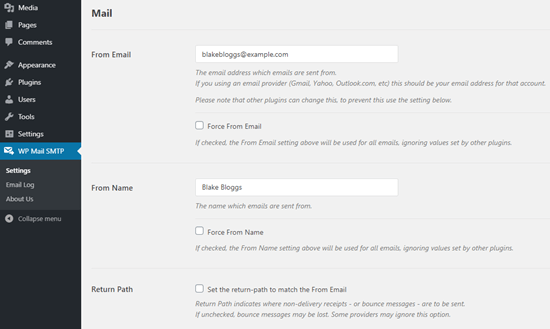
注意:请确保您输入的电子邮件地址与您要在 SMTP 服务中使用的电子邮件地址相同。如果存在冲突的电子邮件,您将不断收到来自电子邮件服务提供商仪表板的错误。
如果您在其他WordPress插件(如WPForms)上使用了其他电子邮件地址,请不要担心。WP Mail SMTP会自动强制其他插件使用您配置SMTP服务的电子邮件地址。
暂时就这些。
第2步:选择电子邮件服务提供商
接下来,您需要为您的网站选择一个SMTP邮件服务。我们推荐使用SMTP.com。但您可以在那里找到许多不同的服务。
转到您的WordPress仪表板,然后转到WP Mail SMTP »设置。
然后,在邮件发送方下,选择一个服务提供商。您可以在众多选项中进行选择:
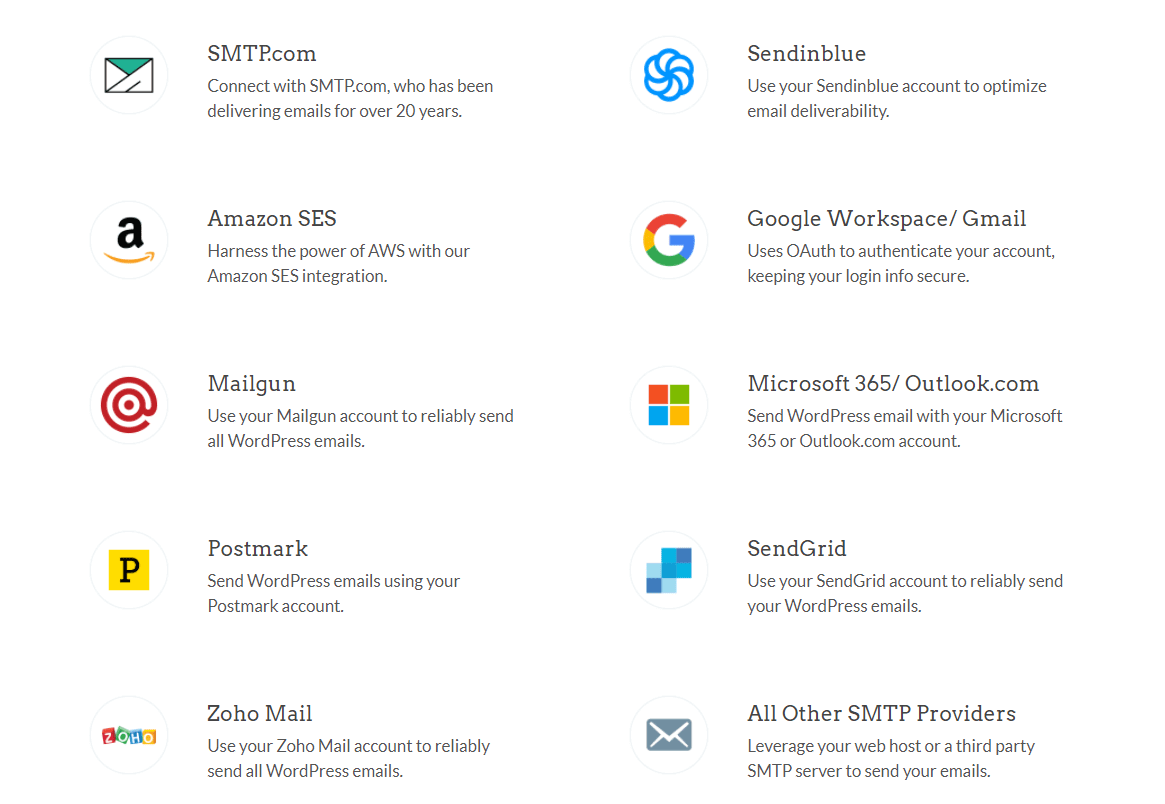
我们推荐使用SMTP.com:
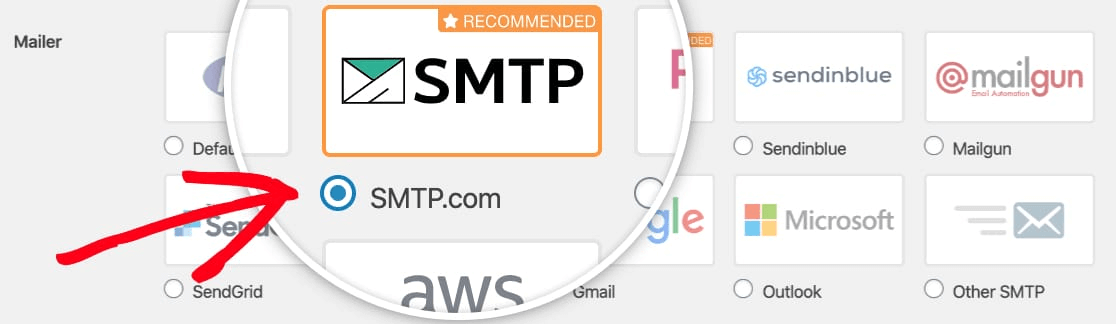
要完成WP Mail SMTP插件的设置,接下来您需要注册一个SMTP.com账户。它是一个非常受欢迎的SMTP服务,可以帮助您以高送达率发送批量电子邮件。
第3步:创建SMTP账户
继续创建一个新账户:
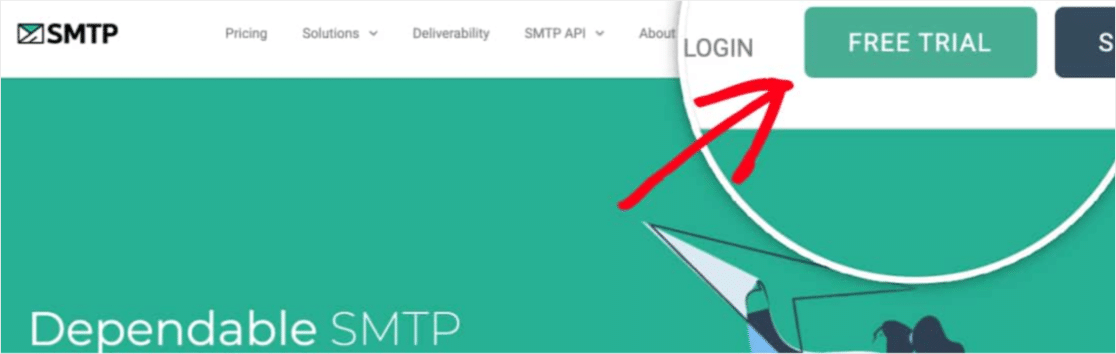
注册后,系统会要求您通过电子邮件点击激活链接并确认您的身份。
所以,请留意多封邮件。
然后,返回WP Mail SMTP插件,将您的SMTP账户连接到该插件。
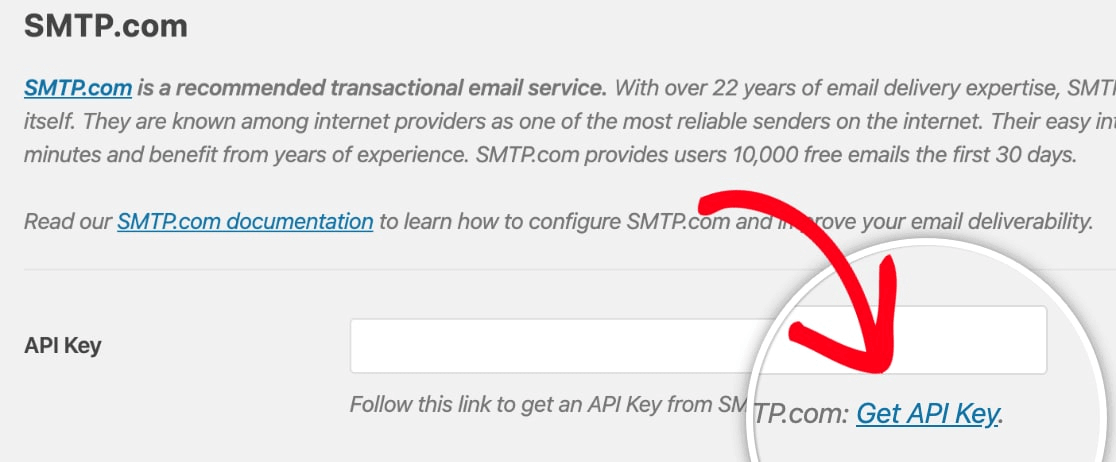
弹出窗口会要求提供API密钥,您可以在SMTP.com仪表板中获取。点击获取API密钥链接(直接点击此链接即可到达):
您应该在此页面上看到一个表格。复制密钥列中的API密钥:
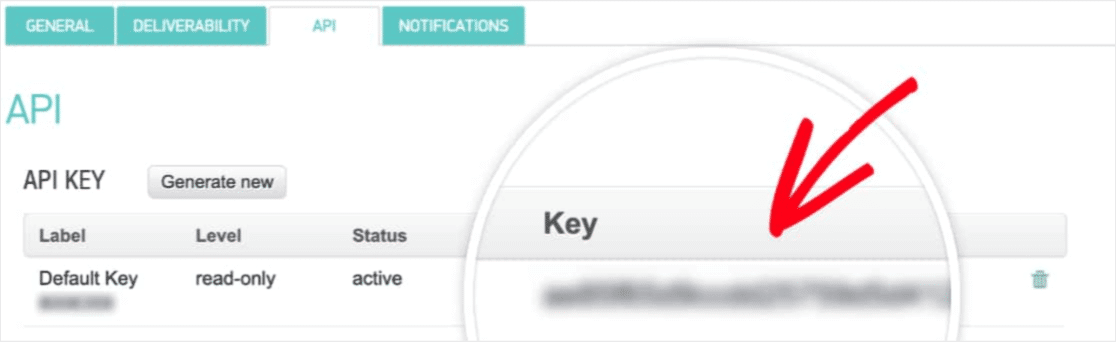
然后将此API密钥粘贴到WP Mail SMTP中:
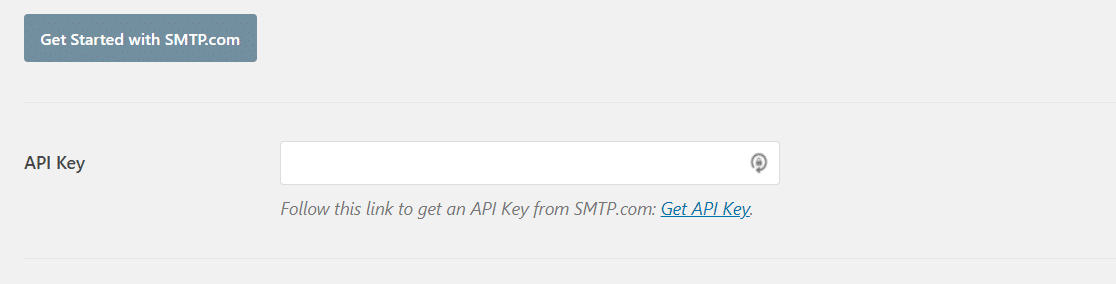
最后,在发件人名称字段中,点击获取发件人名称链接:

复制名称列中的名称:
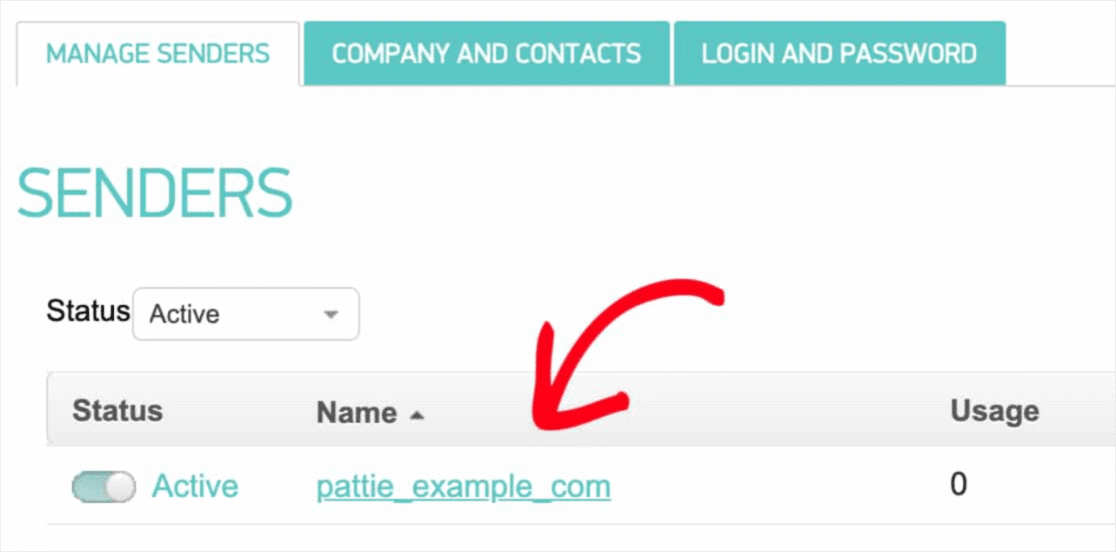
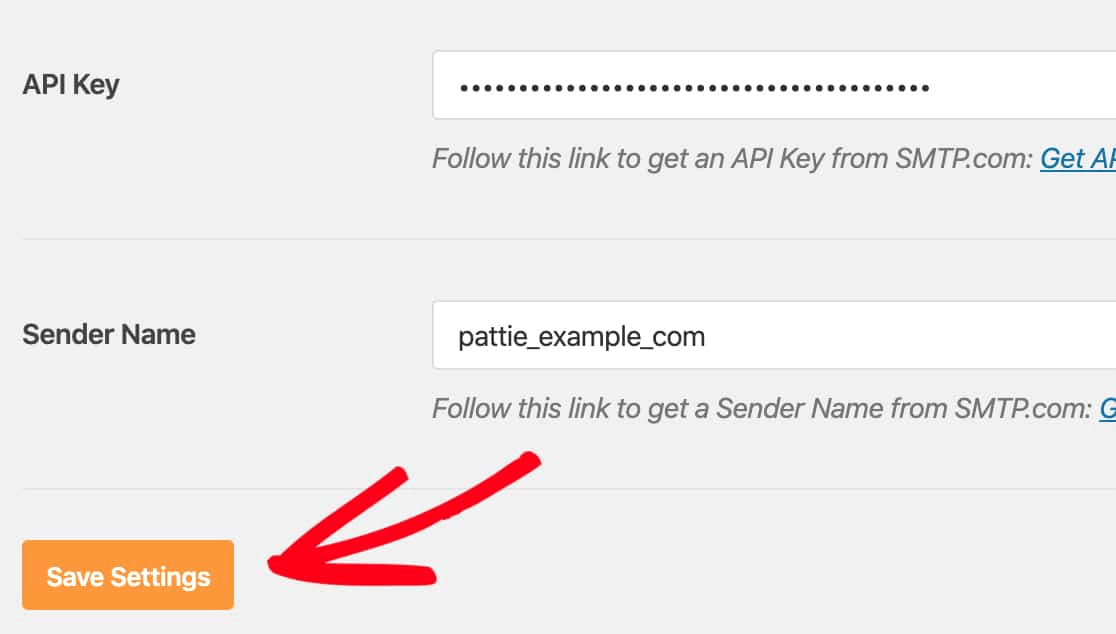
并将其粘贴到WP Mail SMTP中。
然后点击保存设置:
第4步:将SPF记录添加到您的DNS
现在,您需要将SPF记录添加到您的DNS记录中。
如果您不明白其中任何一个的意思,请不要担心。我们会解释。
发件人策略框架(SPF)是SMTP.com验证您电子邮件的方式。实施此步骤可确保您的电子邮件不会被发送到垃圾邮件收件箱。
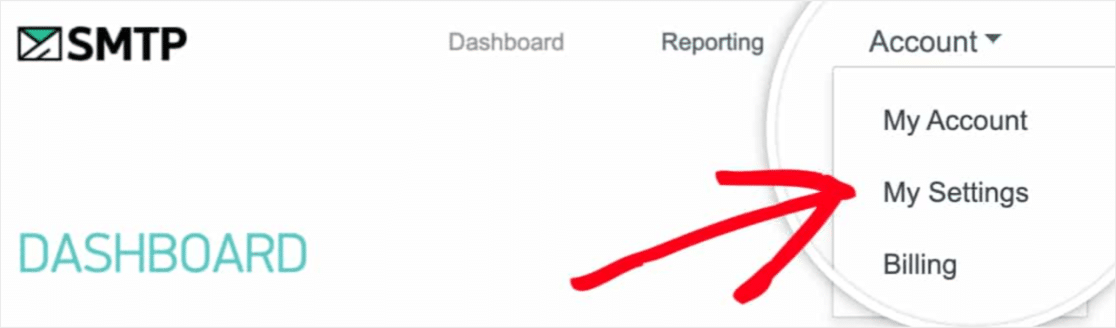
转到您的SMTP.com账户的导航菜单,然后点击账户 »我的设置:
然后,转到常规设置,并在SPF记录下查找:
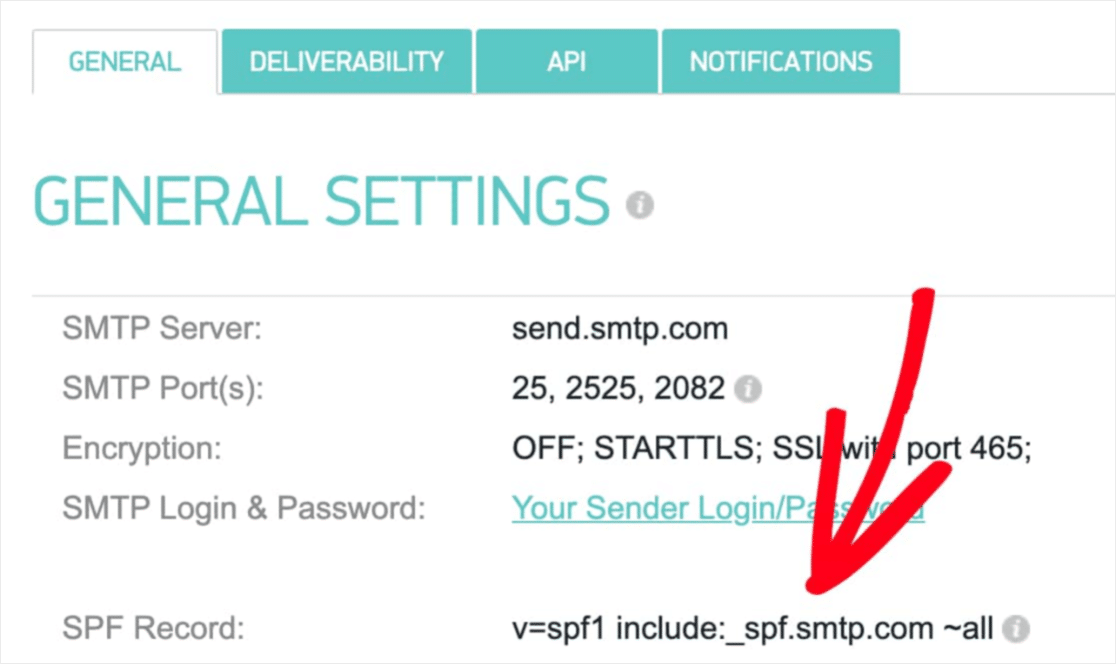
您需要将此SPF记录添加到您网站的DNS设置中。如果您不知道如何操作,请查看这篇关于如何添加SPF记录的文章。
注意:在DNS设置中,您会看到一个名为TTL(生存时间)的字段。默认值通常为1小时。如果您可以更改此记录,我们建议将其更改为1天或86400秒。这将允许服务器缓存此信息一天。
第5步:验证您的SPF记录
如果您已添加SPF记录,则应验证更改是否已更新。更改可能需要长达48小时才能生效。因此,在进行下一步之前验证结果是个好主意。
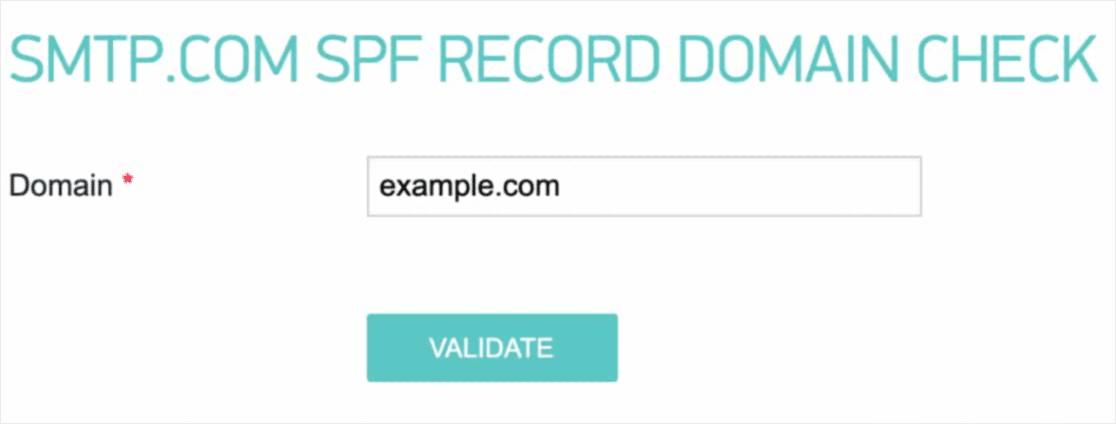
点击此链接,然后转到显示SMTP.com SPF记录域检查的部分。
在域字段中,提交您网站的URL,然后点击验证:
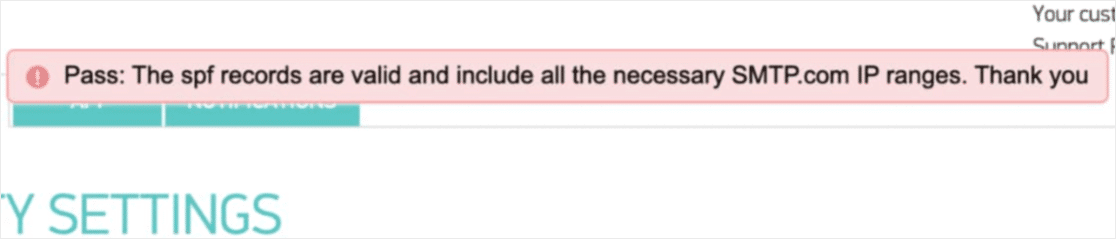
If you followed every step, you should see this Pass message:
您就完成了!
第 6 步:发送测试电子邮件
You’re done configuring WP Mail SMTP. It’s time to check if everything’s working properly.
Go to WP Mail SMTP in your WordPress dashboard and click on the Email Test tab:
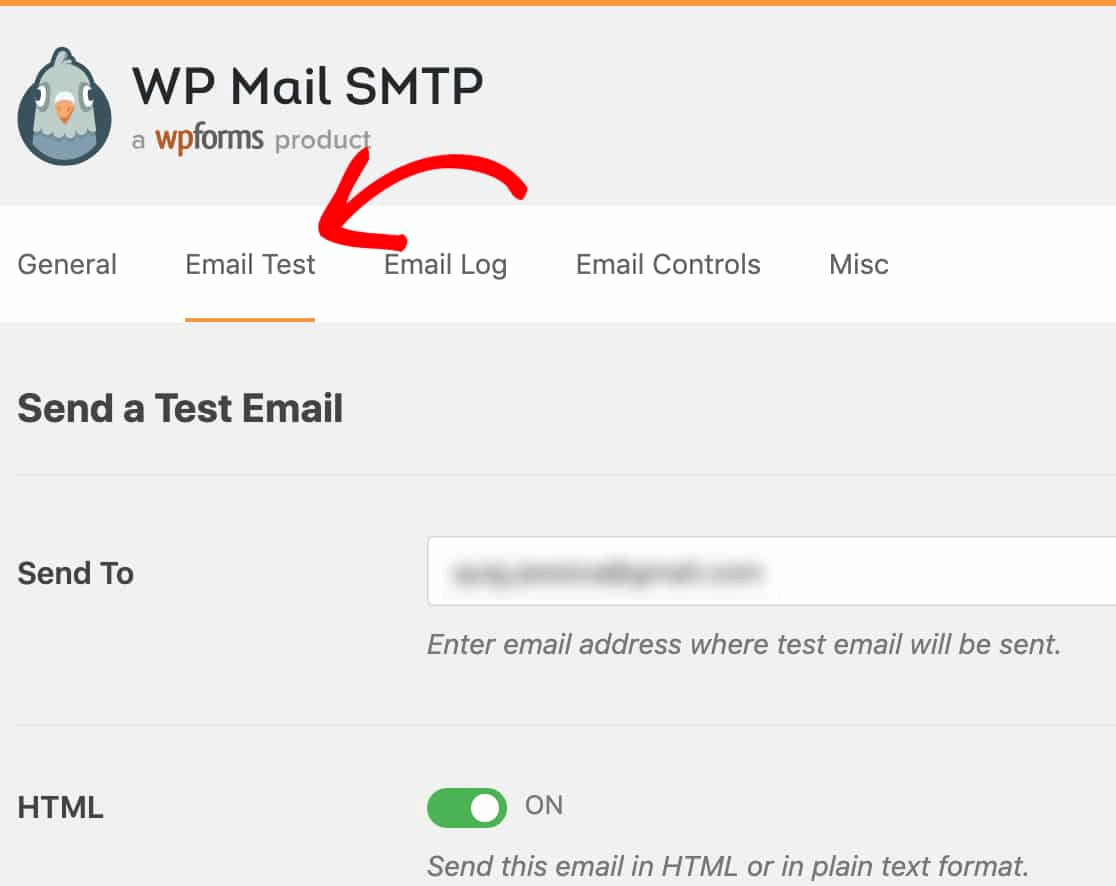
输入您可以访问的任何电子邮件地址,然后发送测试电子邮件。如果一切顺利,您应该会看到此成功消息:
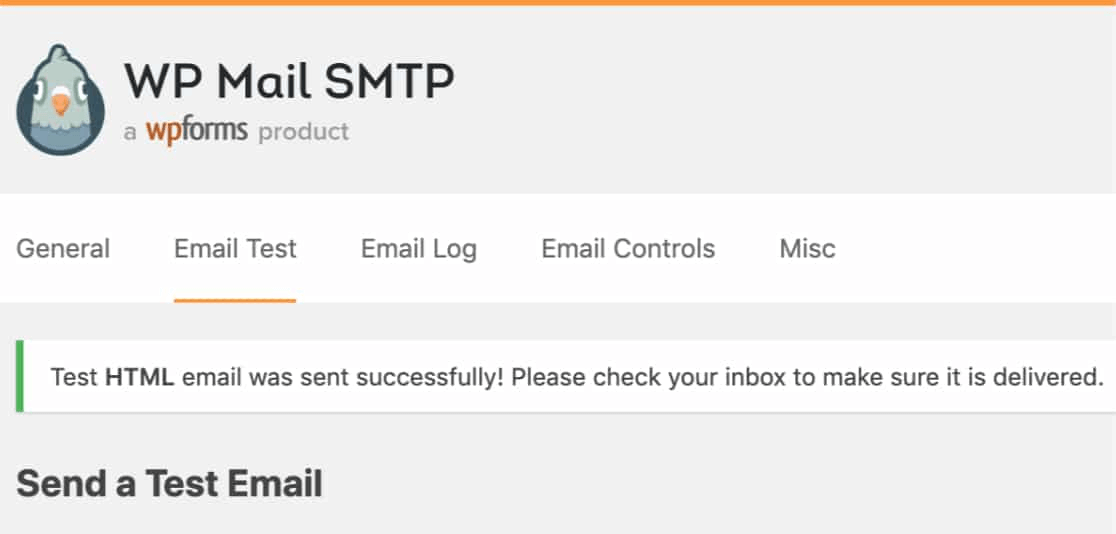
现在,检查您的收件箱,确认您在主要收件箱中收到了电子邮件。我们非常有信心您会在那里找到它。
最后,您所要做的就是验证电子邮件是否已通过您的 SMTP.com 帐户发送。点击此链接转到送达率设置页面。如果您看到像这样的“通过”通知,那么您做得非常棒:
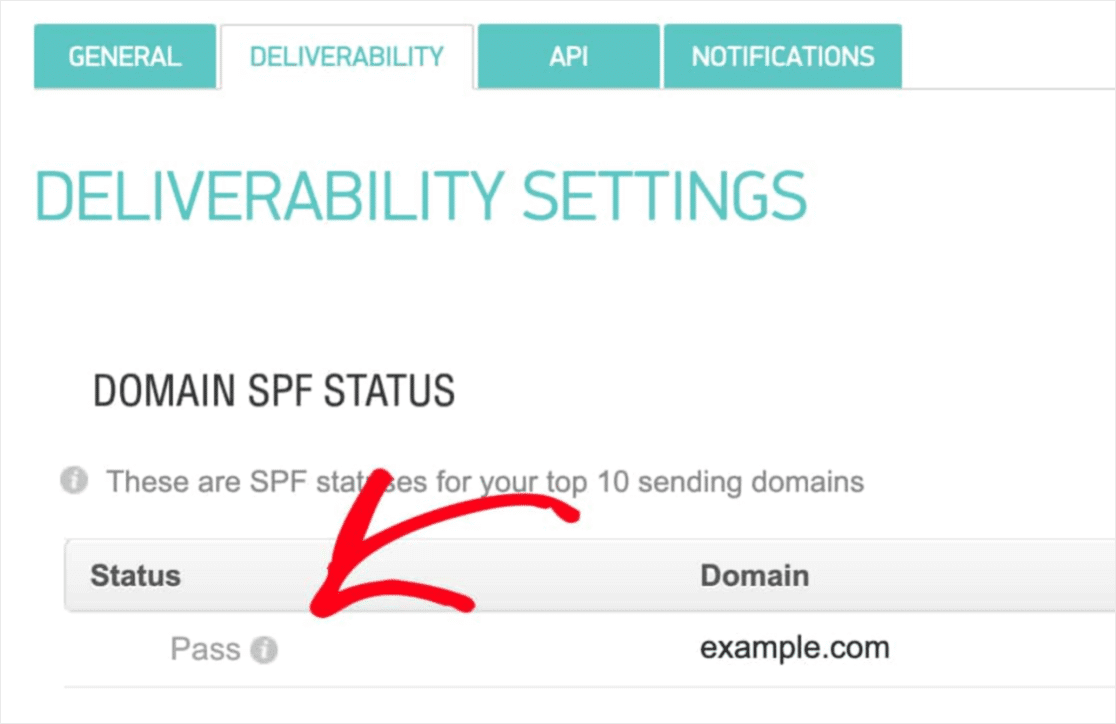
如果您在“状态”字段中未看到“通过”,则表示您在某处出了差错。只需重新访问步骤 1-4,并确保您没有遗漏任何内容。
What to do After the Divi Form Not Sending Email Issue is Fixed
好了,各位,本次分享就到这里!
If you’re not happy to see your marketing efforts go down the drain, then it’s time to install the WP Mail SMTP plugin.
Once your WordPress email deliverability issues are fixed, you can go back to increasing your traffic, engagement, and sales in peace. Speaking of which, have you tried using push notifications yet?
Push notifications are a great way to increase traffic, engagement, and sales for any business. And if you’re starting out with push notifications, we recommend using PushEngage. PushEngage is the #1 push notification software in the market.
最棒的是,PushEngage使小型企业能够与大品牌竞争。因此,无论您是想开始、发展还是扩展您的业务,它都适合您成长的每个阶段。
如果您刚开始使用推送通知,您还应该查看以下一些文章:
如果您还没有,请立即开始使用 PushEngage,迈向新高度!


