
正在为您的WordPress网站寻找最佳信用卡支付插件吗?信用卡支付插件是在您的网站上接受在线支付的最佳方式。
但是,您会为您的WordPress网站使用哪款信用卡插件呢?如果您经营的是服务型网站、电子商务商店还是会员平台,这有区别吗?哪款才是适合您业务的正确选择?
在本文中,我们将介绍市面上最好的WordPress信用卡支付插件。然后,我们将给出我们的首选推荐。
让我们开始吧。
为什么要在WordPress中使用信用卡支付插件?
信用卡是最受欢迎的支付方式之一。如果您打算在不接受信用卡支付的情况下将网站货币化,那么您将错失良机。
接受信用卡支付将提高您的转化率。如果您经营的是电子商务网站,这还可以 降低您的购物车放弃率 。
在开始之前,您需要在网站上启用 HTTPS/SSL,以便安全地接受信用卡支付。如果您不确定如何操作,可以按照此简单指南了解如何为您的 WordPress 网站获取免费 SSL 证书。
WordPress最佳信用卡支付插件
现在我们已经了解了为什么应该在WordPress中使用信用卡支付插件,是时候来看看市场上最好的选择了。有许多WordPress插件可以为您的网站添加信用卡支付功能。但哪款最适合您呢?让我们从最受欢迎的选项列表开始。
然后,我们将给出我们的首选推荐。
1. WP Simple Pay Pro
WP Simple Pay 正如其名。它使在您的WordPress网站上进行在线支付变得简单。它易于使用,高度可靠,并且设置无需任何编码。
最棒的是什么?WP Simple Pay 帮助您专注于创建和销售产品,而无需担心接受来自世界各地的付款。
所有客户和付款信息都存储在您的 Stripe 帐户中,而不是存储在您的 WordPress 网站上。因此,该插件不会像其他替代方案那样使您的网站臃肿。WP Simple Pay 提供了一种最简单的方法,可以在您的 WordPress 网站上添加 Stripe 付款。
设置WP Simple Pay非常简单。
以下是WP Simple Pay Pro主要功能一览:
- 支付表单生成器
- Stripe Checkout支付页面生成器
- 自定义金额支付
- 自定义订阅选项
- 使用 优惠券代码 折扣
- 替代支付方式
- 自定义支付确认流程
等等!您可以在我们对WP Simple Pay Pro的评测中更详细地了解这些功能。
2. WPForms Pro
WPForms 是最强大的拖放式WordPress表单生成器。使用该插件,您可以在几分钟内轻松为您的WordPress网站构建完全自定义的表单。
WPForms可以帮助您创建您能想到的任何类型的联系表单、支付表单、调查表单、注册表单和新闻通讯选择表单。
在Pro版本中,他们有超过300个经过验证的模板。您可以立即导入这些模板并在几分钟内启动表单。WPForms完全对初学者友好。任何人都可以使用它来创建强大的表单。
该插件仅包含核心必需功能。因此,如果您需要在表单中添加更多功能,可以随时安装插件。这使得插件轻量级且易于使用。
使用WPForms,您将获得:
- 对初学者友好的表单生成器
- 多步骤表单
- 电子邮件营销集成
- 条件字段逻辑
- 表单放弃营销活动
- 表单登陆页面
- 弹出式联系表单
等等。最棒的部分是,您可以直接创建WordPress 付款表单,使用 Stripe 接受付款。您只需要一个 Stripe 账户和 WPForms 插件即可开始。
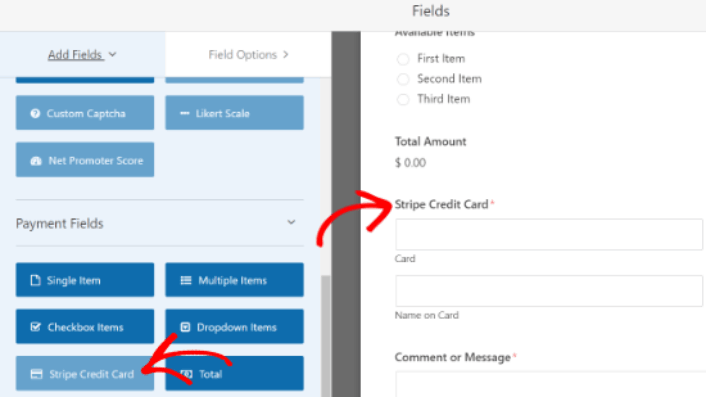
如果您不经营带有购物车功能的电子商务网站,使用 WPForms 接受信用卡付款是一个非常好的选择。它非常适合代理机构和自由职业者。
#3. Easy Digital Downloads
Easy Digital Downloads (EDD) 是一个 WordPress 插件,用于销售数字商品。因此,如果您想销售任何数字产品并希望快速设置,Easy Digital Downloads 是您最稳妥的选择。
当您刚开始创业时,最困难的事情之一就是处理技术问题。当技术问题与您如何接受商品付款有关时,这会变得尤其困难。
有了 Easy Digital Downloads,这从来都不是问题。
开箱即用,您将获得 Stripe、PayPal 和 Amazon Pay 的集成。但这还不是全部。
您可以为许多不同的支付网关安装扩展:

这是您使用 EDD 获得的功能:
- 支付网关集成
- 软件许可证创建器
- 定期付款
- 多供应商平台
- 电子邮件营销集成
- 自由职业者的定制交付物
- 联盟会员和供应商佣金
- 即时产品比较
等等。如果您想更详细地了解这些功能,您应该查看我们的Easy Digital Downloads 评测。
#4. WooCommerce

WooCommerce 是一个免费且开源的软件,构建在同样免费且开源的 WordPress 之上。WooCommerce 旨在为数字和实体产品构建强大的在线商店。因此,您自然会获得大量强大的功能,例如:
还有更多!
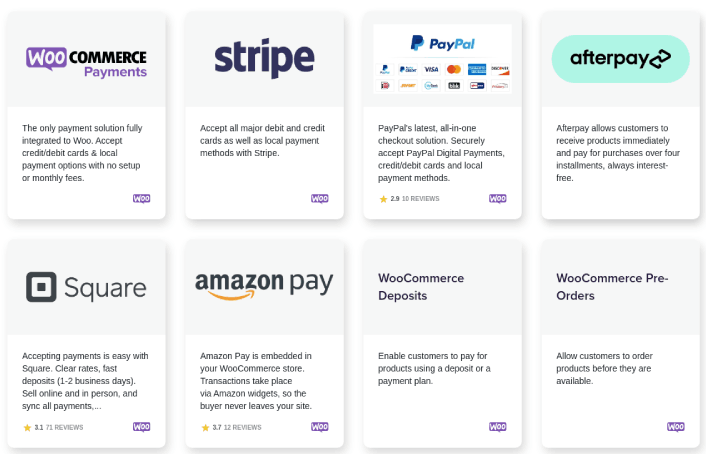
WooCommerce 开箱即用支持 PayPal 和 Stripe 付款。它还通过插件和附加组件支持所有主要的支付网关。
#5. MemberPress

MemberPress 是最易于使用的 WordPress 会员网站插件之一。它还附带一套完整的强大功能,可帮助您发展和货币化您的会员社区。最酷的部分是,您可以使用 MemberPress 货币化任何社区,因为它支持通过 Stripe 付款。
入门所需做的就是:
- 安装插件
- 配置您的 支付网关
- 创建不同的会员级别
- 为每个会员级别添加特权
- 添加一些产品
然后您就可以开始使用了!之后,只需邀请人们加入您的会员计划即可。
您还可以根据您的会员级别限制对不同页面、帖子类型、标签和类别的访问。最棒的是,您还可以获得一个课程构建器。因此,如果您想为会员创建课程,您无需安装任何其他插件即可完成。
#6. LearnDash

LearnDash is probably the world’s most advanced learning management software. It’s also a tool to build a paid community around digital courses. You get complete control over who gets access to your courses and for how long.
The cool bit is that you can use Stripe to monetize your courses instantly.
You can even curate courses and exclusive perks to create packaged deals and membership plans. So, as soon as someone signs up as a member, they’ll instantly get access to every course that’s associated with the membership plan.
And if you want to take your membership to a whole new level, you can even integrate LearnDash with other membership plugins such as MemberPress to unlock even more powerful features.
#7. WP Full Stripe
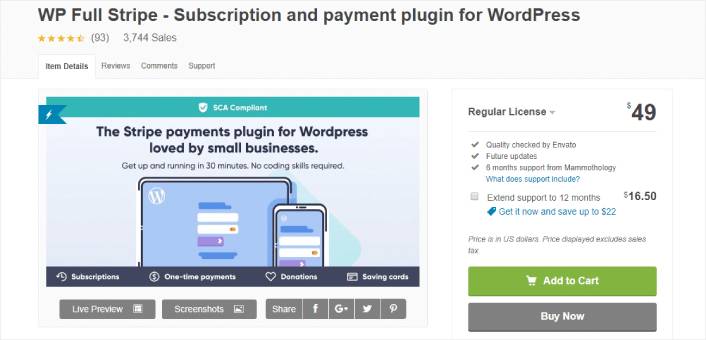
WP Full Stripe offers an easy and secure way to accept Stripe on your website. It’s an alternative to WP Simple Pay which also offers recurring payments and subscriptions using Stripe.
Popular features include:
- Save Credit Card Info to Charge Customers Later
- Integration with Pricing Tables
- PCI-DSS Compliant Plugin to Store Credit Card Information
- Custom Payment Forms
- Fully Customizable Payment Confirmation Page
- Accepts 100+ Currencies
If you’re setting up a Stripe WordPress plugin for the first time, WP Full Stripe is a fine choice. It’s beginner-friendly and easy to set up.
#8. Stripe Payments
Stripe Payments is exactly what it sounds like. It’s a WordPress plugin to process payments using Stripe. You get a one-click payment via Stripe with a “remember me” feature. So, it’s a really great match for membership sites and LMS platforms.
Some of the best features include:
- Responsive Designs for Payment Forms
- Shortcodes for Buy Now Buttons
- Easy and Quick Setup and Installation
- Strong Customer Authentication (SCA) Compliant
- “Authorize Only” Payment Options
And if you’re looking for a free payment gateway plugin for WordPress, this could be an excellent choice for you.
#9. YITH WooCommerce Stripe
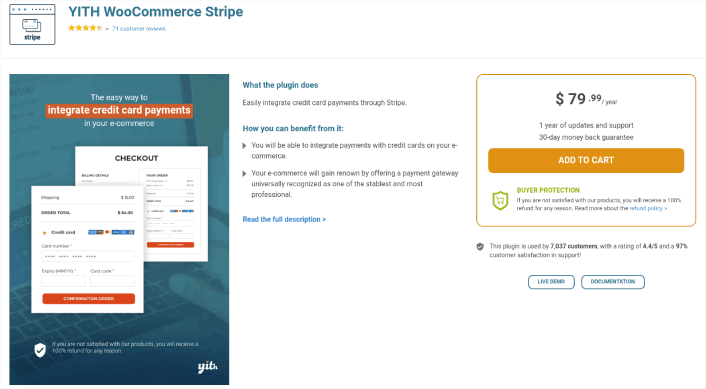
YITH WooCommerce Stripe is the last WordPress Stripe plugin on our list. It’s a super popular choice and YITH is an extremely well-known and trusted WooCommerce plugin developer. As the name suggests, you can use the plugin on any WooCommerce site. So, it’s mostly focused on eCommerce businesses.
Unlike the other plugins on this list, this one comes with one-click refunds. As with Stripe Payments, you can authorize payment on a card and collect it later on. You can also enable subscription renewals with another credit card if the existing credit card fails.
YITH WooCommerce Stripe is a pretty sophisticated plugin for bigger eCommerce brands. So, you can set up custom actions such as partial or full refunds using webhooks. This means that you can customize the functionality of the plugin even further if you have a developer to support you.
It’s also SCA compliant.
What’s the Best Credit Card Payment Plugin for You?
You should check out our tutorial on how to add credit card payments to your WordPress site next.
If you’re ready to accept payments on your site, the next thing you should focus on is bringing traffic, engagement, and sales to your site. Push notifications are a great way to do that.
Here, check out these epic resources to get started with push notifications right away:
PushEngage 是全球排名第一的推送通知软件。因此,我们建议使用 PushEngage 来创建您的推送通知并发展您的电子商务业务。


