PushEngage WordPress のインストールはシームレスに行われることを想定していますが、問題が発生する可能性もあります。Service worker は、プッシュ購読者を収集し、プッシュキャンペーンを送信するための重要なファイルです。
PushEngage のインストール中に Service Worker ファイルに関連する一般的な問題と、それらの問題を解決する方法をまとめたガイドを作成しました。
開始する前に
- リダイレクトは避けてください。service-worker.js ファイルは公開からアクセス可能である必要があります (https://www.mywebsite.com/service-worker.js)。service-worker.js ファイルにアクセスしようとしたときにリダイレクトが発生する場合、インストールは正しく行われておらず、購読も失敗します。
- サイトへの購読を試みた後に 403 または 404 エラーが表示される場合は、PushEngage Service worker ファイルが公開からアクセスできないように何かが妨げている可能性があります。これは、PushEngage ダッシュボードまたはブラウザコンソールで確認できます。これらのファイルは、リダイレクトではなく、すべて大文字で記述する必要があります。これらのページは、問題なくアクセスできるはずです。
- PushEngage を既に Service worker を持つウェブサイト (PWA など) に統合している場合は、PushEngage が正しく機能するために Service worker をマージする必要があります。このガイドは、PushEngage Service worker をウェブサイトの既存の Service worker とマージするのに役立ちます。
Service worker の問題とその解決策
エラー 1: Service worker ファイルの URL が正しくありません
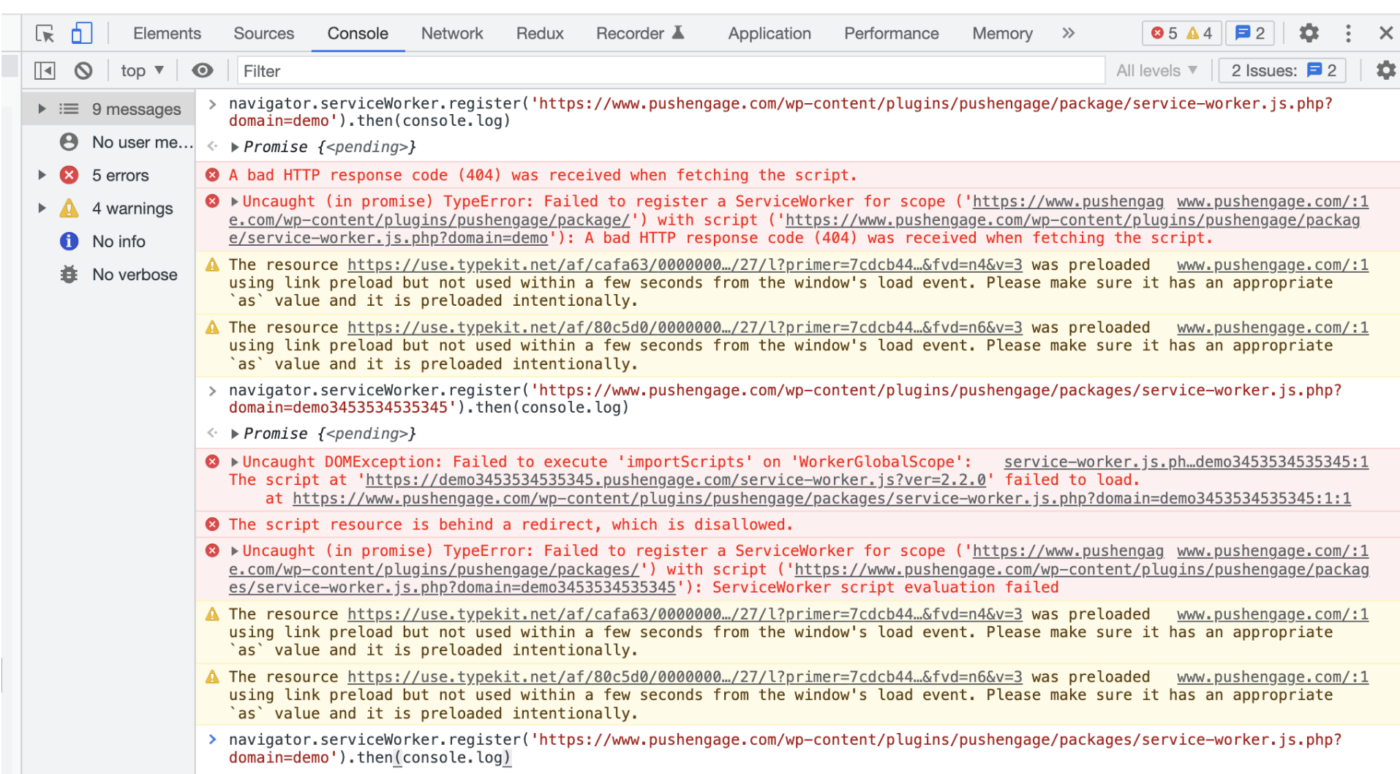
TypeError: スクリプト (https://www) を使用して、スコープ (https://xxxx) の ServiceWorker の登録に失敗しました。スクリプトの取得中に無効な HTTP 応答コード (404) が受信されました。

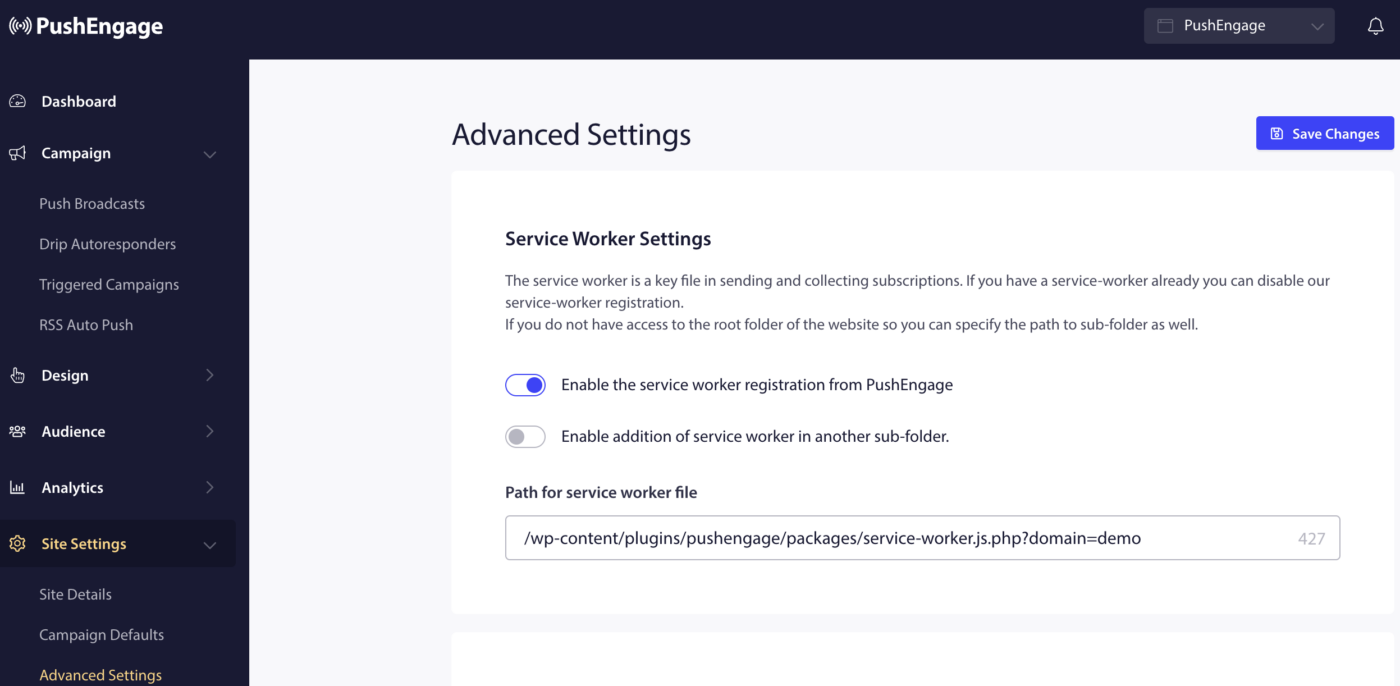
解決策: サイト設定 » 詳細設定 » Service Worker 設定 に移動して、Service Worker ファイル名と場所が PushEngage ダッシュボードの値と一致していることを確認してください。
エラー 2: ブラウザに Service Worker ファイルを読み取る権限がありません
TypeError: スコープ ('https://xxx') の ServiceWorker の登録に失敗しました ('https://xxxx'): スクリプトの取得中に無効な HTTP 応答コード (403) が受信されました。
解決策: ウェブホスティングサービスプロバイダーにウェブサーバーの設定を確認し、設定が Service Worker ファイルへの読み取りアクセスを許可しており、ファイルがインターネットから公開からアクセス可能であることを確認してください。
PushEngage チームは、権限の変更についてはお手伝いできません。ホスティング会社または開発チームのみが、これらの権限を修正できます。
エラー 3: ‘importScripts’ の実行に失敗しました
Uncaught DOMException: ‘importScripts’ を ‘WorkerGlobalScope’ で実行できませんでした。スクリプト (https://xxxxxx) は (https://www) で読み込みに失敗しました。
解決策: Service Workerファイル内のimportScripts (https://xxxx.pushengage.com)ステートメントで、Service Workerファイルが誤ったサブドメイン名を使用しています。 そのため、importScriptステートメントがサイトに割り当てられた正しいPushEngageサブドメインを使用していることを確認してください。
Service Worker URLのドメインクエリパラメータの値が正しくありません。これは、WordPressプラグインを使用しているサイトにのみ適用されます。
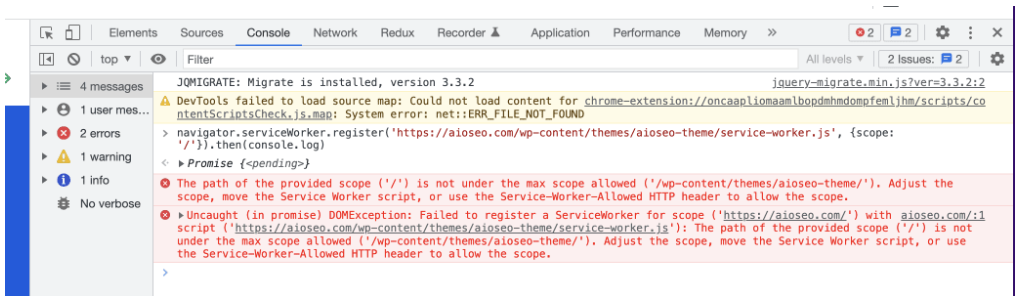
エラー4: Service Workerの登録に失敗しました
DOMException: スクリプト(https://xxxxxxxx)を使用してスコープ(https://www)のService Workerの登録に失敗しました。指定されたスコープ('xxx')のパスは、許可される最大スコープ('xxxxxxx')の下にありません。スコープを調整するか、Service Workerスクリプトを移動するか、またはService-Worker-Allowed HTTPヘッダーを使用してスコープを許可してください。
解決策: Service Workerファイルをルートディレクトリに移動し、このガイドでService Workerパスを更新してください。
完了したら、Service Workerファイルへのリクエストに対してHTTPヘッダーService-Worker-Allowedの値を‘/’ に設定してください。
問題が発生した場合は、ここをクリックして お問い合わせ ください。サポートチームがお手伝いします。