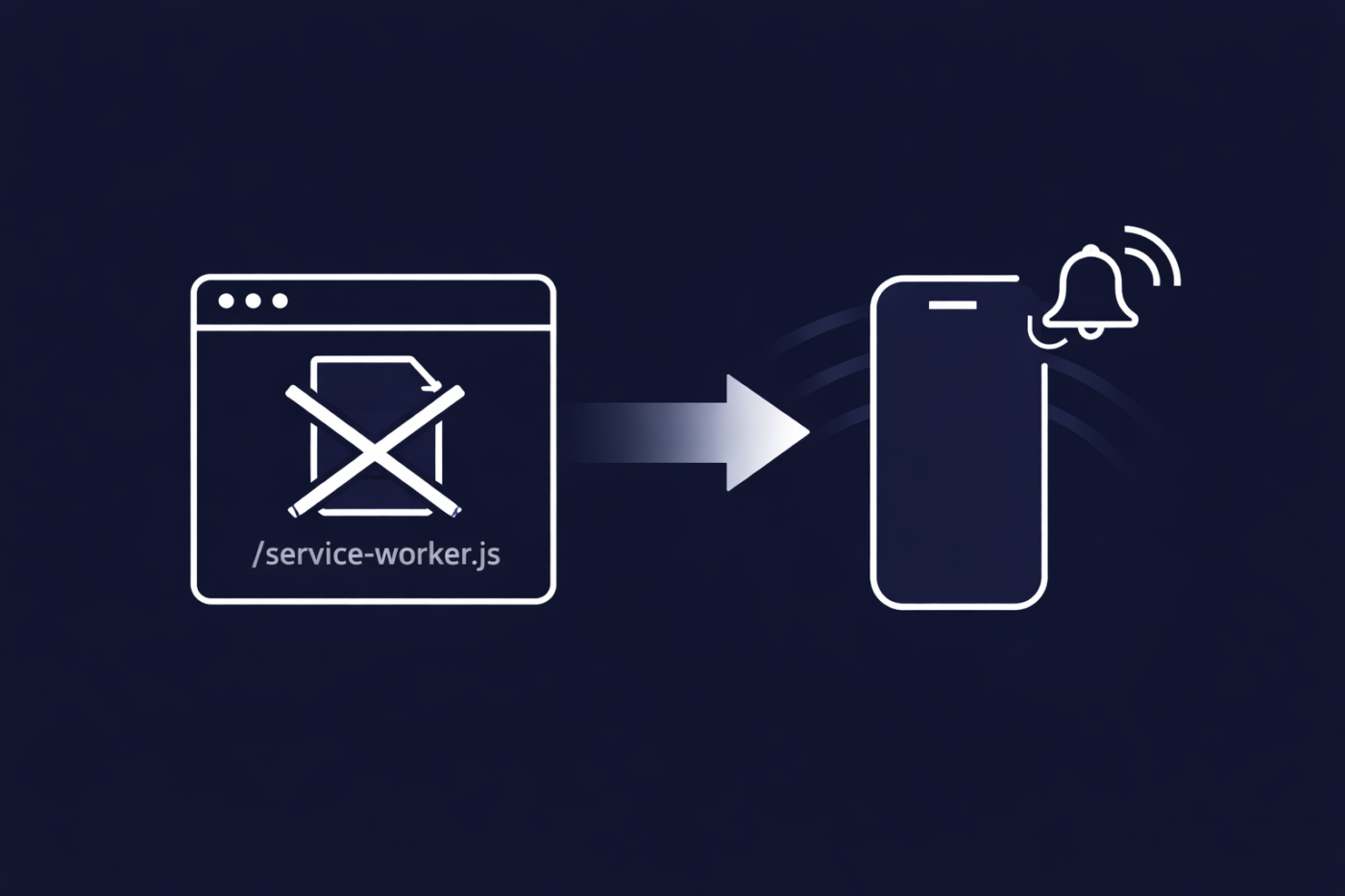
Base44 是构建现代 PWA 的热门选择。它快速、灵活,并消除了许多传统的架构难题。但如果您曾尝试为 Base44 应用添加 Web 推送通知,您可能会遇到一个看似无法逾越的障碍。
没有 root 访问权限。没有 service-worker.js。没有推送通知。
或者至少看起来是这样。
在本文中,我们将深入探讨:
- 为什么 Web 推送在 Base44 上通常会失败
- 为什么大多数团队认为这是不可能的
- PushEngage 如何仍然能在 Base44 上启用 Web 推送
- 哪些有效,哪些无效,以及为什么这种权衡仍然有意义
如果您正在构建 Base44 上的 PWA 并关心用户留存,那么本文适合您。
立即发送多渠道消息!
推送和 WhatsApp 消息是非常有效且低成本的营销工具,可帮助您自动增加重复流量、参与度和销售额。
为什么 Web 推送在 Base44 上看起来不可能
要理解这个问题,您需要了解 Web 推送实际上是如何工作的。

Web 推送如何工作(快速入门)
Web 推送通知依赖于 service worker。
Service worker:
- 在后台运行
- 监听推送事件
- 即使网站或 PWA 关闭,也能显示通知
为了让浏览器信任它,service worker 通常必须:
- 位于您的域根目录
(例如/service-worker.js) - 使用正确的范围注册
这不是可选项。这是浏览器强制执行安全边界的方式。
Base44 的限制
Base44 does not allow arbitrary access to the root directory in the traditional way.
这意味着:
- You can’t just drop a
service-worker.jsfile at/ - You can’t implement Web Push using the “standard” PWA push notifications playbook
So most teams reach the same conclusion: “Web Push won’t work on Base44.”
And normally, they’d be right.
为什么这通常是死胡同
Most push providers assume one thing: You control your root files.
Their setup depends on:
- A root-level service worker
- Direct file access
- Manual service worker merging
That works fine on custom stacks, but not on Base44.
As a result:
- Teams abandon Web Push entirely
- Or assume they need a native app to do retention properly
That’s where PushEngage does something differently.
PushEngage 的 Service Worker 绕过方案
PushEngage supports a Service Worker Bypass specifically designed for environments like Base44. This approach enables Web Push without requiring root-level file access.
思路(高层次)
而不是强迫您:
- Modify Base44’s root
- Replace or merge service workers manually
PushEngage:
- Registers a service worker through an alternate, browser-supported mechanism
- Uses its own infrastructure to handle push events
- Maintains correct scope and security requirements without touching your root files
From the browser’s perspective:
- A valid service worker exists
- Push events are handled correctly
- Notifications can be delivered reliably
From your perspective:
- No root access required
- No custom service worker plumbing
- No Base44 limitations blocking you
This is what makes Web Push viable on Base44 PWAs.
How to Set Up PushEngage on Base44 (Step-by-Step)
Here’s the best part: you don’t need to touch a server, a DNS panel, or any infrastructure config. The whole setup takes about 10 minutes.
There are two ways to do it — let Base44’s AI builder install everything for you, or add the code manually. We’ll cover both.
Step 1: Grab Your PushEngage Installation Code
First, create your PushEngage account and add your Base44 app’s URL (for example, yourapp.base44.app or your custom domain) as your site.
Then, in the PushEngage dashboard, head to Site Settings » Installation and select Any Site. You’ll need two things from this screen:
- Your installation code — a small script that goes inside your app’s
<head>tag - Your service worker file — click Download Service Worker File to get the
service-worker.jsthat needs to live at the root of your app (e.g.yourapp.base44.app/service-worker.js)
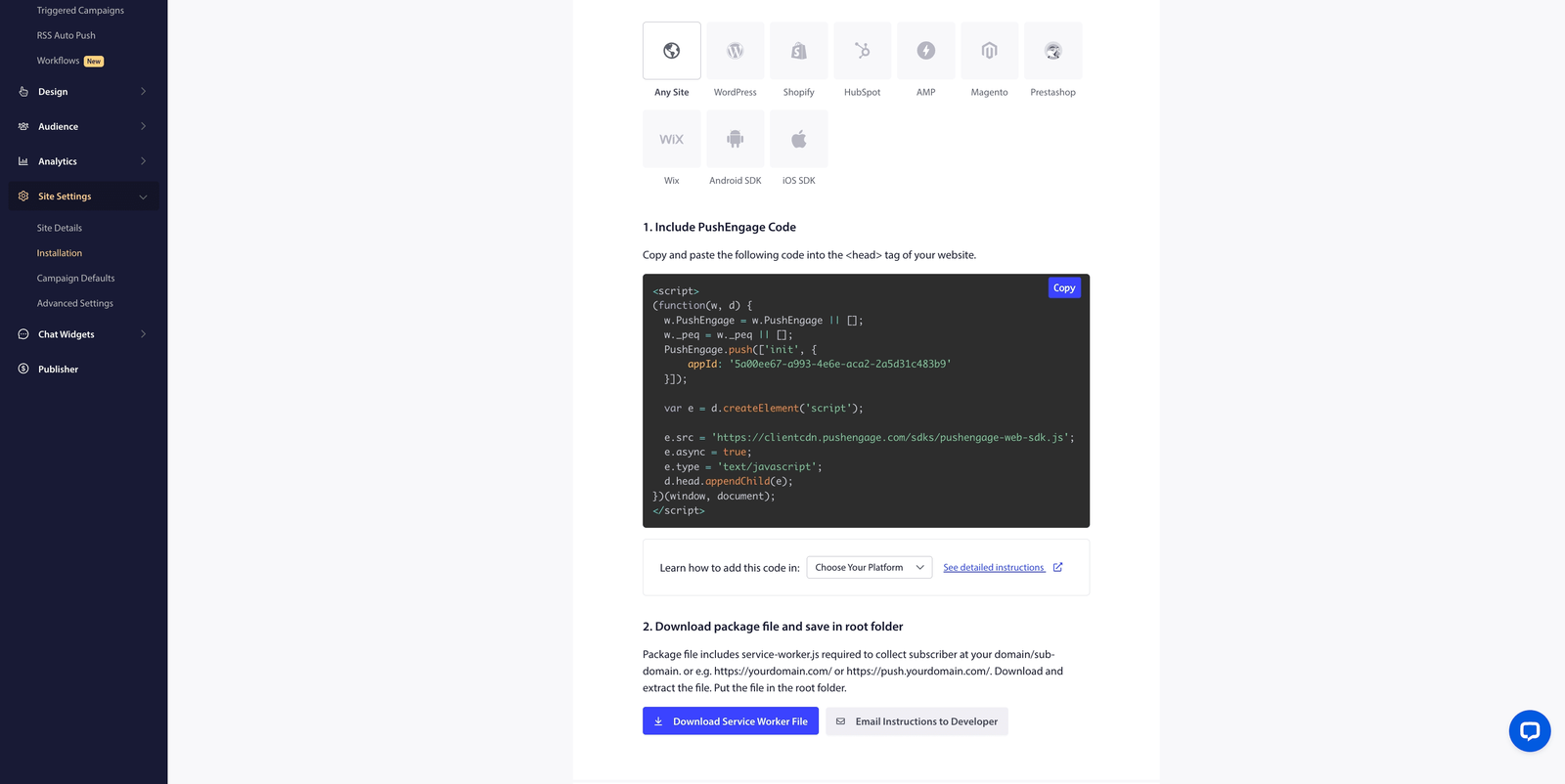
For the full walkthrough, follow the PushEngage installation guide.
Step 2: Ask Base44’s AI to Install It (The Easy Way)
Remember the constraint from earlier: you can’t manually drop files at Base44’s root. But here’s the loophole — Base44’s AI chat can edit your app’s files for you. It opens automatically as soon as you log in.
Just paste a prompt like this:
Integrate PushEngage web push notifications into my app:

1. Add my PushEngage installation code (below) to the <head> of every page.
2. Create a service-worker.js file at the root of my app, using the contents of the PushEngage service worker file (below), so it is publicly accessible at /service-worker.js.

[paste your installation code here]

[paste your service-worker.js contents here]
Base44’s AI will wire everything into place. No code editor required.
Prefer doing it by hand? It’s the same two moves: paste the installation code into your app’s <head>, and add the service-worker.js file at the root of your project. Either path works.
Step 3: Test Your Setup
Open your Base44 app in Chrome and you should see the push notification opt-in prompt. Subscribe, then check your PushEngage dashboard:
- Your subscriber count should increase
- Send yourself a test notification — it should arrive within seconds
- Your delivery and click stats should start updating
We’ve tested this exact flow on a live Base44 app — subscriptions, delivery, and stats all work just like they do on any other site.
If the opt-in doesn’t show up, the most common causes are covered in our troubleshooting guide. Nine times out of ten, it’s the service worker not being publicly reachable at the root — which is exactly what the prompt above fixes.
您可以在 Base44 上使用 PushEngage 做什么
一旦服务工作者绕过到位,您就可以解锁真正的留存能力——而不是一个被稀释的版本。
支持的平台
借助 PushEngage on Base44,您可以发送:
- 桌面网页推送
- Chrome
- 火狐浏览器
- Edge
- Android 网页推送
- 包括 PWA 安装
这些是电子商务和 SaaS 高意向流量已聚集的平台。
您可以构建什么
您不仅限于基本广播。PushEngage 支持:
- 自动化工作流
- 废弃购物车恢复
- 浏览放弃
- 降价提醒
- 细分
- 基于行为、属性和事件
- 目标跟踪
- 衡量点击、转化和收入影响
简而言之,您无需重新设计应用程序即可获得传统设置中预期的相同留存堆栈。
为什么这对于大多数 Base44 PWA 仍然有意义
对于大多数 Base44 用例,此限制的影响远小于听起来那么大。
高意向用户实际在哪里
对于电子商务和 SaaS PWA:
- 桌面用户转化率更高
- Android 占全球移动流量的主导地位
- 登录用户和回头客绝大多数来自这些平台
这正是 Base44 上的网页推送确实有效的地方。
您的收获
即使没有 iOS 网页推送,您仍然可以获得:
- 直接、自有留存渠道
- 无需电子邮件或广告即可实时重新互动
- 自动运行的自动化恢复流程
对许多团队来说,这可以立即带来投资回报,而无需等待原生应用路线图。
Base44 + PushEngage:实用的用户留存栈
如果您使用 Base44 构建 PWA,您的目标通常很明确:
- 减少摩擦
- 更快地发布
- 在不增加基础设施的情况下留住用户
PushEngage 自然地融入该模型。
您可以:
- 保持您的 Base44 设置不变
- 在真正重要的方面启用网页推送
- 避免使用黑客手段、变通方法或脆弱的自定义代码
无需root访问权限。无需重新平台化。
一次设置,覆盖所有客户支持
Base44 上的 Web 推送并非不可能——只是 以传统方式不可能。
使用 PushEngage 的 Service Worker 绕过:
- 桌面和 Android Web 推送完全受支持
- 自动化的留存工作流程已解锁
- 唯一缺失的是 iOS——这是 Apple 的限制,而不是 Base44 的限制
如果您正在 Base44 上构建 PWA 并希望获得真正的留存渠道,Web 推送仍然是可行的。您绝对应该开始为您的企业使用 Web 推送通知。
不信?查看这些关于推送通知活动的精彩资源:


