How to schedule a push notification in the subscriber’s Time zone?

A very effective way of advertising to the customers using a notification is by sending them to the customer in their own time zones. The importance of Timezone is seen particularly if you have subscribers in multiple Time zones. This helps in increasing the CTR too.

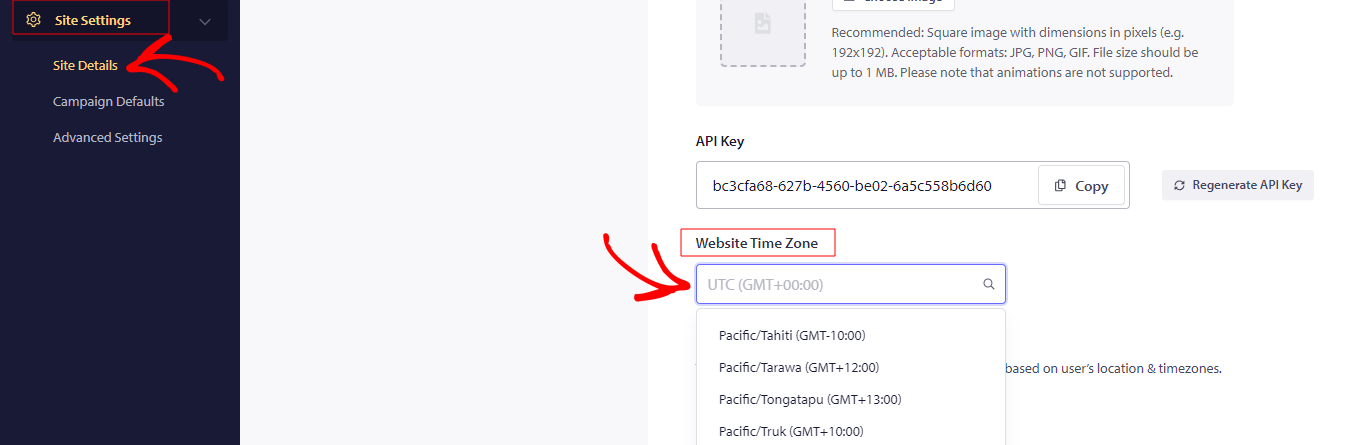
To schedule push notifications, you need to log in with your registered account. Navigate to Site Settings » Site Details » Website Time Zone & set your current time zone as a base, without which any scheduling may not work the way it should.

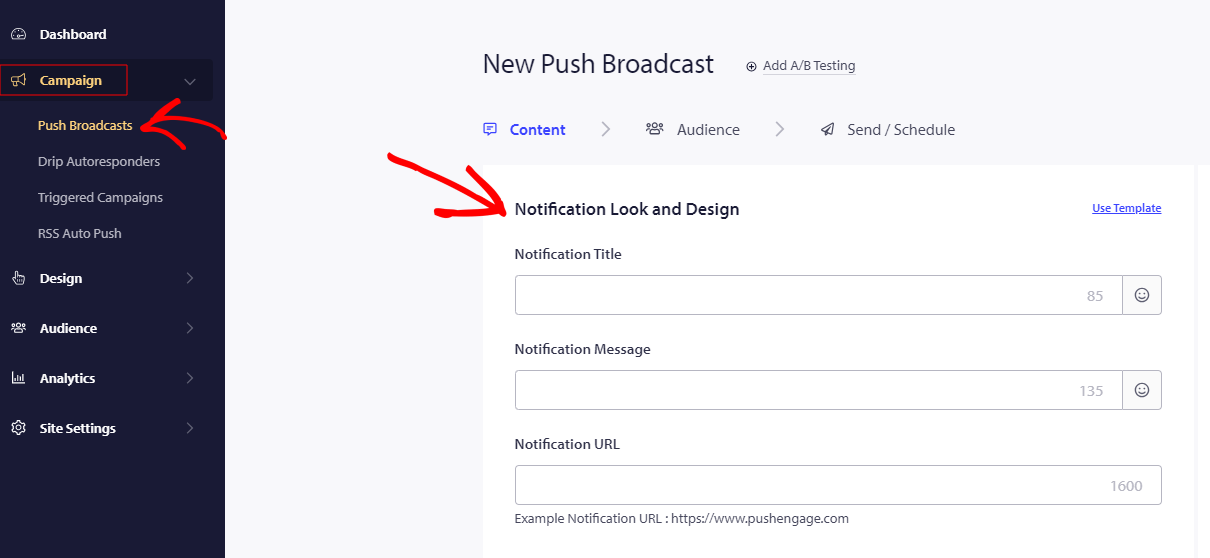
Then, to send a time zone notification, navigate to Campaign » Push Broadcast » Notification Look and Design » scroll down to Save and select Audience- “Send Notifications in Subscribers time zone.”

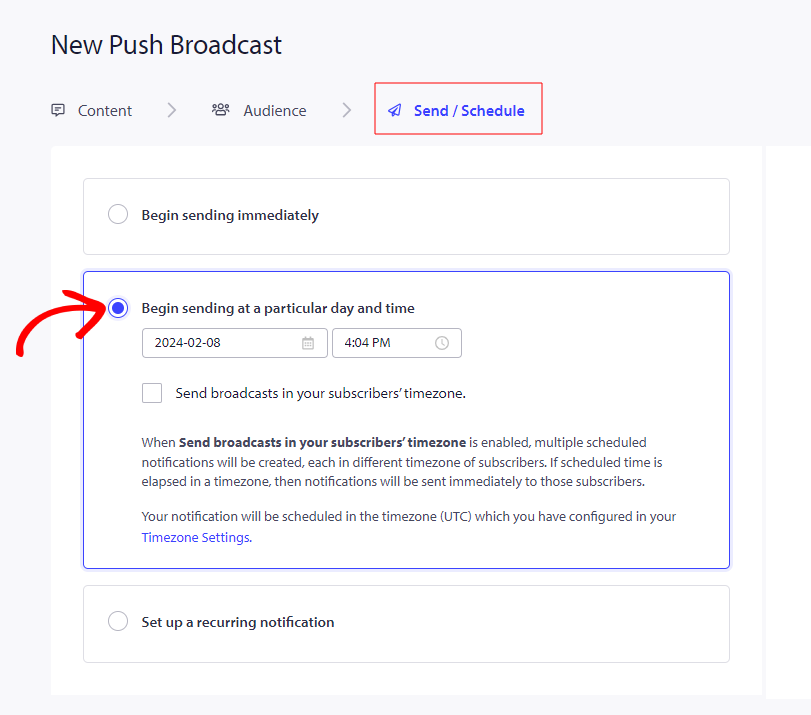
Enter all the required details of the notification in the given fields to create a notification. Move to Send/Schedule tab to Scheduling Options & check the option – Send Notifications in Subscribers timezone. By selecting this option, the notification will be sent to the customers in their own timezone. After all this is set, click on Schedule Notification

If in case you run into any issues, please feel free to contact us by clicking here. Our support team would be able to help you

仍然卡住了?我们能帮您什么?
最后更新于 2026 年 3 月 9 日

在访客离开您的网站后与他们互动并挽留他们

通过难以忽略的推送通知,增加每次网站访问的价值。

  • 永久免费套餐
  • 轻松设置
  • 五星支持