注意:此项目没有可用的旧版文档,因此您看到的是当前文档。
So, you’ve explored what PushEngage capabilities and you’re now ready to upgrade your account for advanced features. This will help you increase your repeat traffic and engagement.
In this article, you’ll learn how to upgrade your account.
开始之前
开始之前,您需要了解以下几点:
- You can not downgrade your account without contacting support.
- Your PushEngage account upgrade will be pro-rated when you update your account.
All details in the PushEngage account related to the subscription plan in the Dashboard under Billing. You can upgrade your plan by checking the subscriber limit, site add-on, automation features, billing mode, etc.
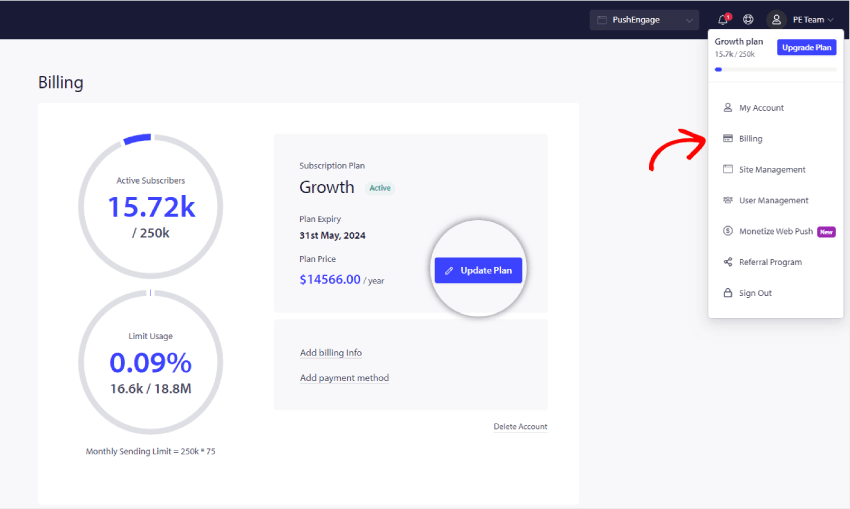
Please navigate to Profile Icon on the top right corner and click on Billing
Then on the Billing Details page, click on Update Plan, as shown in the below screenshot:

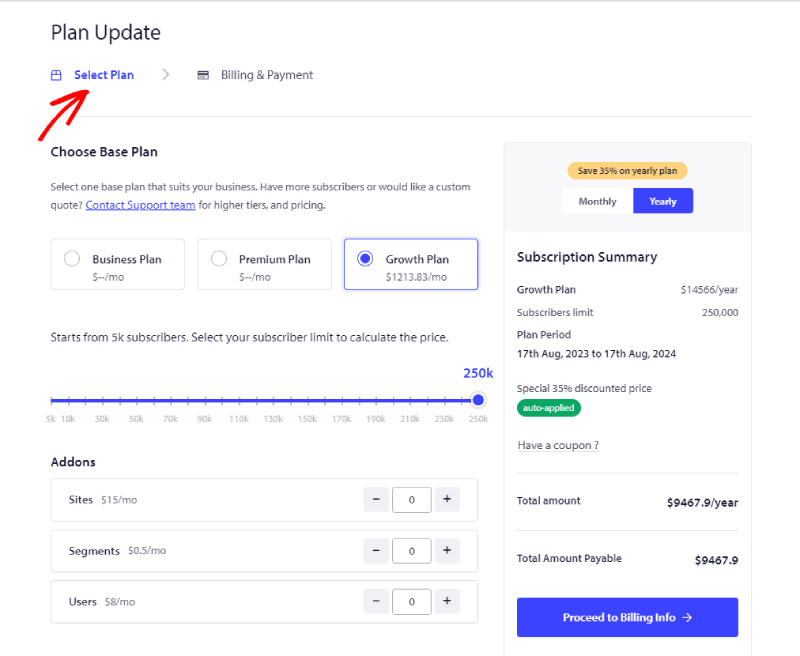
Select the right plan as per your business requirements. And select the subscriber’s slab and Plan that you want to upgrade. Now you can click on Proceed to Billing Info

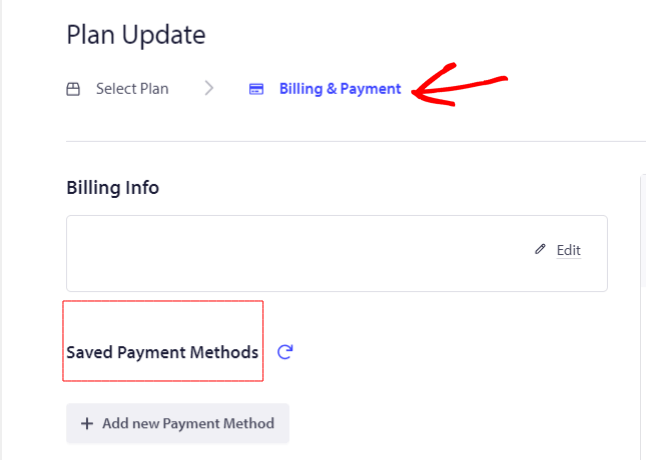
Now you can proceed to the Billing Info page.

You can add Billing Details and Add card details to proceed with checkout.
That is it; your account is now upgraded.
如果您遇到任何问题,请随时通过单击此处联系我们。我们的支持团队将能够帮助您。