Abonelik onay kutusu veya Açılır Pencere Modalı artık özelleştirilebilir ve ayrıca bir segment onay kutusu içerebilir, böylece web sitesi ziyaretçisi tüm kampanyalar veya yalnızca seçilen segmentler için bildirim almak isteyip istemediğine karar verme şansına sahip olur.
Abonelik Onayının Farklı Stilleri
Ziyaretçilerinizi web anlık bildirim abonelerinize ve müşterilerinize dönüştürebilecek Abonelik Açılır Penceresinde çeşitli stiller bulunmaktadır.
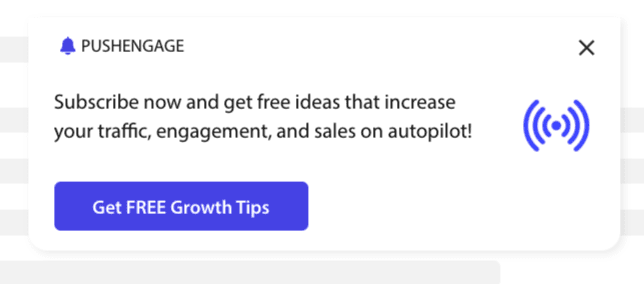
Şık Onay Kutusu: Bu stil, ikisi yerine yalnızca bir düğmeye sahip şık bir tasarıma sahiptir.
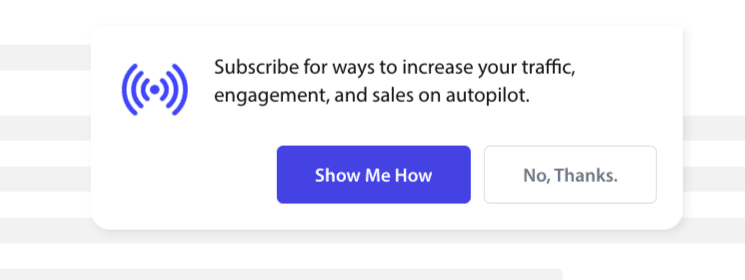
Safari Tarzı Kutu: Bu, İzin Ver veya Reddet'e tıklamak için iki düğmeye sahip klasik bir çift adımlı onay kutusudur ve özelleştirilebilir.
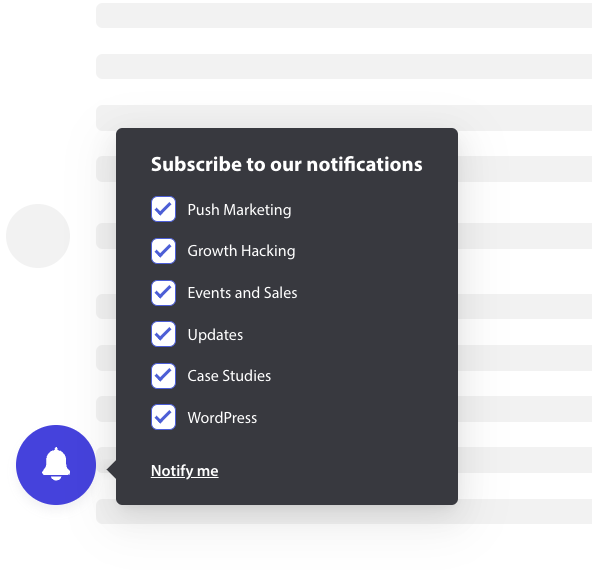
Çan Yerleştirilmiş Çubuk: Bu küçük çan size abone olmanızı veya engellemenizi söyler. Köşedeki küçük çan simgesi özelleştirilebilir ancak daha az ekran alanı kaplar, bu da insanların anlık bildirimlere abone olmasını sağlar.
Kayar Çubuk: Bu Açılır Pencere stili ekranı kaplar ve alta yerleştirilir. Tasarım açılır penceresine daha uzun metin ekleyebilirsiniz.

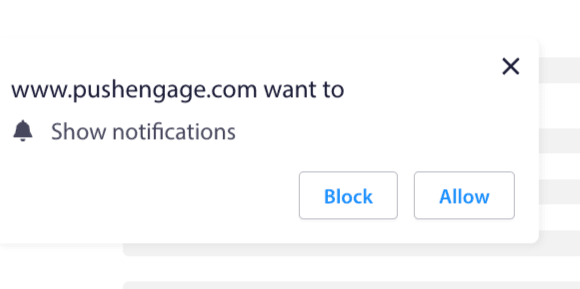
Anlık Tek Adımlı Onay: Özelleştirmenize veya kişiselleştirilmiş bir mesaj eklemenize izin vermeyen tek adımlı bir izin kutusu.
Büyük Safari Tarzı Kutu: Ekranın ortasında görünen ve segment eklemenize olanak tanıyan bir kutu.
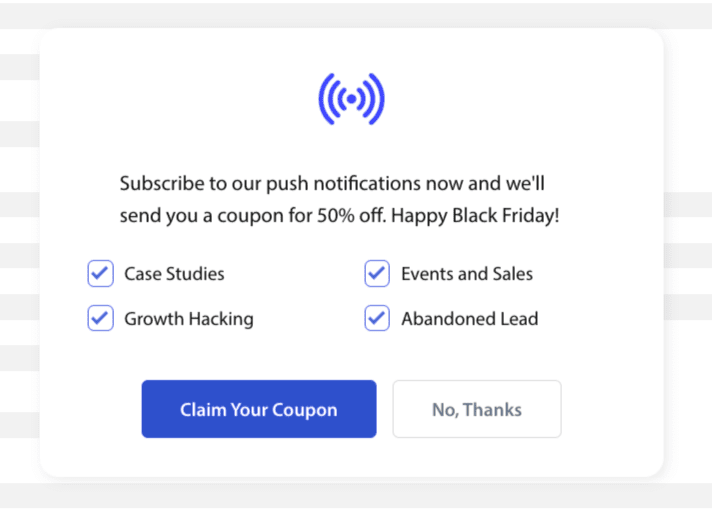
Not: Tek Adımlı Onay hariç tüm abonelik açılır pencere stilleri düzenlenebilir veya özelleştirilebilir. Anlık Tek Adımlı Onay, tarayıcının varsayılan stilidir ve düzenlenemez veya özelleştirilemez.
Abonelik Onayına Segment Ekleme
Onaylamak istediğiniz stili seçebilir ve Düzenle'ye tıklayabilirsiniz. Açılır Pencere Tasarımı altında, Tüm Segmentleri Etkinleştir seçeneğini kullanmalısınız.
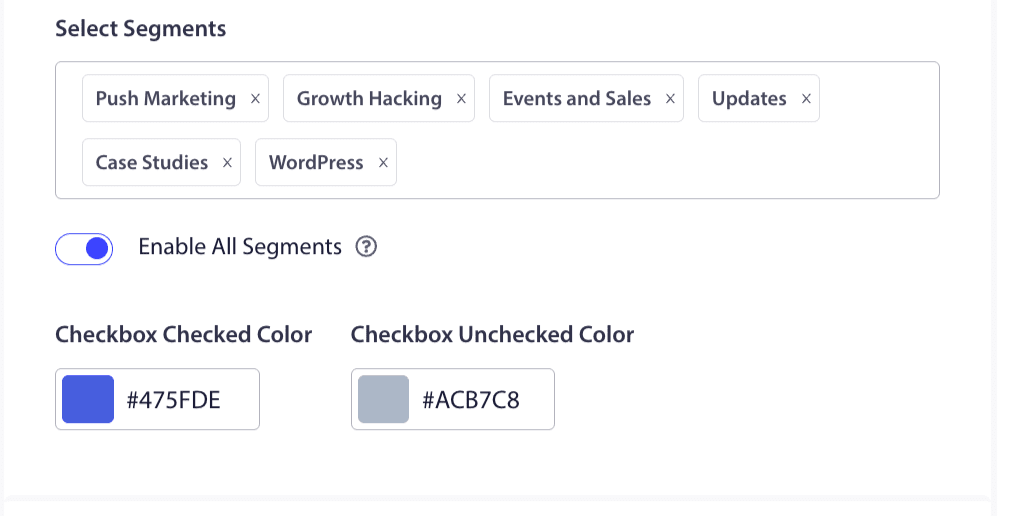
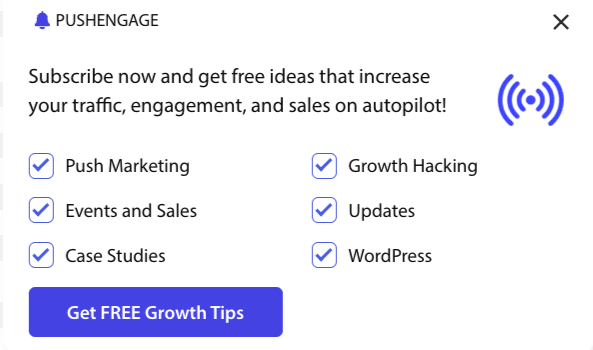
Segmentleri açılır menüden seçebilir ve önizlemenin istediğiniz gibi görünüp görünmediğini kontrol edebilirsiniz. Onay kutularının rengini özelleştirme seçeneğiniz de vardır, böylece bunları Markanızın renkleriyle uyumlu hale getirebilirsiniz. Önizlemeniz şöyle görünecektir –
İşlevselliği geliştirmek için Seçenekleri Anlama
Onay Aboneliğini Etkinleştir Kurallar
Bu açılır pencere modu, küresel hedefleme kuralının izin verdiği tüm sayfalarda görüntülenecektir. Ancak, isterseniz bu açılır pencereleri belirli web sayfalarına ekleyebilirsiniz.
Abonelik Katmanını Etkinleştir
Katman, insanların izin ver'e tıklamasını vurgulayan, kullanıcıları anında iletme bildirimleri almak için izin ver düğmesine tıklamaya yönlendiren bir seçenektir.
Hatırlatma İsteğini Etkinleştir:
Chrome ve Edge gibi tarayıcılar, web sitesi ziyaretçilerinin Engelle'ye sık sık tıklamalarına bağlı olarak çalışır. Adres çubuğunda sessiz bir kullanıcı arayüzü, çan simgesi etkinleştirirler. Bu, genellikle bildirimleri reddeden kişiler için optimize edilmiş bir abonelik açılır penceresi sürümüdür. Bu hatırlatıcı yalnızca masaüstünde gösterilebilir. İnsanları web anlık bildirim kampanyalarına abone olmaya teşvik etmek içindir.
Abonelik açılır penceresi:
Bu, kodun yüklendiği sayfalarda onayın gösterilmesini devre dışı bırakmak veya etkinleştirmek için geçiş düğmesidir. Bu geçişi kapatırsanız, abone toplamayı durdurursunuz.
Görüntüleme Seçeneklerini Anlama
Bu ekran, abonelik açılır penceresinin nasıl görüntülenmek istediğini optimize etmenize yardımcı olacaktır.
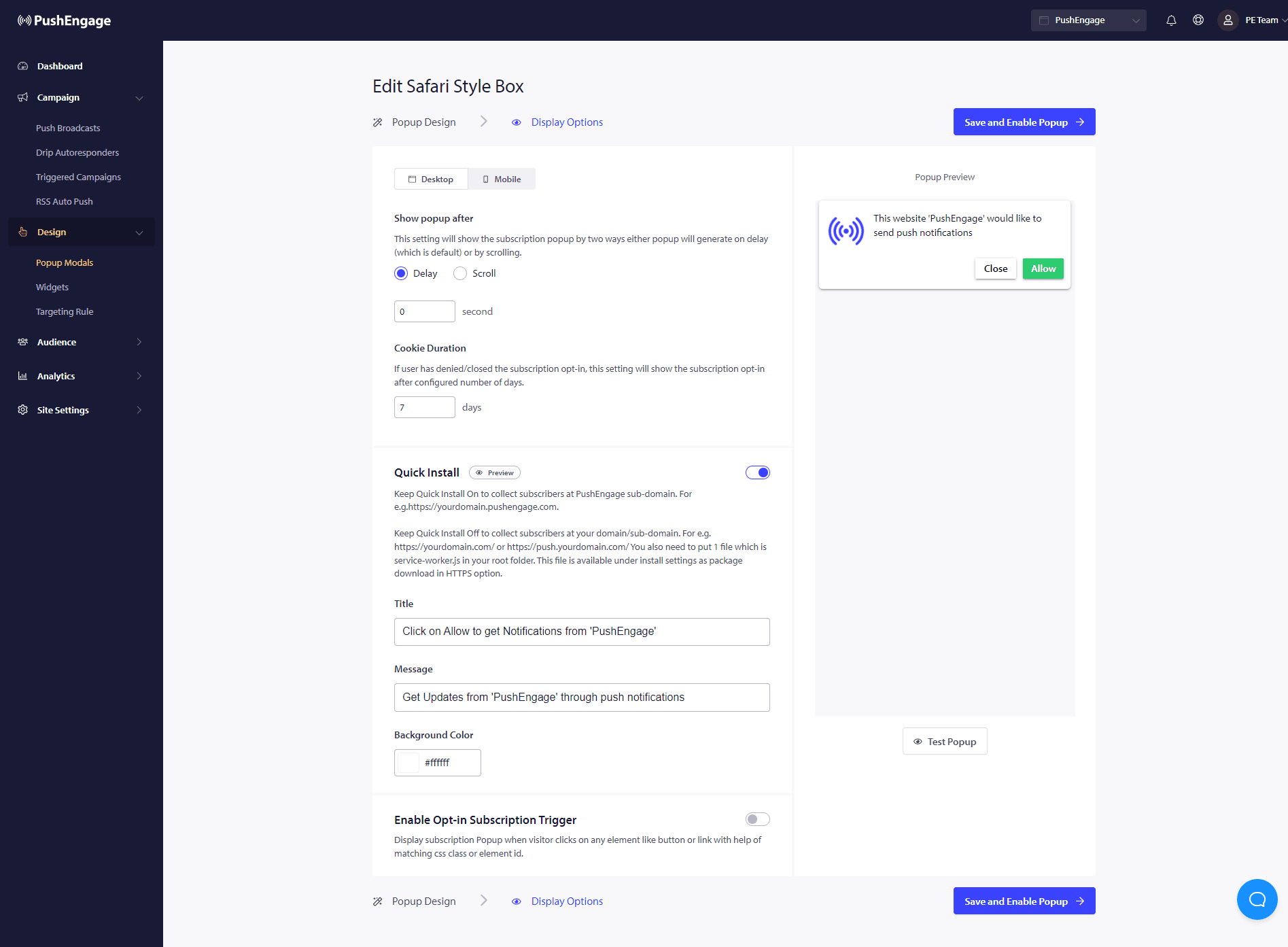
Hızlı Kurulum :
Bu seçeneği her zaman kapalı tutmanızı öneririz. Böylece aboneler alan adınızda toplanır. Bu seçenek yalnızca hizmet çalışanlarını web sitelerine ekleyemeyen ve abonelikleri alan adlarında toplayamayan kişiler içindir.
Abonelik Onayı Tetikleyicisini Etkinleştir:
Sayfa yüklemesinin dışında, açılır pencere, ziyaretçi herhangi bir düğmeye veya bağlantıya tıkladığında, eşleşen bir CSS sınıfı veya öğe kimliği aracılığıyla başka herhangi bir olayda tetiklenebilir. Açılır pencere, kod tabanında değişiklik yapmadan tetiklenebilir.
Onay Göster:
İsteğe bağlı seçeneği bir gecikmeden sonra veya sayfanın belirli bir yüzdesi kaydırıldıktan sonra göstermek için kuralı ayarlayabileceğiniz yer burasıdır.
- Gecikme – Abonelik açılır penceresi ne kadar süre sonra görünmeli? En iyi uygulama olarak 5 saniyenin altında veya en fazla 10 saniye olmasını öneririz.
- Kaydırma – Ziyaretçi ekranın %X yüzdesini kaydırdıysa abonelik açılır penceresinin tetiklenebileceğine karar verebilirsiniz.
- Çerez Süresi – Bir kişi aboneliği iptal eder ve abonelik açılır penceresine izin vermezse/engellerse, sıfırlama çerez süresini tanımlayabilirsiniz. Bu kadar gün sonra ziyaretçi açılır penceresini tekrar görebilir.
Hepsi bu kadar. Abonelik açılır penceresini ihtiyacınıza göre özelleştirdikten sonra değişiklikleri kaydedebilirsiniz.
Artık web sitesi ziyaretçilerinizin web push aboneleri olarak dönüştüğünü görmeye hazırsınız.
Herhangi bir sorunla karşılaşmanız durumunda, buraya tıklayarak bize ulaşmaktan çekinmeyin. Destek ekibimiz size yardımcı olacaktır.