I ditt PushEngage-konto kan du när som helst uppdatera webbplatsinformation som webbplatsnamn, adress och webbplatslogotyp.
Den här guiden guidar dig genom processen att uppdatera/ändra webbplatsinformationen direkt från din instrumentpanel.
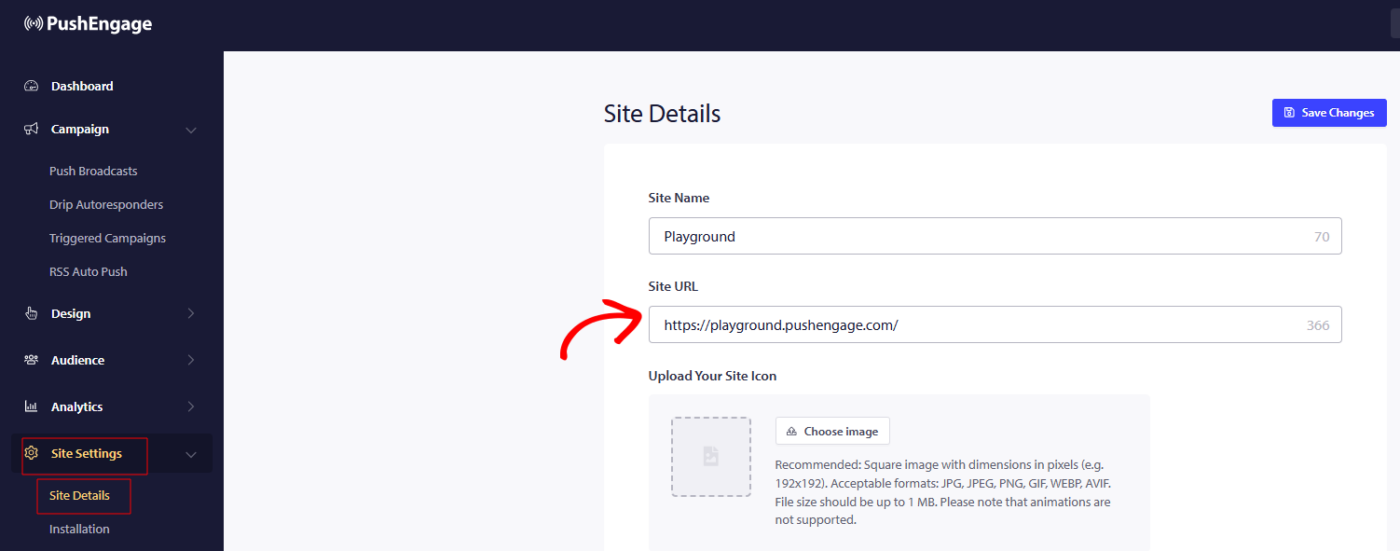
Du kan navigera till Webbplatsinställningar » Webbplatsinformation och uppdatera all information du vill ändra.
Dimensionerna för webbplatslogotypen nämns också, så det förväntas att du använder samma proportioner och storlek så att logotypen inte beskärs i prenumerationsformuläret eller aviseringsbilden.
T
G
När du har gjort ändringarna, kom ihåg att klicka på Spara ändringar för att tillämpa uppdateringarna.
Om du stöter på några problem, vänligen kontakta oss genom att klicka här. Vårt supportteam kommer att kunna hjälpa dig.