Observera: Det finns ingen äldre dokumentation tillgänglig för det här objektet, så du ser den aktuella dokumentationen.
Så, du har utforskat PushEngages funktioner och är nu redo att uppgradera ditt konto för avancerade funktioner. Detta hjälper dig att öka din återkommande trafik och ditt engagemang.
I den här artikeln får du lära dig hur du uppgraderar ditt konto.
Innan du börjar
Här är några saker att tänka på innan du börjar:
- Du kan inte nedgradera ditt konto utan att kontakta supporten.
- Din PushEngage-kontouppgradering kommer att proportioneras när du uppdaterar ditt konto.
Alla detaljer i PushEngage-kontot relaterade till prenumerationsplanen finns i instrumentpanelen under Fakturering. Du kan uppgradera din plan genom att kontrollera prenumerantgränsen, webbplatstillägg, automationsfunktioner, faktureringsläge, etc.
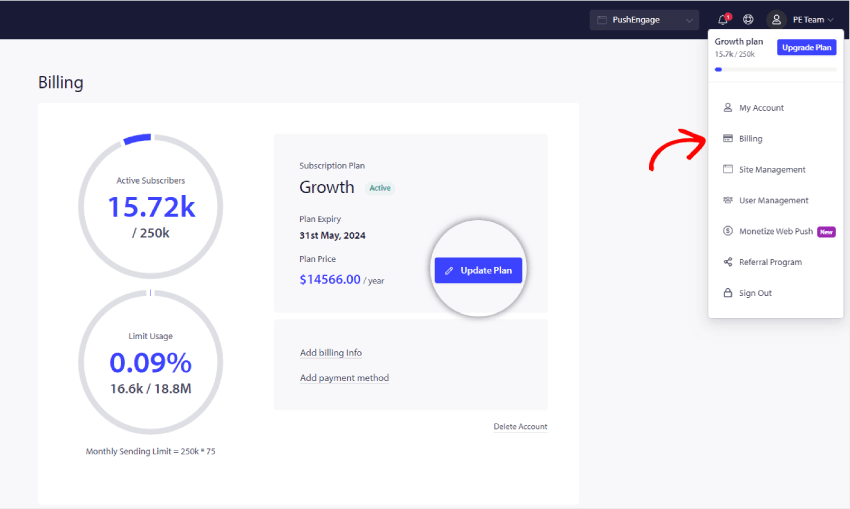
Navigera till profilikonen längst upp till höger och klicka på Fakturering
Klicka sedan på sidan Faktureringsuppgifter på Uppdatera plan, som visas i skärmdumpen nedan:
Välj rätt plan enligt dina affärsbehov. Och välj den prenumerantnivå och plan som du vill uppgradera till. Nu kan du klicka på Gå vidare till faktureringsinformation
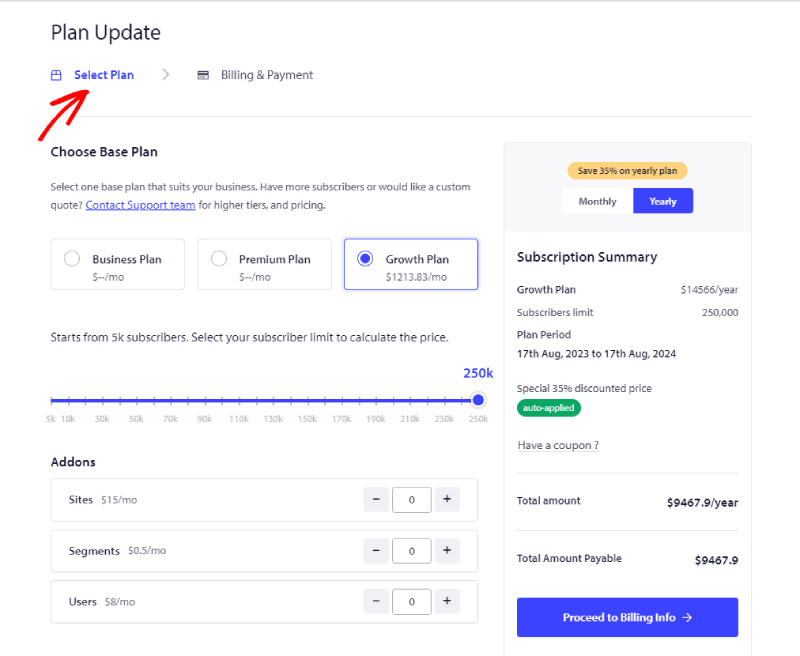
Nu kan du gå vidare till sidan Faktureringsinformation.
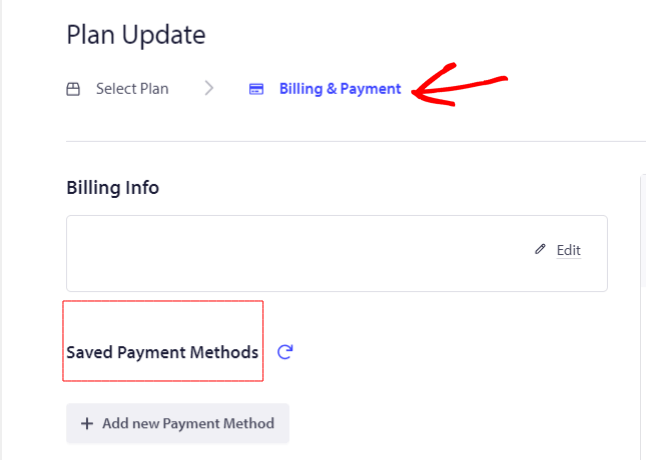
Du kan lägga till faktureringsuppgifter och kortuppgifter för att fortsätta med utcheckningen.
Det var allt; ditt konto är nu uppgraderat.
Om du stöter på några problem, tveka inte att kontakta oss genom att klicka här. Vårt supportteam kommer att kunna hjälpa dig.


